Get Unlimited Access to Thousands of Premium Fonts and More! Start Creating for Free Now

FontBundles.NET
Pricing
FontBundles.NET

Categories

New

Account

Start Free Trial
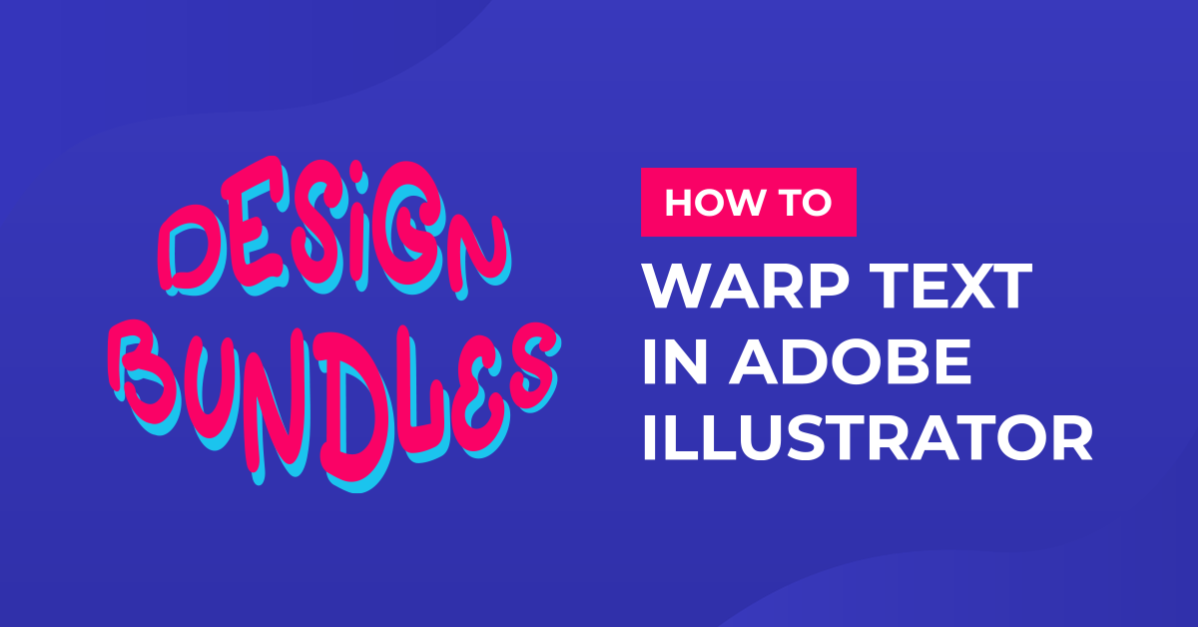
How to Warp Text in Adobe Illustrator

By Design Bundles

How to Warp Text in Adobe Illustrator

1- Open AI and create a new artboard.
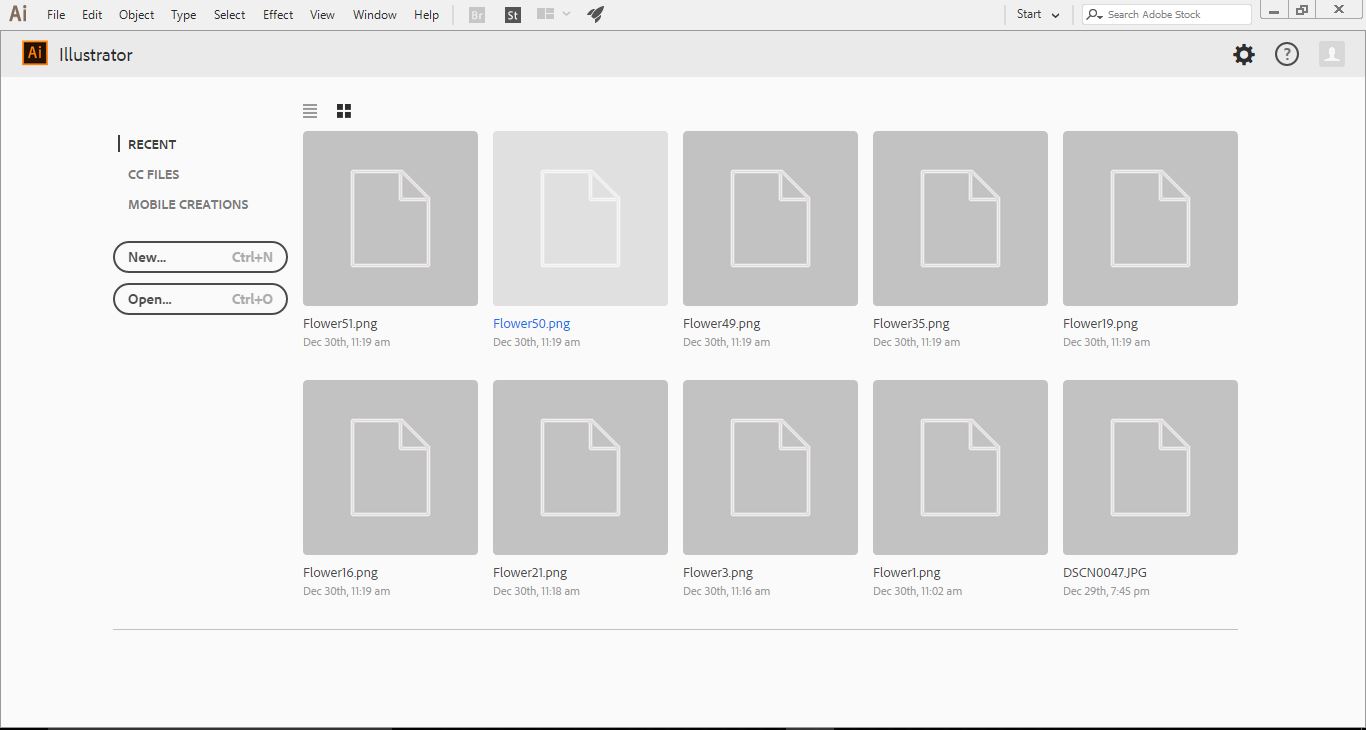
2- Select the Text Tool.
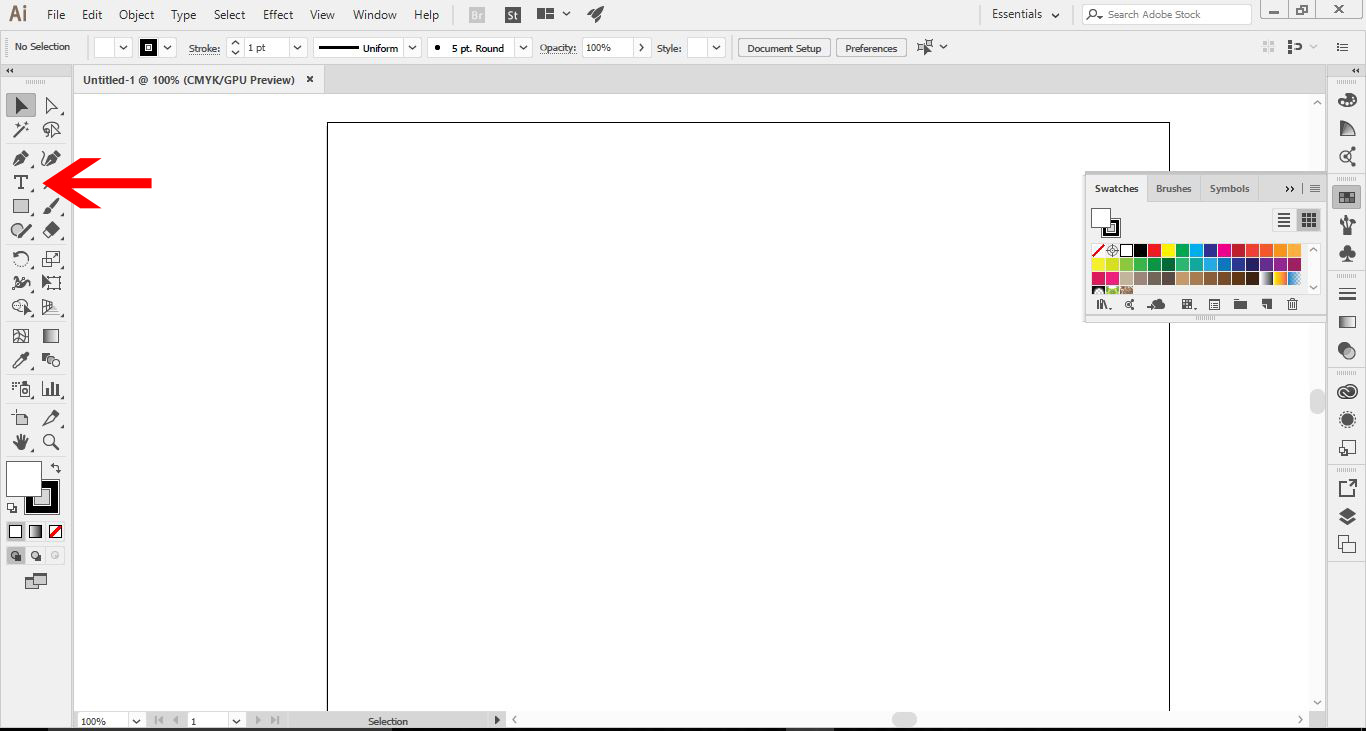
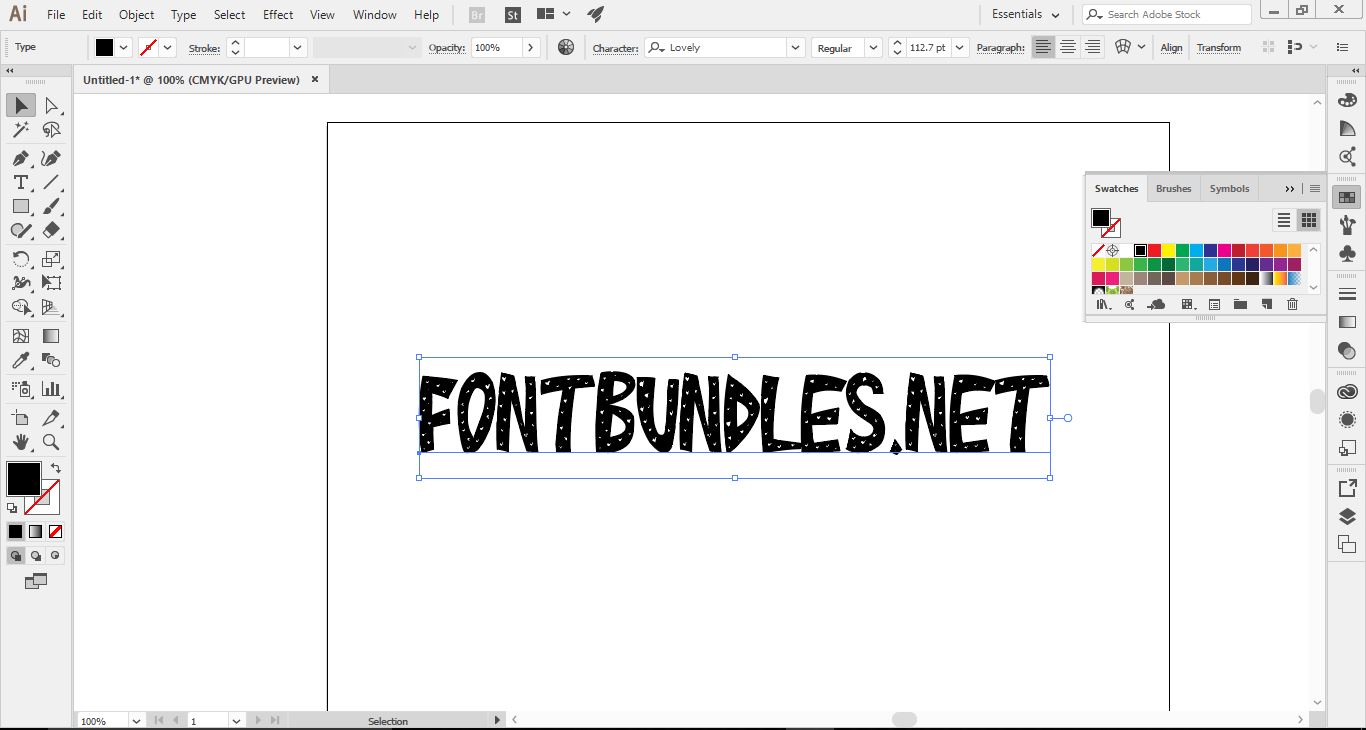
3- Type your text and select your font.
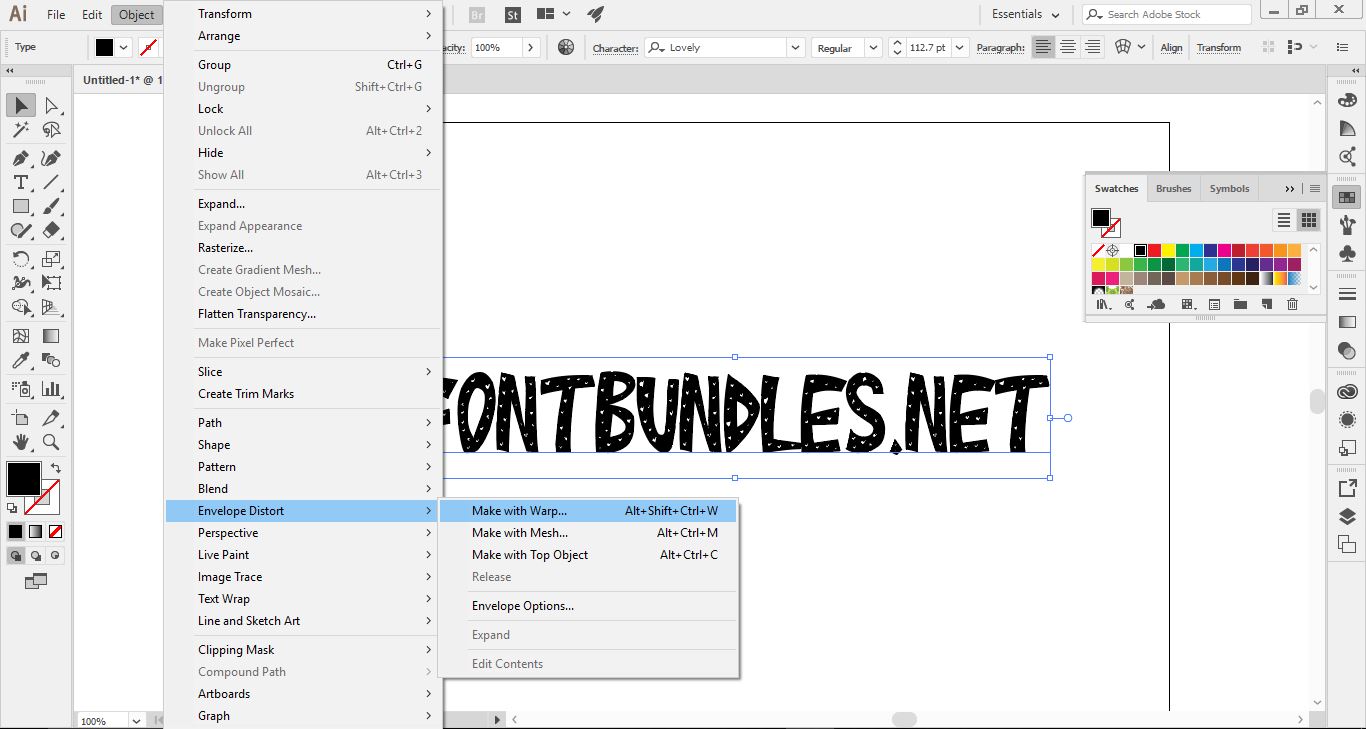
4- With your text selected, go to Object > Envelope Distort > Make with Warp.
5-The Warp Options window will appear.
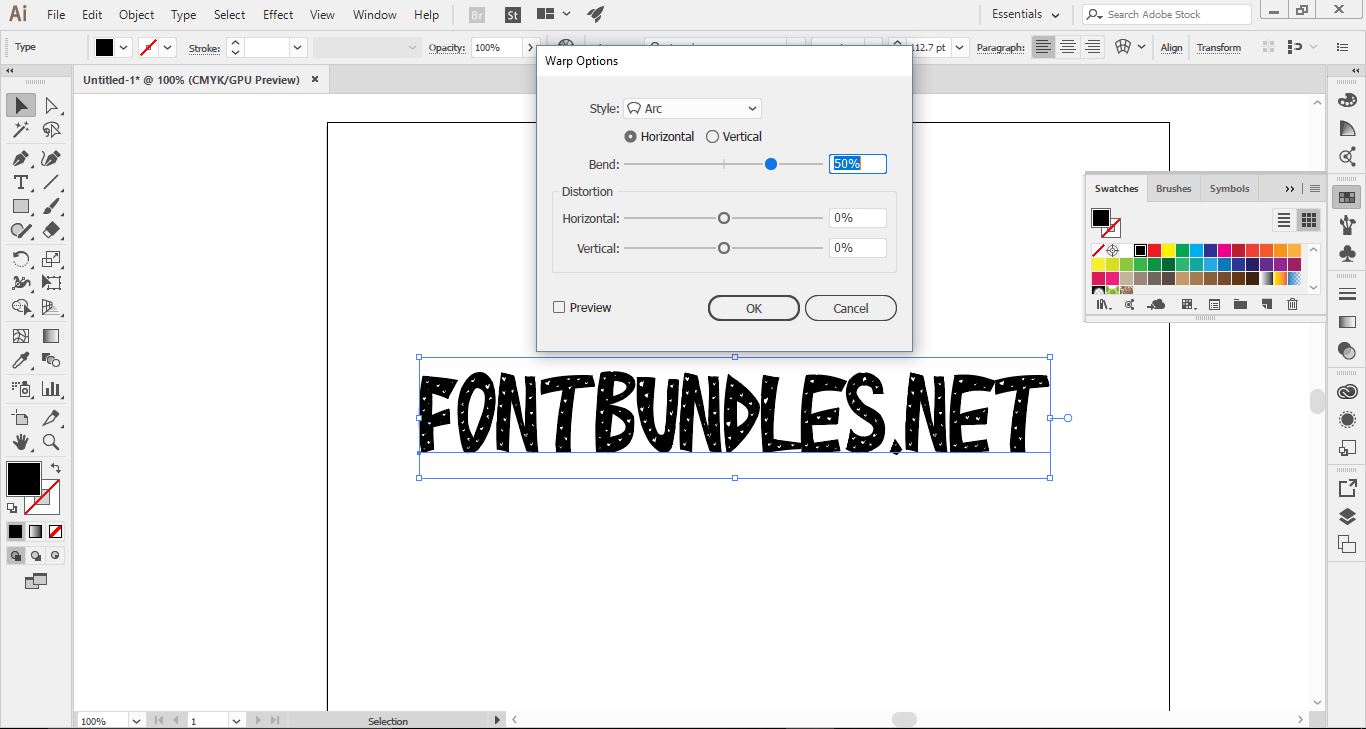
6- First thing to do is enable the preview option. This will let you see what each option does without actually changing the design permanently.
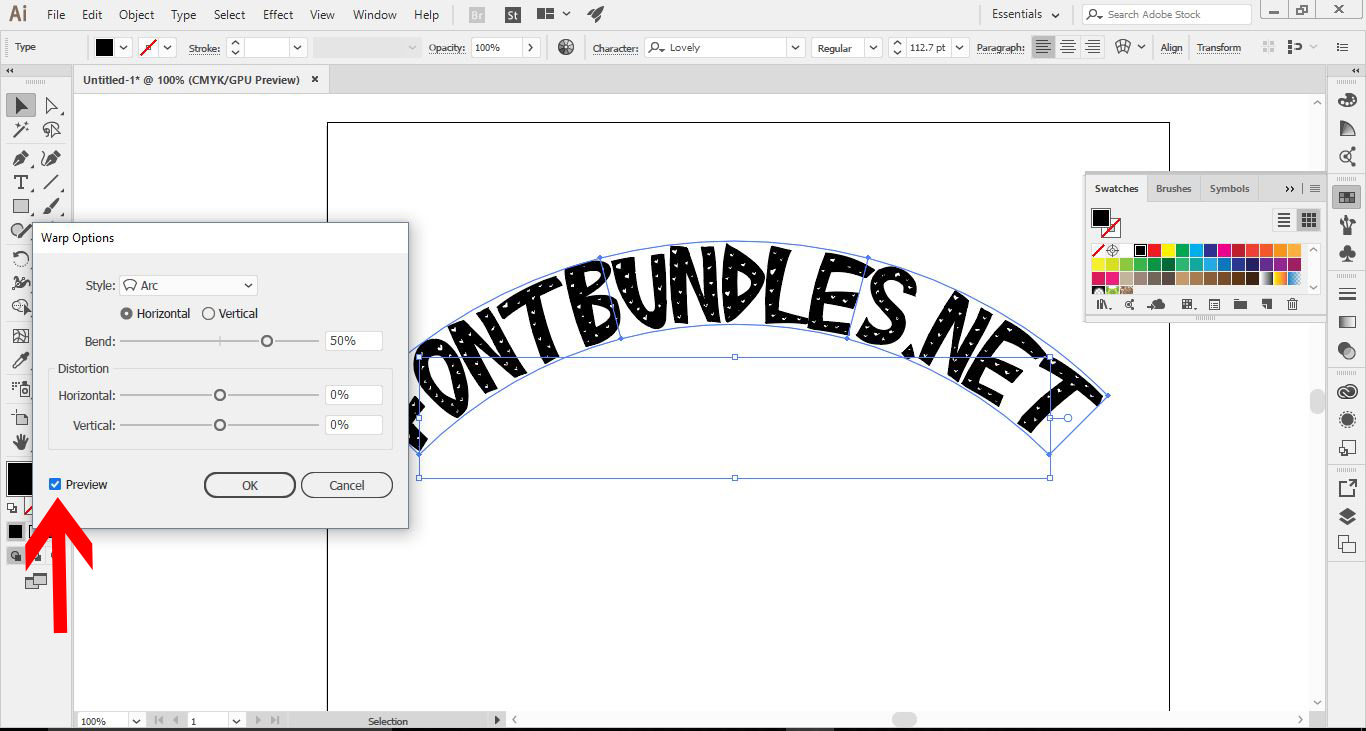
7- In the Style drop-down box, you can select what type of warp you would like. I have selected Arc.
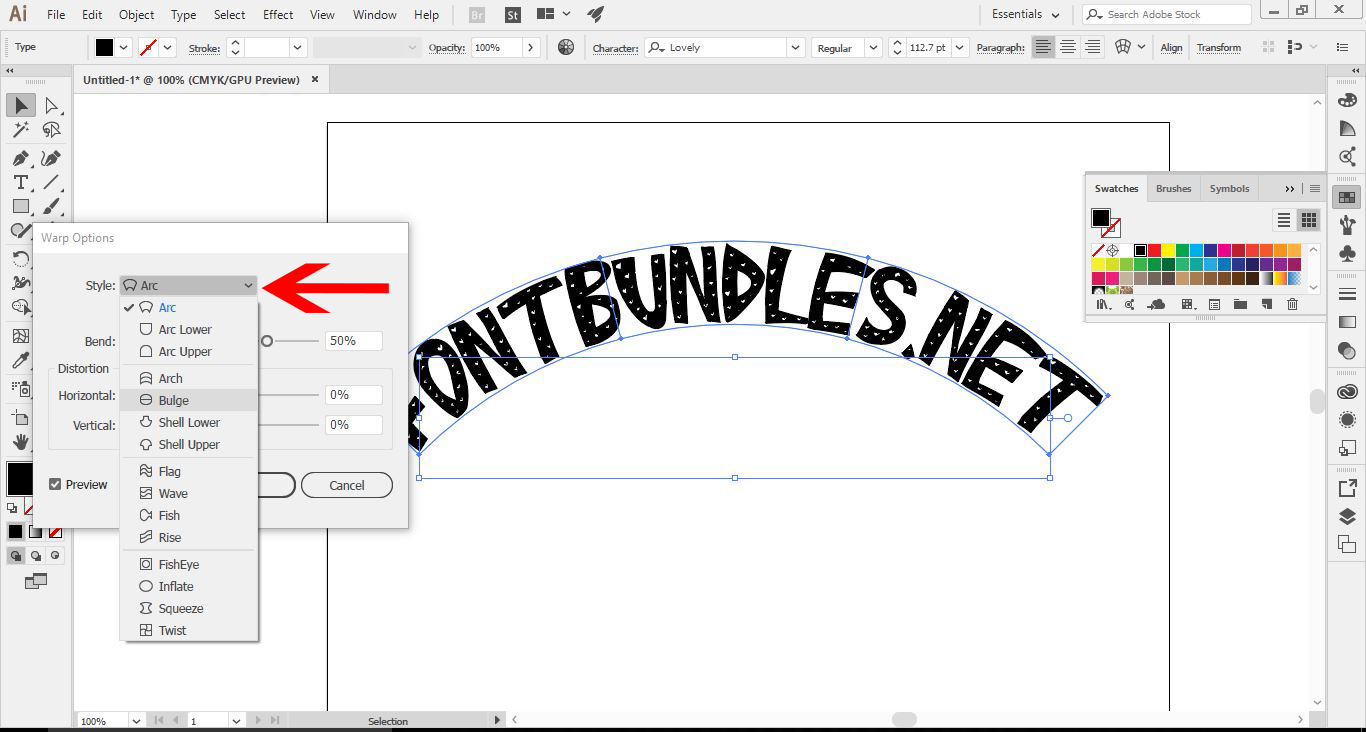
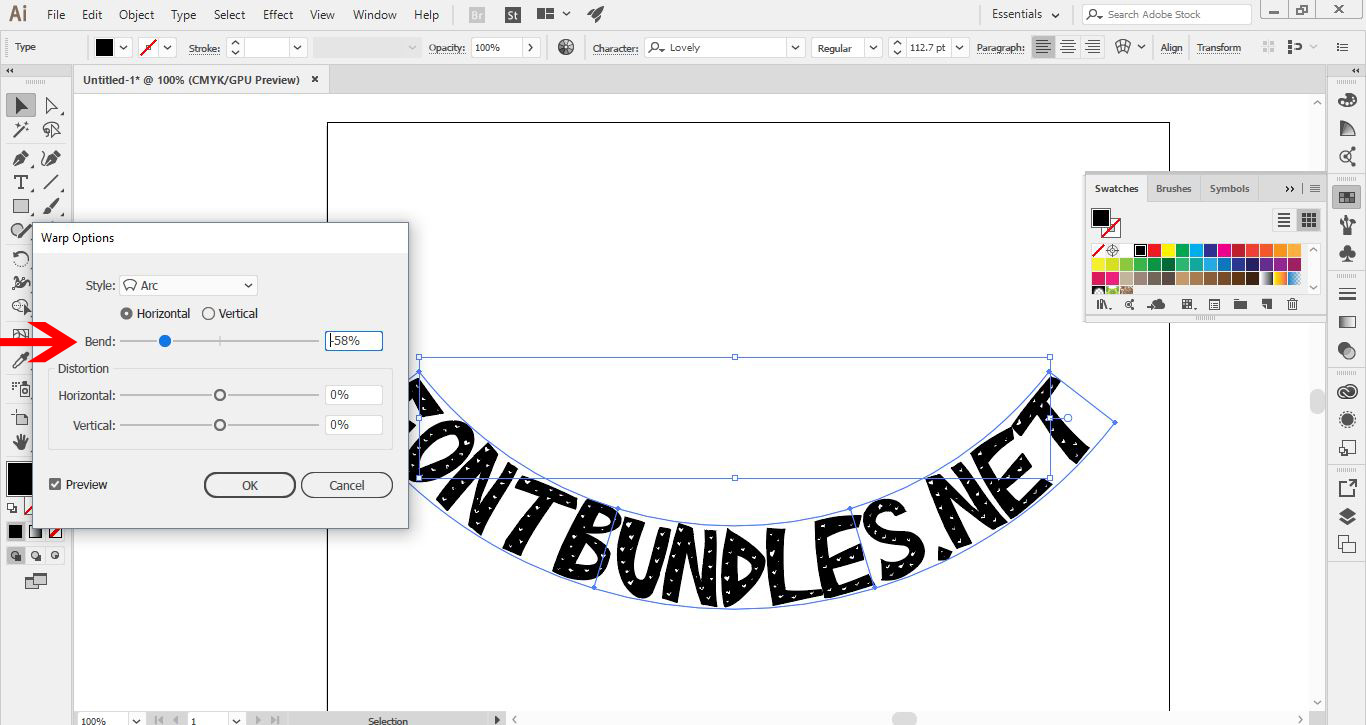
8- The first option is the Bend option, which will affect how much the text will bend.
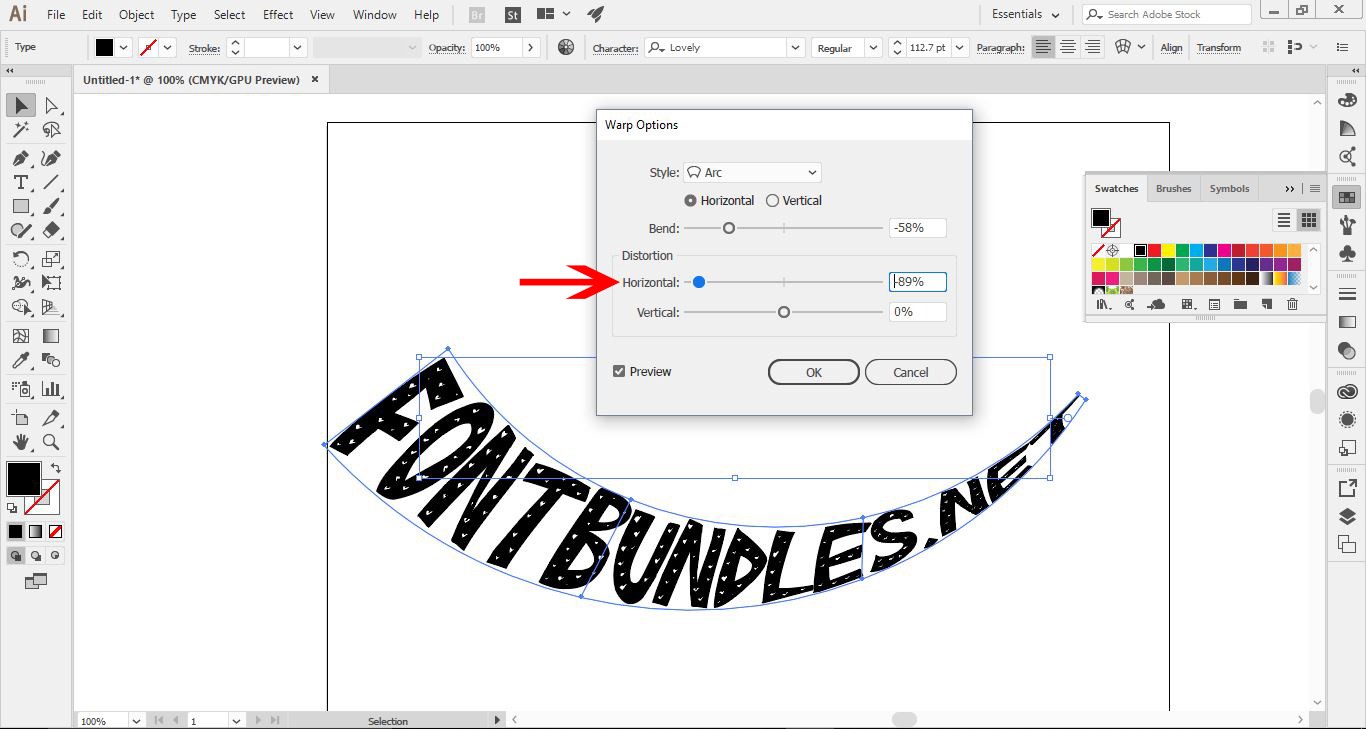
9- Next is the Horizontal option. You can have the text warp from left to right.
10-The Vertical option will let the text warp from top to bottom.
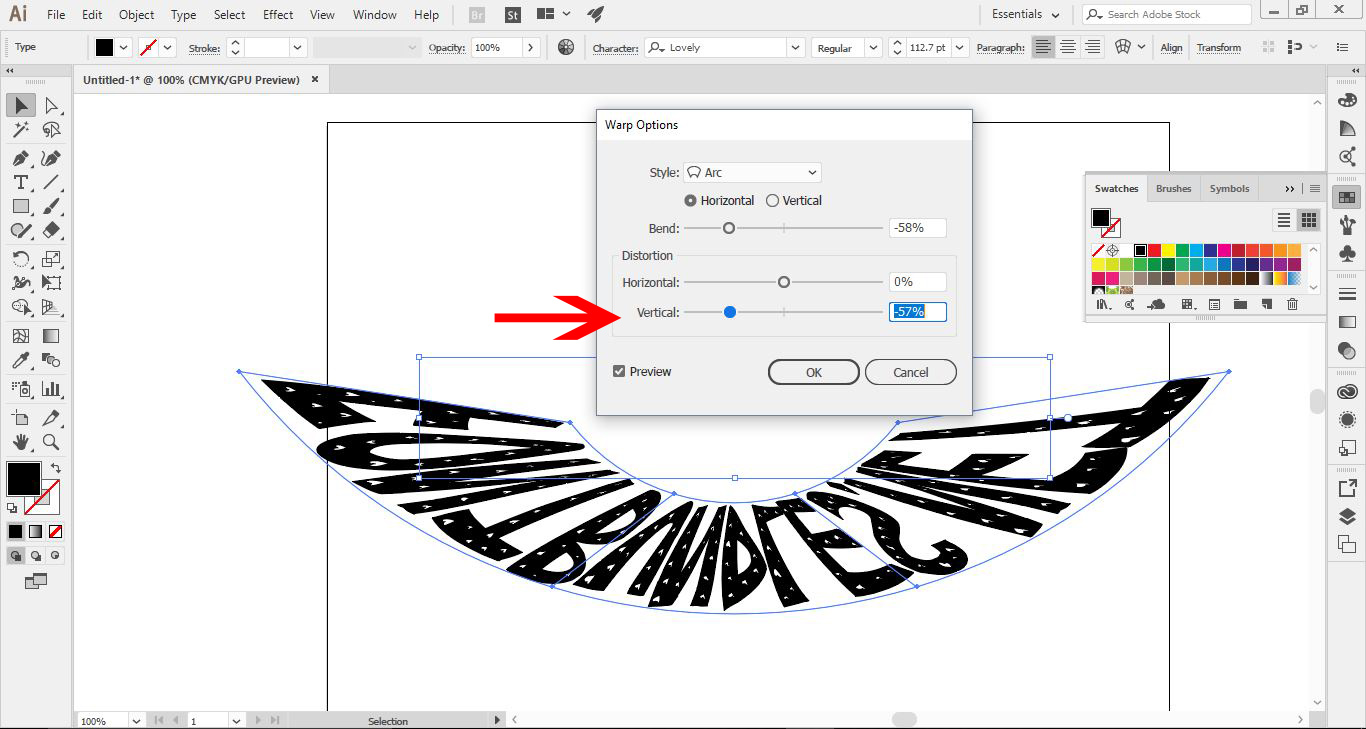
11- Lastly, the Horizontal/Vertical option at the top under Style will change the whole text to go on its side or across. Once this is selected, you can still adjust the other options, which will create more warp options.
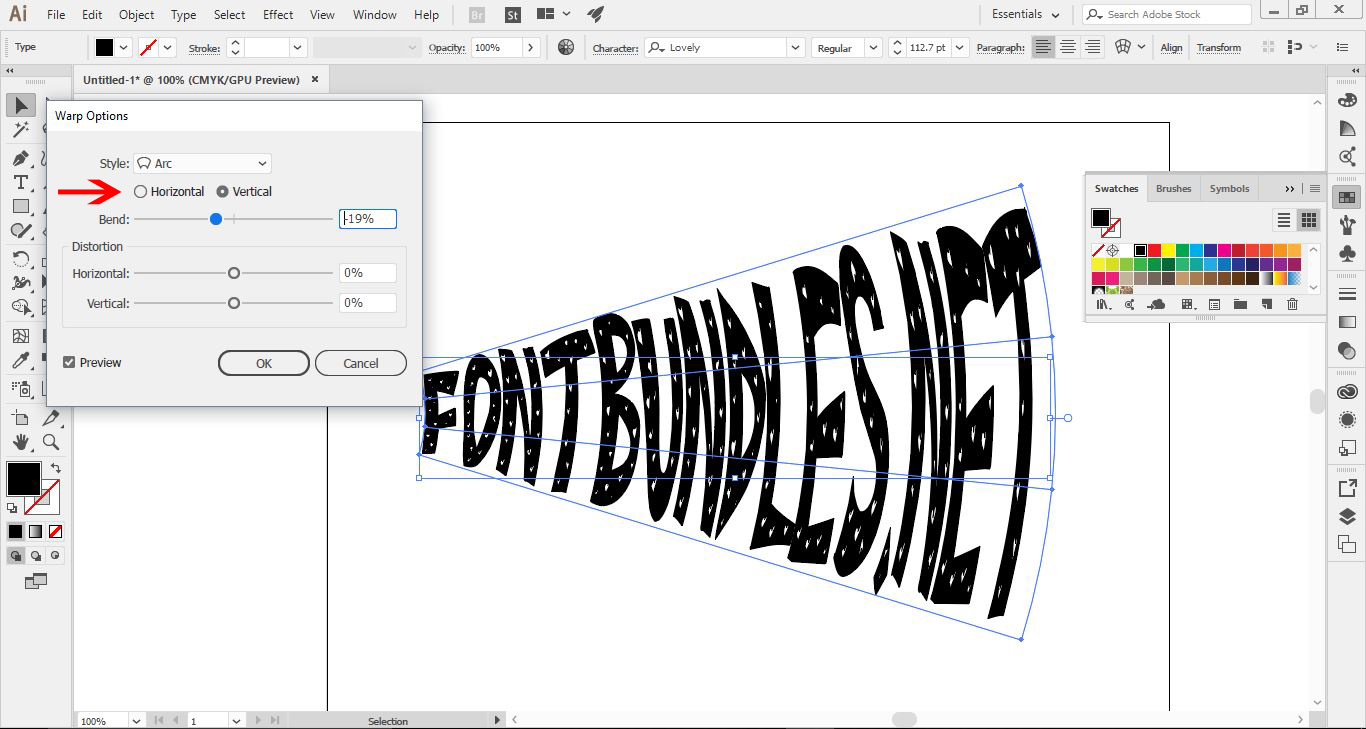
The font used is fromfontbundles.net,and the font is calledLovely.
Related Tutorials

Illustrator Tutorials

Place Images Inside Text in Adobe Illustrator

In this Adobe Illustrator tutorial, learn how to quickly place images inside text.
Illustrator Tutorials

Editing Text in Adobe Illustrator

With this step by step tutorial we'll show you everything you need to know about editing text.
Illustrator Tutorials

How to Gradient Fill Text in Adobe Illustrator

In this tutorial we will show you how to gradient fill text in Adobe Illustrator.
Illustrator Tutorials

Give Text Shadows and Highlights in Adobe Illustrator

In this tutorial learn now to create shadows and highlights Illustrator.

Keep going

You may also like

All illustrator tutorials
The weekly drop

Fresh tutorials, trends & free files.

Join 6 million makers getting our best craft guides and exclusive freebies straight to their inbox.

No spam. Unsubscribe anytime.