By Design Bundles
Scan N Cut Tutorials3 min
Fixing error E92001 in brother scan and cut canvas workspace
(previously error ERRS07)
1- Open canvas workspace. Click on the shape tool.
2- Add your design. you can insert a SVG or create your own.
3- When you have a design and you want to weld another design to it, sometimes you can get an error message. One of the most common ones is E92001 (previously ERRS07)
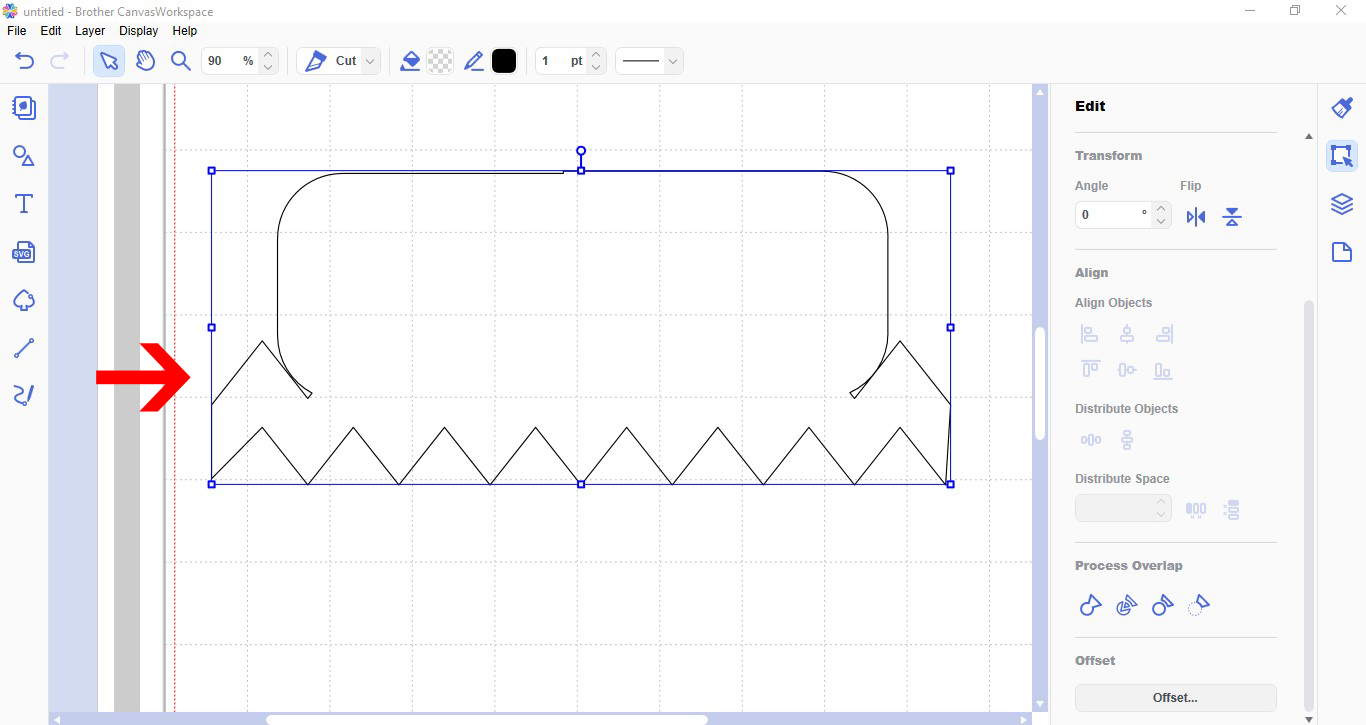
4- This error means that somewhere on your design there is an open line that will need closing. you cannot weld when there is not a closed design to weld with.
Double click on your designs. this will bring up the node editing tool. If you have a open node it will highlight aqua.
5- Click and drag the aqua node to a non highlighted one. This will join the gap. you can also click the join icon at the top toolbar that will also join the nodes together.
6- Once the opening has been fixed you can reselect the design you want welded and click weld on process overlap.
7- Your design will now weld.
Save
1- Open canvas workspace. Click on the shape tool.
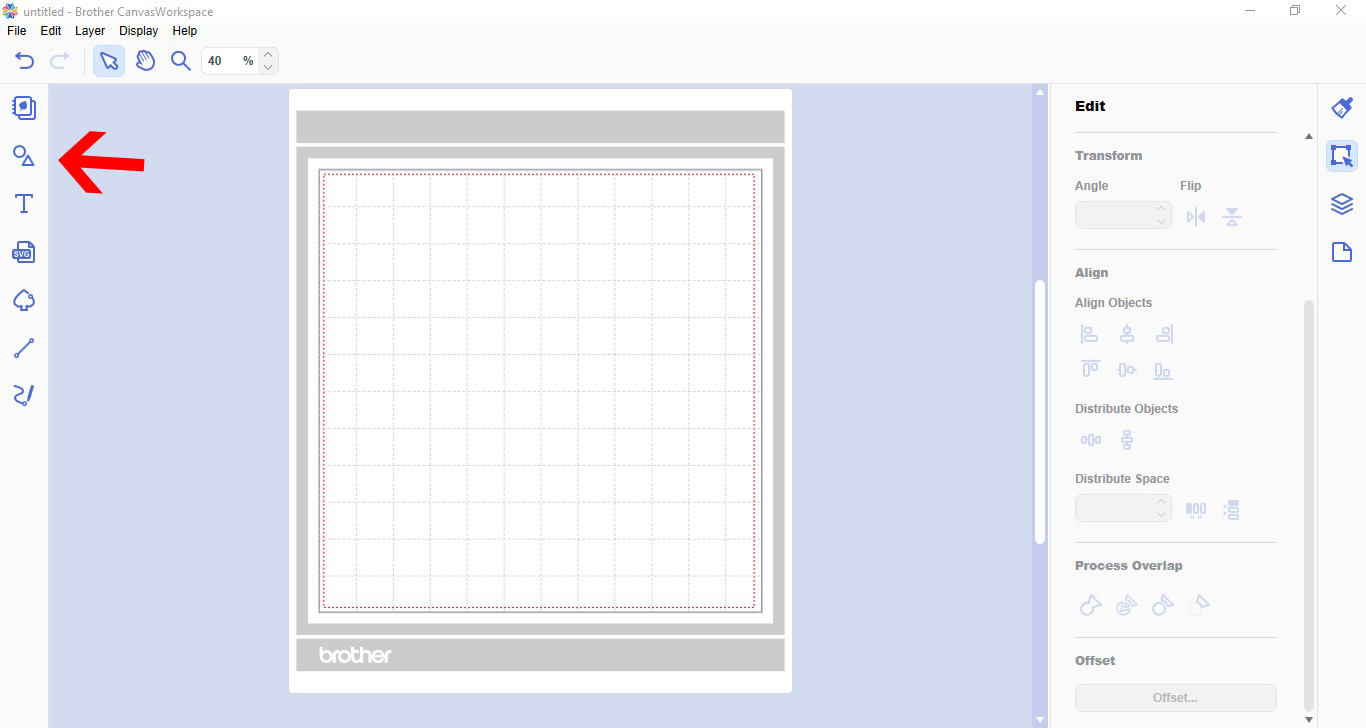
2- Add your design. you can insert a SVG or create your own.
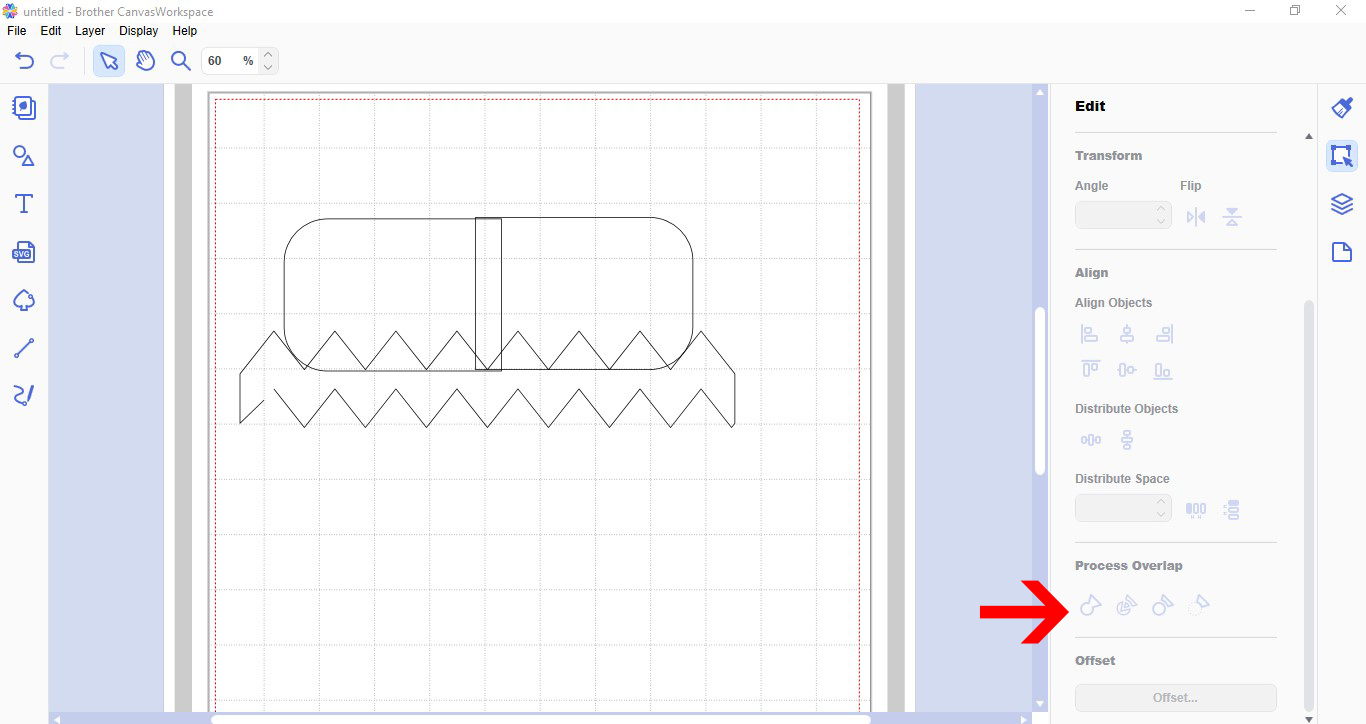
3- When you have a design and you want to weld another design to it, sometimes you can get an error message. One of the most common ones is E92001 (previously ERRS07)
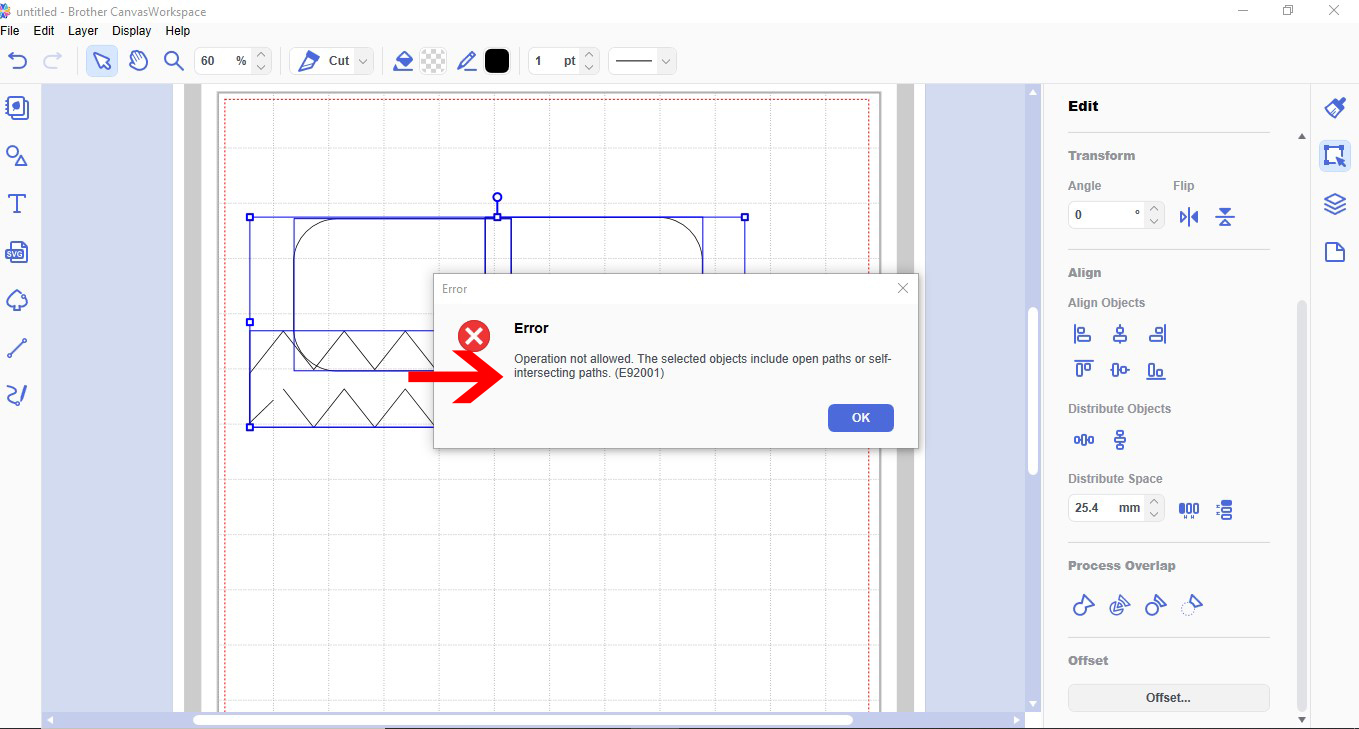
4- This error means that somewhere on your design there is an open line that will need closing. you cannot weld when there is not a closed design to weld with.
Double click on your designs. this will bring up the node editing tool. If you have a open node it will highlight aqua.
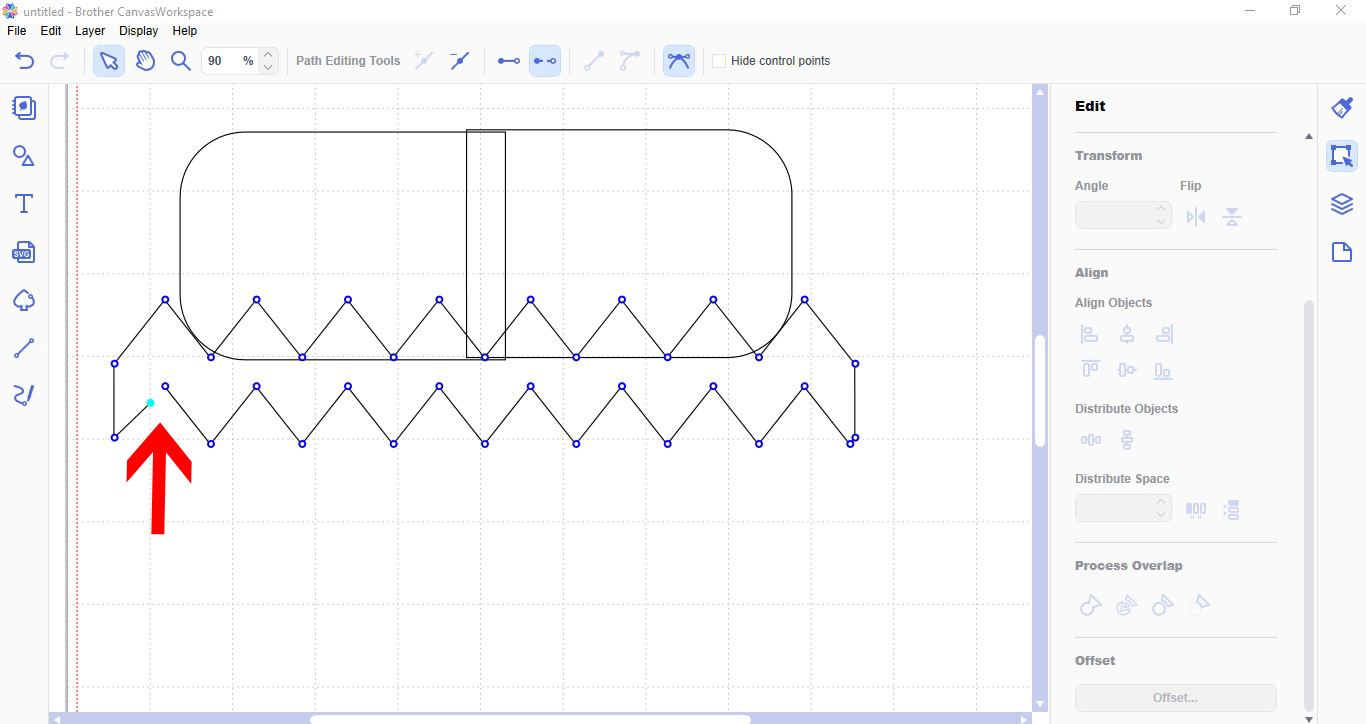
5- Click and drag the aqua node to a non highlighted one. This will join the gap. you can also click the join icon at the top toolbar that will also join the nodes together.

6- Once the opening has been fixed you can reselect the design you want welded and click weld on process overlap.

7- Your design will now weld.
Save
Related Tutorials
Scan N Cut Tutorials
Error message information in brother scan and cut canvas workspace
Scan N Cut Tutorials
How to create curved text in brother scan and cut canvas workspace
Learn how to curve text in Brother Scan N Cut
Scan N Cut Tutorials
How to make a image larger than your cutting mat in Brother Scan N Cut canvas workspace
Learn how to cut designs larger than your cutting mat in Brother Scan N Cut canvas.
Scan N Cut Tutorials
Converting SVG to FCM cutting fine in Brother scan and cut canvas workspace
Scan N Cut Tutorials