By Design Bundles
Canva Tutorials4 min
How to find images and edit in Canva
*Free version used
1- Log into Canva and select the layout/design type you would like to use.
2- The design screen will appear.
3- Click on the search icon. A search bar will appear for you to type what type of image you are looking for.
4- Type what you are looking for. I have typed 'house'. You will see many different images appear. Select an image.
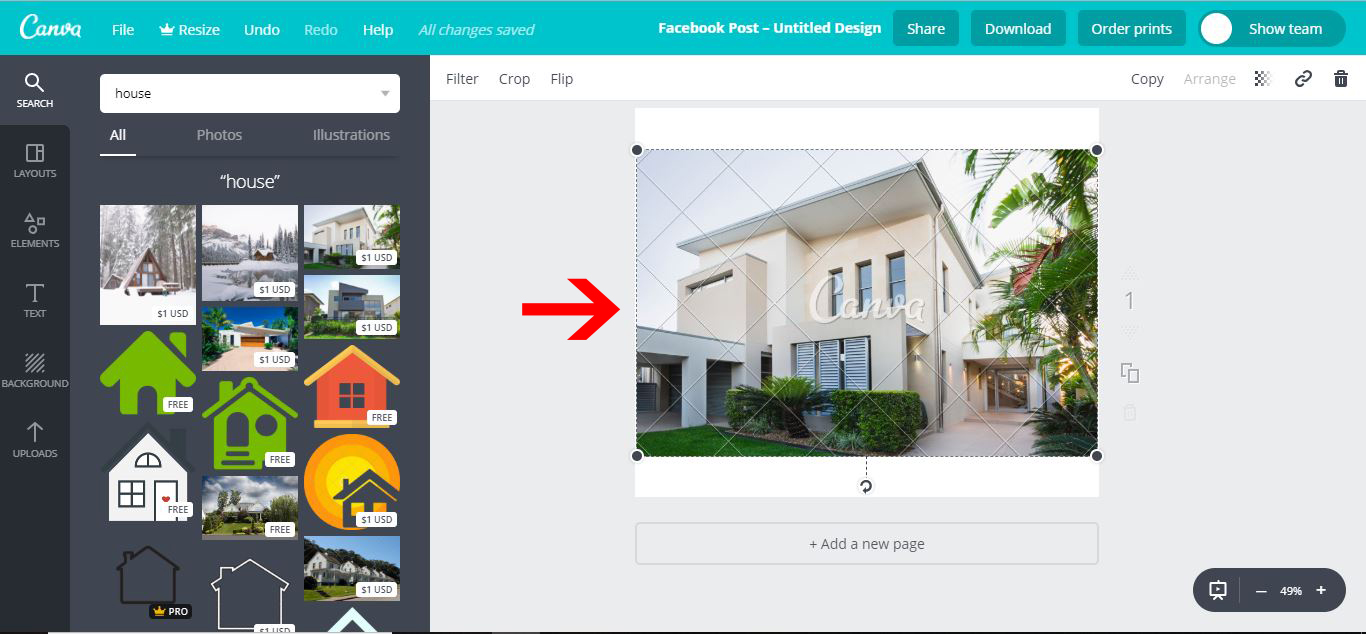
5- When you click on an image it will appear in the design space. There is the option to purchase design as well as free designs.
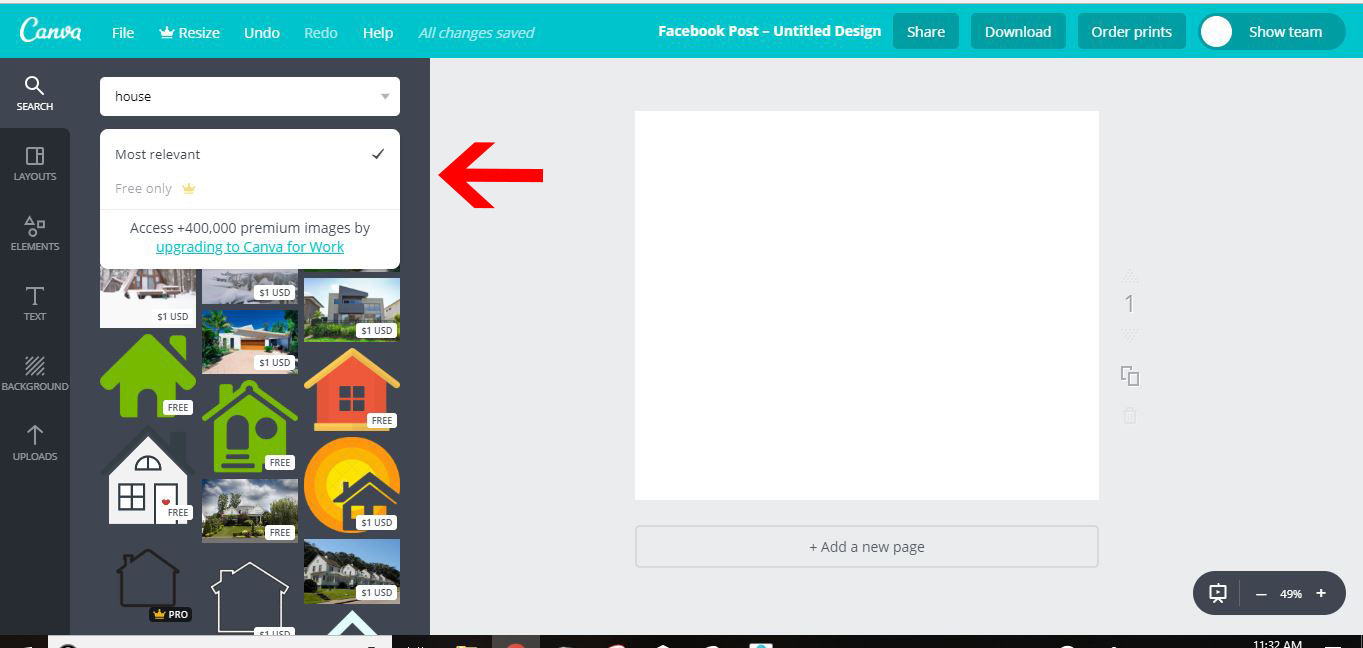
6- You do have the option to search for free designs as well as ones that are paid.
7- When you go through the free designs you can add them to your design. select the image.
8- Once selected you can edit the photo. Click on the filter. There are many preset options. There is also advanced options.
9- With the drop down from the advanced section, you can adjust many different aspects of the photo.
10- There is also a crop option.
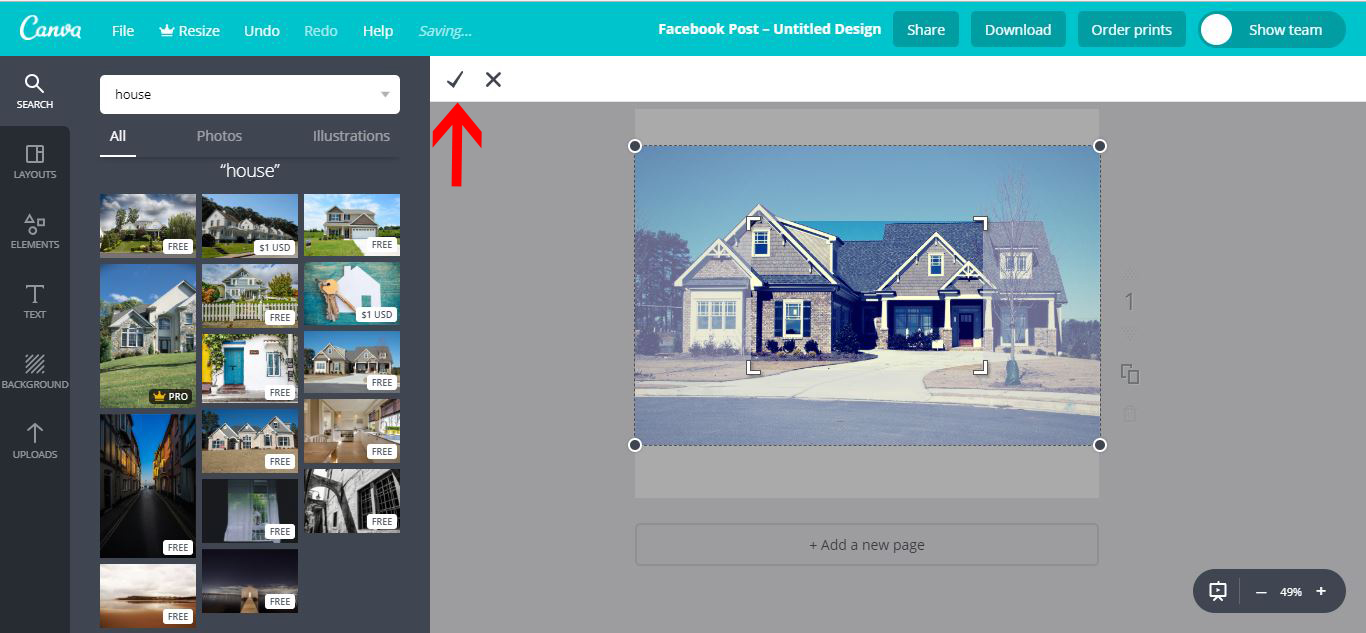
11- You can crop the image. Once you are happy click on the tick.
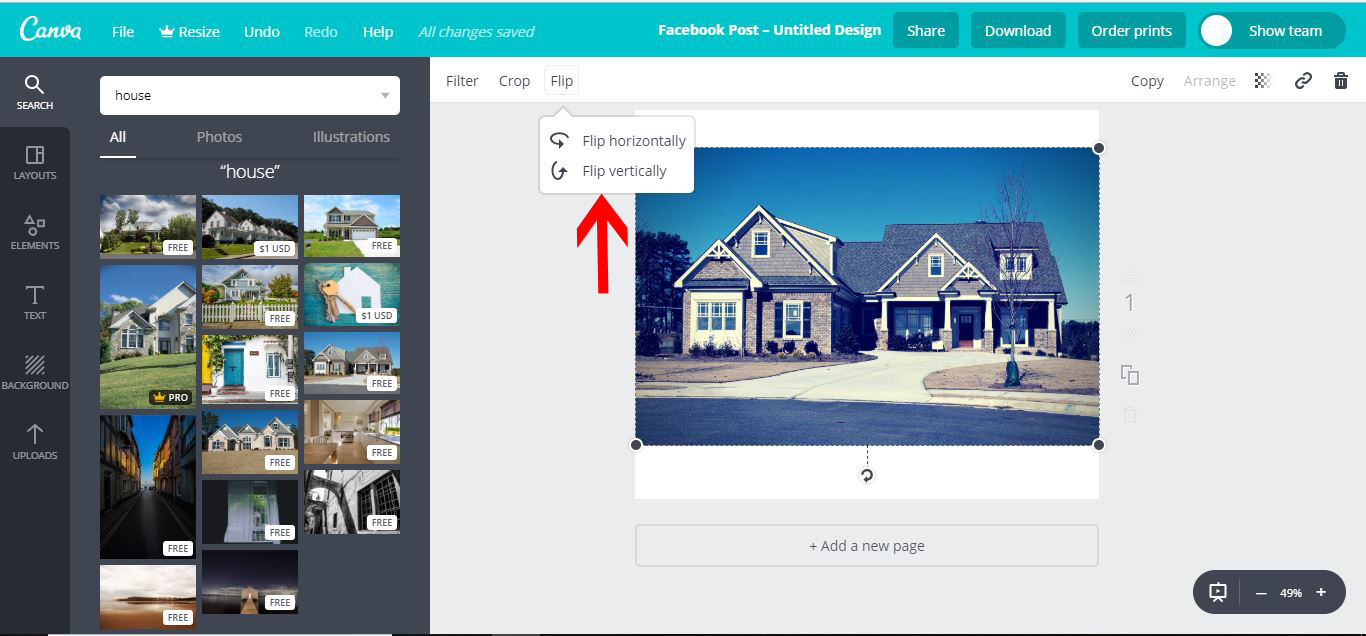
12- You can also flip your image horizontally and vertically.
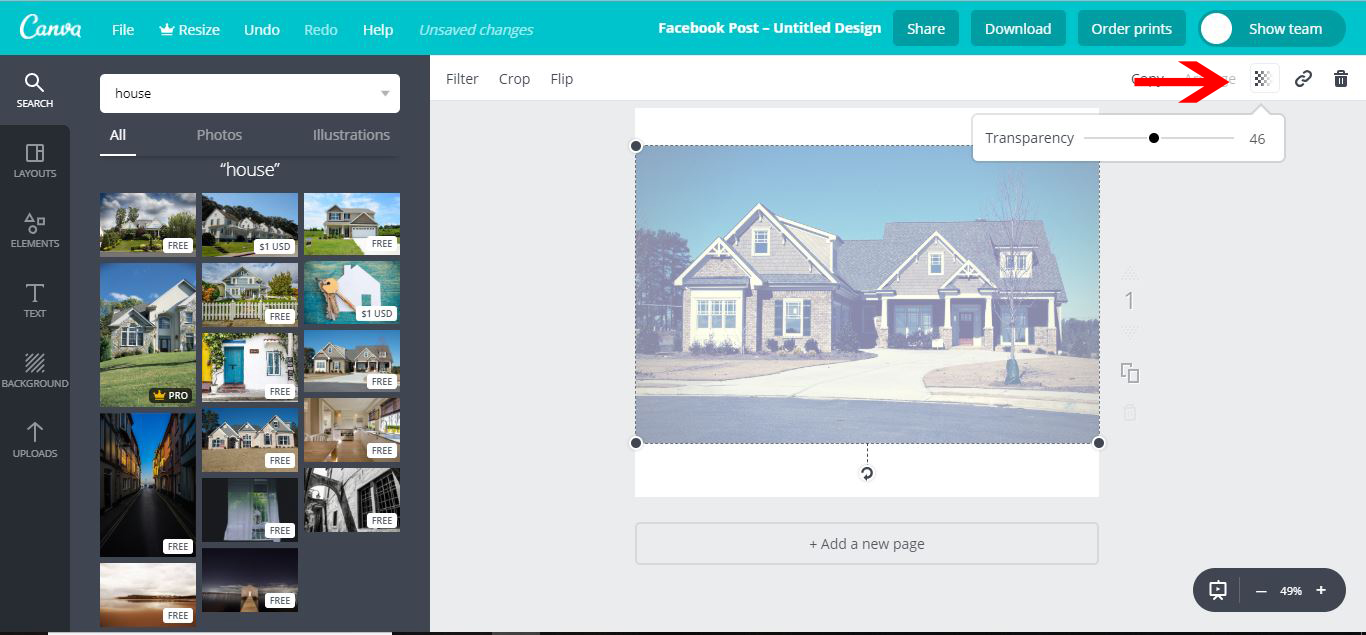
13- You also have the option to adjust the transparency.
1- Log into Canva and select the layout/design type you would like to use.

2- The design screen will appear.

3- Click on the search icon. A search bar will appear for you to type what type of image you are looking for.
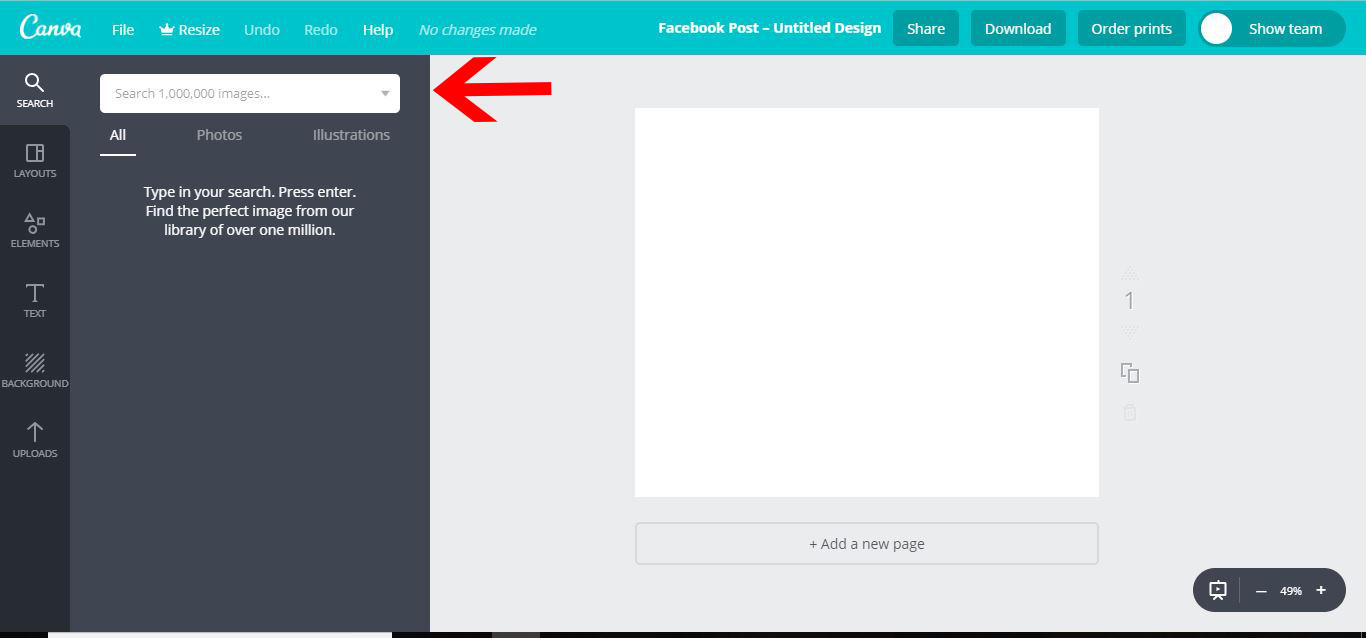
4- Type what you are looking for. I have typed 'house'. You will see many different images appear. Select an image.
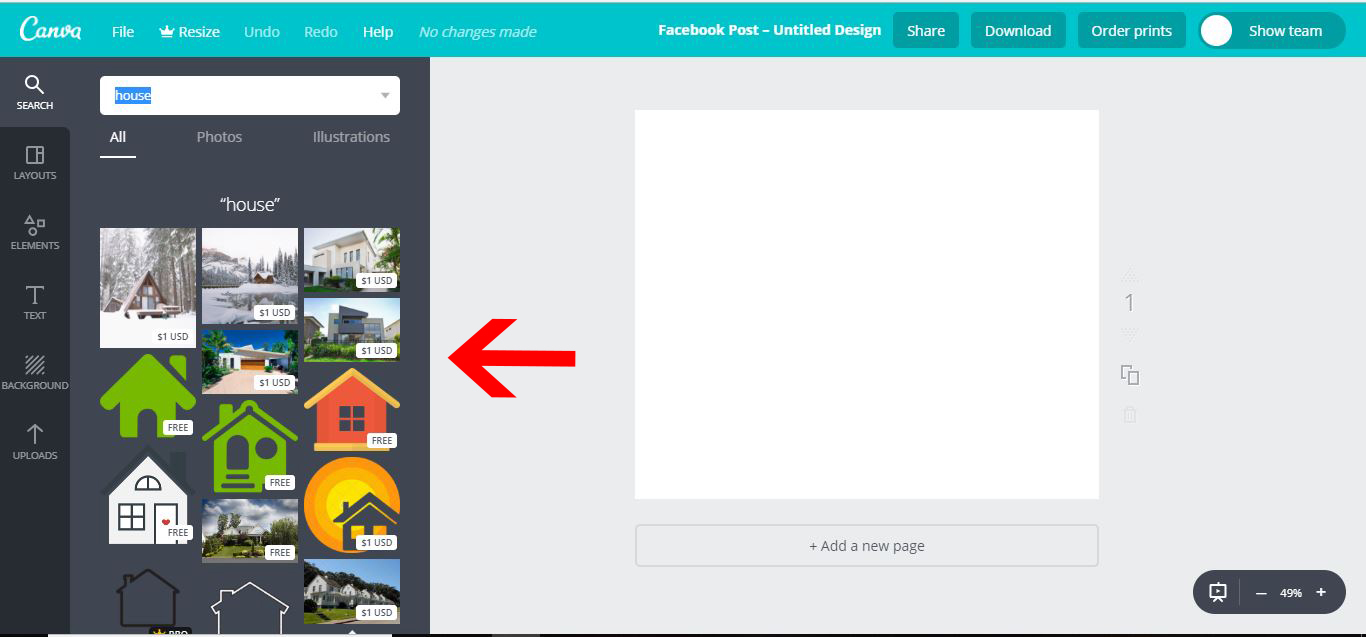
5- When you click on an image it will appear in the design space. There is the option to purchase design as well as free designs.
6- You do have the option to search for free designs as well as ones that are paid.
7- When you go through the free designs you can add them to your design. select the image.
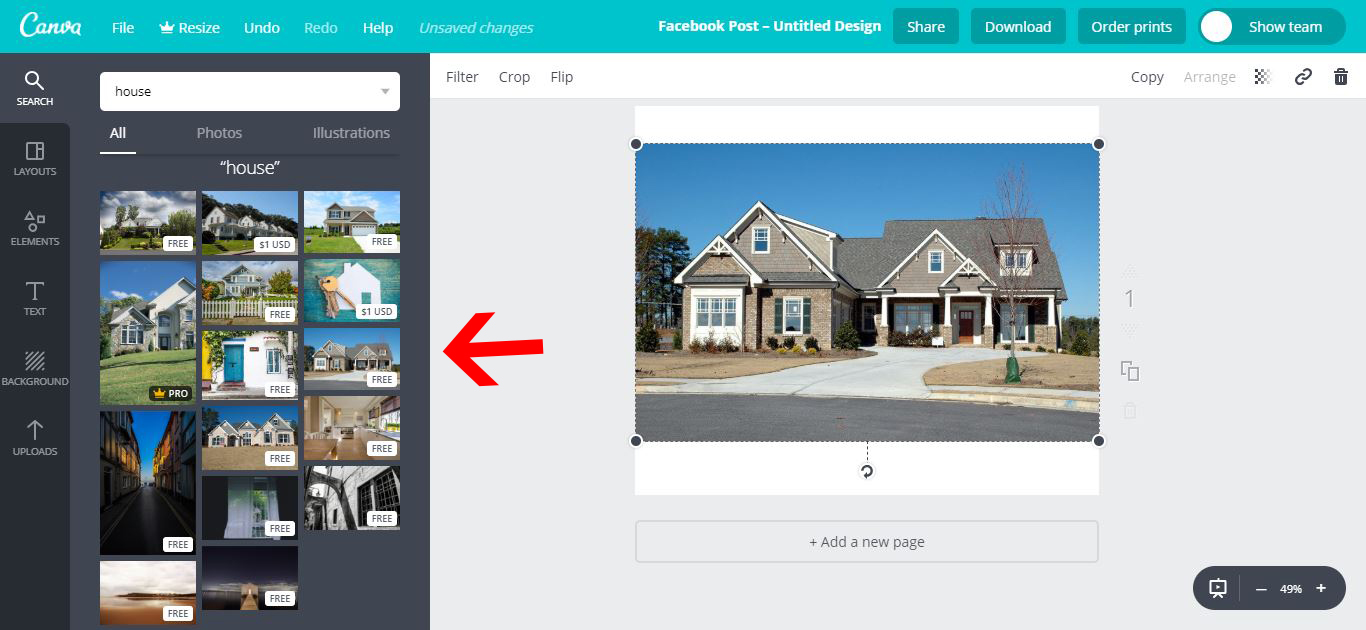
8- Once selected you can edit the photo. Click on the filter. There are many preset options. There is also advanced options.
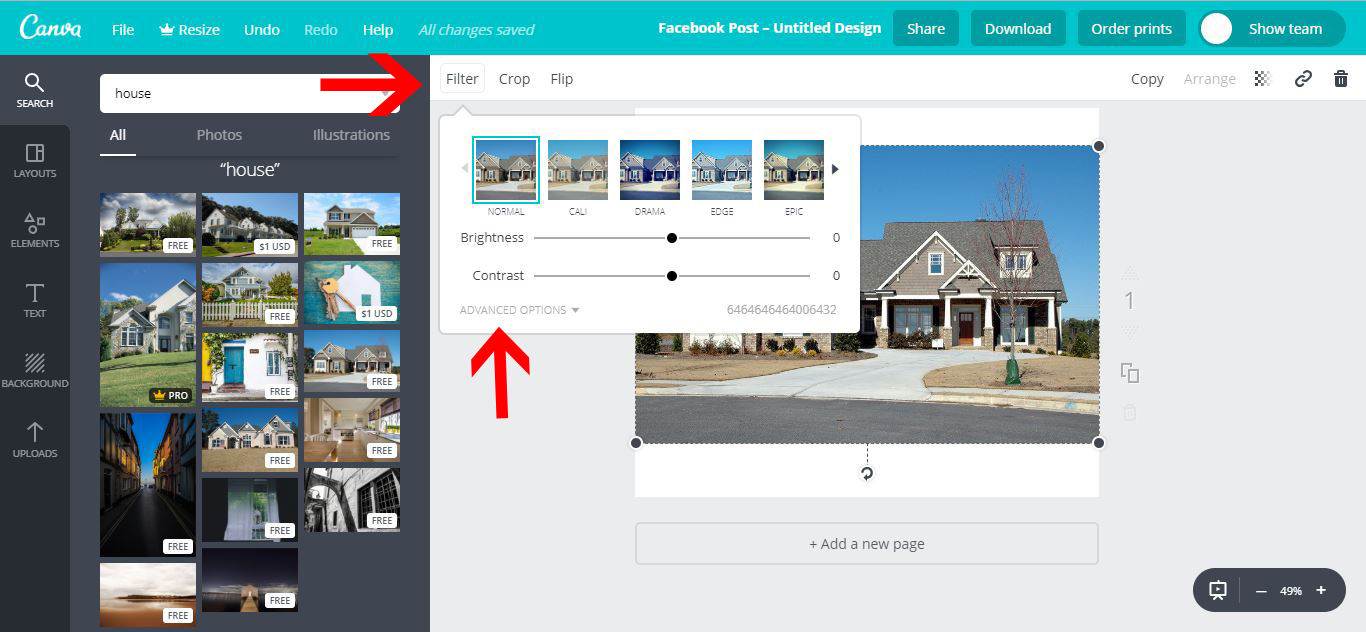
9- With the drop down from the advanced section, you can adjust many different aspects of the photo.
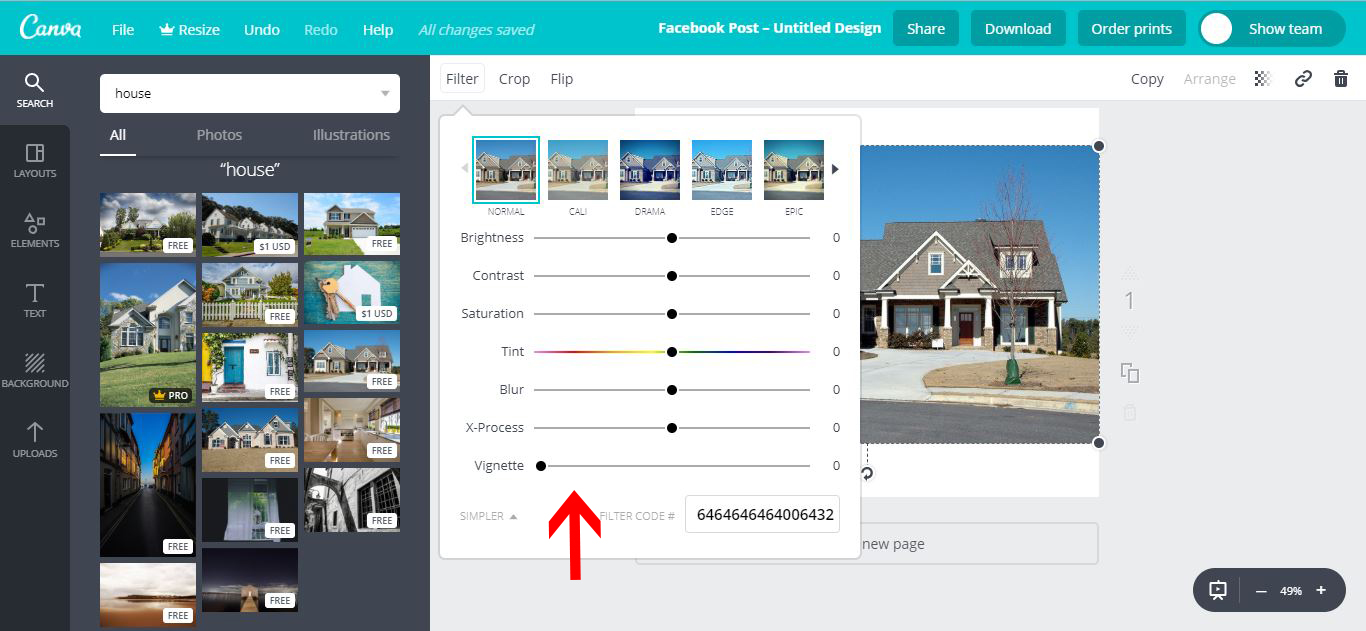
10- There is also a crop option.

11- You can crop the image. Once you are happy click on the tick.
12- You can also flip your image horizontally and vertically.
13- You also have the option to adjust the transparency.
Related Tutorials
Cricut Tutorials
Editing Images in Cricut Design Space
Crop, Erase or completely change a design with multiple tools for editing made easy.
Procreate Tutorials
How to Edit and Create a Custom Canvas Size in Procreate
Learn how to edit and create a custom canvas size in Procreate with this step by step tutorial.
Scan N Cut Tutorials
How to Flip Text and Images in Canvas Workspace
Scan N Cut Tutorials
Spacing images evenly on a line in Brother scan and cut canvas workspace
Canva Tutorials
How to Use Alternate Glyphs in Canva
Learn how to add alternate font characters or swashes in Canva to create a unique design.
Canva Tutorials
How to Save Design as a Canva Template
Canva has a wide array of pre-designed templates that you can...