By Design Bundles
Cricut Tutorials3 min
Foiling a cricut access design using the foil quill
1- Open cricut design space. Click on new project.
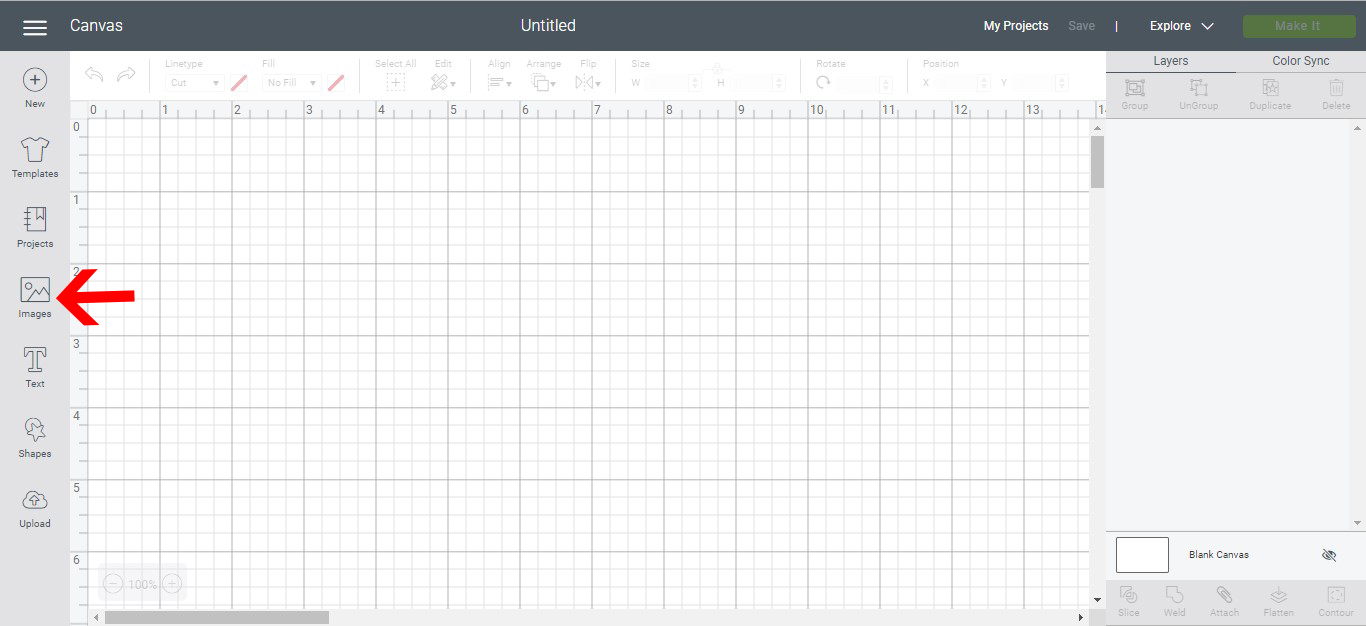
2- Click on the image icon. This will take you to the cricut access designs.
3- You can use the filters to find a design you would like to use. The filter can also be use to find the free designs from cricut.
4- Look for a design you would like to use.
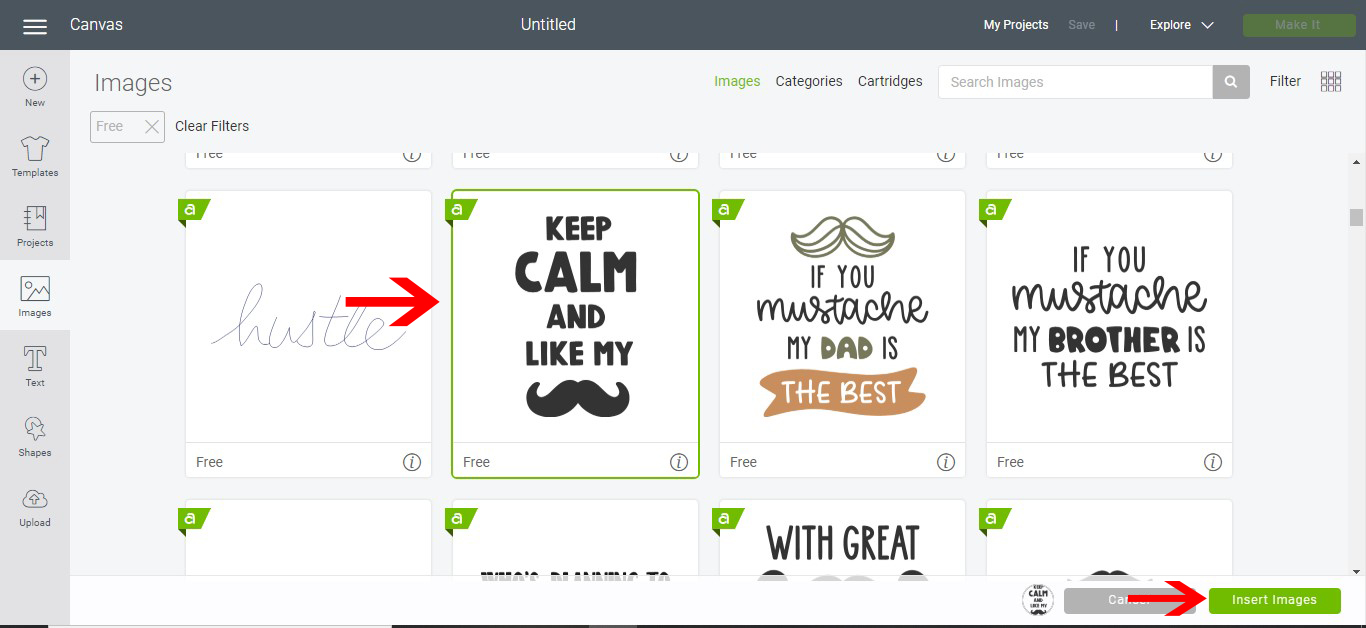
5- once the design is found select it and insert.
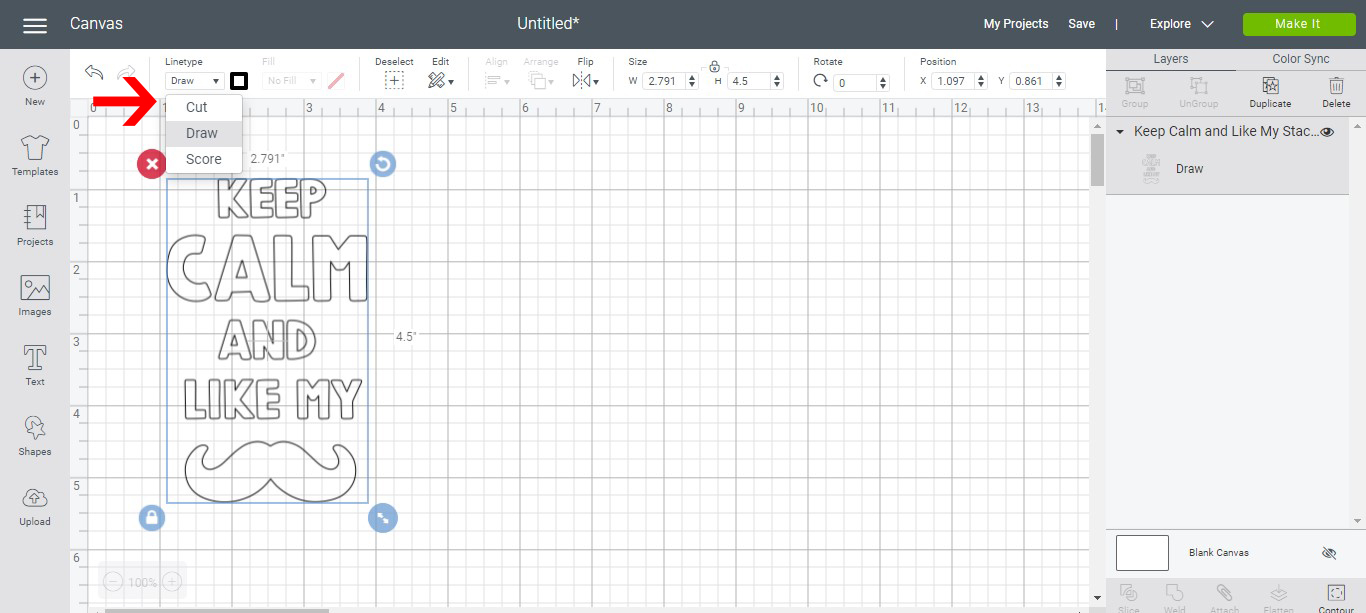
6- Using the line type drop down box change the file from cut to draw.. then click make it.
7- On the cut screen make sure it says draw and the file is where you want it. Click continue.
8- you can now adjust the media and insert the foil quill into your machine in bracket A.
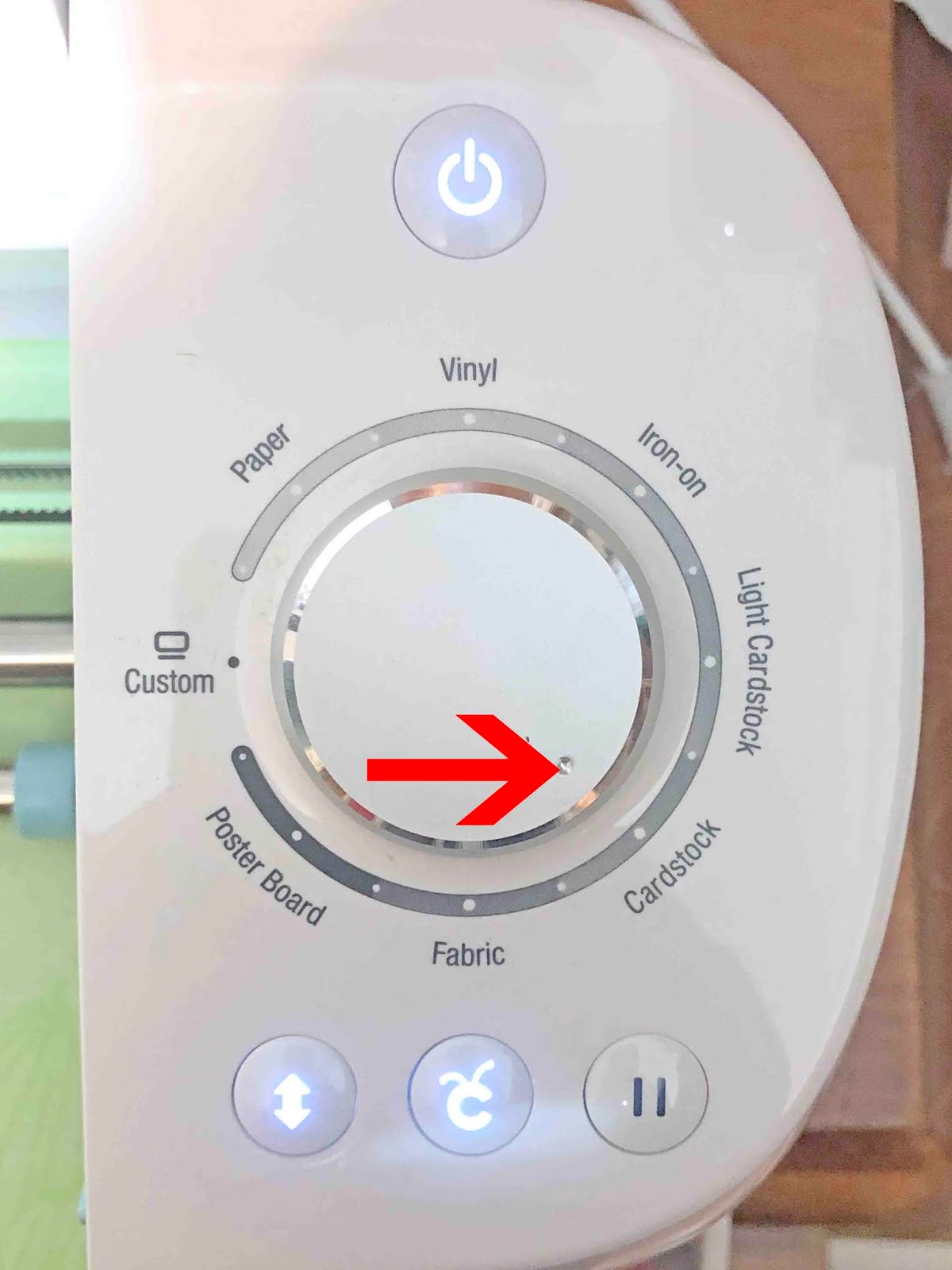
9- Using your media dial adjust to the media you are using. Then insert your cutting mat and click start.
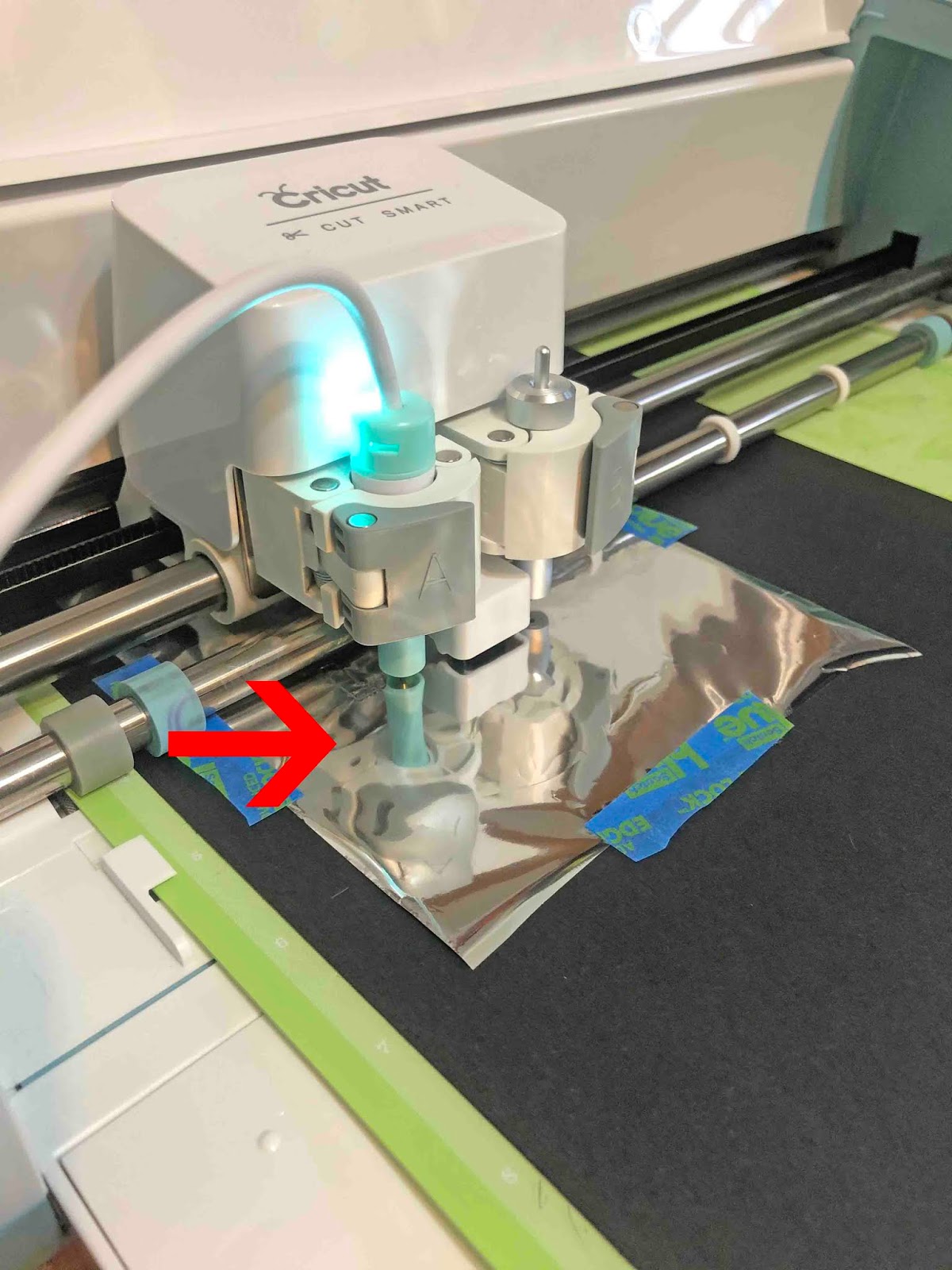
10- Your design will start to foil.
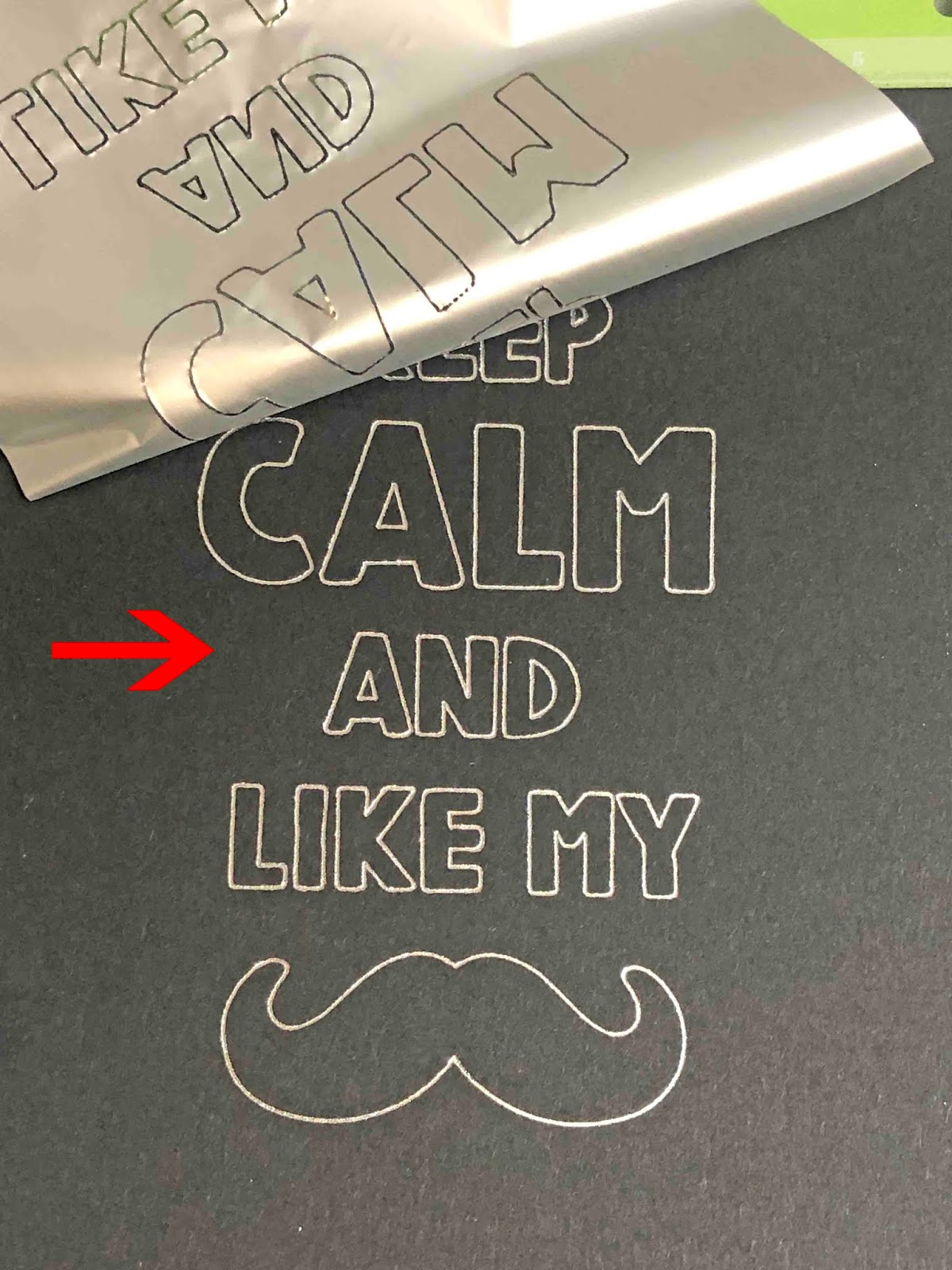
11- Your design is now foiled.

2- Click on the image icon. This will take you to the cricut access designs.
3- You can use the filters to find a design you would like to use. The filter can also be use to find the free designs from cricut.
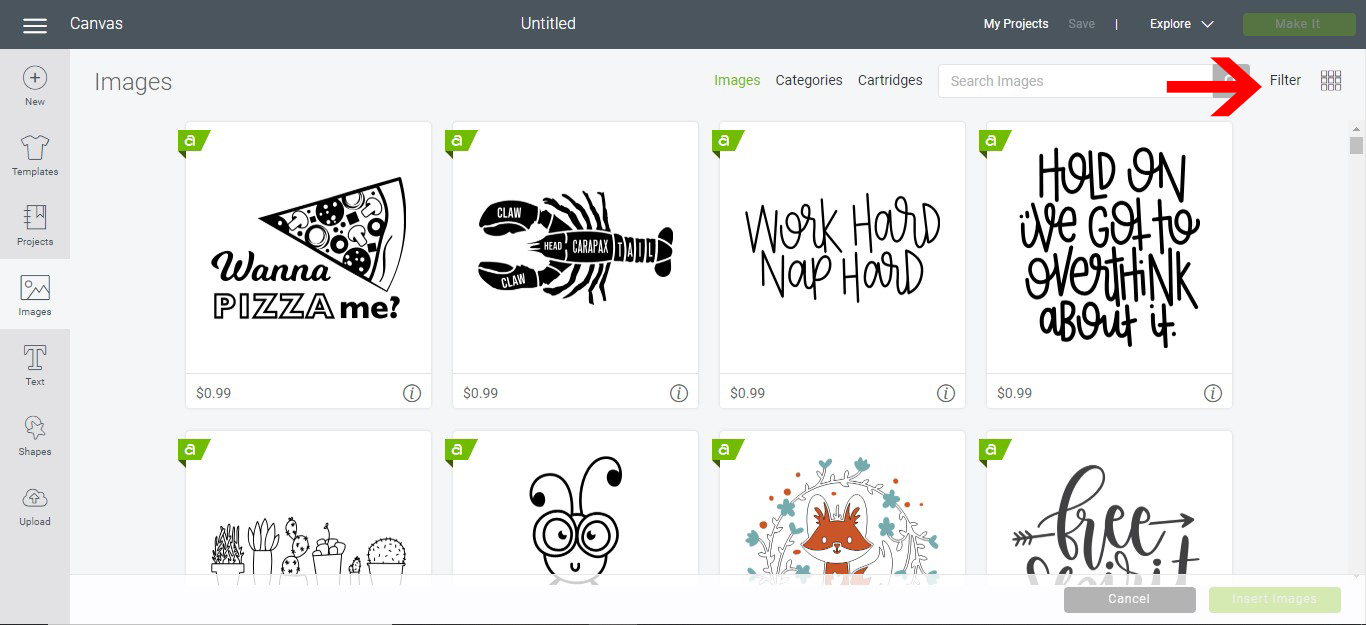
4- Look for a design you would like to use.
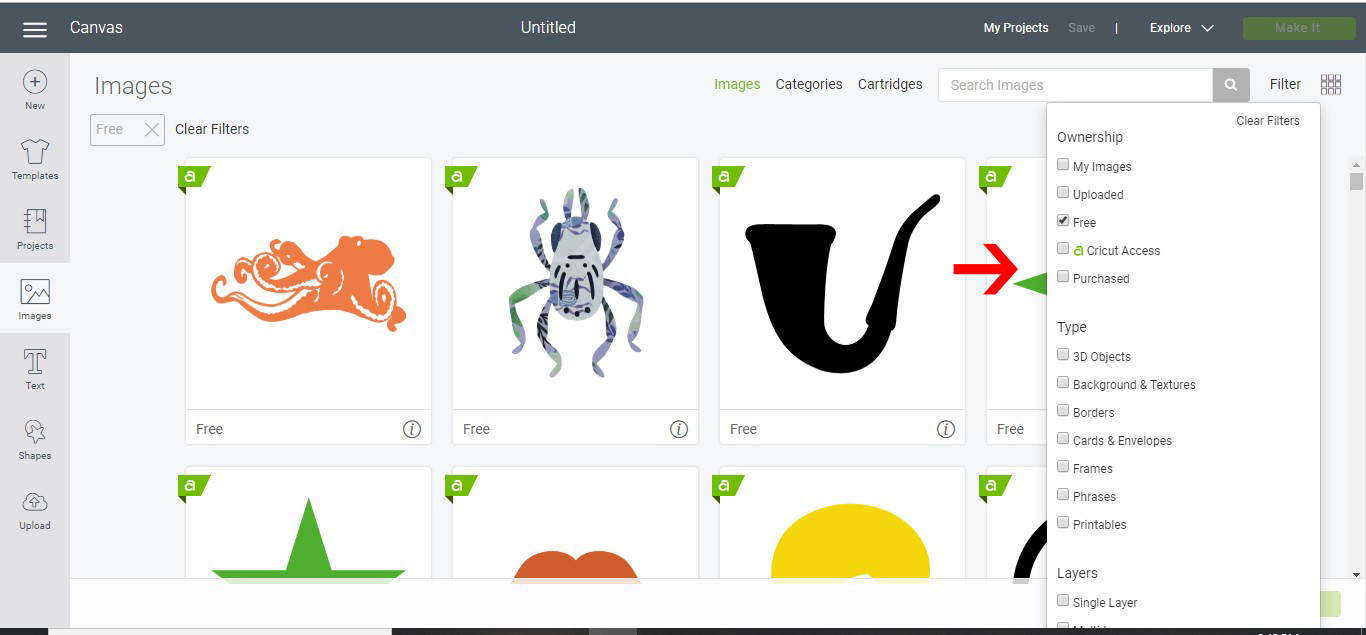
5- once the design is found select it and insert.
6- Using the line type drop down box change the file from cut to draw.. then click make it.
7- On the cut screen make sure it says draw and the file is where you want it. Click continue.

8- you can now adjust the media and insert the foil quill into your machine in bracket A.
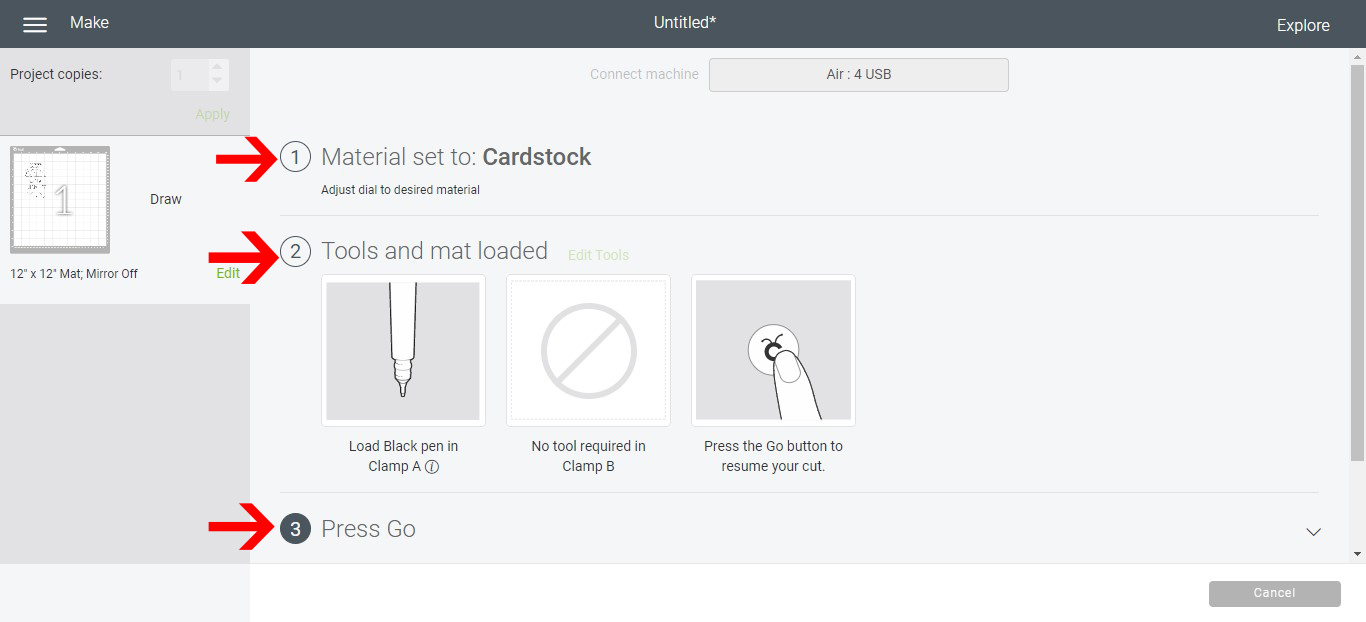
9- Using your media dial adjust to the media you are using. Then insert your cutting mat and click start.
10- Your design will start to foil.
11- Your design is now foiled.
Related Tutorials
Cricut Tutorials
Foiling acetate using the foil quill in cricut design space
Cricut Tutorials
Foiling a SVG file in cricut design space using the foil quill
Cricut Tutorials
How to draw your first line in cricut design space using the foil quill
Learn to draw your first line in Cricut Design Space with this beginner step by step tutorial.
Cricut Tutorials
Creating decorative borders in Cricut Design Space using the foil quill
Learn how to to make unique borders for cards or other craft projects!
Cricut Tutorials