
By Design Bundles
How to draw your first line in cricut design space using the foil quill
*Cricut expression air 2 machine used.
1- Open design space. Click on new project.

2- Click on shapes and select the score line tool.
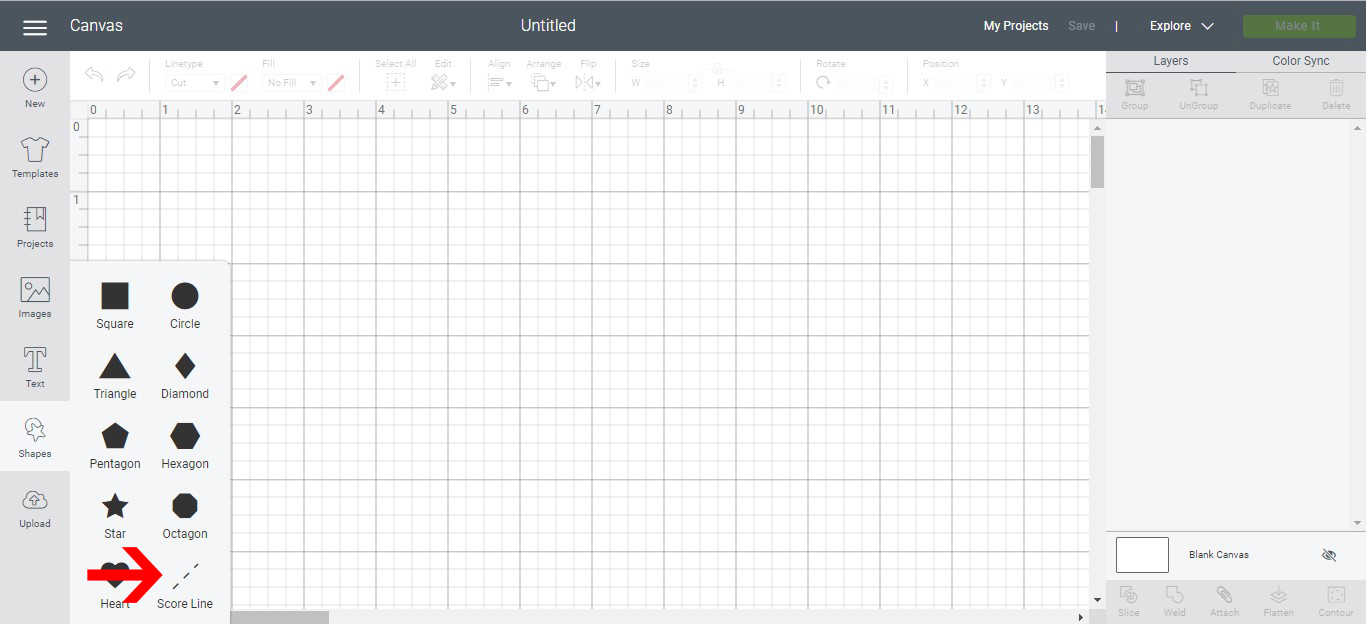
3- With the score line selected, go to the type drop down box and select draw.
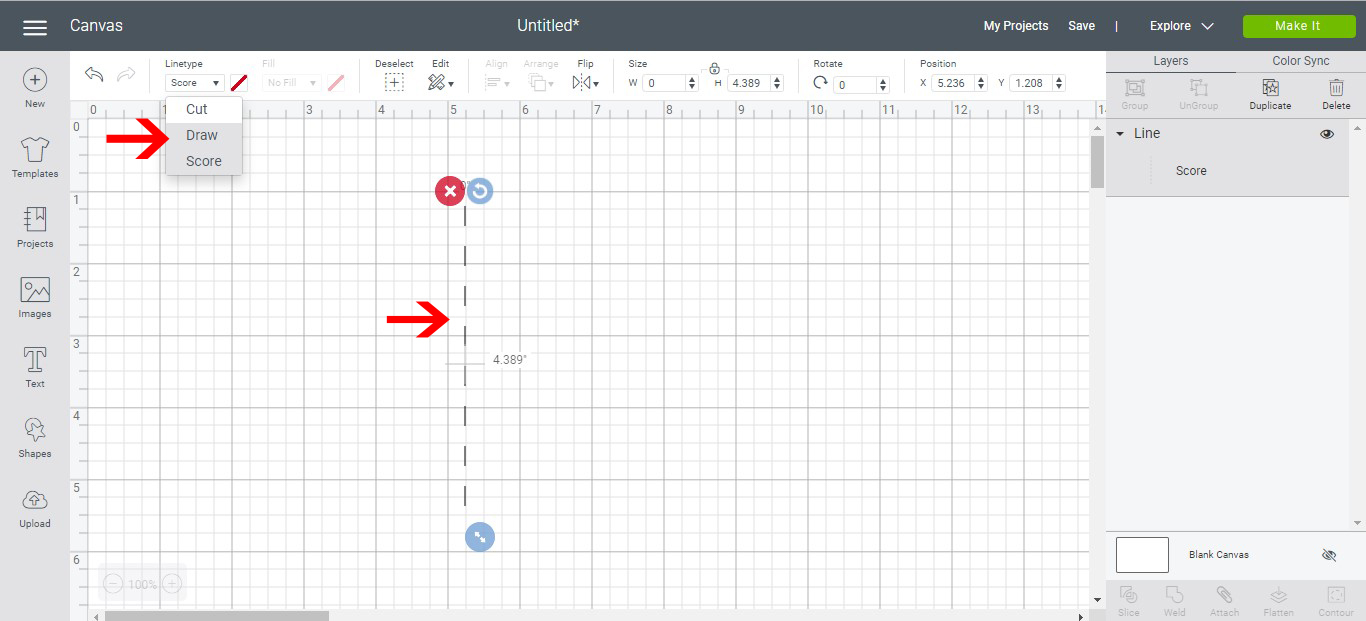
4- your line will now change to a draw line. you can also draw basic shapes with this method. Select a shape.

5- Your shape will appear. resize to what you need.

6- Using the drop down box, and the shape selected, change from cut to draw.

7- Your star will now become a draw line. Click on make it.

8- Your design can be moved in the cut screen on the mat. Once you are happy with placement click continue.

9- Place your media and foil onto your mat. place your mat into your machine and remove the metal protector plate.
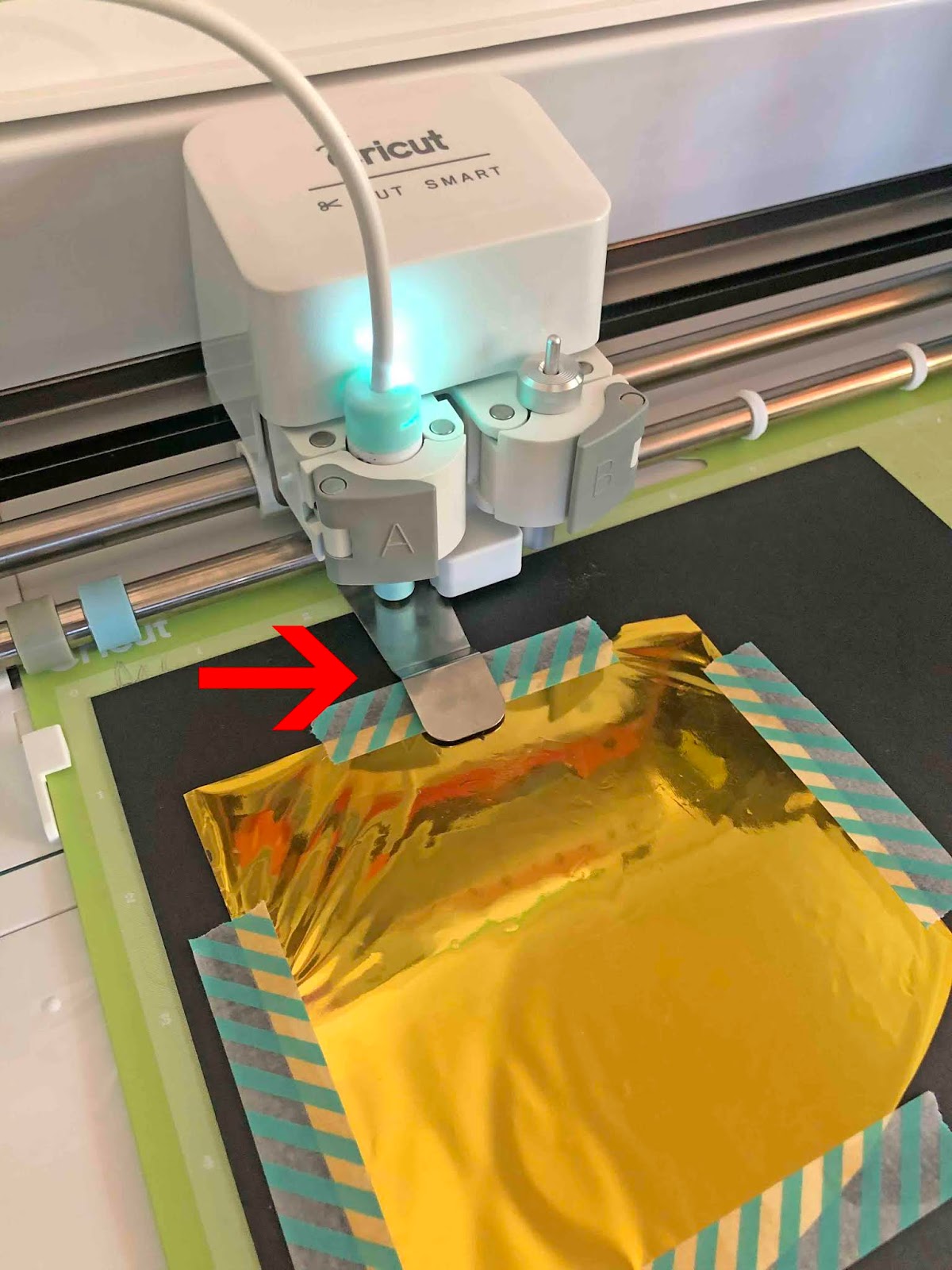
10- Select your media, and make sure the foil quill is heated up.

11- Turn the dial to your media. Once you have done this click on the cricut icon to start the machine.

12- The machine will start and draw your design.

13- Carefully remove your foil from the cardstock. your design will be foiled onto the card.

That is just so pretty! Now that you know how to foil with your Cricut, go have some creative fun.