Get Unlimited Access to Thousands of Premium Fonts and More! Start Creating for Free Now

FontBundles.NET
Pricing
FontBundles.NET

Categories

New

Account

Start Free Trial
How to Import EPS Files Into Inkscape

By Design Bundles

Inkscape TutorialsBeginner3 min

How to Import EPS Files Into Inkscape

Learn how to import EPS files into Inkscape with this beginner friendly step by step tutorial.

In this tutorial, you will learn how to import an EPS file into Inkscape. We will first discuss converting an EPS file and then how to open the converted file. This is a handy guide for when you've only been provided an EPS file for a design.

Step 1 - Convert EPS File

To use an EPS file in Inkscape, you need to convert it. If you have a Plus Membership, you can use the file converter tool if needed. You can convert the file to anything from a JPEG to a PDF. We converted our EPS file to a PDF for this tutorial.

Step 2 - Open Inkscape

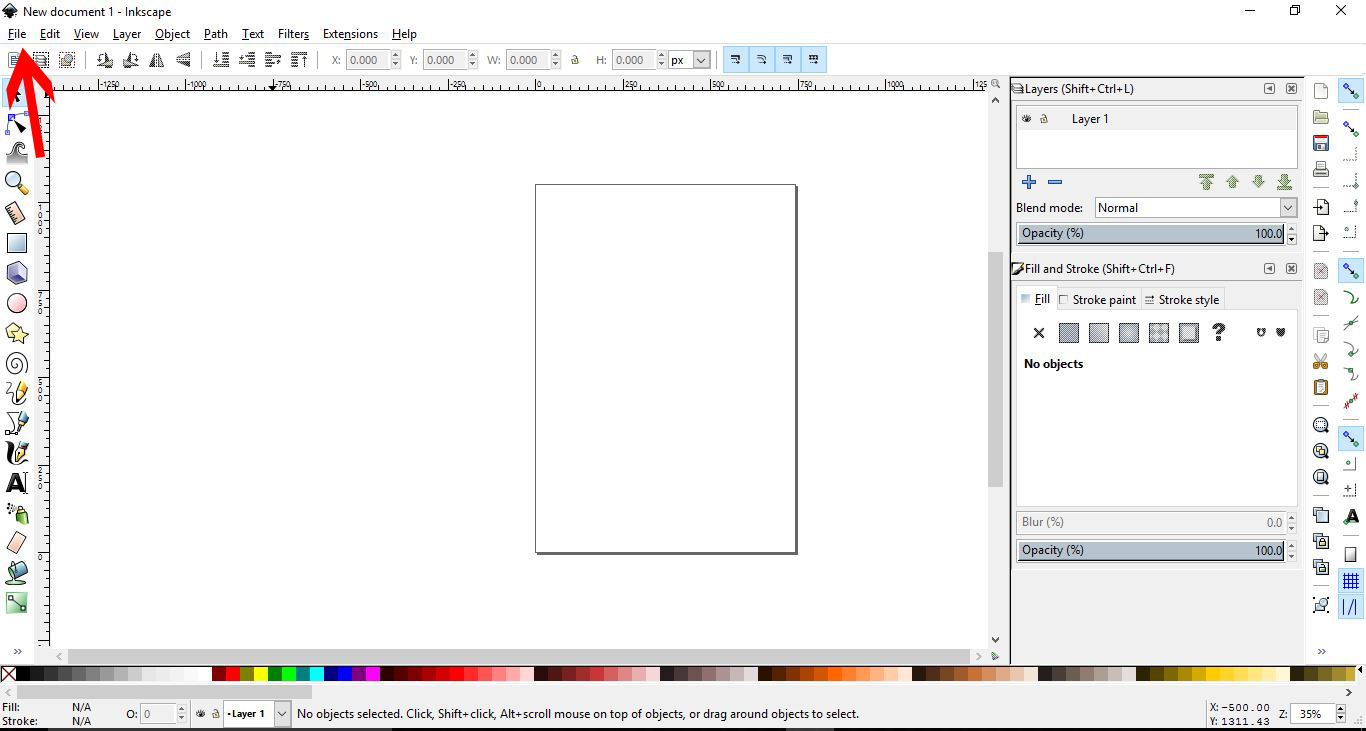
Open Inkscape. Go to File > Open.
Step 3 - Open Converted EPS File

Select your newly converted EPS file, and select Open.

Step 4 - Follow PDF Import Settings Prompts

A new window will appear. Follow the prompts and select OK.

Your file will now be in your Inkspace design area.
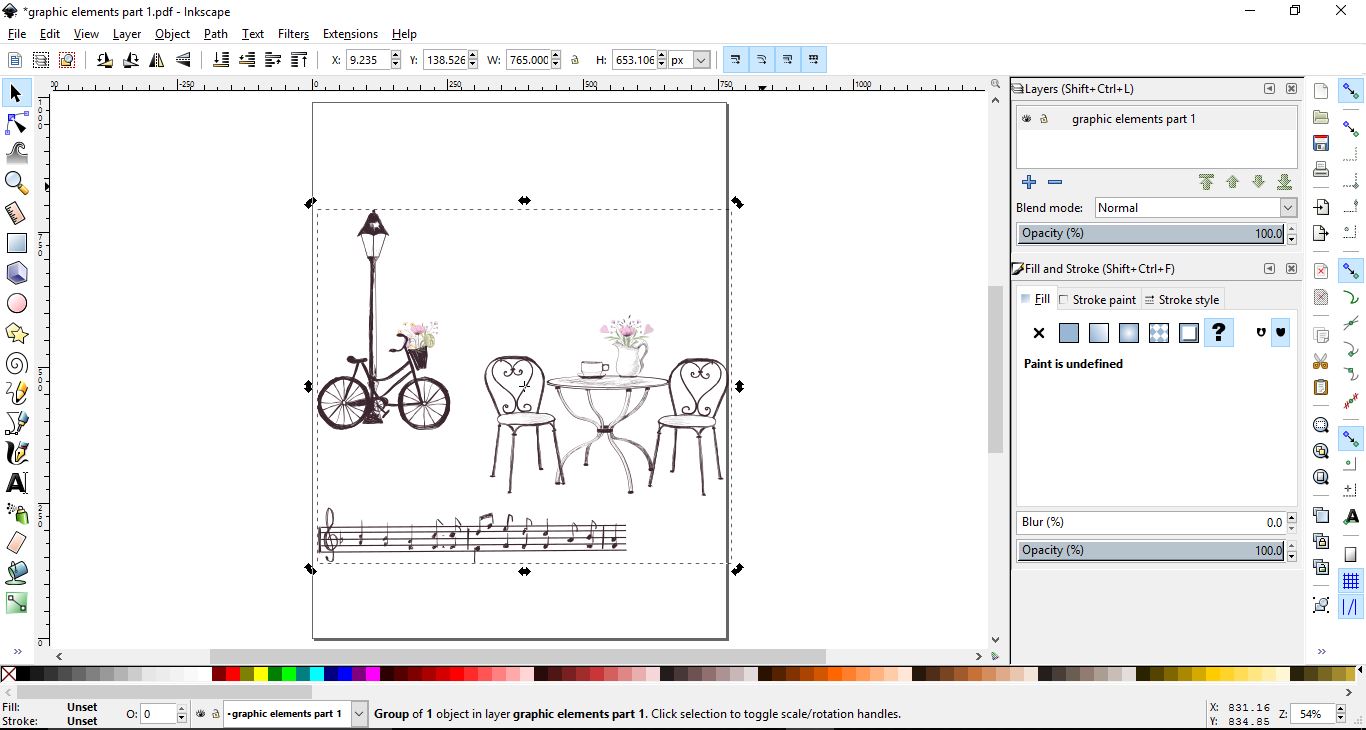
The designs are from Design Bundles and the file is called Romantic Vintage Sketches.
Related Tutorials

Silhouette Tutorials

How to Bulk Import Files into Silhouette Studio Library

In this tutorial you will learn how to bulk import files into the Silhouette Studio Library.
Inkscape Tutorials

How to Crop an Image in Inkscape

Learn how to crop an image in Inkscape with this beginner step by step tutorial
Inkscape Tutorials

How to Change DPI in Inkscape

Discover how to change DPI in Inkscape and get the correct printing resolution for your image
Inkscape Tutorials

How to Trace in Inkscape Using Single Scan

In this in-depth tutorial, discover how to trace in Inkscape using Single Scan

Keep going

You may also like

All inkscape tutorials
The weekly drop

Fresh tutorials, trends & free files.

Join 6 million makers getting our best craft guides and exclusive freebies straight to their inbox.

No spam. Unsubscribe anytime.