By Design Bundles
SCAL Tutorials1 min
How to import SVG files into Sure Cuts A lot 4
*note- SCAL4 pro used.
1- Open SCAL4 software.
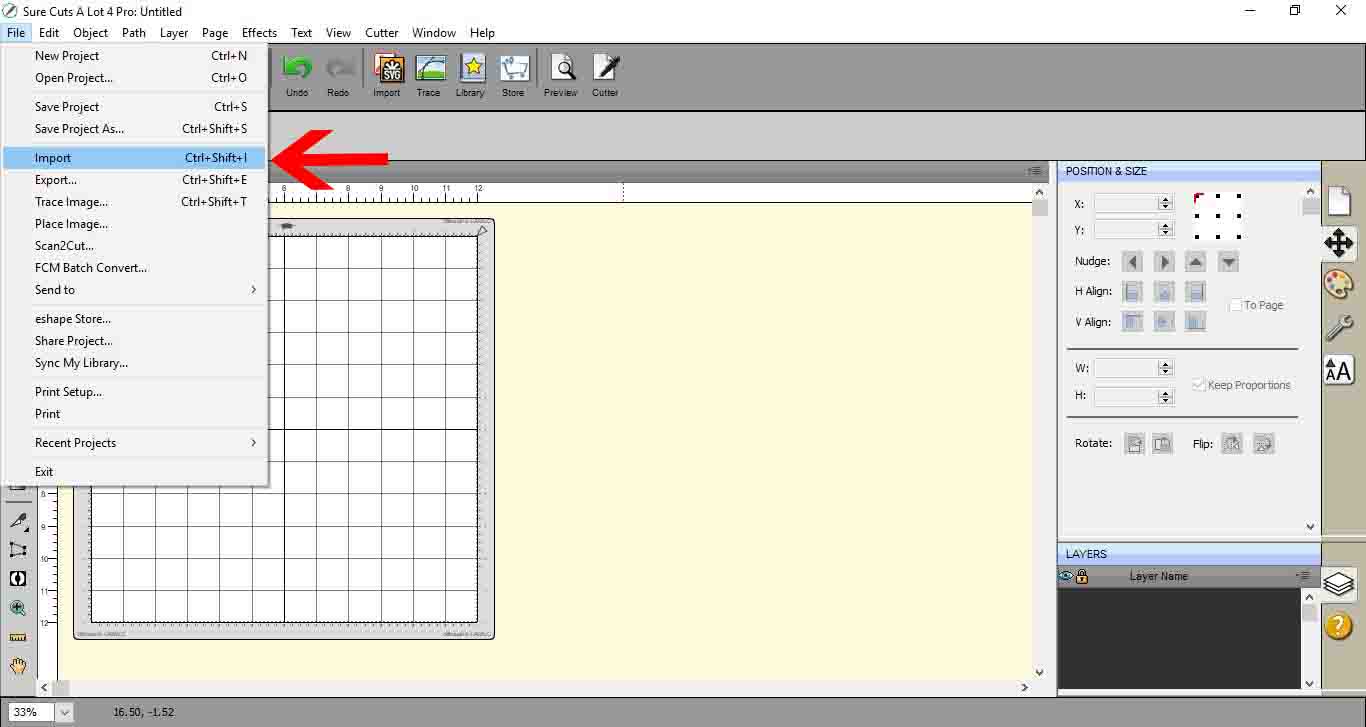
2- Go to File > Import.
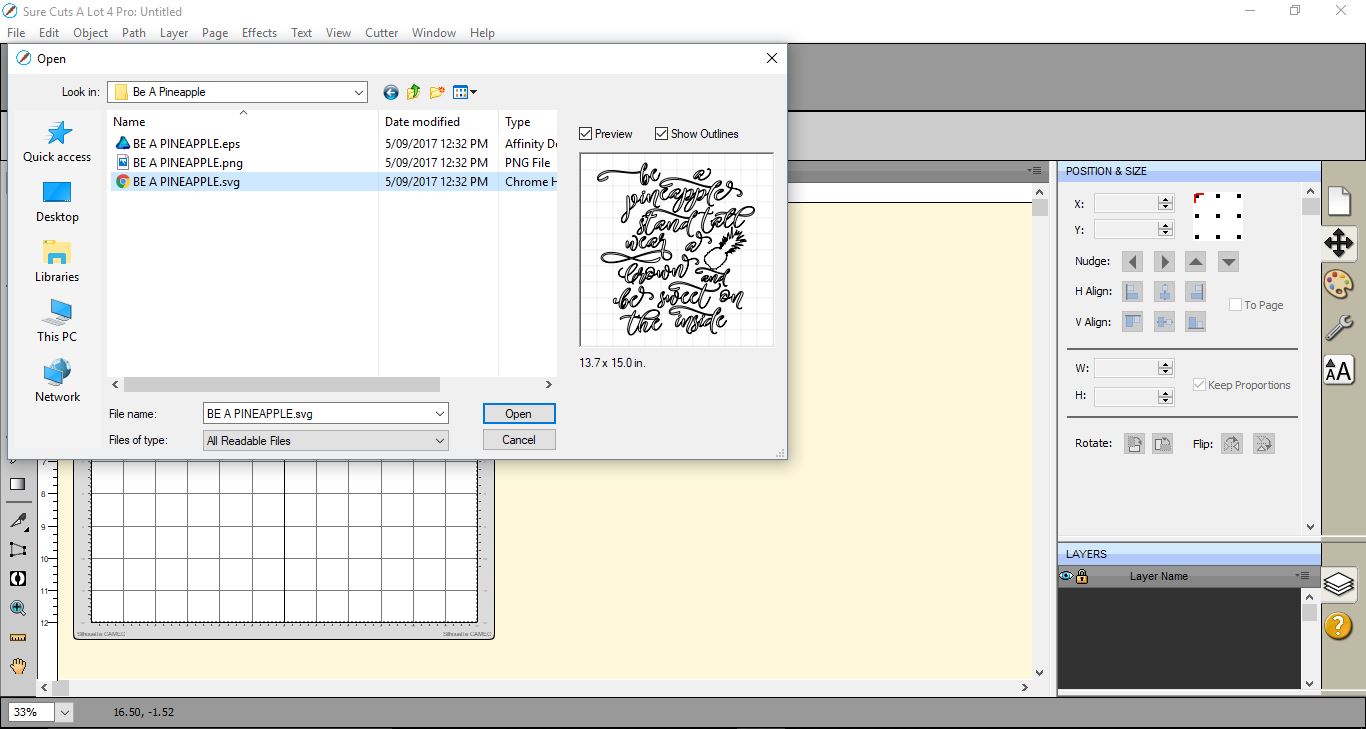
3- Go to the location of your SVG file. Once you select it click open.
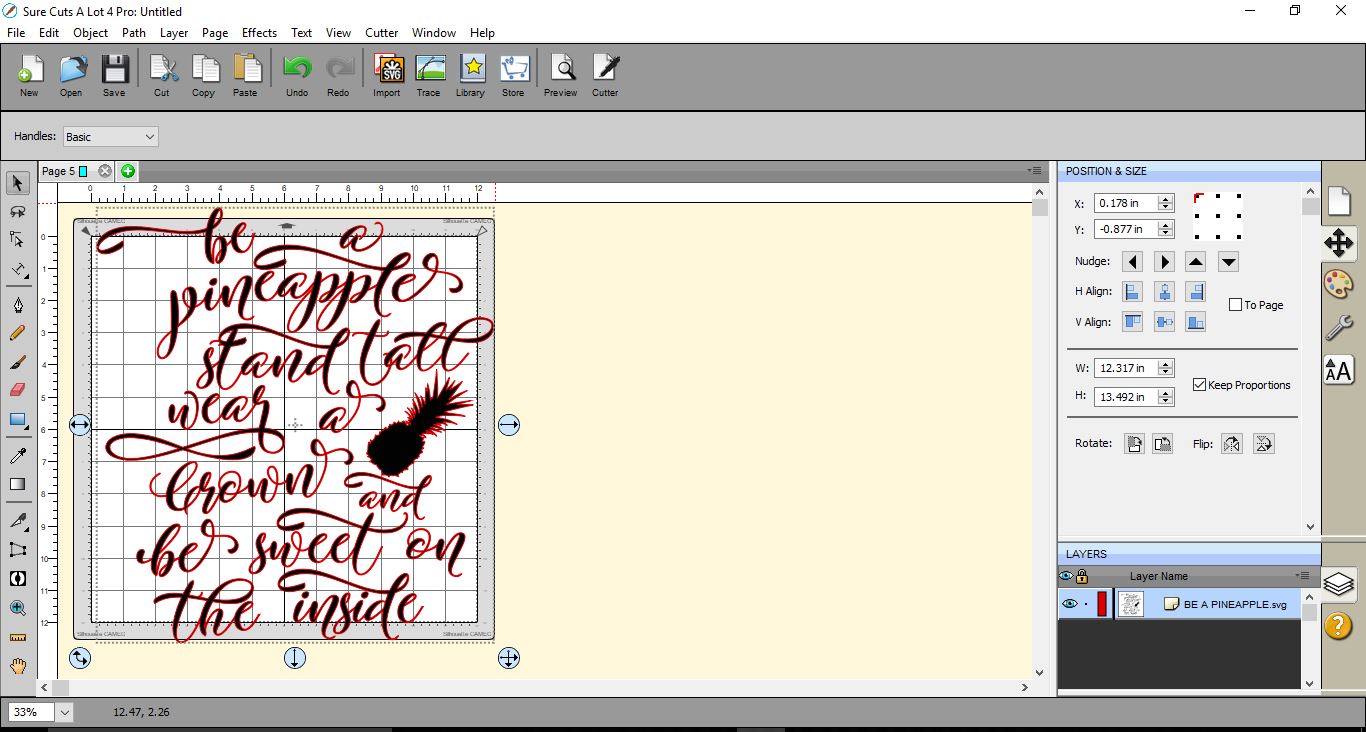
4- Your design will now be in your design area for you to use and cut.
1- Open SCAL4 software.

2- Go to File > Import.
3- Go to the location of your SVG file. Once you select it click open.
4- Your design will now be in your design area for you to use and cut.
Related Tutorials
SCAL Tutorials
Sure Cuts a Lot 4 Basics - Saving files
SCAL Tutorials
Filling shapes with cuttable files in Sure Cuts a Lot 4
Inkscape Tutorials
How to Import EPS Files Into Inkscape
Learn how to import EPS files into Inkscape with this beginner friendly step by step tutorial.
Silhouette Tutorials
How to Bulk Import Files into Silhouette Studio Library
In this tutorial you will learn how to bulk import files into the Silhouette Studio Library.
SCAL Tutorials