By Design Bundles
Photoshop Tutorials3 min
Transparent text effect in Photoshop
1- Open photoshop.
2- Open your image.
3- Select the horizontal text tool.
4- Select your font, ensure the text colour is black and type your text. I am using the font Luducudu from Font Bundles.
5- Select the move tool and adjust the text to where you need it to be on the image.
6- Create a new layer.
7- Drag the new layer below your text layer.
8- Select the rectangular marquee tool and ensure the feather is set to 0px.
9- Create a rectangle around your text.
10- Right click on the rectangle and select the fill option.
11- Fill the rectangle with white. Click OK.
12- Click Ctrl+ D to deselect the filled rectangle.
13- Select the text layer and then the move tool.
14- Press Ctrl and select the text layer. Little marching ants will appear around your text. Move the text to centre in your rectangle.
15- Hide the text layer. (click on the eye icon)
16- Select the white rectangle layer. Hold Alt + click on the mask icon at the bottom of the layers panel.
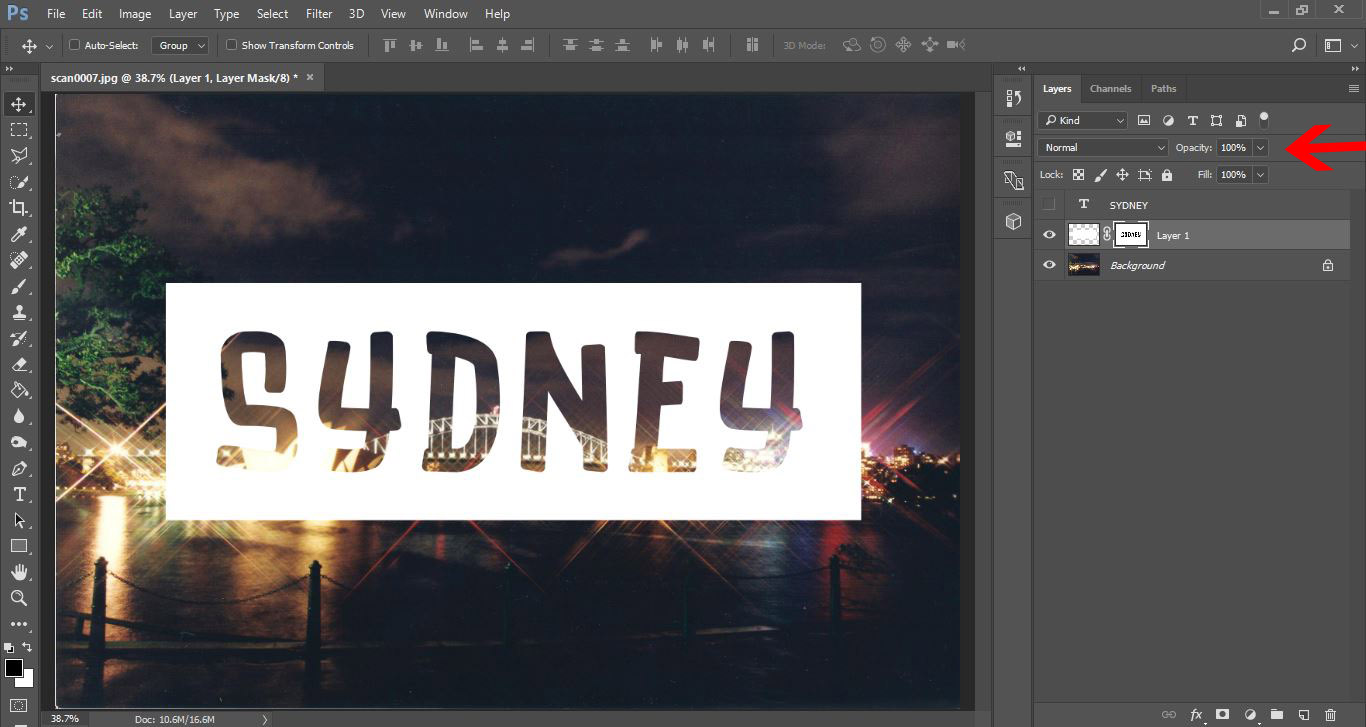
17- You now have transparent text. You can adjust the opacity of the white rectangle to suit your needs also.
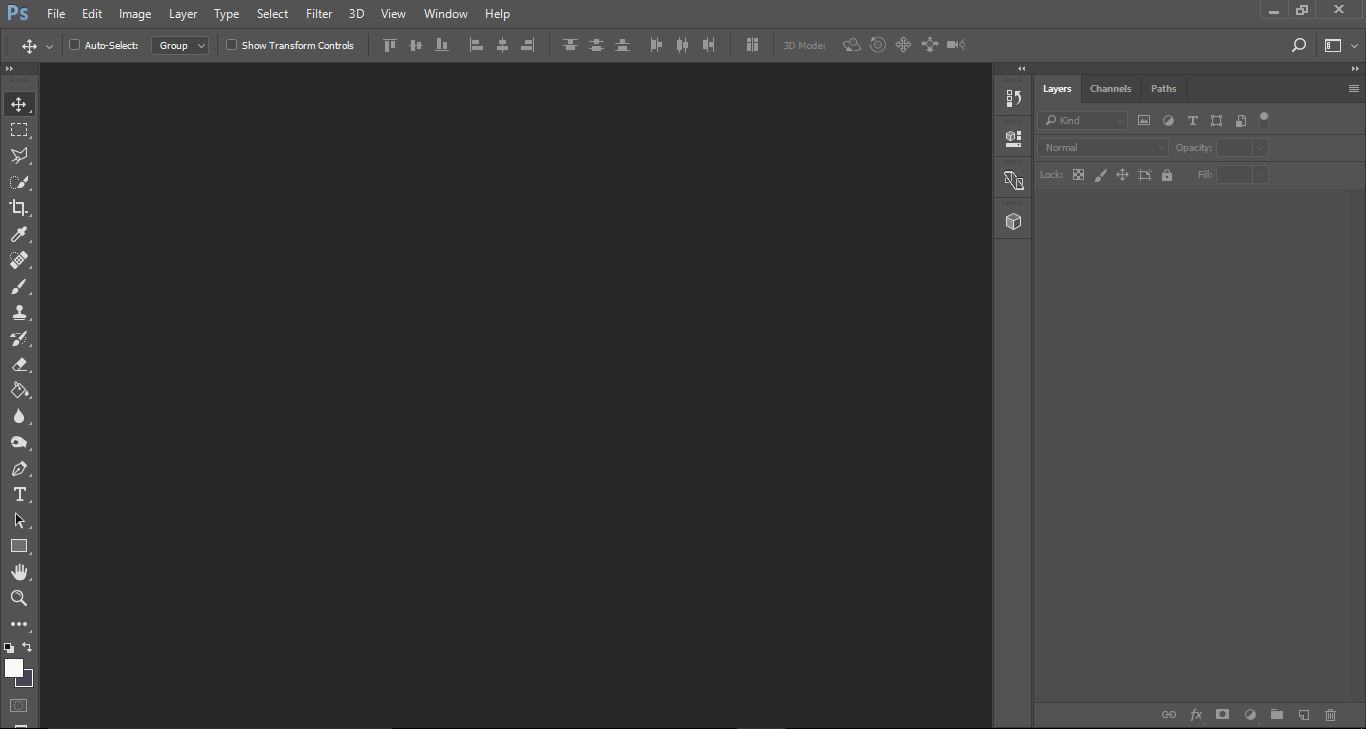
2- Open your image.
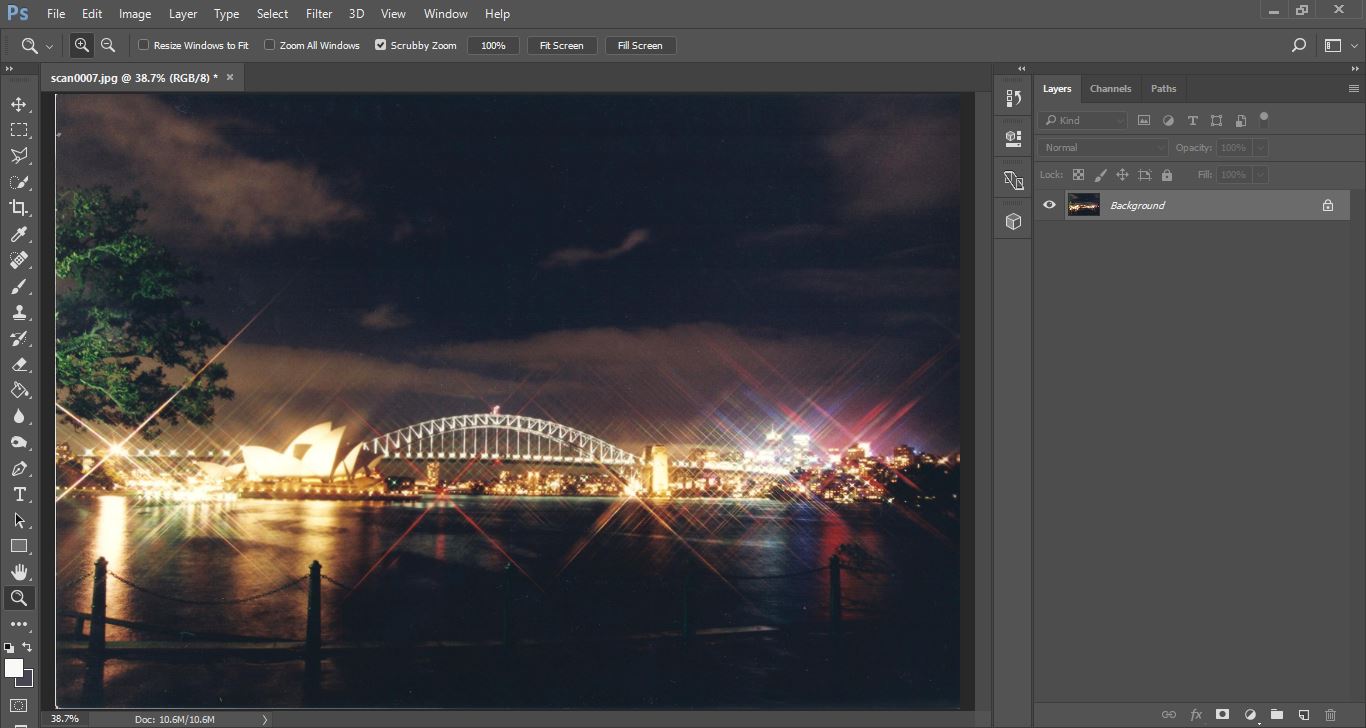
3- Select the horizontal text tool.
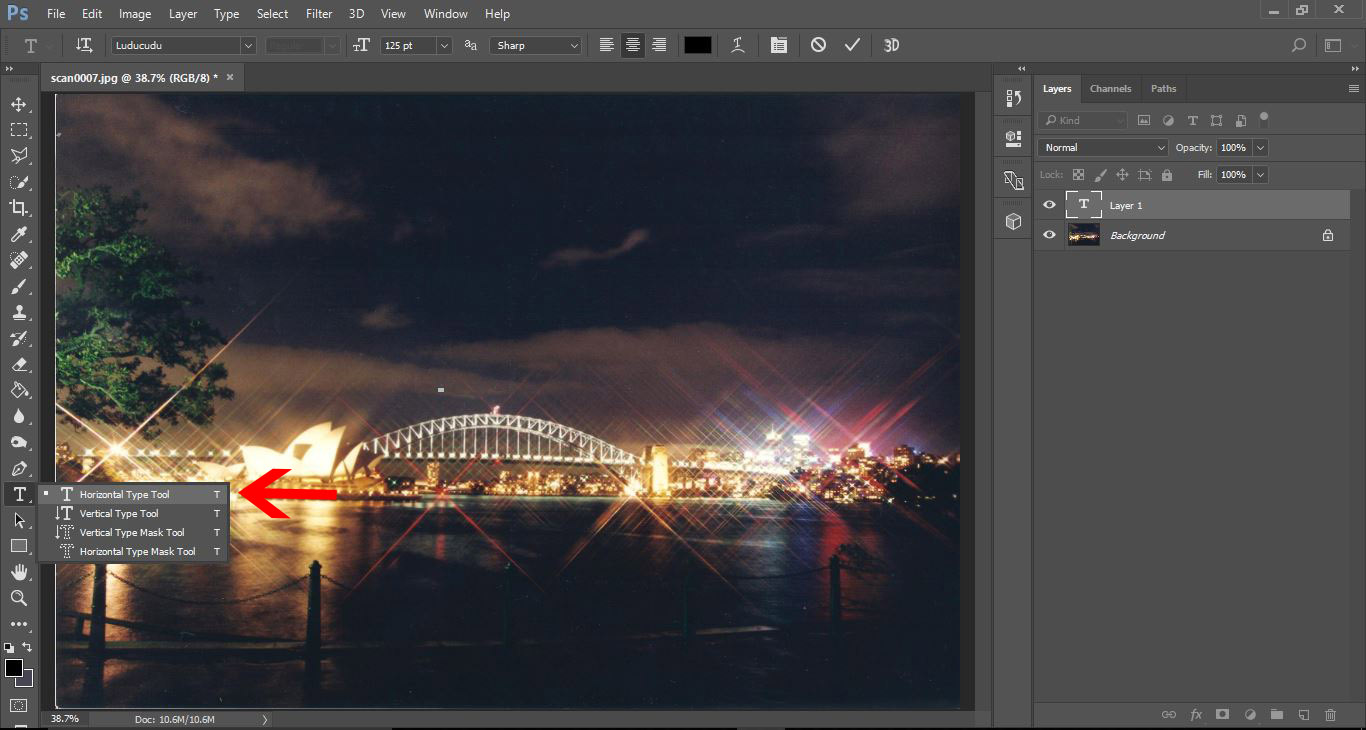
4- Select your font, ensure the text colour is black and type your text. I am using the font Luducudu from Font Bundles.
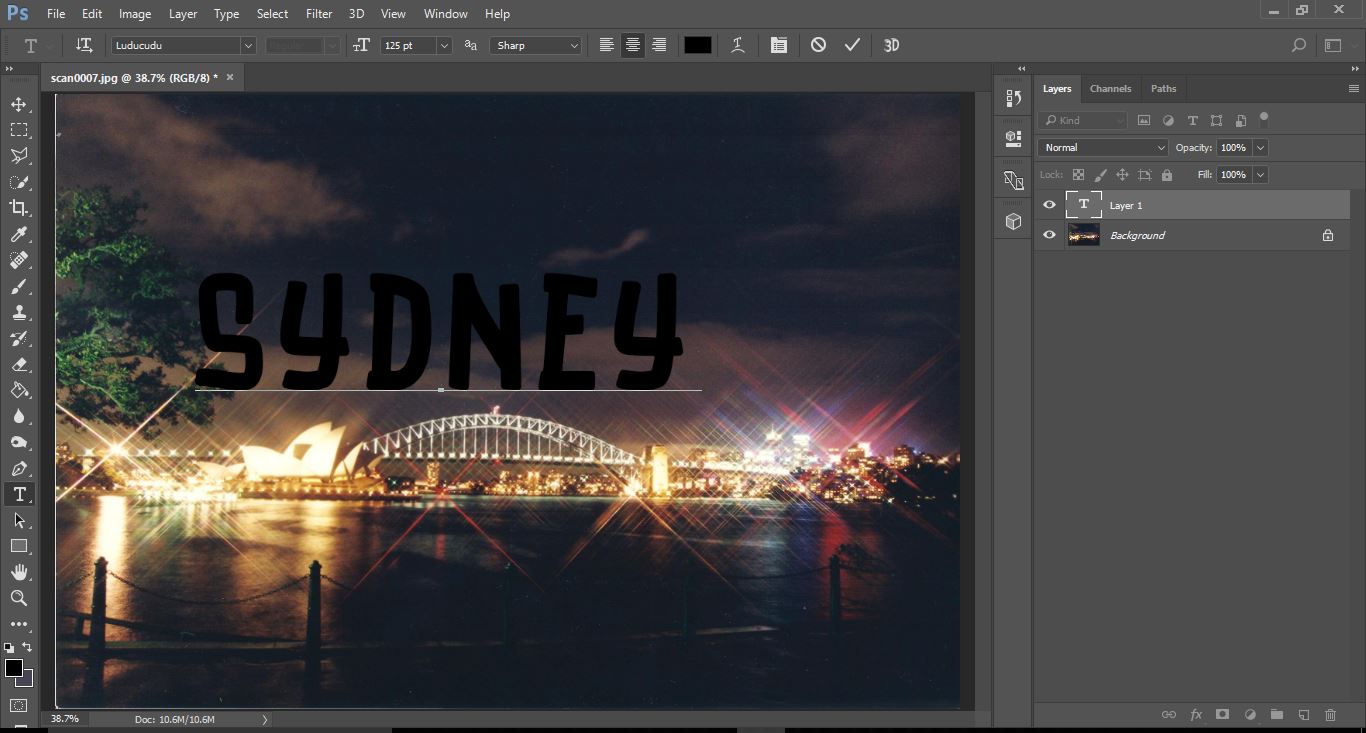
5- Select the move tool and adjust the text to where you need it to be on the image.
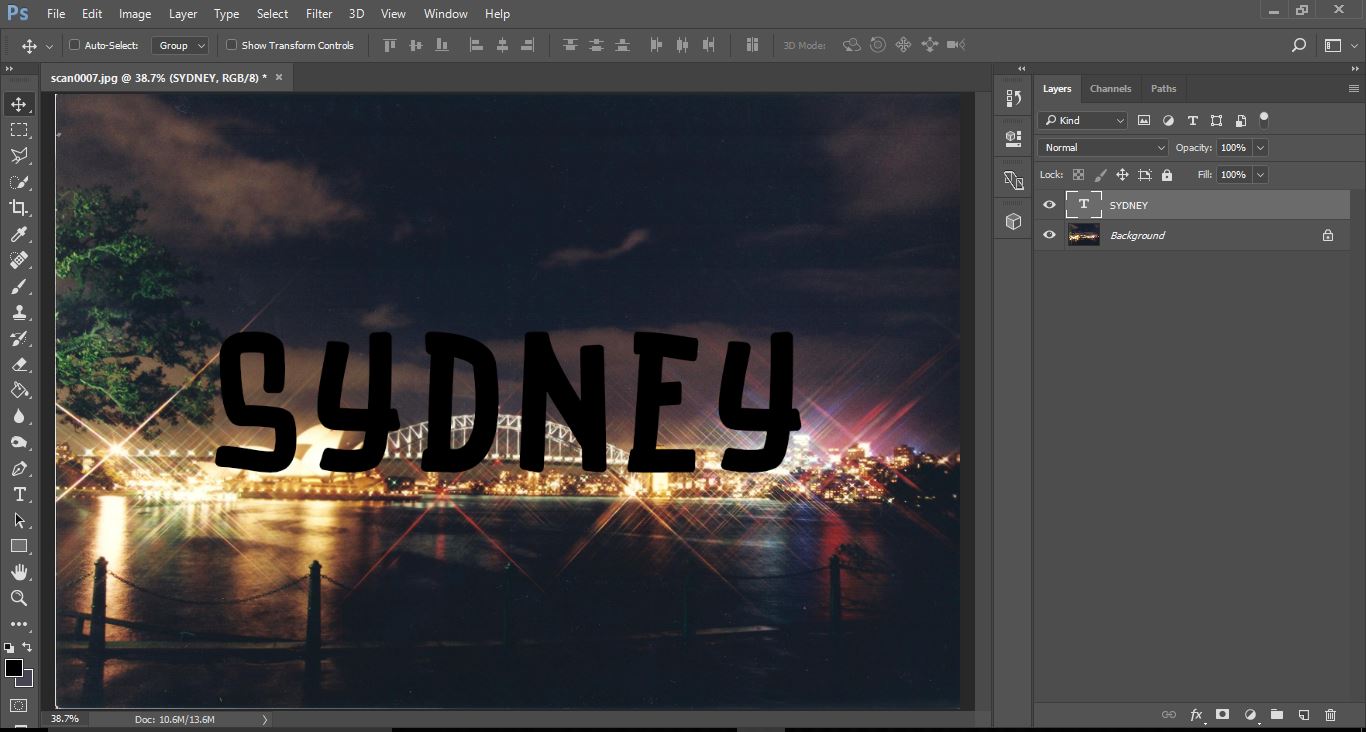
6- Create a new layer.

7- Drag the new layer below your text layer.
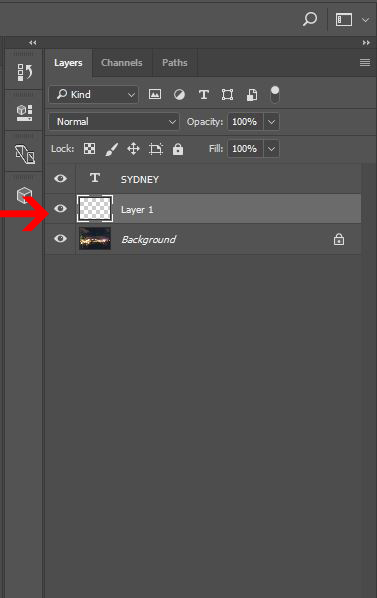
8- Select the rectangular marquee tool and ensure the feather is set to 0px.
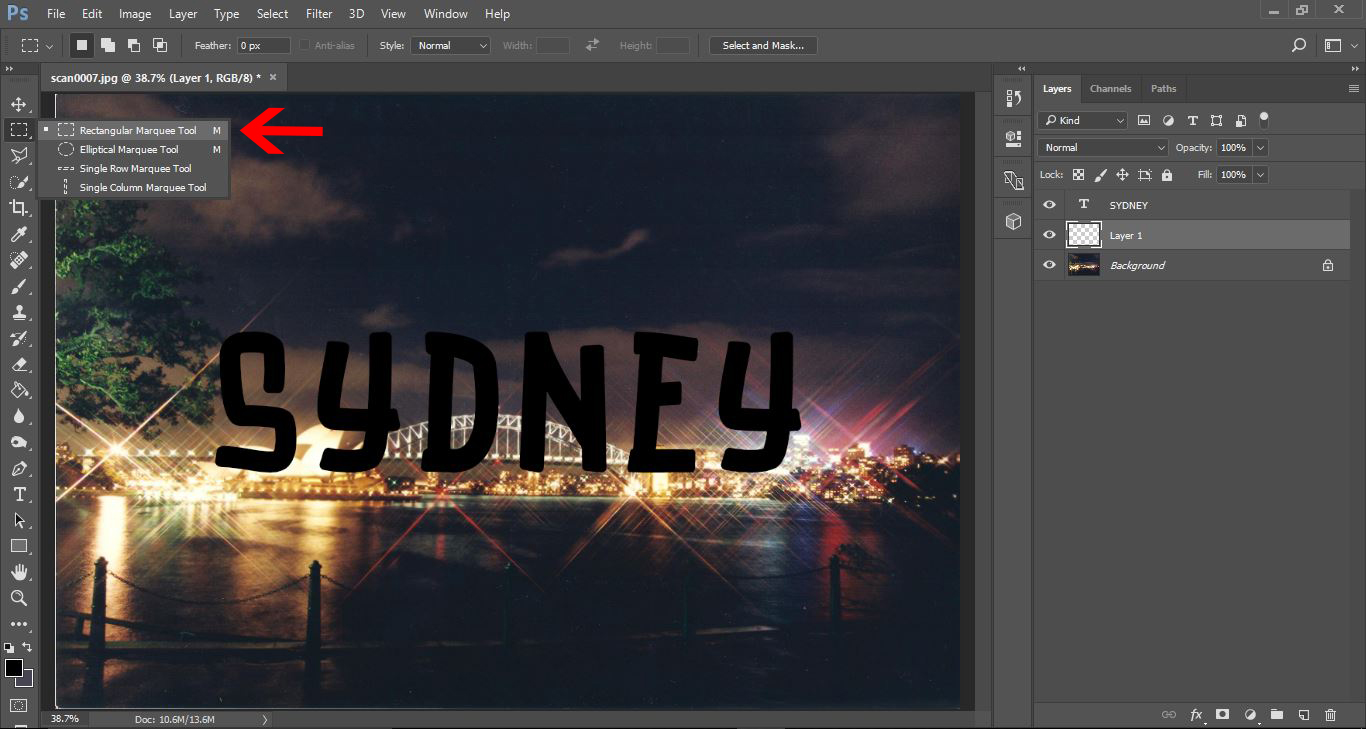
9- Create a rectangle around your text.
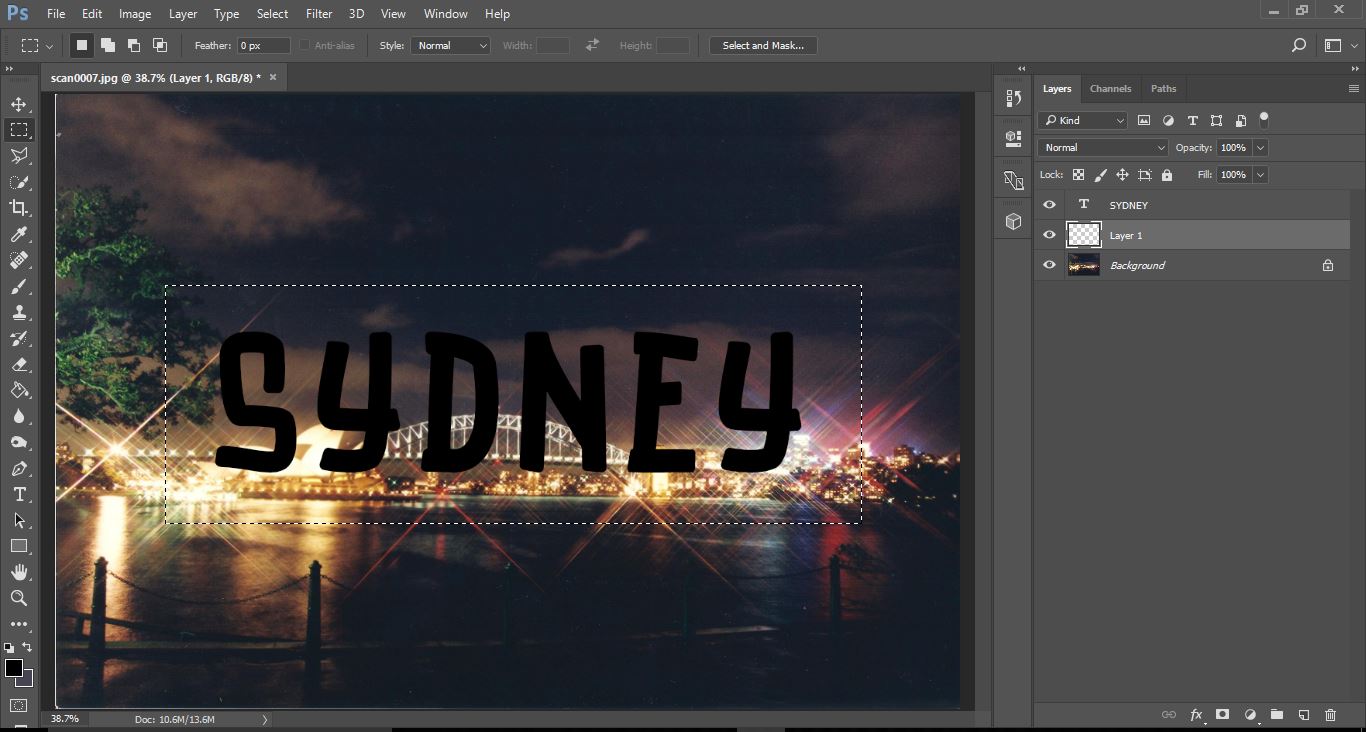
10- Right click on the rectangle and select the fill option.
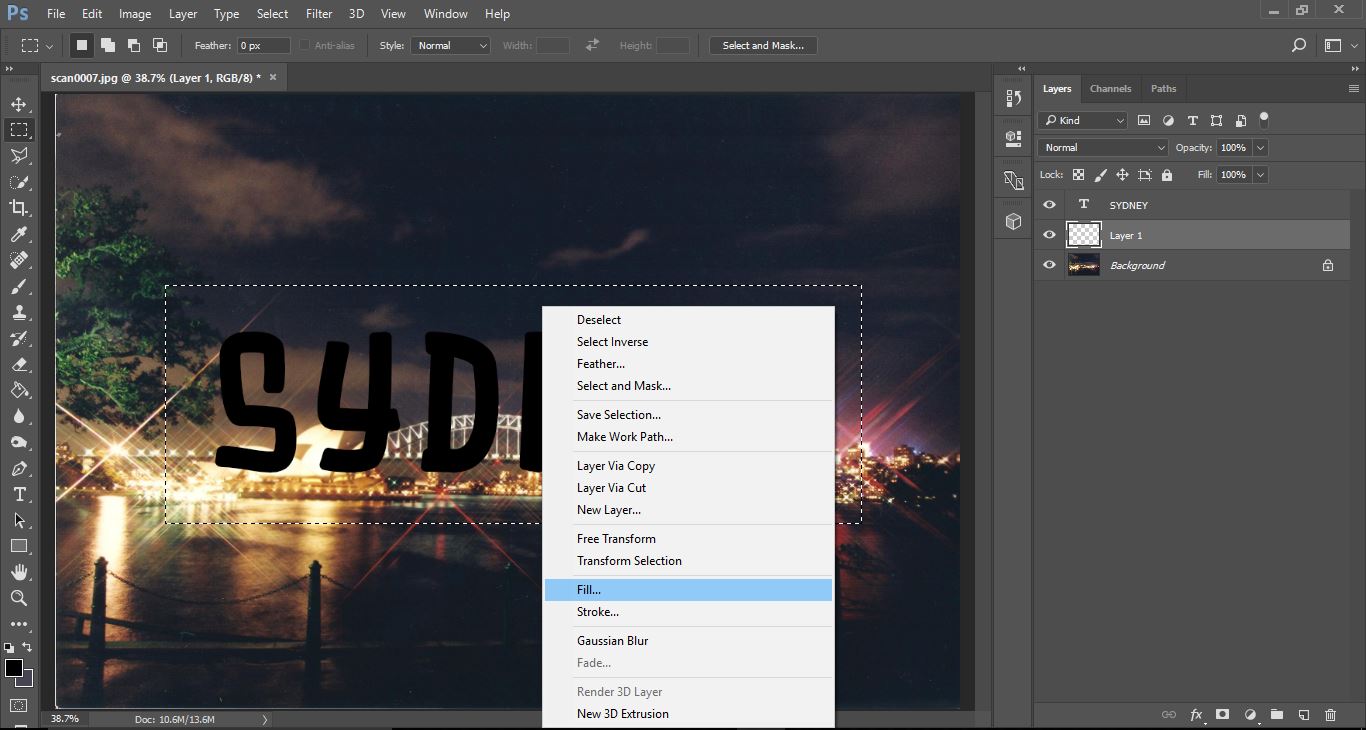
11- Fill the rectangle with white. Click OK.
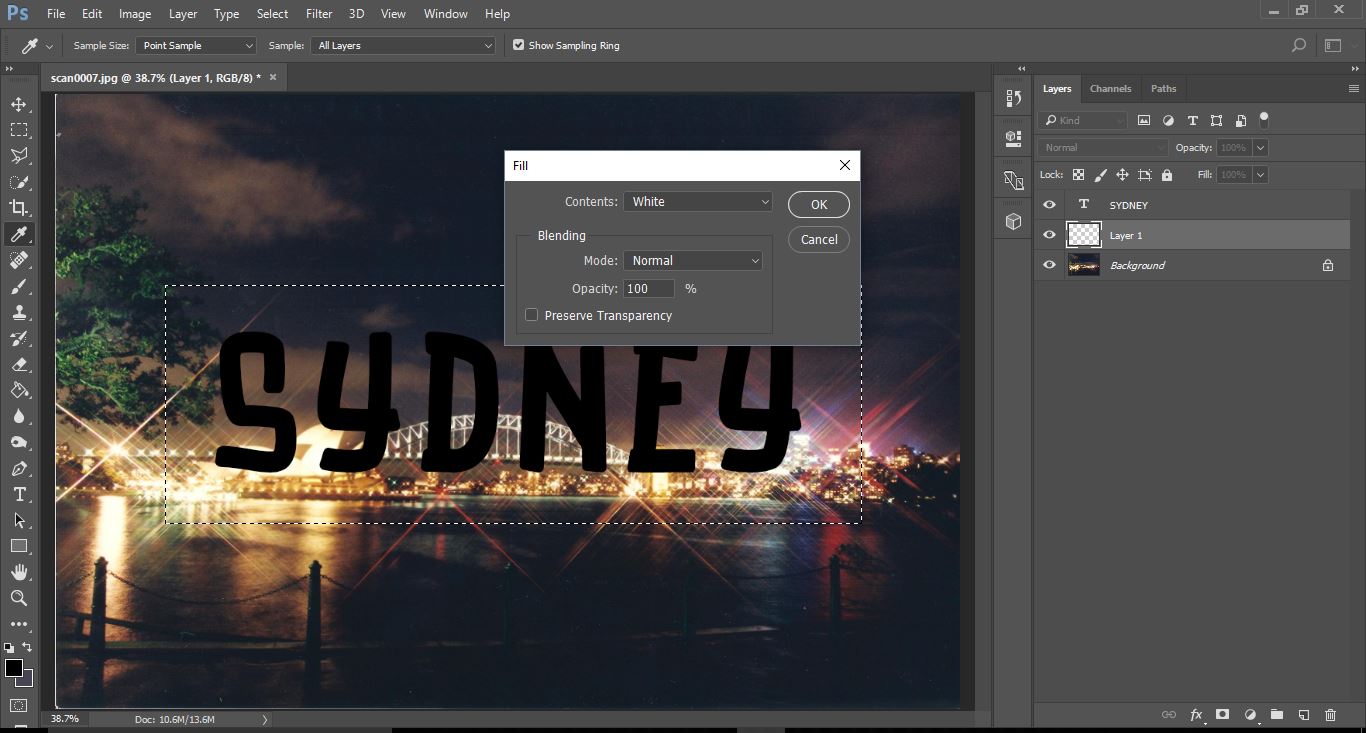
12- Click Ctrl+ D to deselect the filled rectangle.
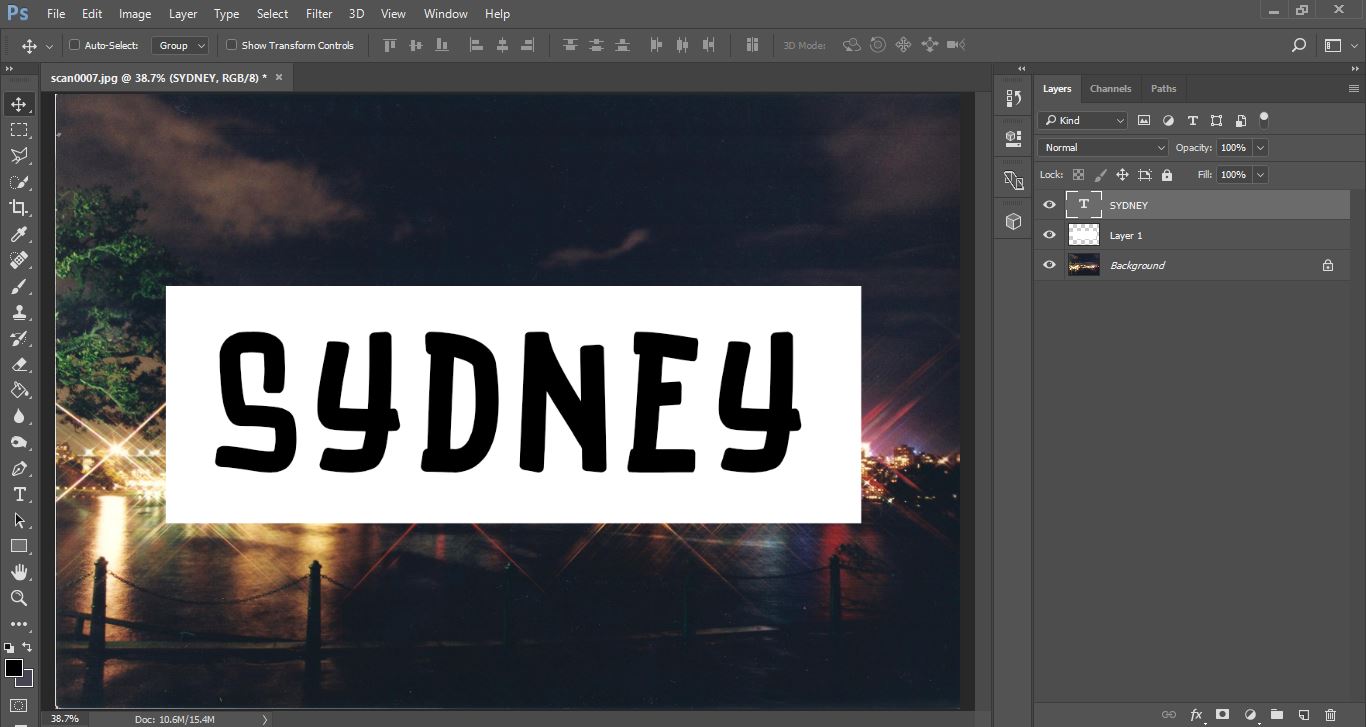
13- Select the text layer and then the move tool.

14- Press Ctrl and select the text layer. Little marching ants will appear around your text. Move the text to centre in your rectangle.
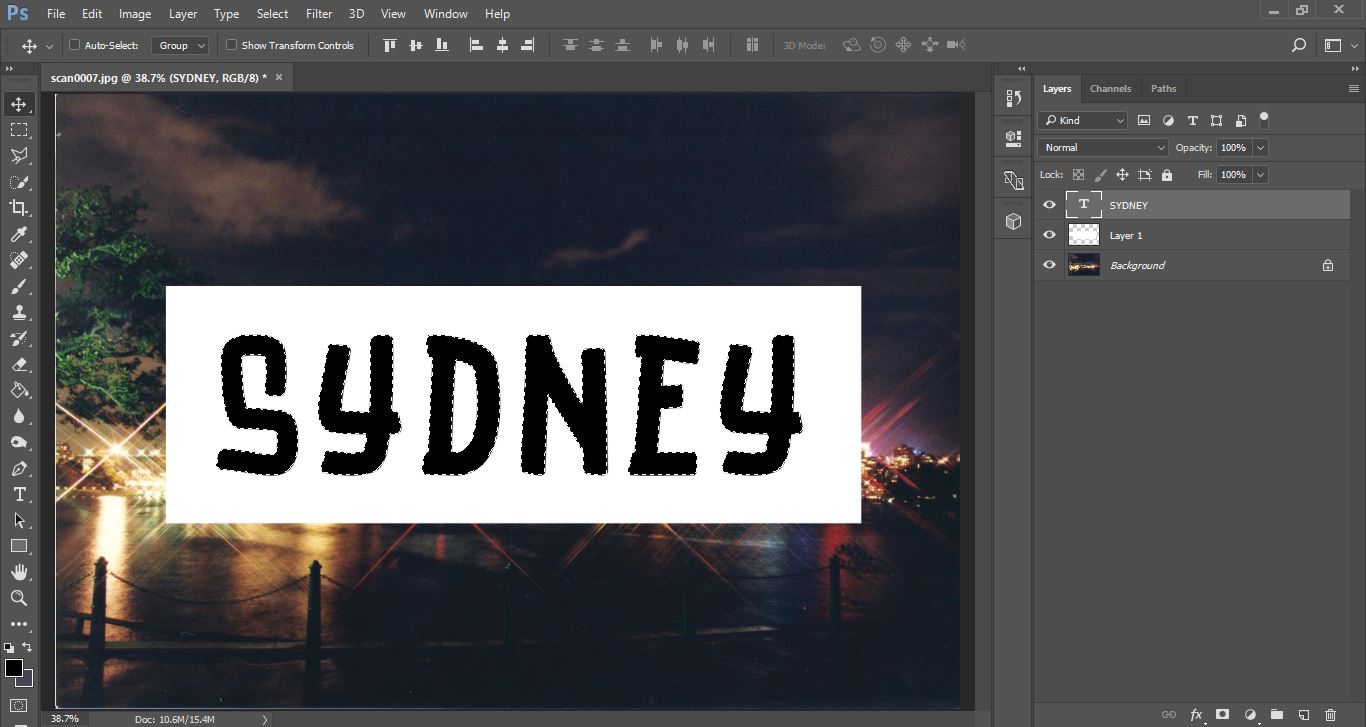
15- Hide the text layer. (click on the eye icon)
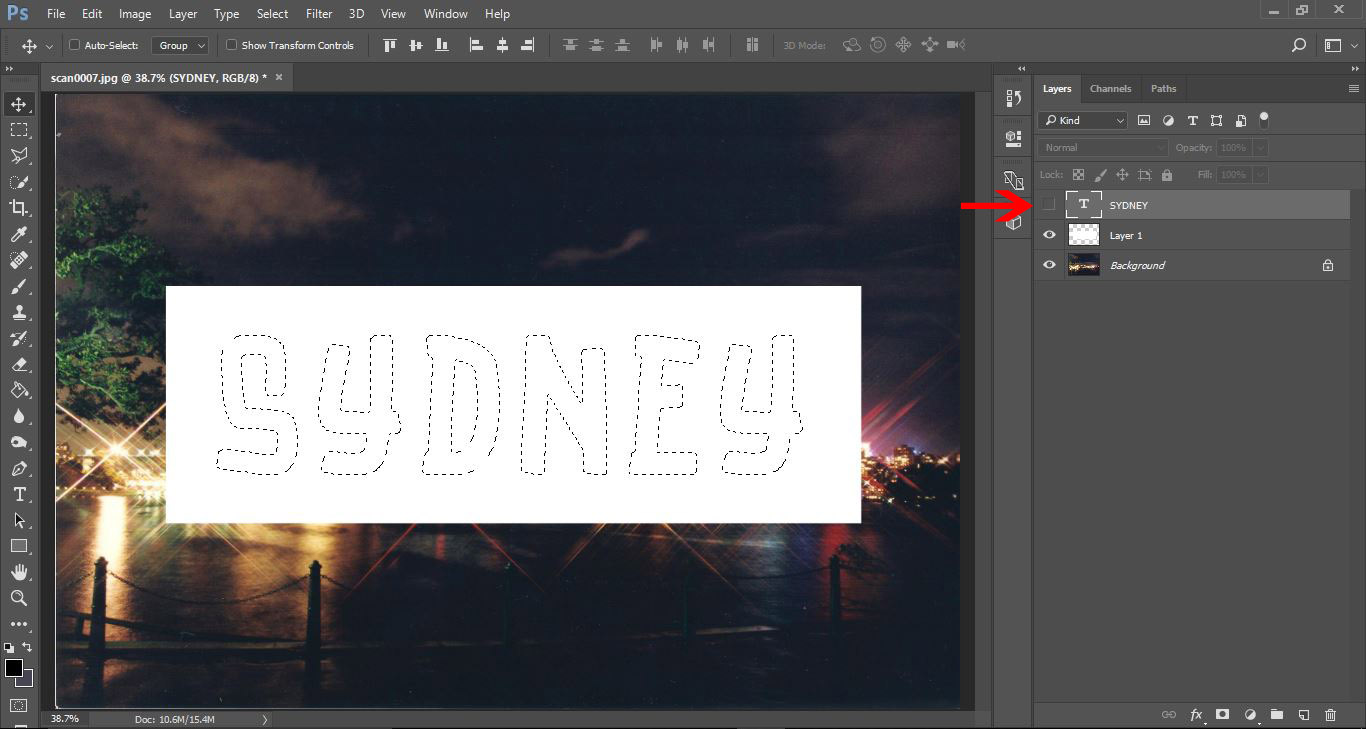
16- Select the white rectangle layer. Hold Alt + click on the mask icon at the bottom of the layers panel.
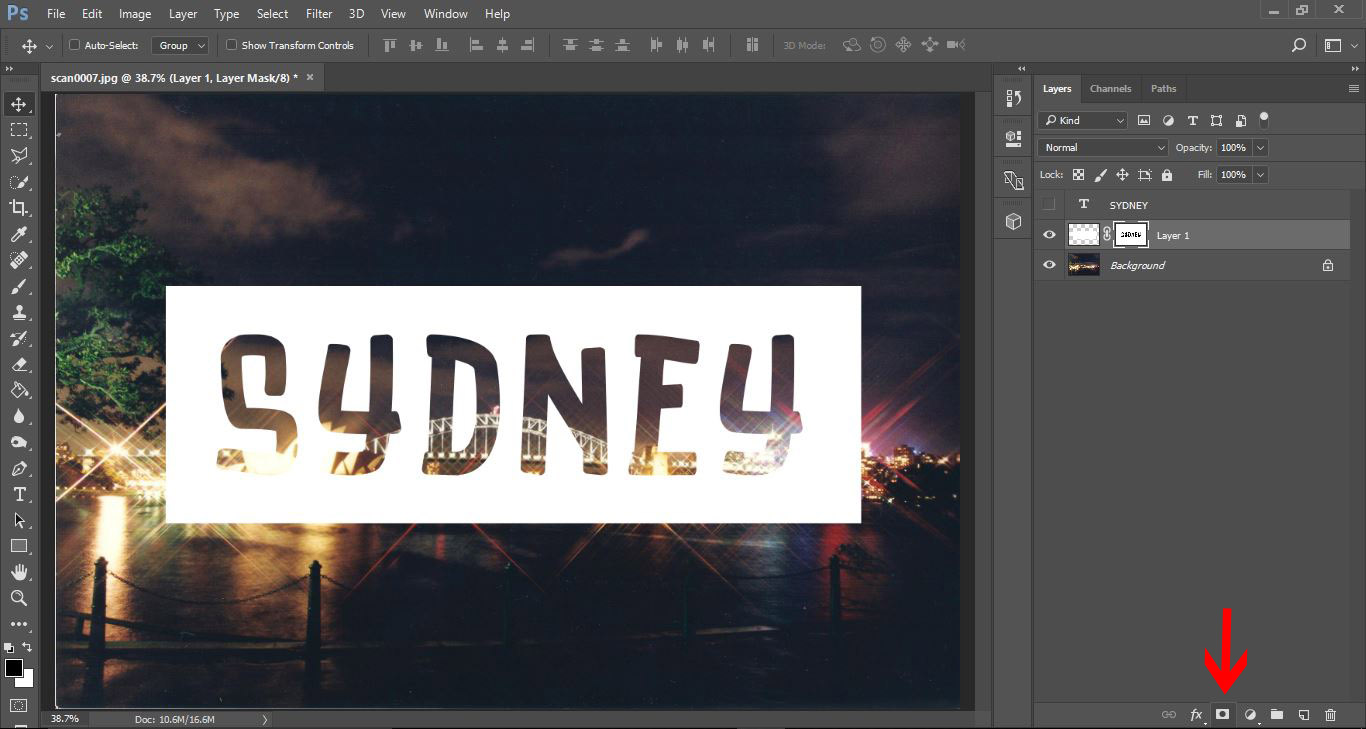
17- You now have transparent text. You can adjust the opacity of the white rectangle to suit your needs also.
Related Tutorials
Photoshop Tutorials
How to Make a Graffiti Text Effect in Photoshop
Learn how to create a realistic grafitti text effect in Photoshop.
Photoshop Tutorials
How to Create a Holographic Text Effect in Photoshop
Discover how to create a holographic text effect in Photoshop with this step by step tutorial.
Photoshop Tutorials
Chalk Text Effect in Photoshop
In this tutorial, learn how to turn any font into chalk text in Photoshop with the Brush tool.
Photoshop Tutorials
Puffy Sticker Text Effect in Photoshop
Photoshop Tutorials
How to Create an Embossed Text Effect in Photoshop
In this tutorial, discover how to create an Embossed Text Effect in Photoshop!
Photoshop Tutorials
Tinsel Text Effect in Photoshop
Discover how to create a tinsel text effect in Photoshop layer by layer.