

By Design Bundles
SCAL Tutorials4 min
How to Fill Text for the Foil Quill using SCAL4
1- Open SCAL4 software. Select the text type tool.
2-Type your text.
3- Click on the text icon on the right and select your font.
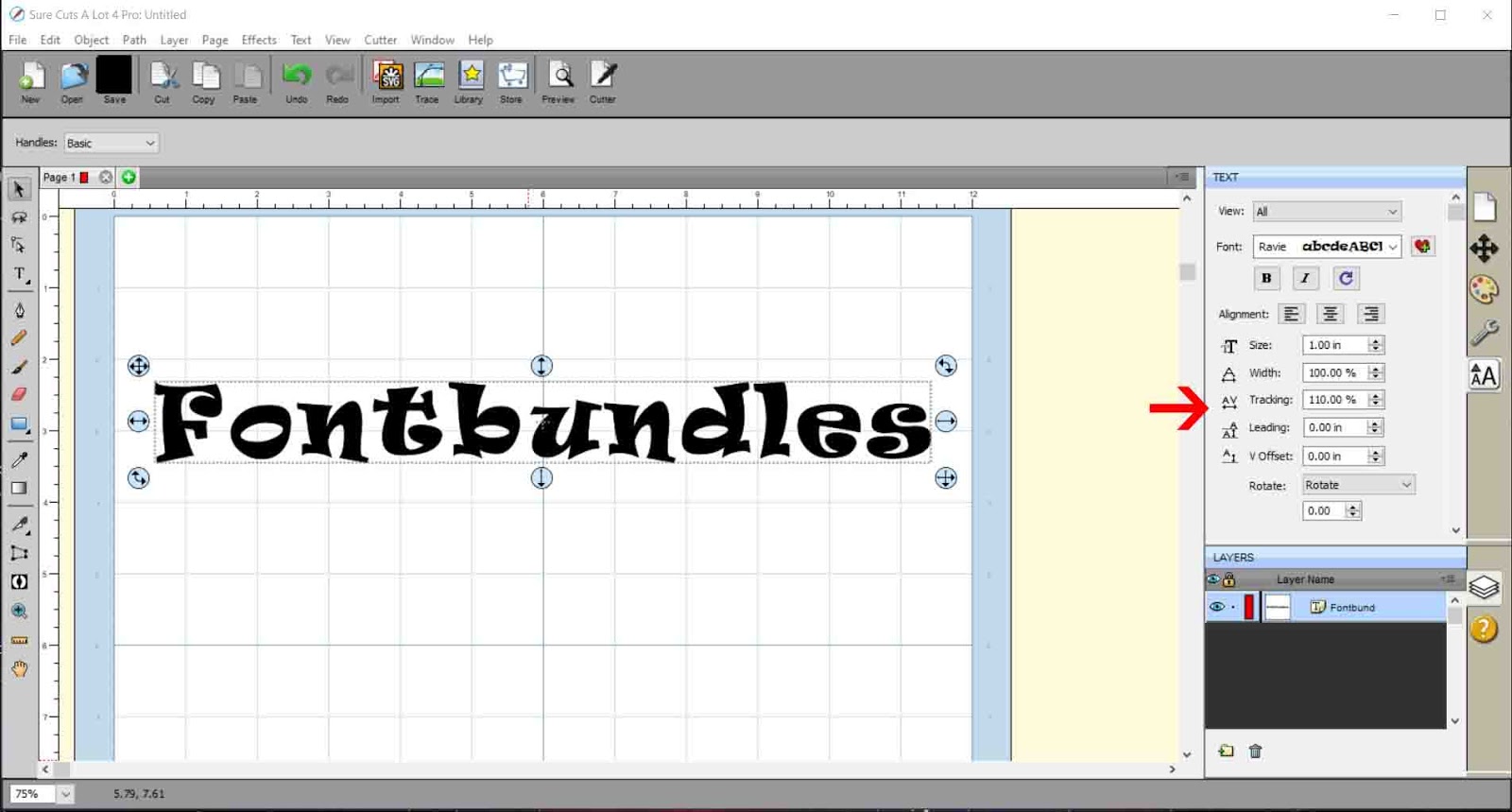
4- With the text selected Resize your text.
5- Click effects- line fill.
6- Select the line spacing. Start with 0.050 This is a good guide to see the space you will need to fully foil your text. Click preview to ensure the space is right.
7- If you drop the spacing even smaller you can really get the lines close to give a full foil effect.
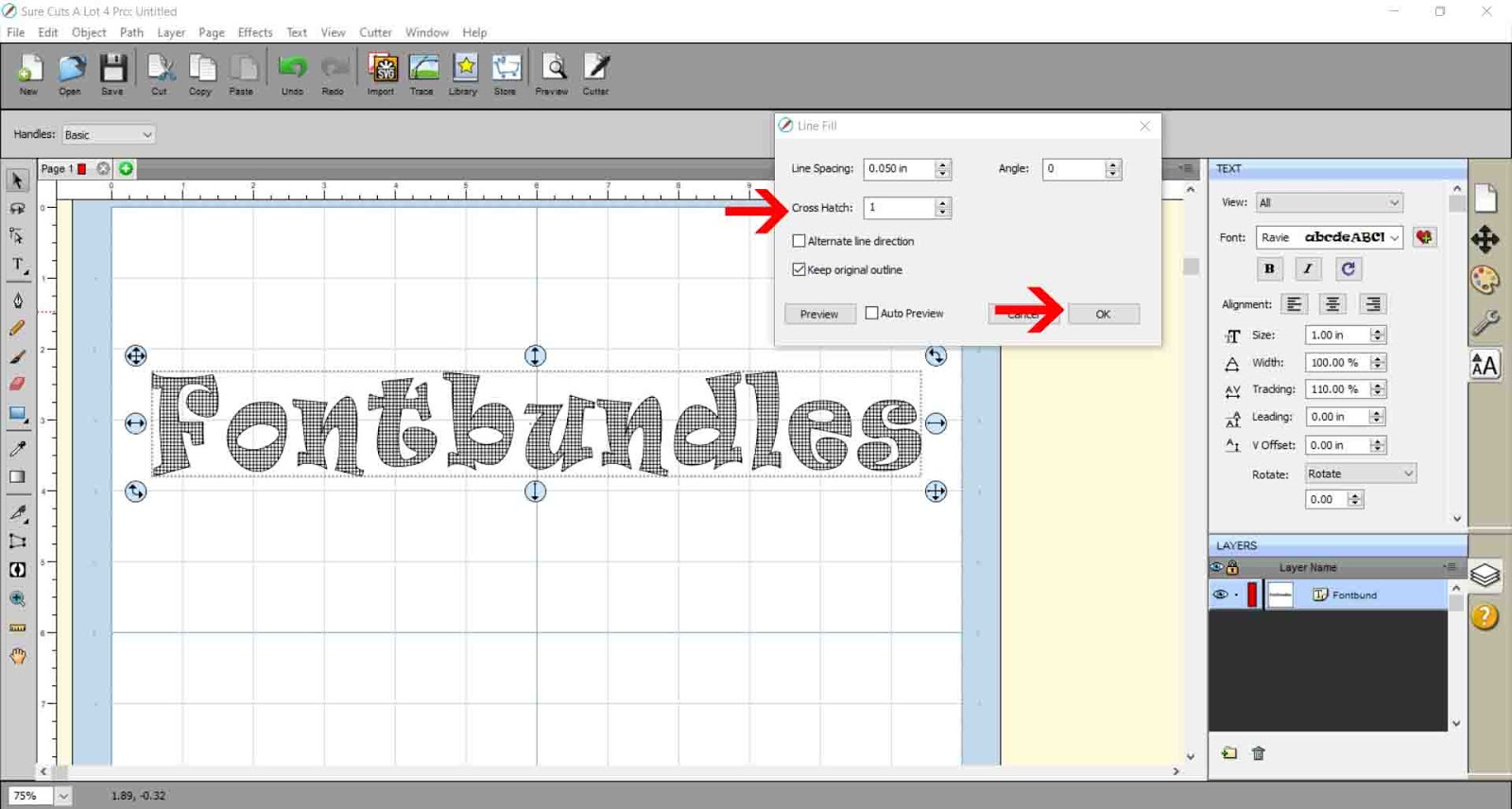
8- You can also use the crosshatch effect to create a different fill in your text. Once you are happy with your fill, click OK.
9- Go to File - Export.
10- When you save your file, make sure you save as a SVG.
11- A new pop will appear. Save at 72 dpi and if using cricut design space make sure you have checked the design space compatible box.
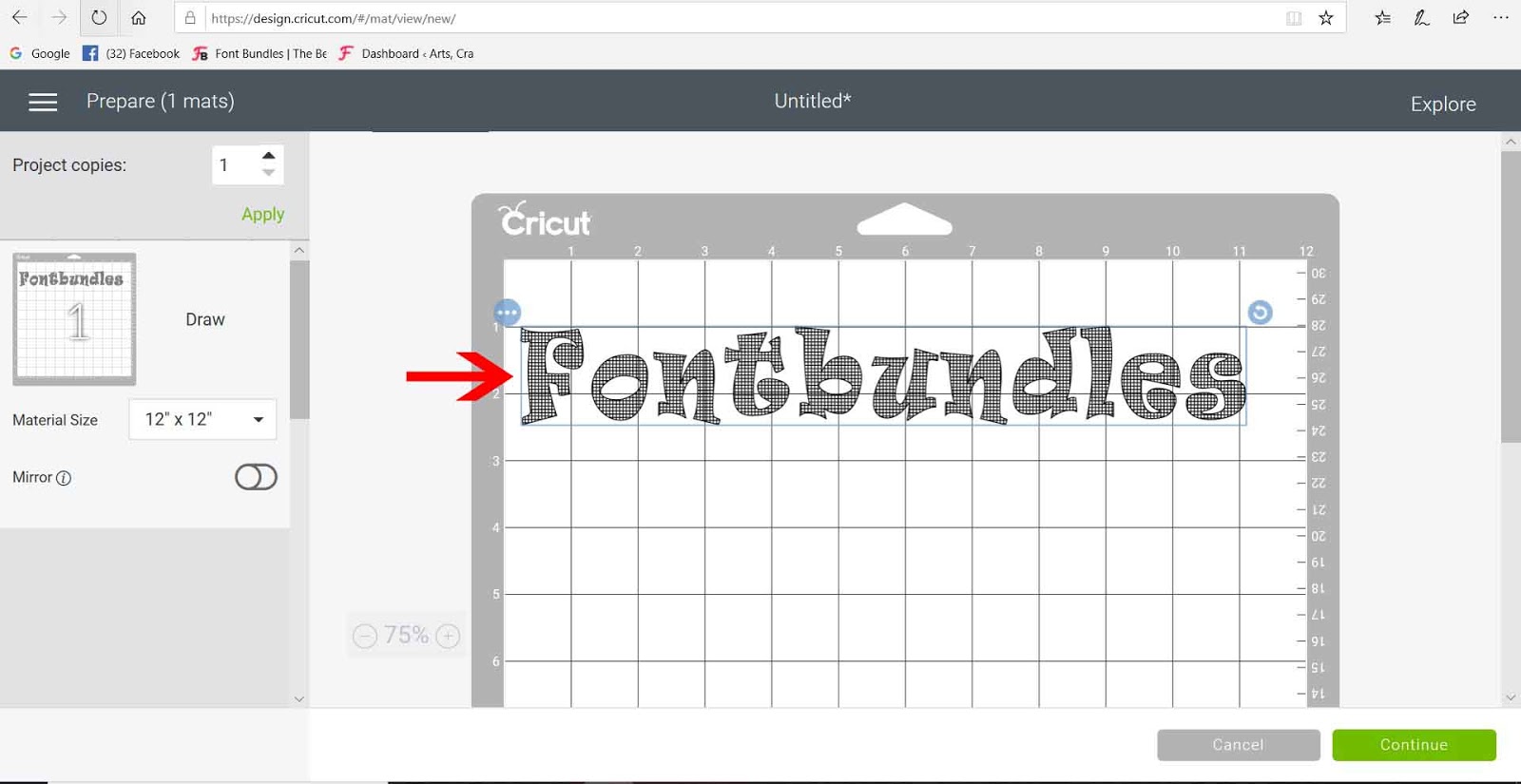
12- to insert the SCAL4 file into design space, click on upload icon on your design space and follow the prompts to insert the SVG file. As it has been saved design space compatible you will not need to trace at all.
13- The design will appear as a cut file. Go to line type and select the draw option for foiling.
14- Your SCAL4 file will work fine and you can draw it using the foil quill.
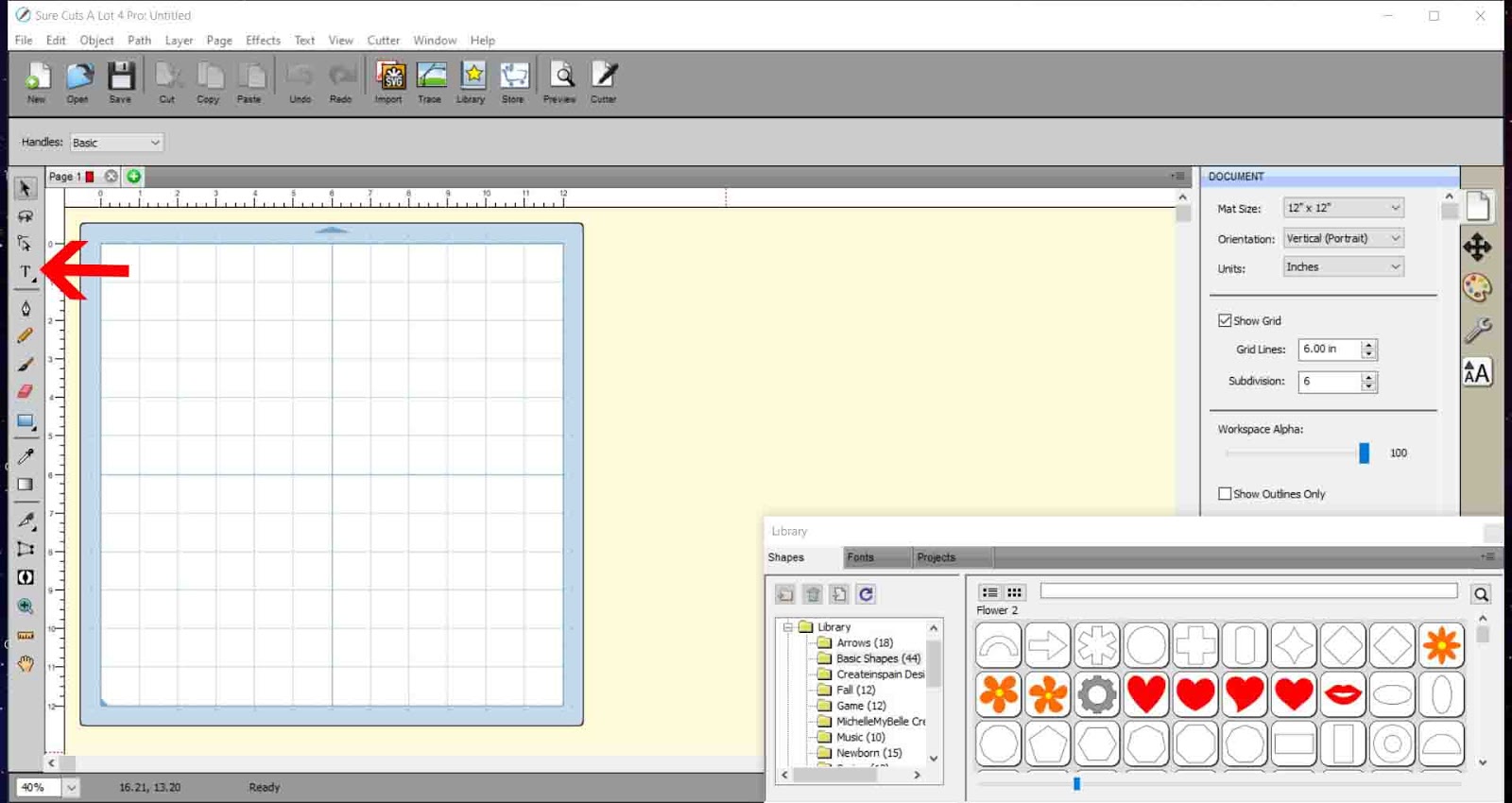
2-Type your text.
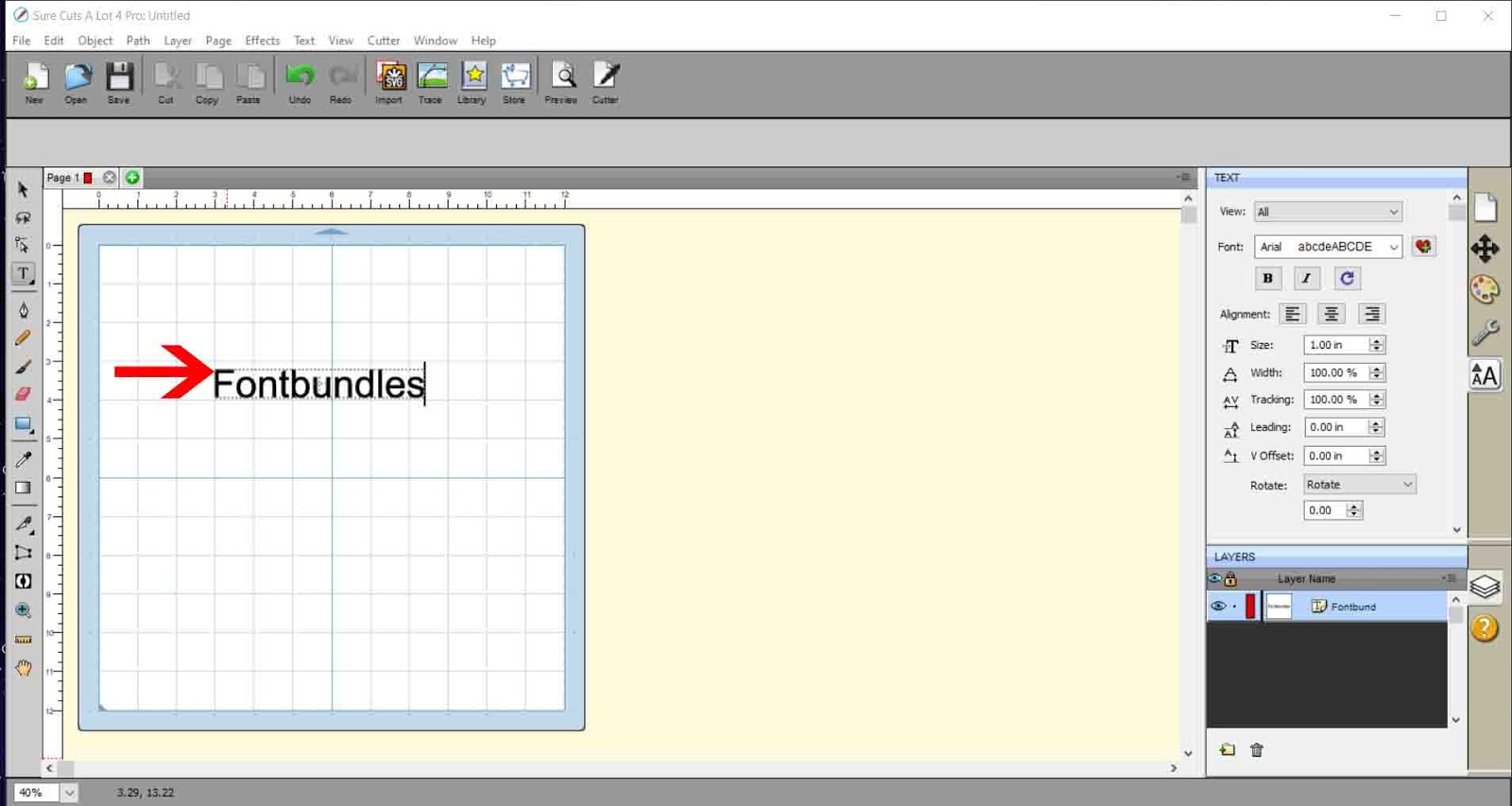
3- Click on the text icon on the right and select your font.
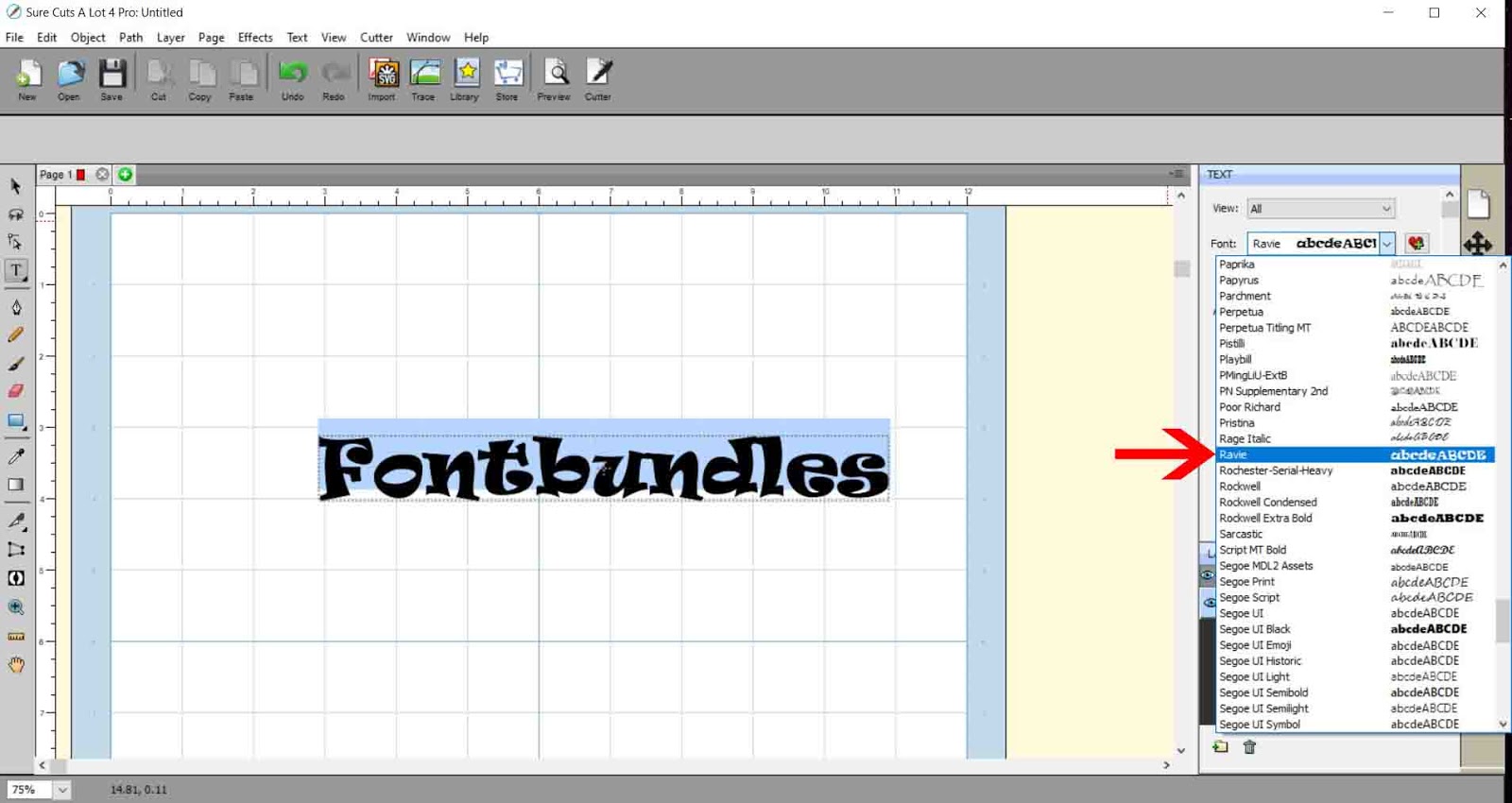
4- With the text selected Resize your text.
5- Click effects- line fill.
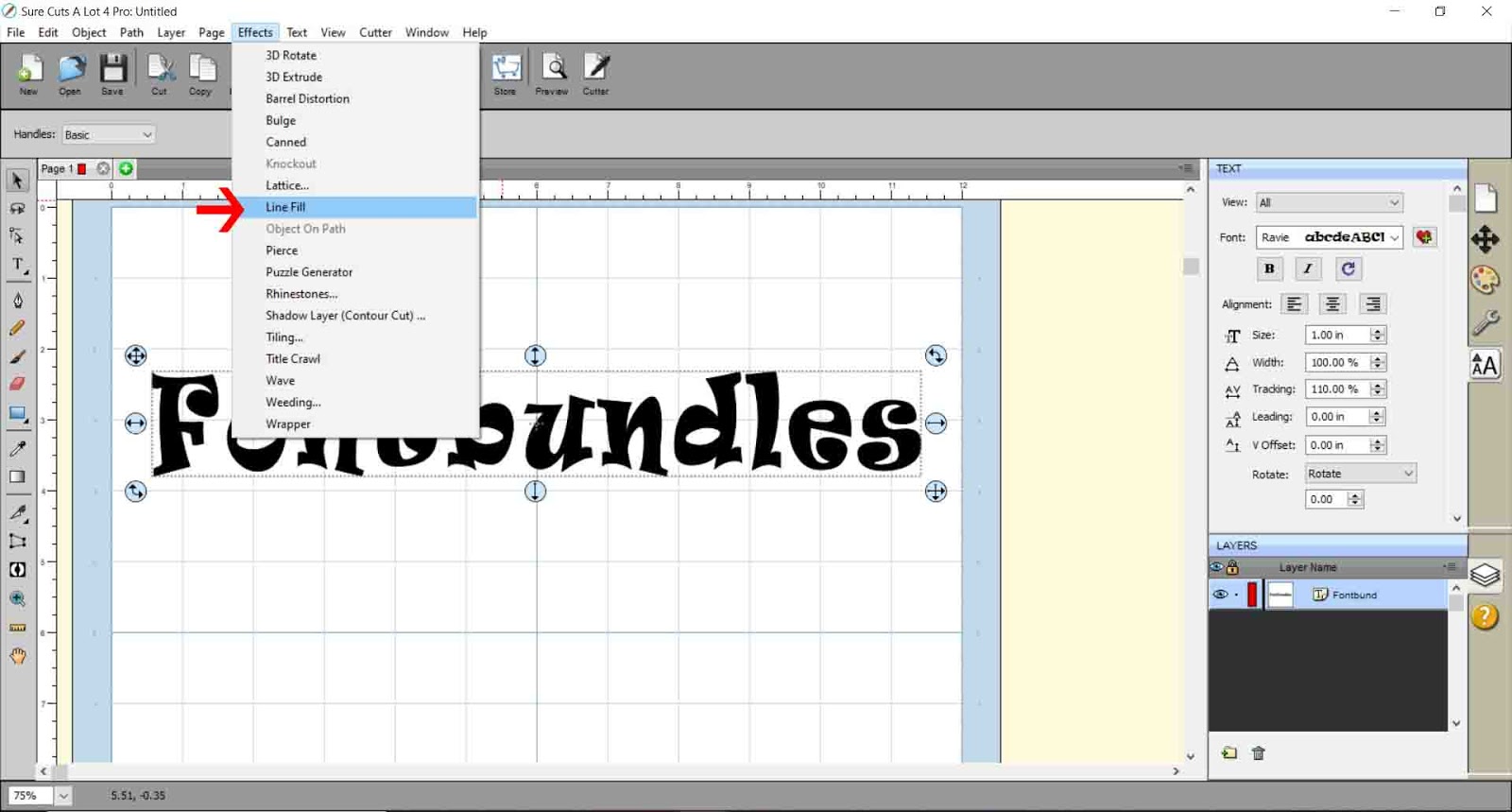
6- Select the line spacing. Start with 0.050 This is a good guide to see the space you will need to fully foil your text. Click preview to ensure the space is right.
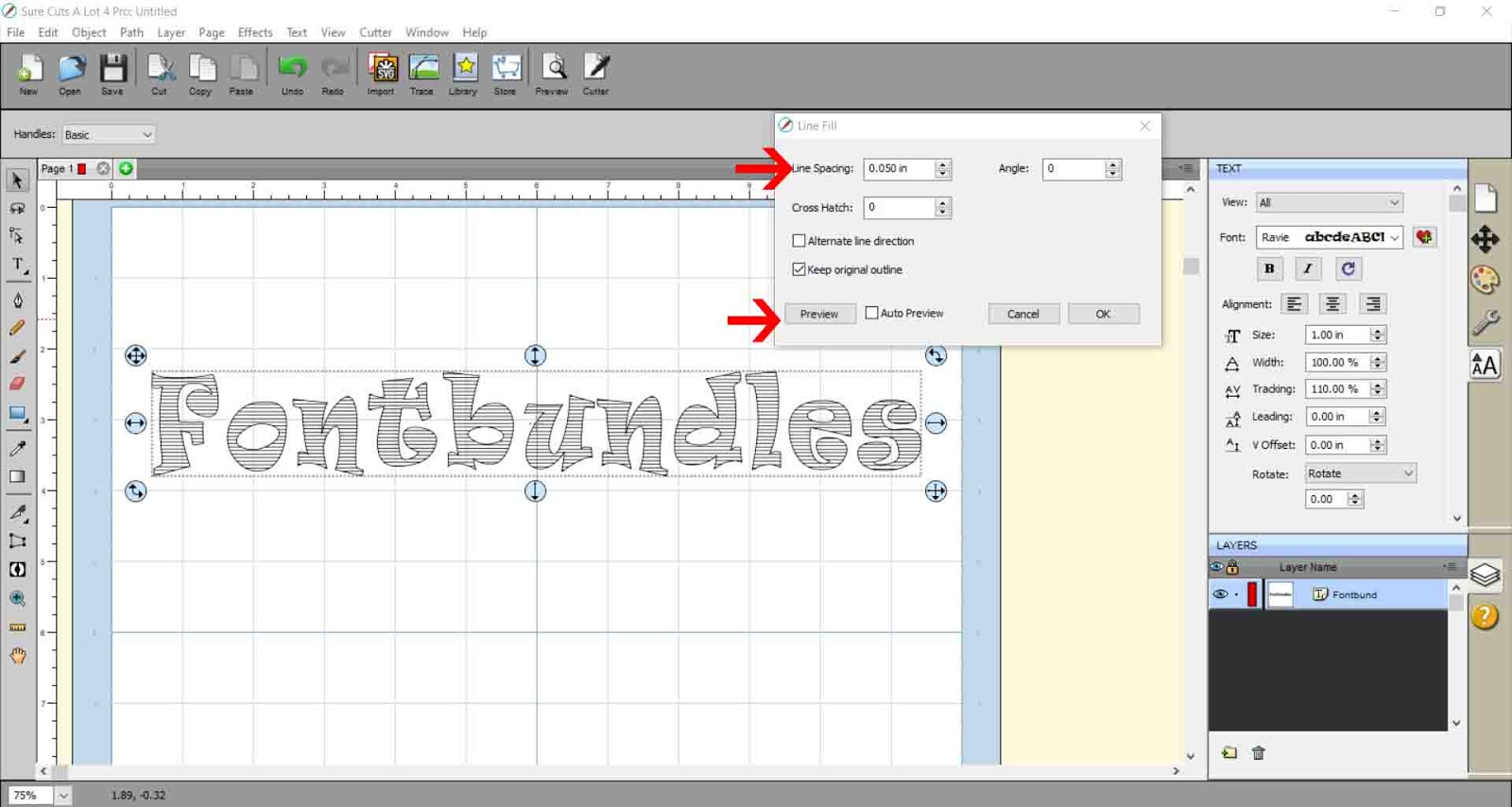
7- If you drop the spacing even smaller you can really get the lines close to give a full foil effect.
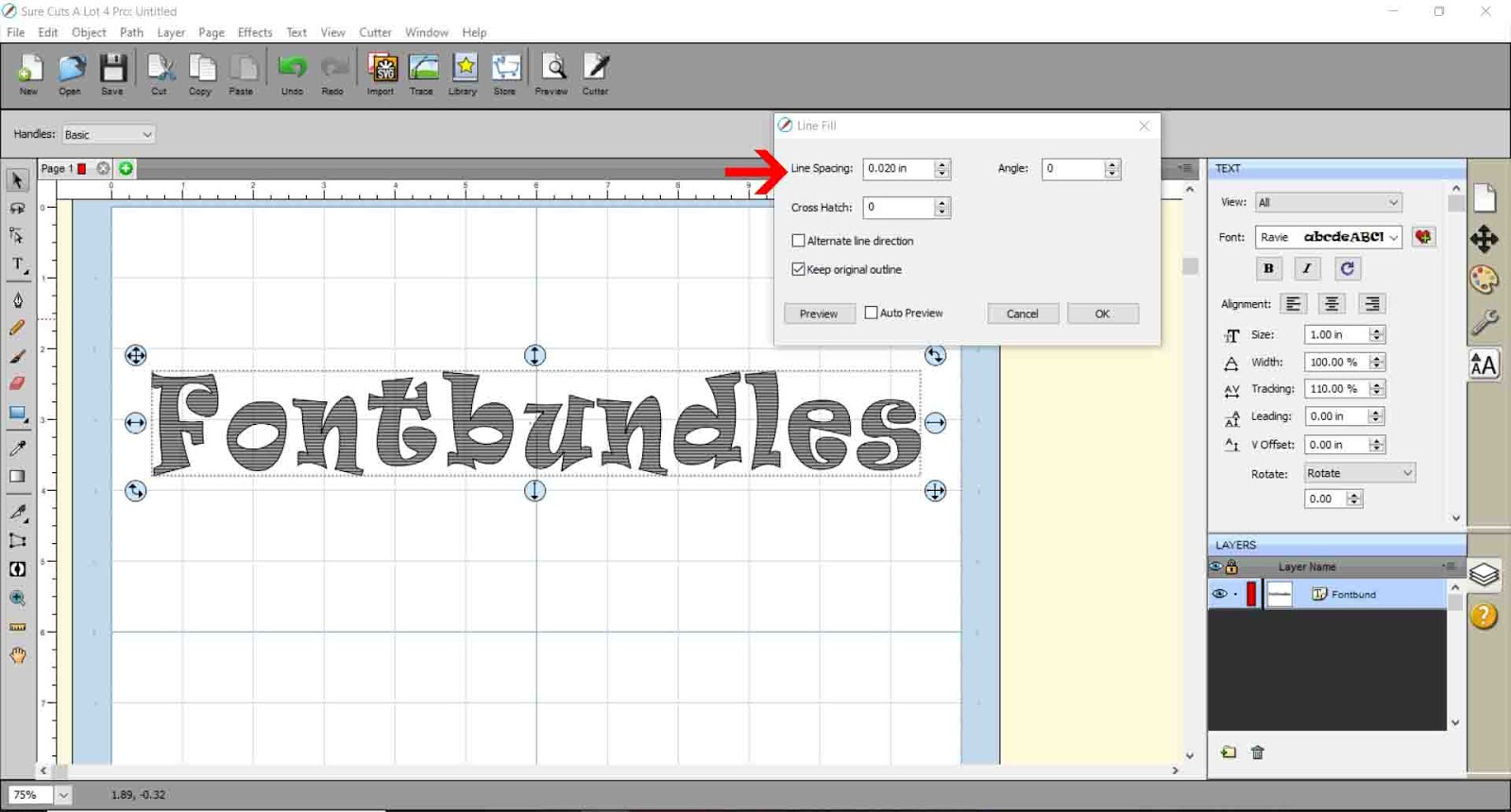
8- You can also use the crosshatch effect to create a different fill in your text. Once you are happy with your fill, click OK.
9- Go to File - Export.

10- When you save your file, make sure you save as a SVG.
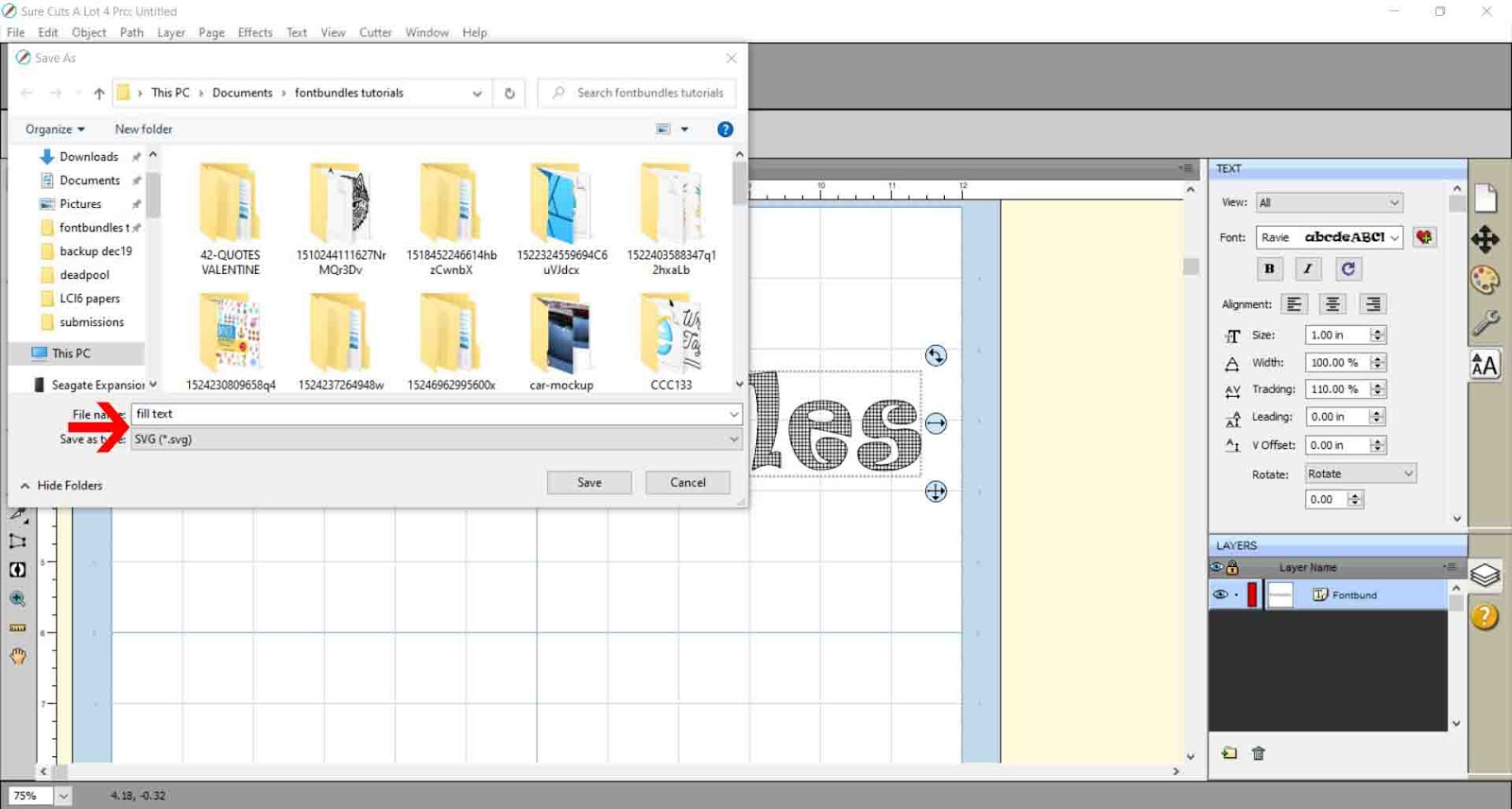
11- A new pop will appear. Save at 72 dpi and if using cricut design space make sure you have checked the design space compatible box.
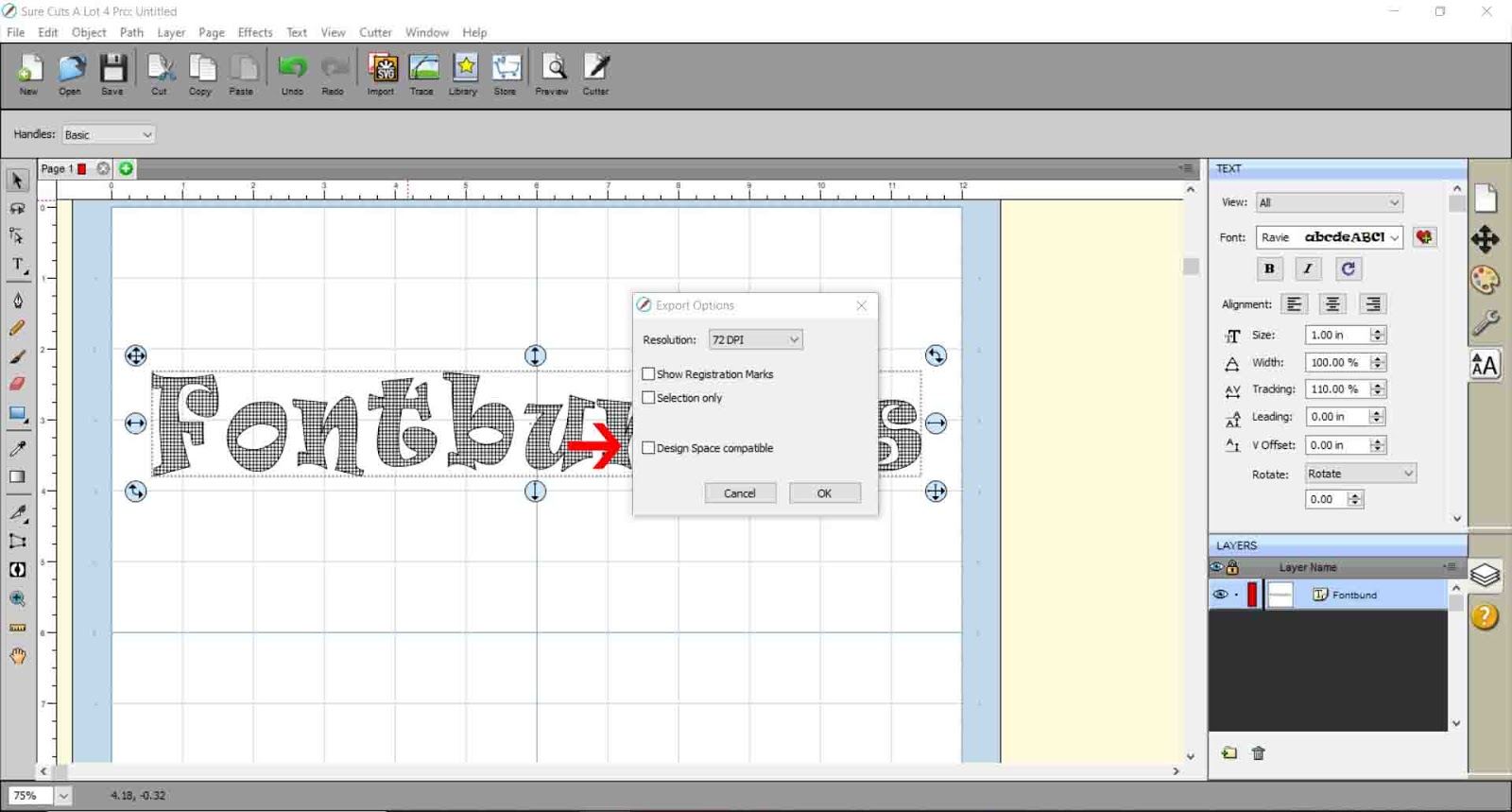
12- to insert the SCAL4 file into design space, click on upload icon on your design space and follow the prompts to insert the SVG file. As it has been saved design space compatible you will not need to trace at all.
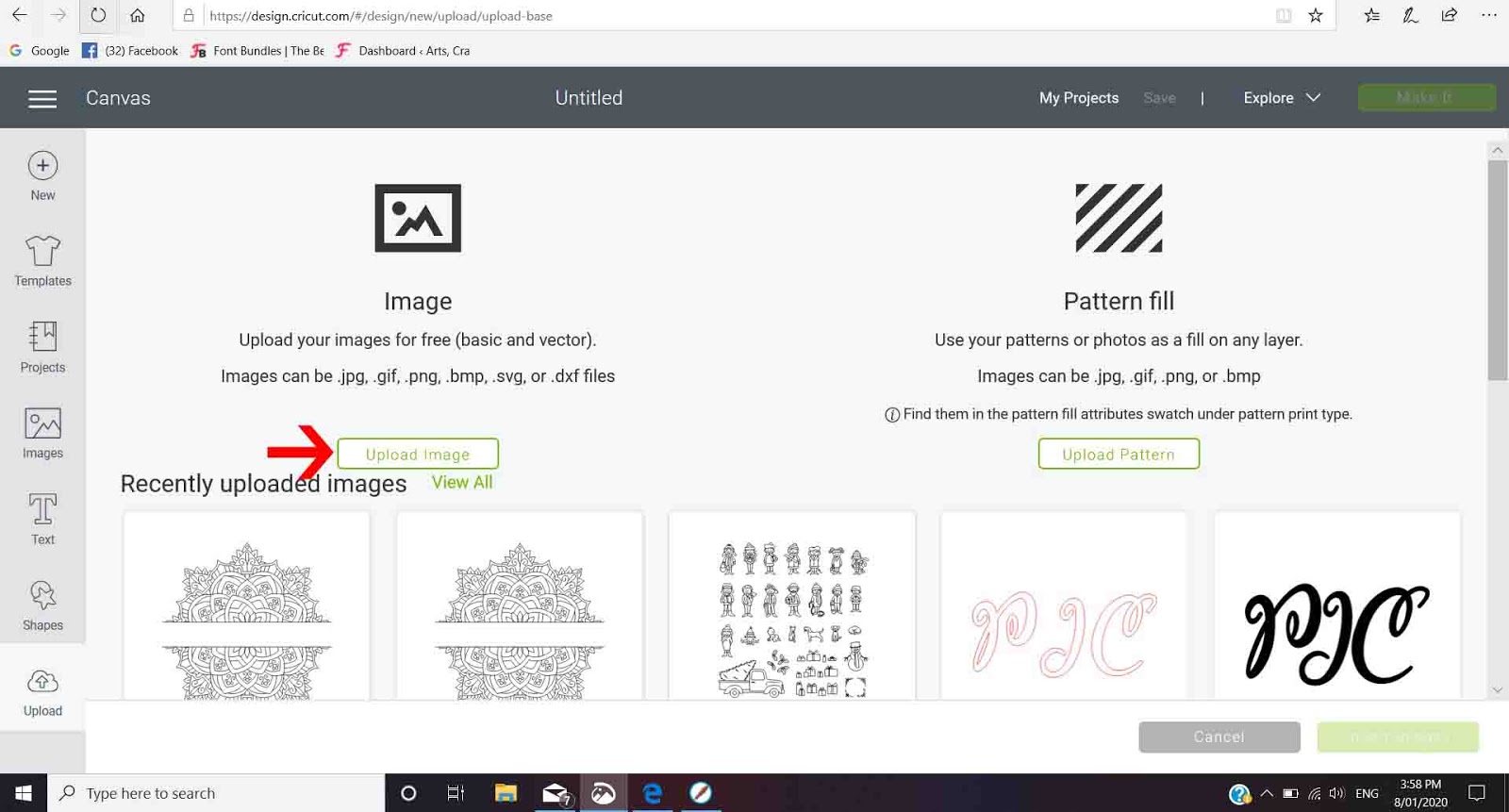
13- The design will appear as a cut file. Go to line type and select the draw option for foiling.
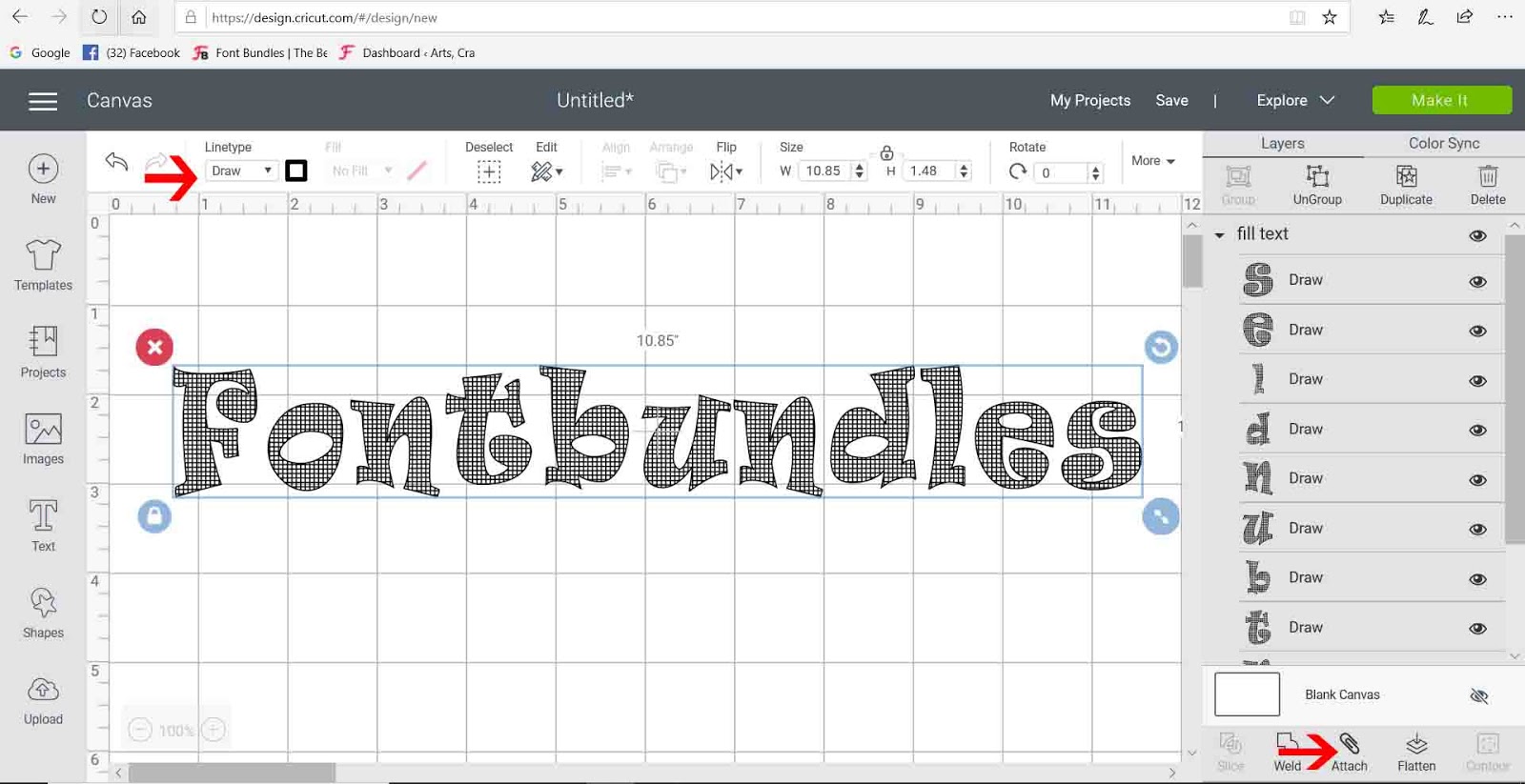
14- Your SCAL4 file will work fine and you can draw it using the foil quill.
Related Tutorials
Silhouette Tutorials
How to fill text using the foil quill with silhouette studio designer and business edition
Silhouette Tutorials
How to fill text with the foil quill in silhouette studio free edition
In 4 easy steps learn two ways to fill text with the Foil Quill in Silhouette Studio Free Edition.
Scan N Cut Tutorials
How to Fill text in Brother scan and cut canvas workspace with the foil quill
SCAL Tutorials
How to thicken fonts in SCAL4 for using the foil quill
Cricut Tutorials
How to draw your first line in cricut design space using the foil quill
Learn to draw your first line in Cricut Design Space with this beginner step by step tutorial.