

By Design Bundles
SCAL Tutorials2 min
Sure Cuts a Lot 4 Basics - Font Preview function
*Note- SCAL4 Pro used.
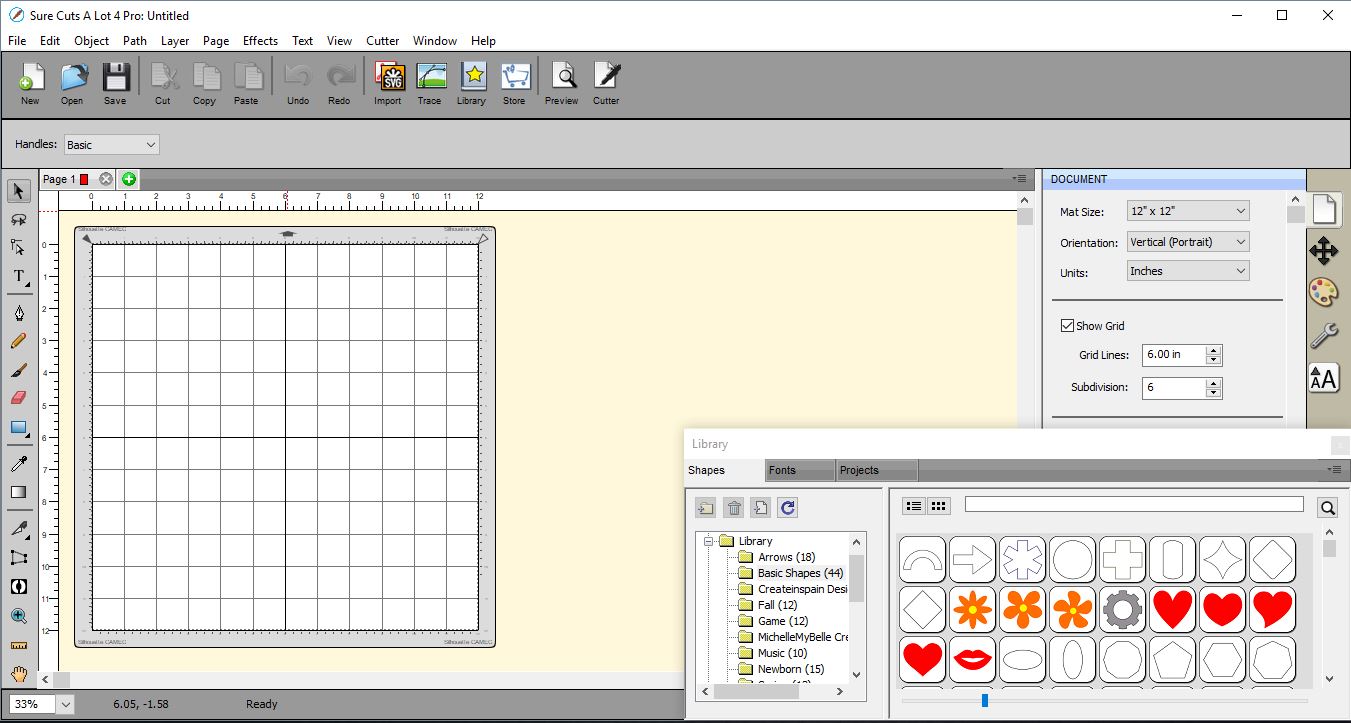
1- Open SCAL 4 software.
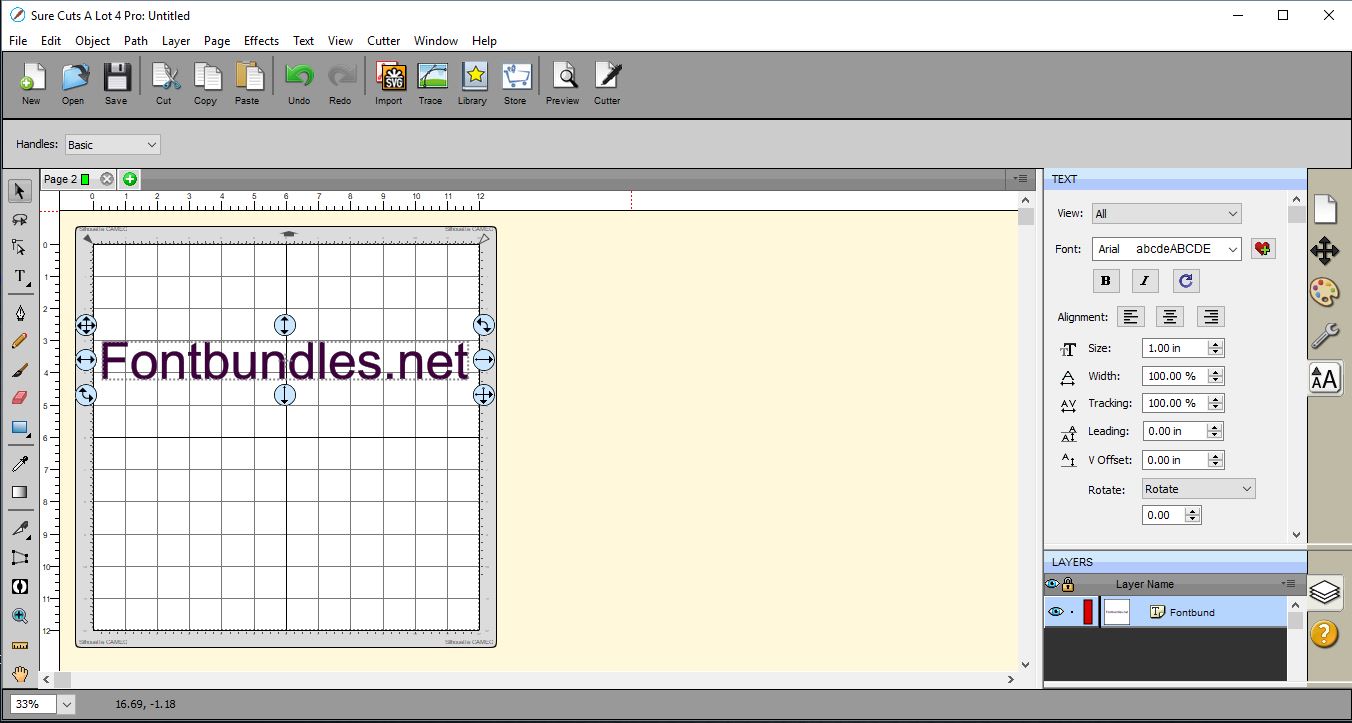
2- Type your text. Make sure the text is selected.
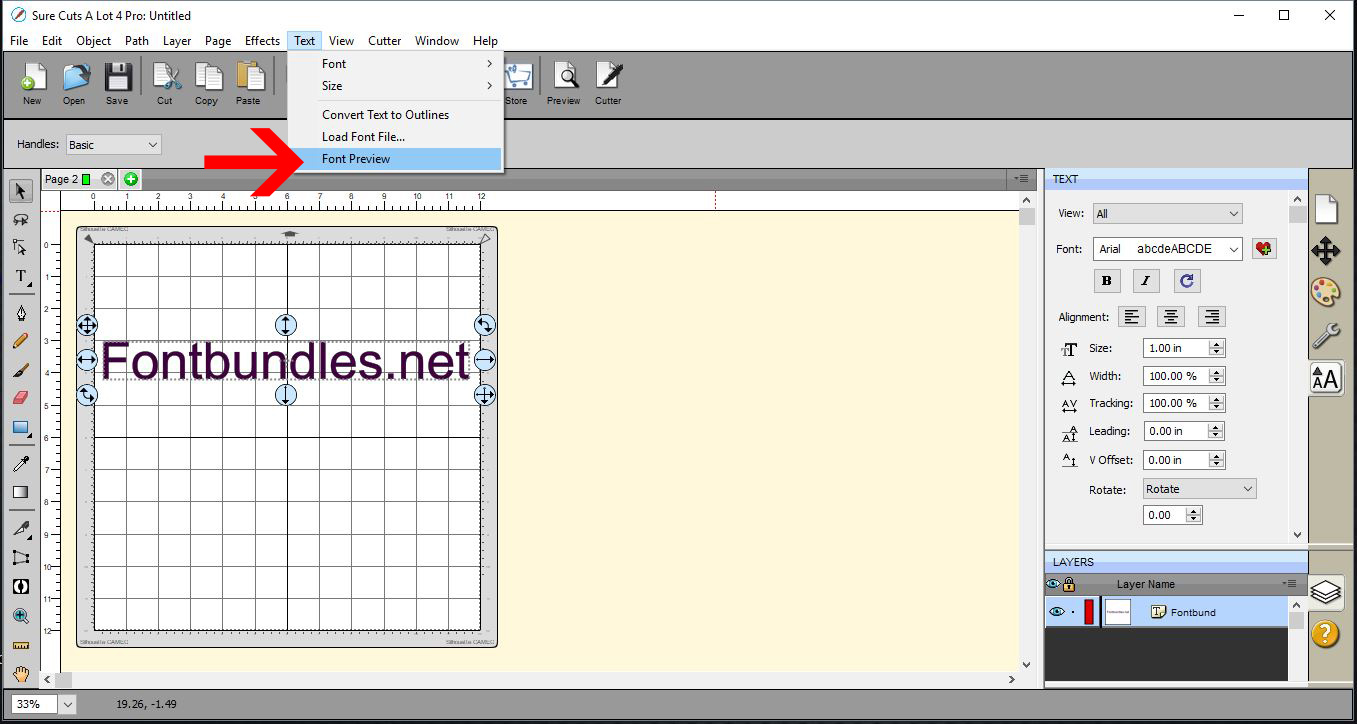
3- Go to Text > Font preview.
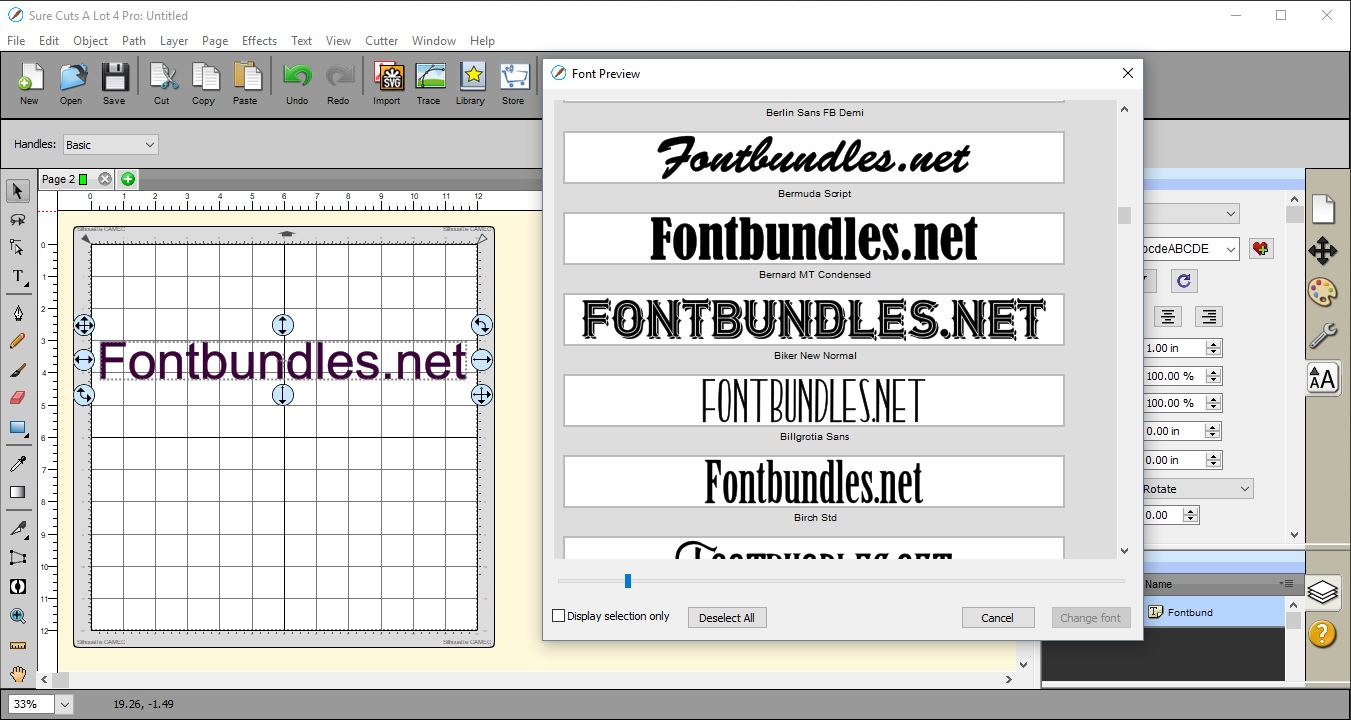
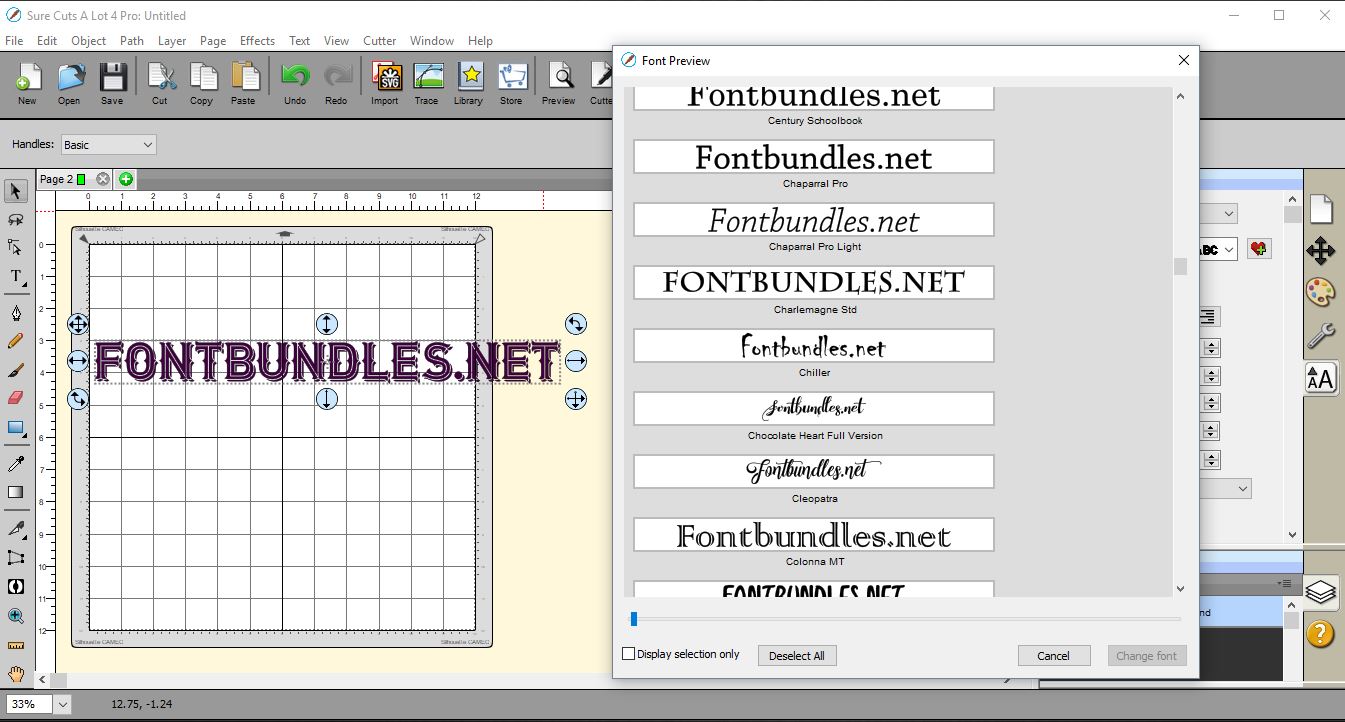
4- A new window will appear. This is the font preview function. It will Show your text in all the fonts loaded in your PC. You can adjust the size of the window, then using the slider you can change the size of each preview so you can see several at a time.
Once you are happy with your selected font click "change font".
5-You font will change. You can also select several fonts and click on the selection only box. this will give you the chance to compare the fonts you selected before you decide.
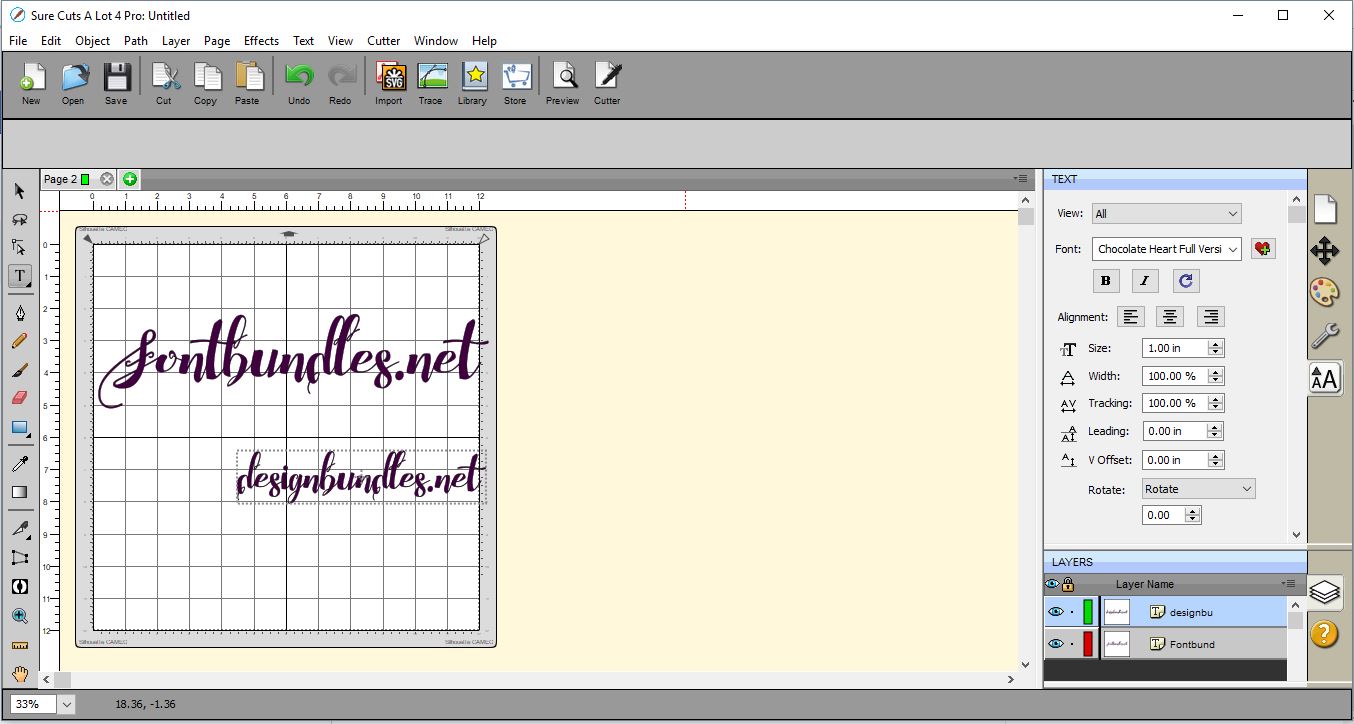
6- Once your font is selected the text will change. If you go to type more text, the font you selected will continue to be used.
1- Open SCAL 4 software.
2- Type your text. Make sure the text is selected.
3- Go to Text > Font preview.
4- A new window will appear. This is the font preview function. It will Show your text in all the fonts loaded in your PC. You can adjust the size of the window, then using the slider you can change the size of each preview so you can see several at a time.
Once you are happy with your selected font click "change font".
5-You font will change. You can also select several fonts and click on the selection only box. this will give you the chance to compare the fonts you selected before you decide.
6- Once your font is selected the text will change. If you go to type more text, the font you selected will continue to be used.
Related Tutorials
SCAL Tutorials
Sure Cuts A Lot 4 Basics - Knockout Function
SCAL Tutorials
Sure Cuts A Lot 4 Basics - Lattice function
SCAL Tutorials
Sure Cuts a Lot 4 Basics - Saving files
SCAL Tutorials
Sure Cuts A Lot 4 Basics - Tracing a colored image
SCAL Tutorials