By Design Bundles
Scan N Cut Tutorials3 min
How to use the free designs in Scan and cut canvas workspace
1- Sign into scan and cut canvas. Click on the free design you would to use.
2- When you click on the free design, a new window will appear. Firstly click on the PDF download.
3- When you open the PDF you will find step by step instruction on how to create the project.
4- Next download the files. It will down load as a zip file, so unzip the file.
5- You will have several cut files. At this point you can transfer them onto a USB drive and direct cut from your scan and cut, or you can use canvas workspace.
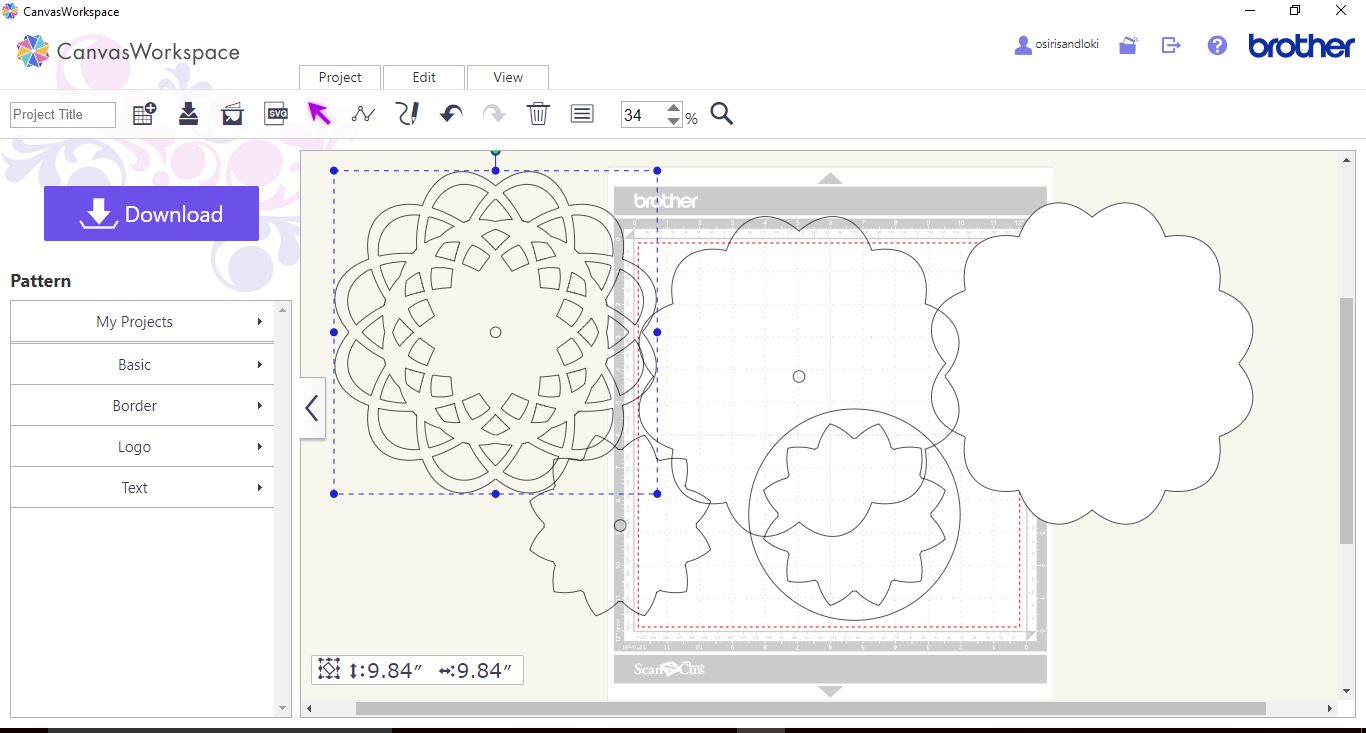
6- To use canvas, log in and open a new file. Click on the SVG icon.
7- A new window will appear, click onto the choose file icon and select the files you unzipped.
8- You can adjust any of the parts to resize the project and then cut.

2- When you click on the free design, a new window will appear. Firstly click on the PDF download.

3- When you open the PDF you will find step by step instruction on how to create the project.

4- Next download the files. It will down load as a zip file, so unzip the file.
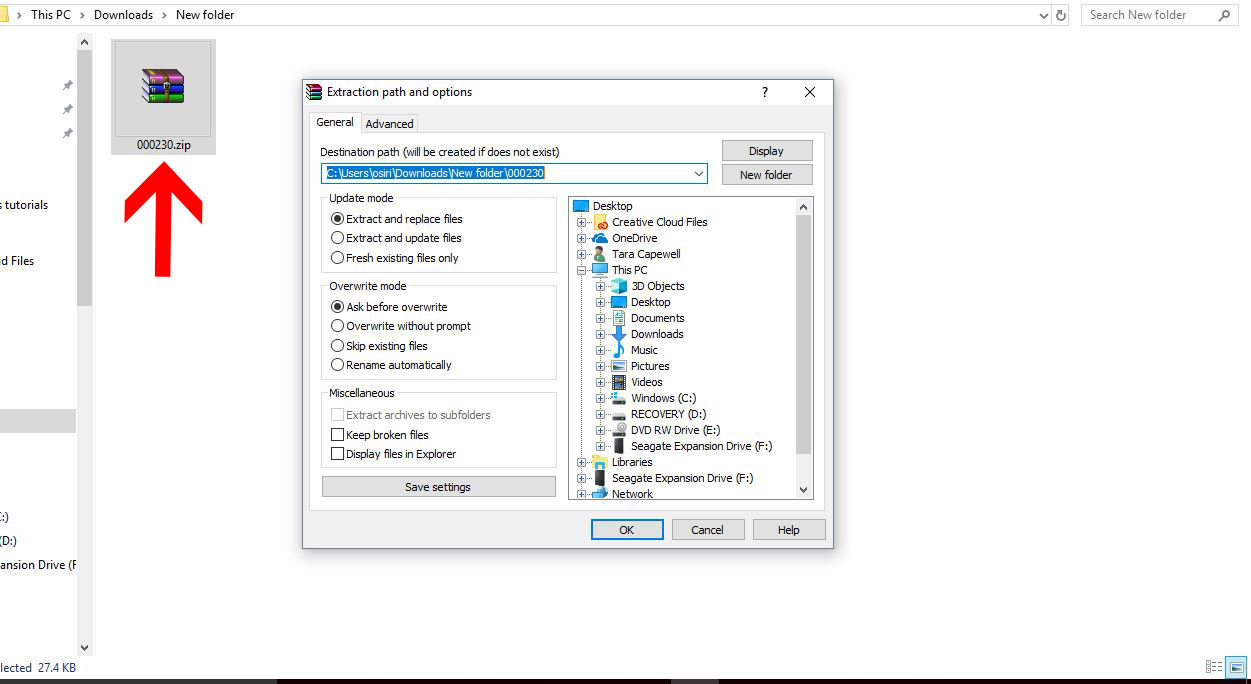
5- You will have several cut files. At this point you can transfer them onto a USB drive and direct cut from your scan and cut, or you can use canvas workspace.

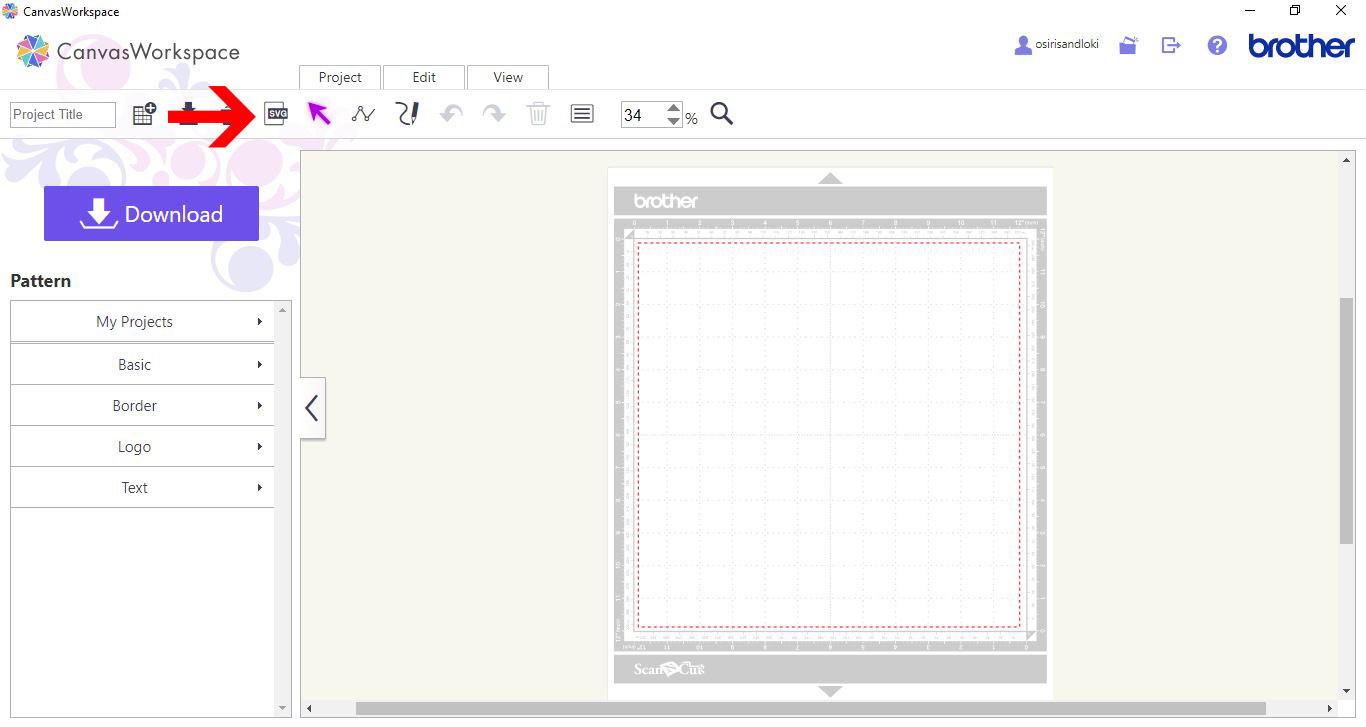
6- To use canvas, log in and open a new file. Click on the SVG icon.
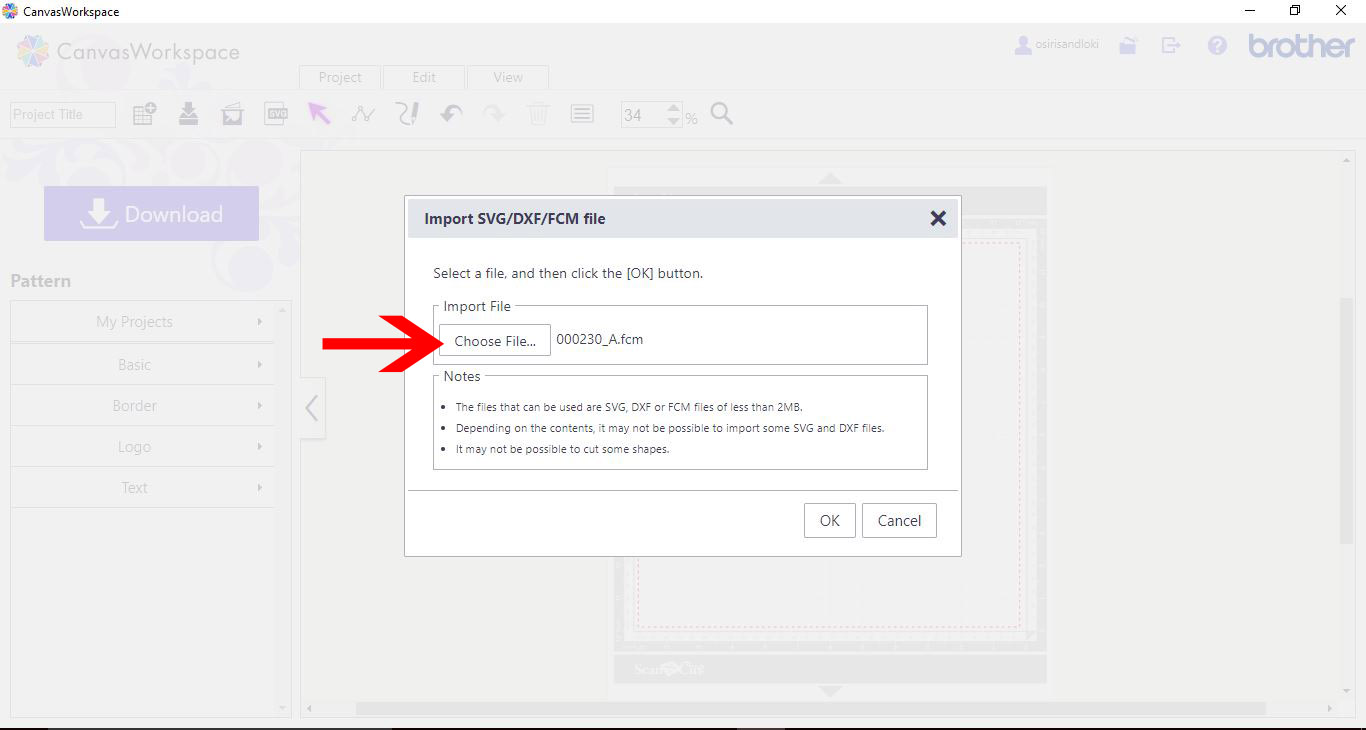
7- A new window will appear, click onto the choose file icon and select the files you unzipped.
8- You can adjust any of the parts to resize the project and then cut.
Related Tutorials
Scan N Cut Tutorials
How to use the free designs in brother scan and cut canvas workspace
Scan N Cut Tutorials
How to create curved text in brother scan and cut canvas workspace
Learn how to curve text in Brother Scan N Cut
Scan N Cut Tutorials
How to make a image larger than your cutting mat in Brother Scan N Cut canvas workspace
Learn how to cut designs larger than your cutting mat in Brother Scan N Cut canvas.
Scan N Cut Tutorials
Converting SVG to FCM cutting fine in Brother scan and cut canvas workspace
Scan N Cut Tutorials