By Design Bundles
How to Use Silhouette Files in Cricut Design Space
Did you know that you can use Silhouette Files in Cricut Design Space? In this quick and easy to follow tutorial we will guide you through the steps on how to do this.
Before we begin make sure that you have unzipped your purchased files to your computer.
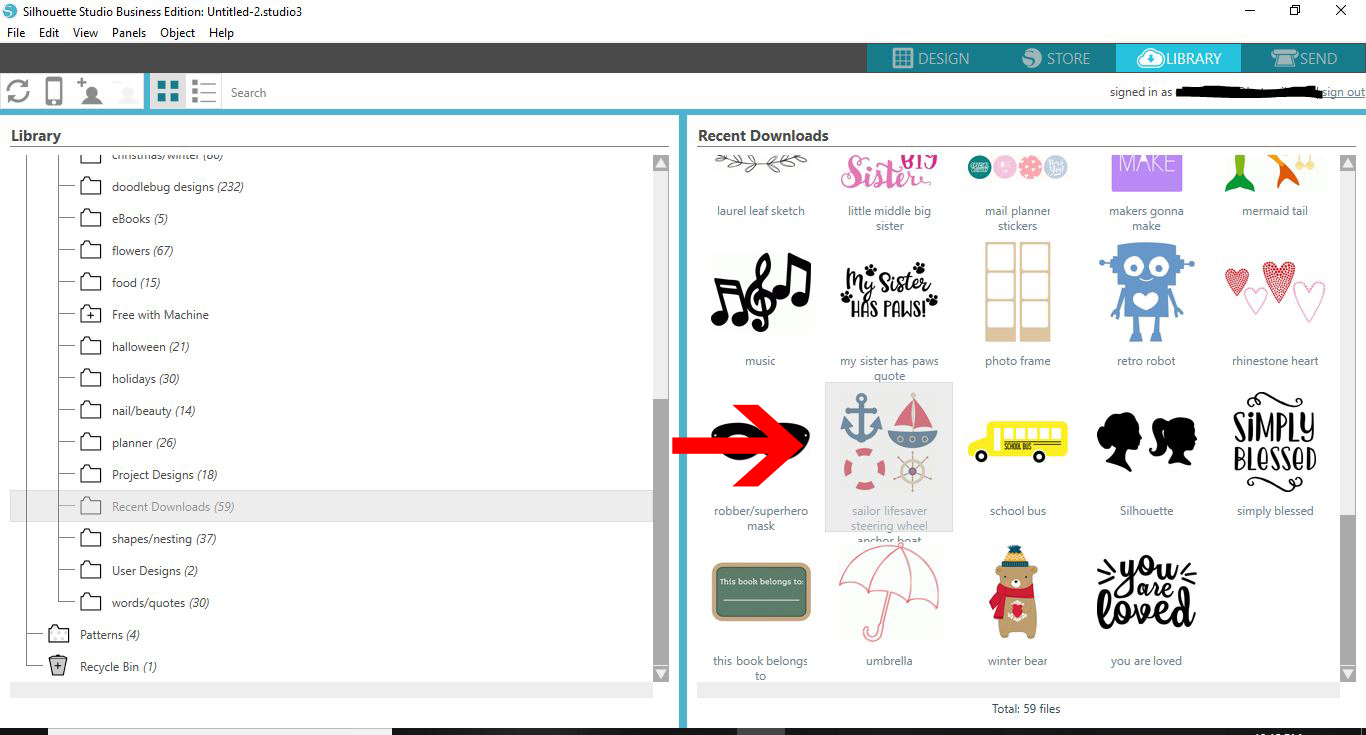
1- Open Silhouette. Click on library.
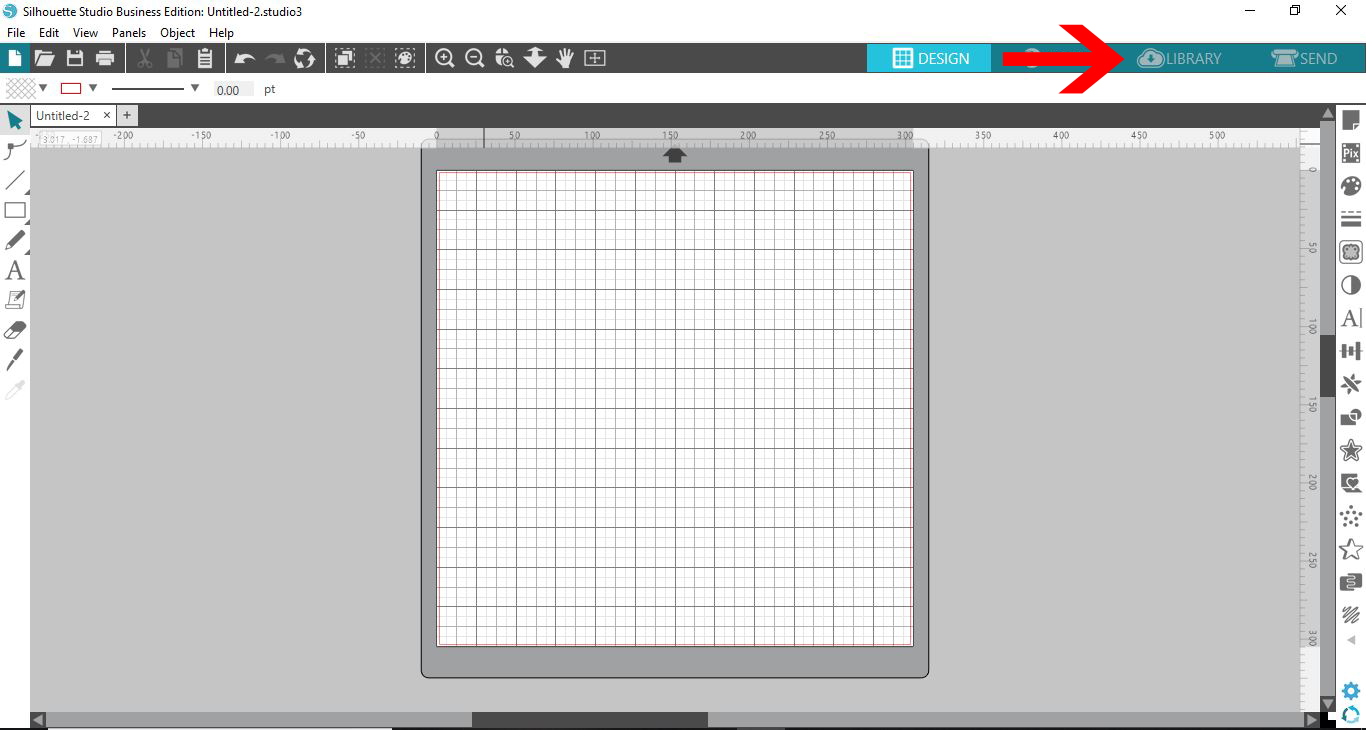
2- Find the silhouette file you would like to use in Cricut Design Space. Double click on it.
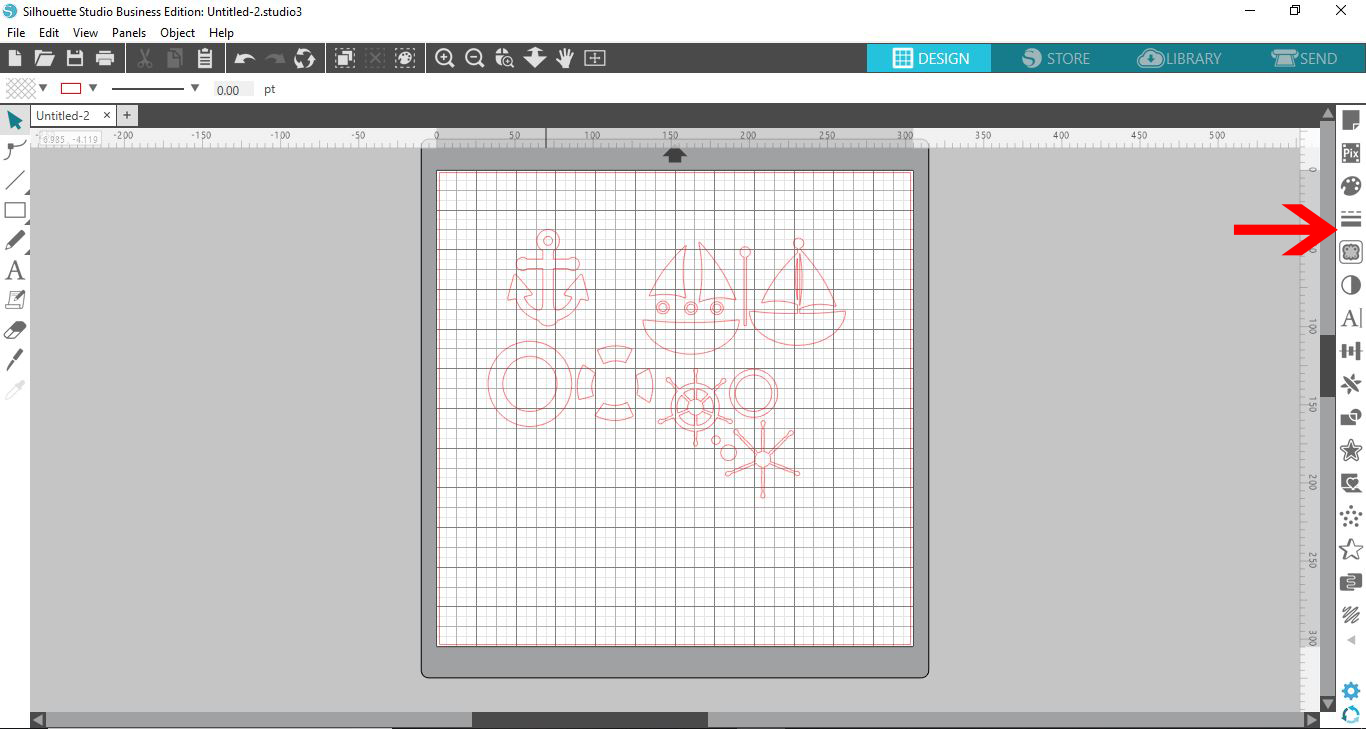
3- The file will appear in the work area. Click on the line style tool.
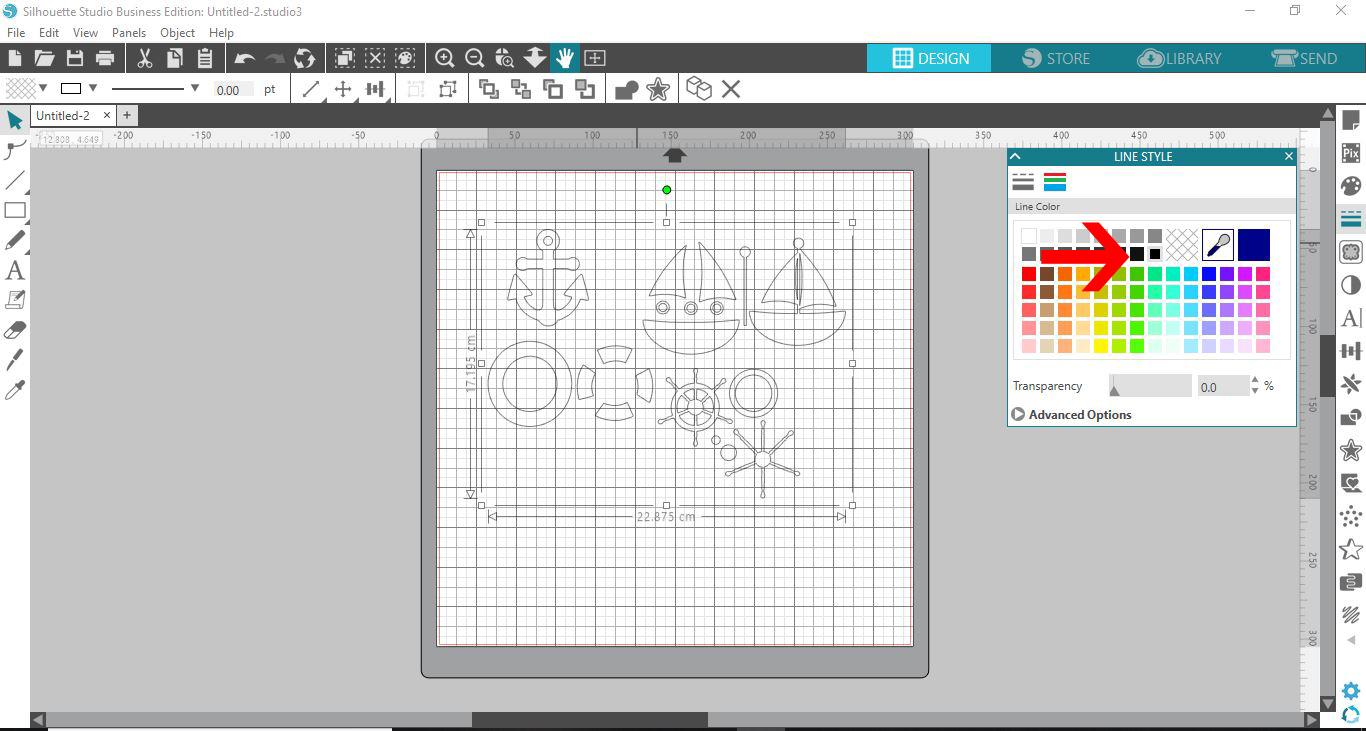
4- Select the line fill to black.
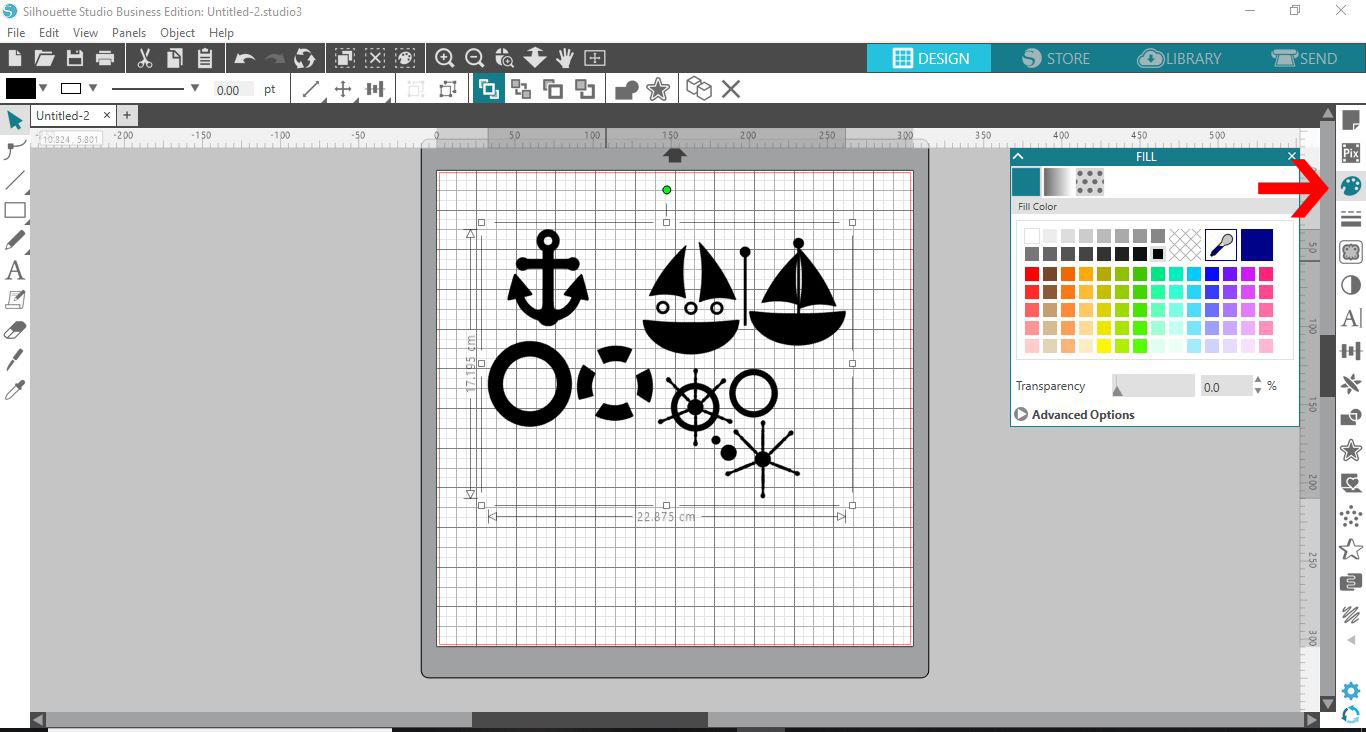
5- Click on the fill tool. Fill with black.
6- Select the page setup icon. Click on the grid options.
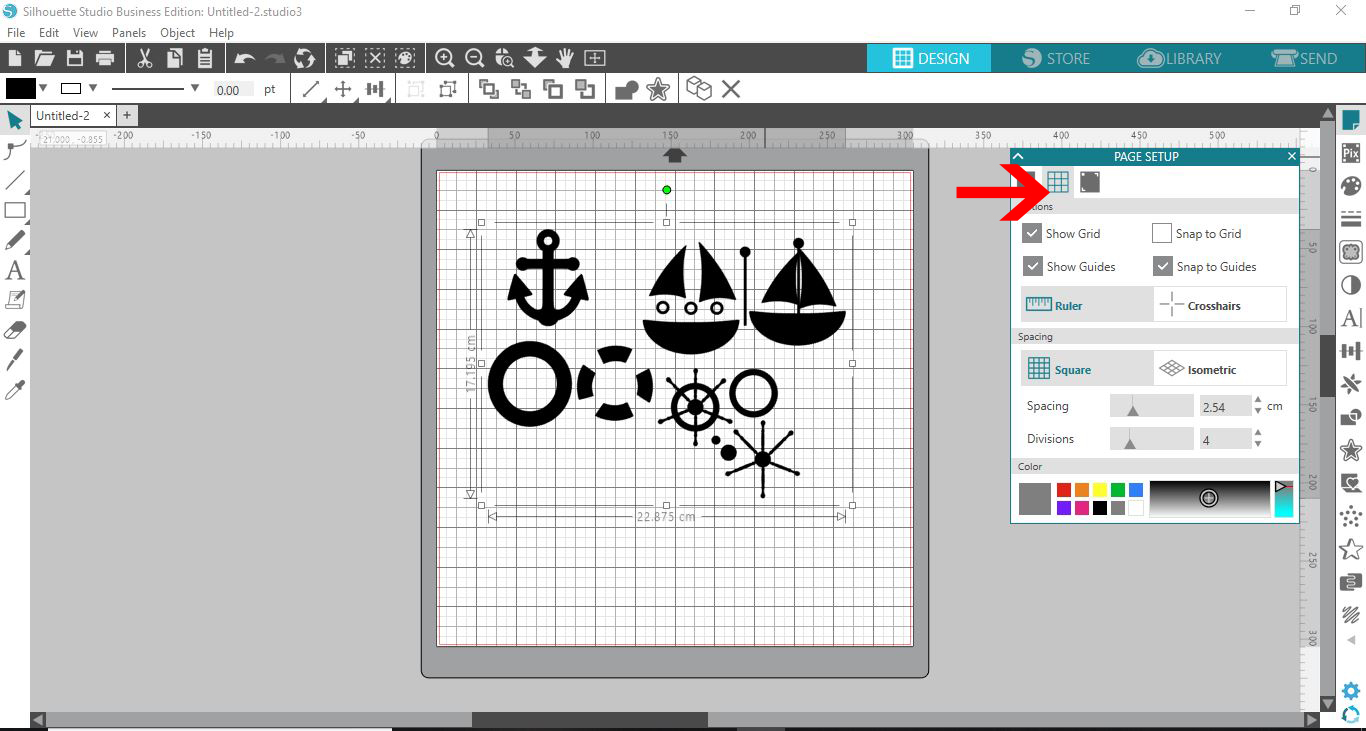
7- Remove the grid lines.
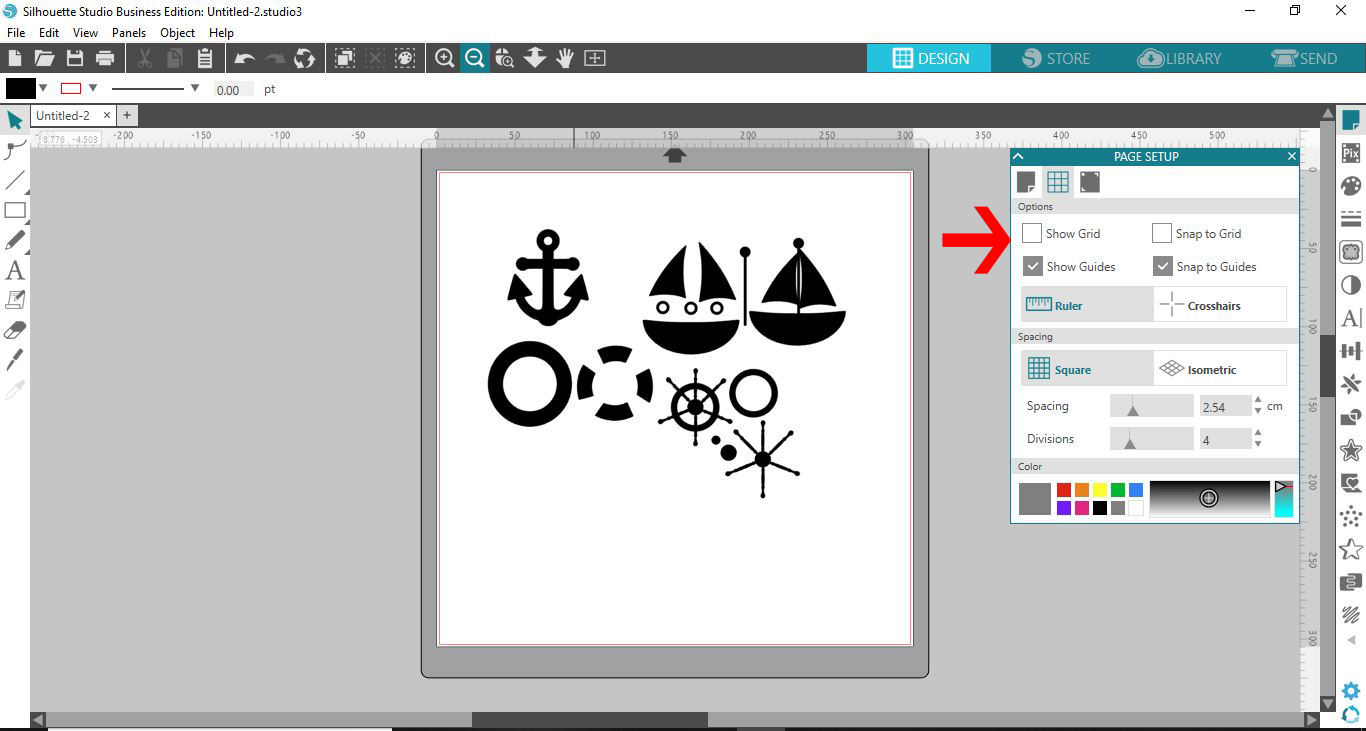
8- Take a screen shot of the design. Save the file as a jpeg.

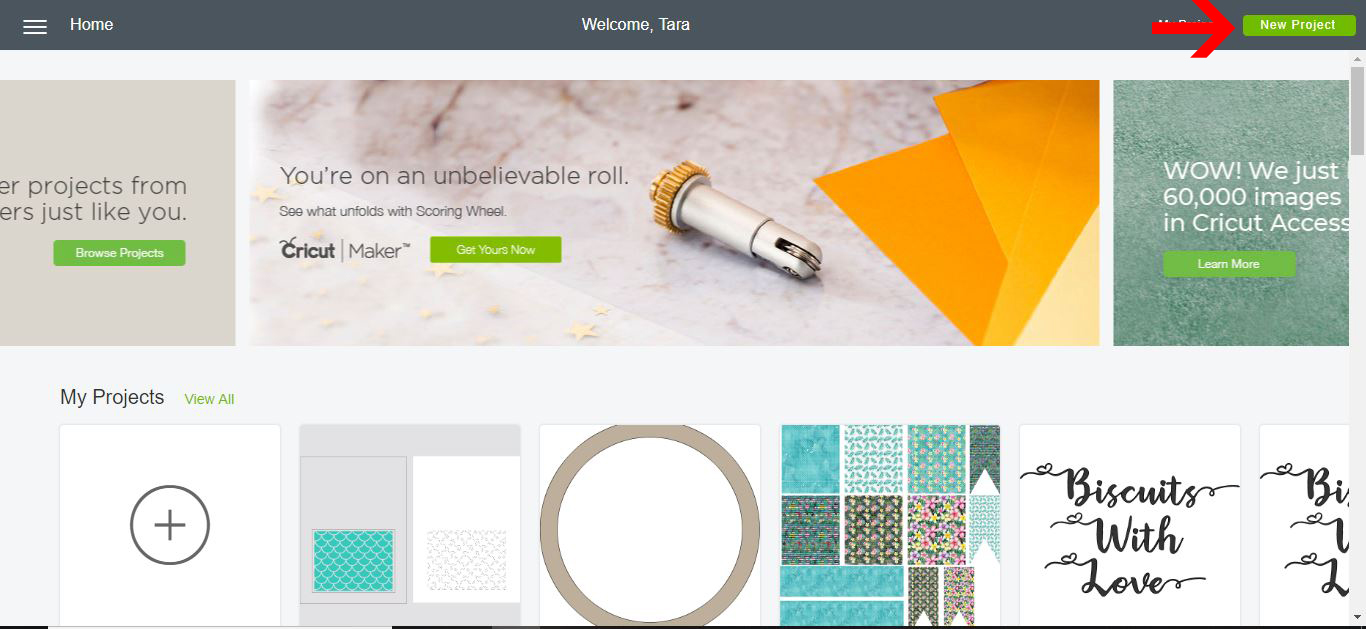
9- Open Cricut Design Space. Click on new project.
10- Select the upload icon.
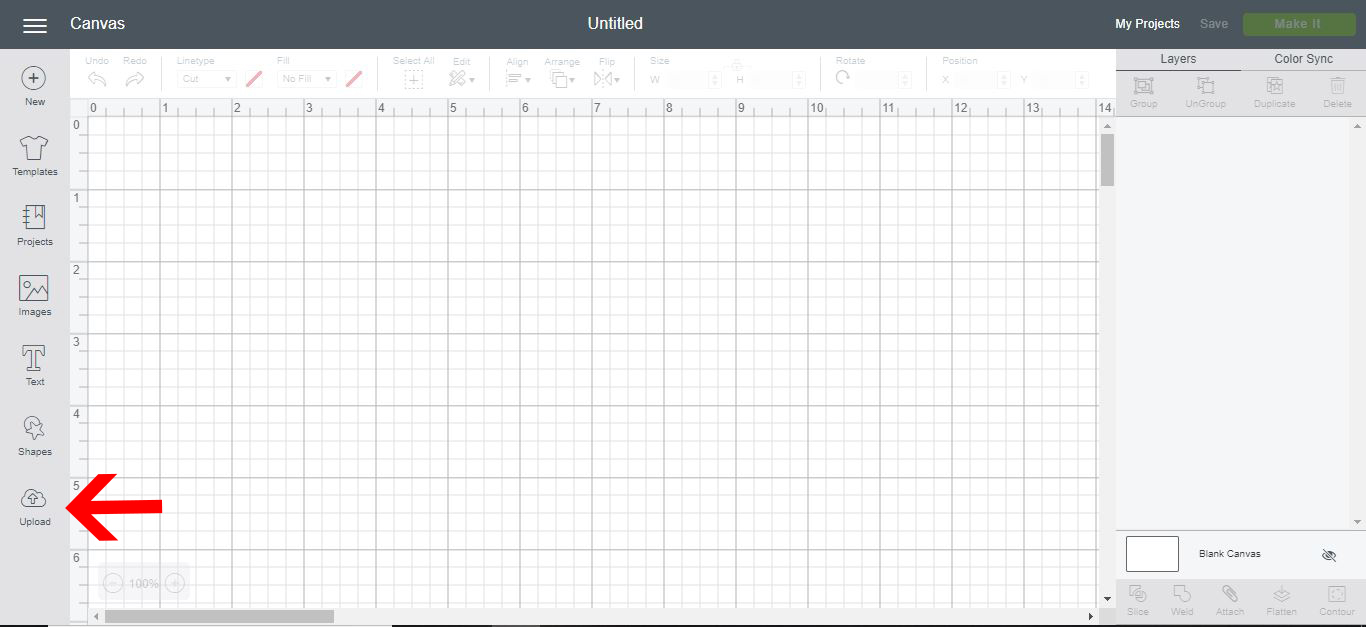
11- Click on upload image.
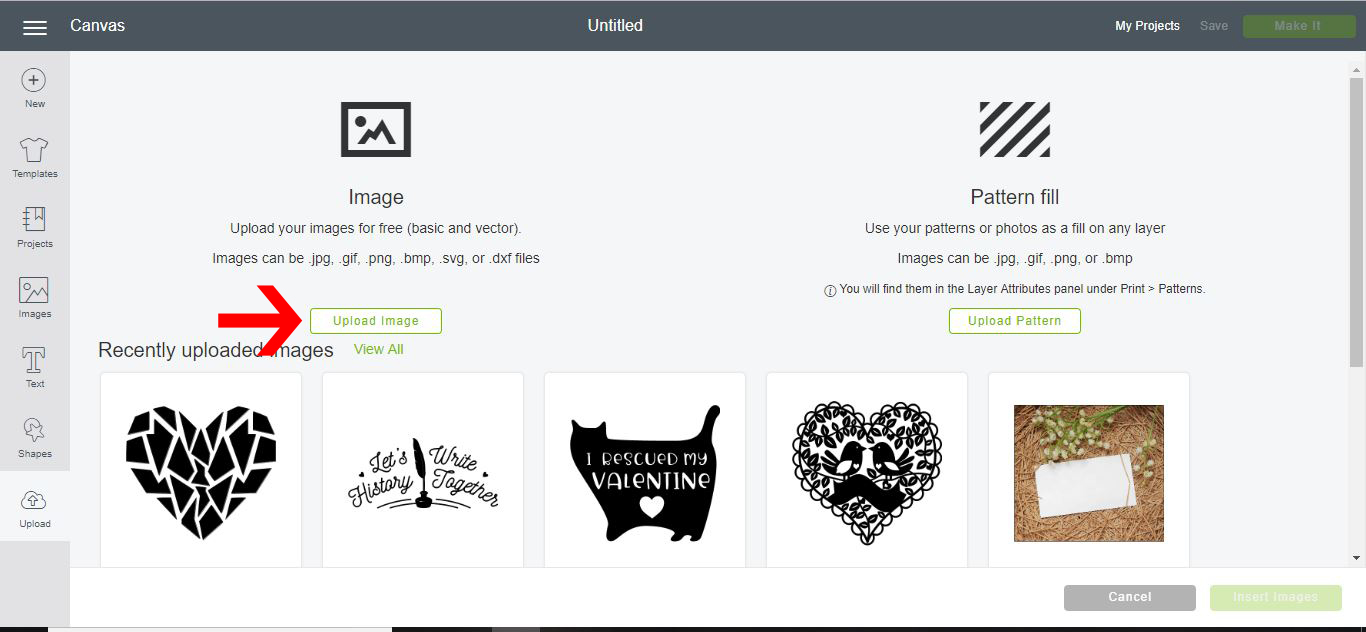
12- Click on browse. Select your screenshot.
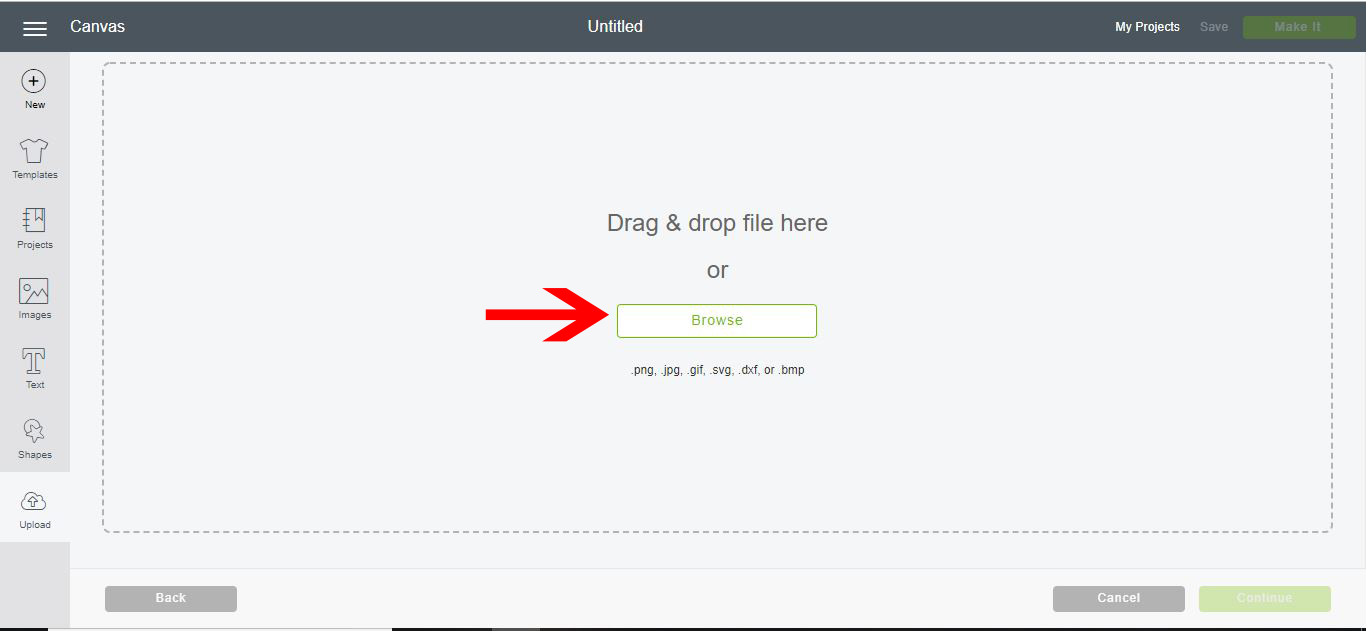
13- The screenshot will appear in your upload image window. Select the simple option and then continue.
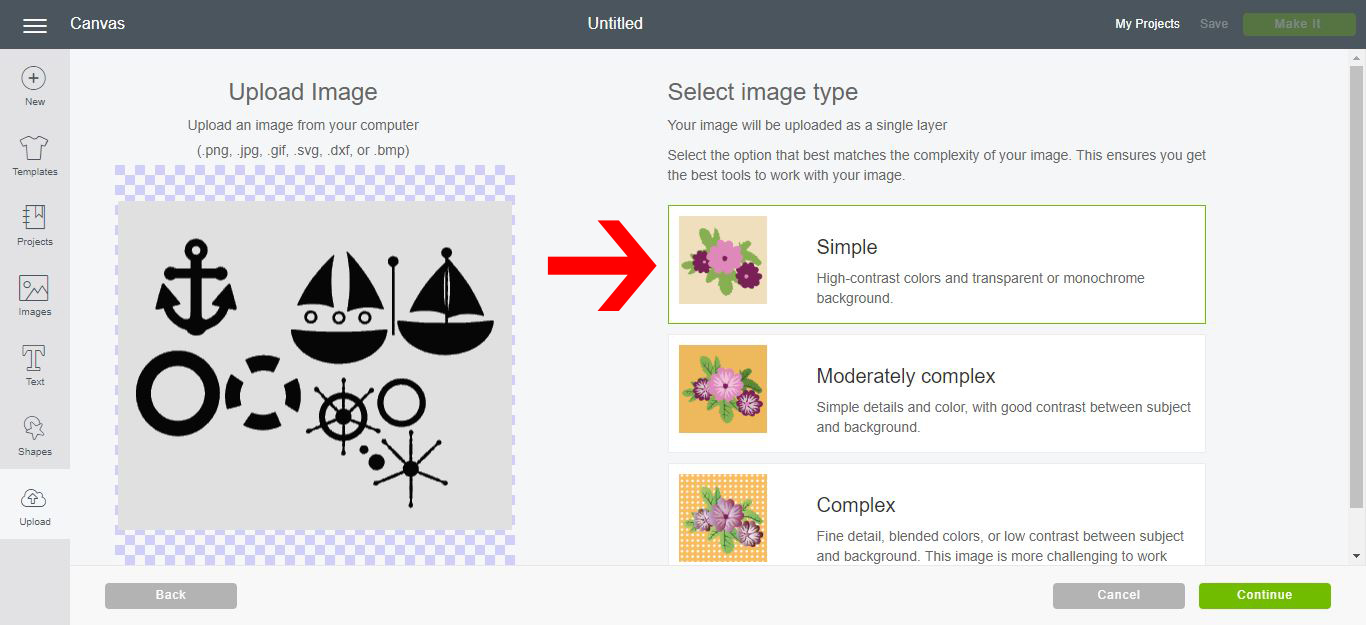
14- Using the wand tool, remove the background from the design. then click continue.
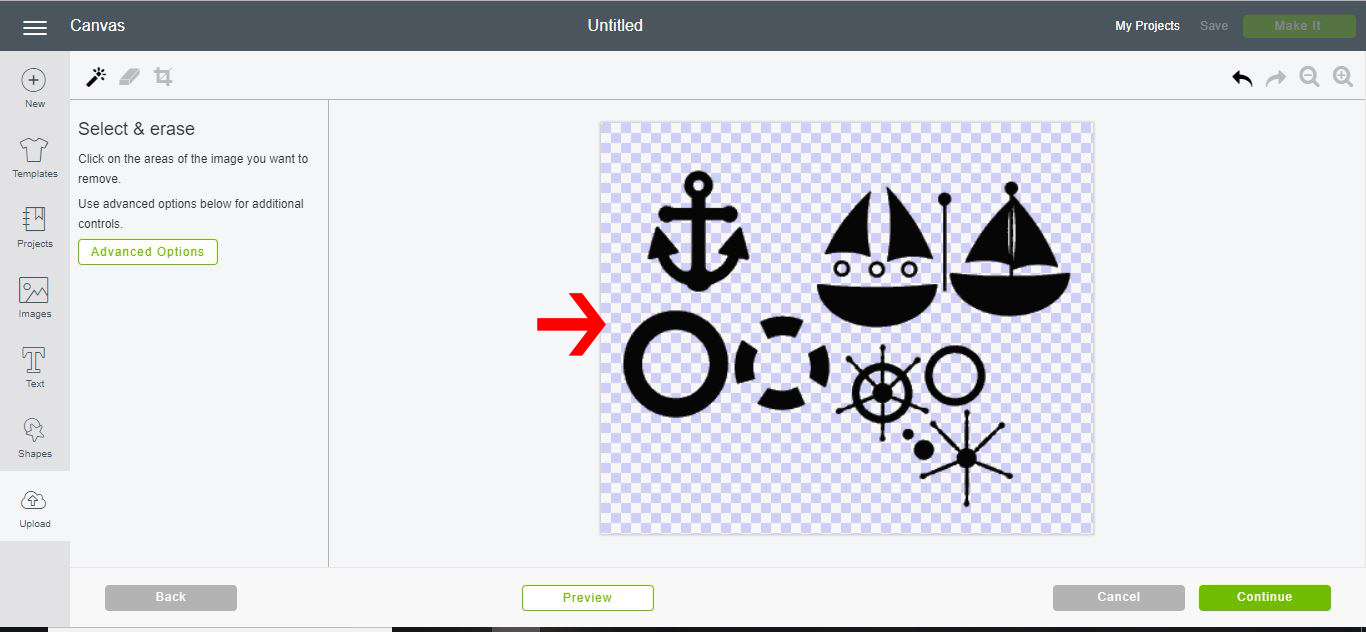
15-You now have 2 options. to print and cut or just import cut files. Select cut files and save.
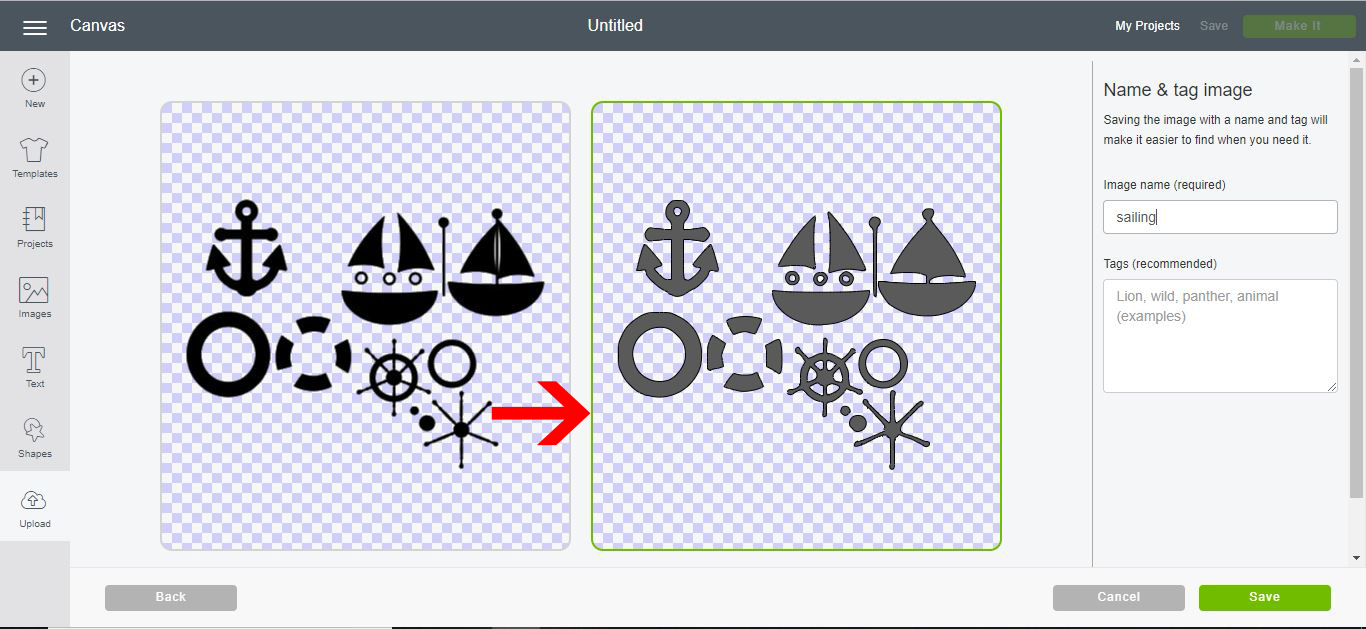
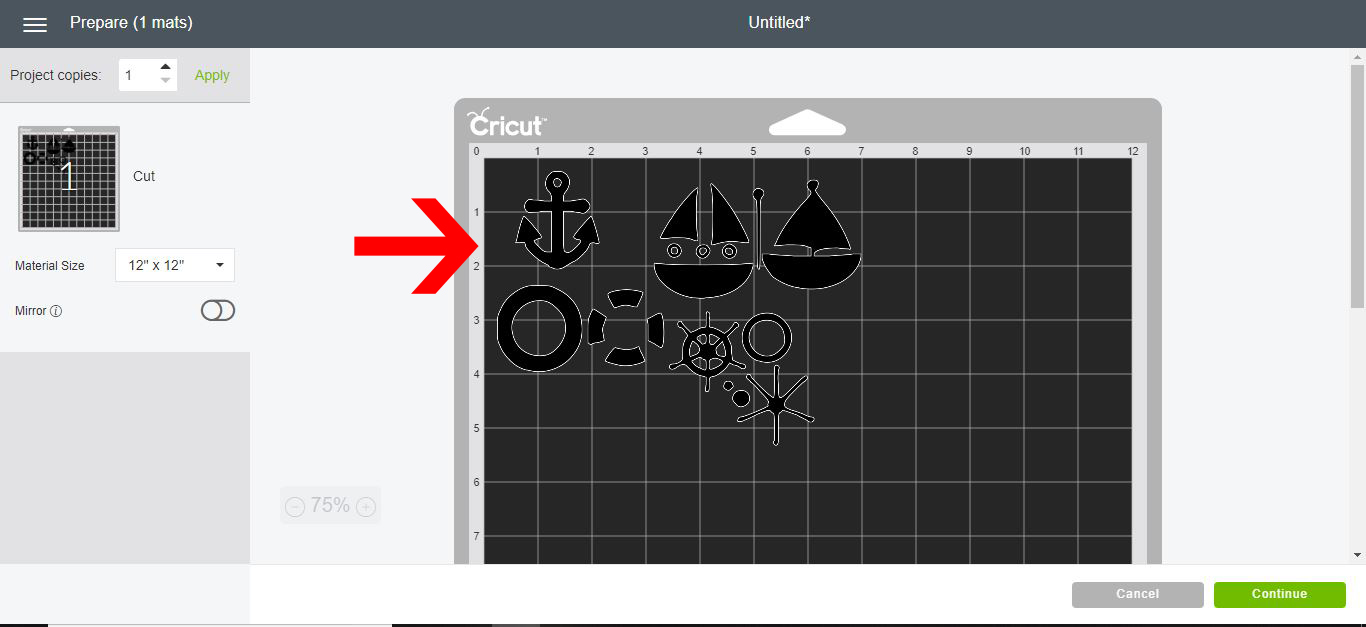
16- The silhouette file is now in the Cricut design space work area. Click on make it.
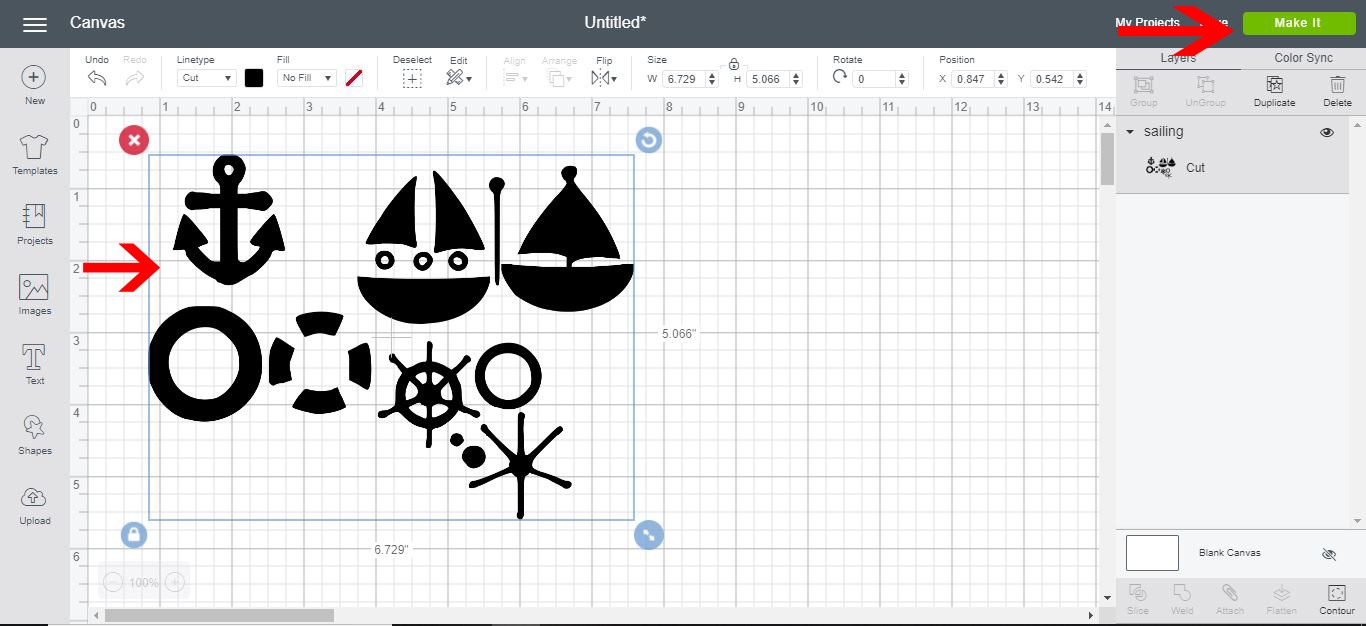
17- You can now cut the silhouette file in your Cricut machine.