By Design Bundles
How to Use PNG files in Silhouette Curio
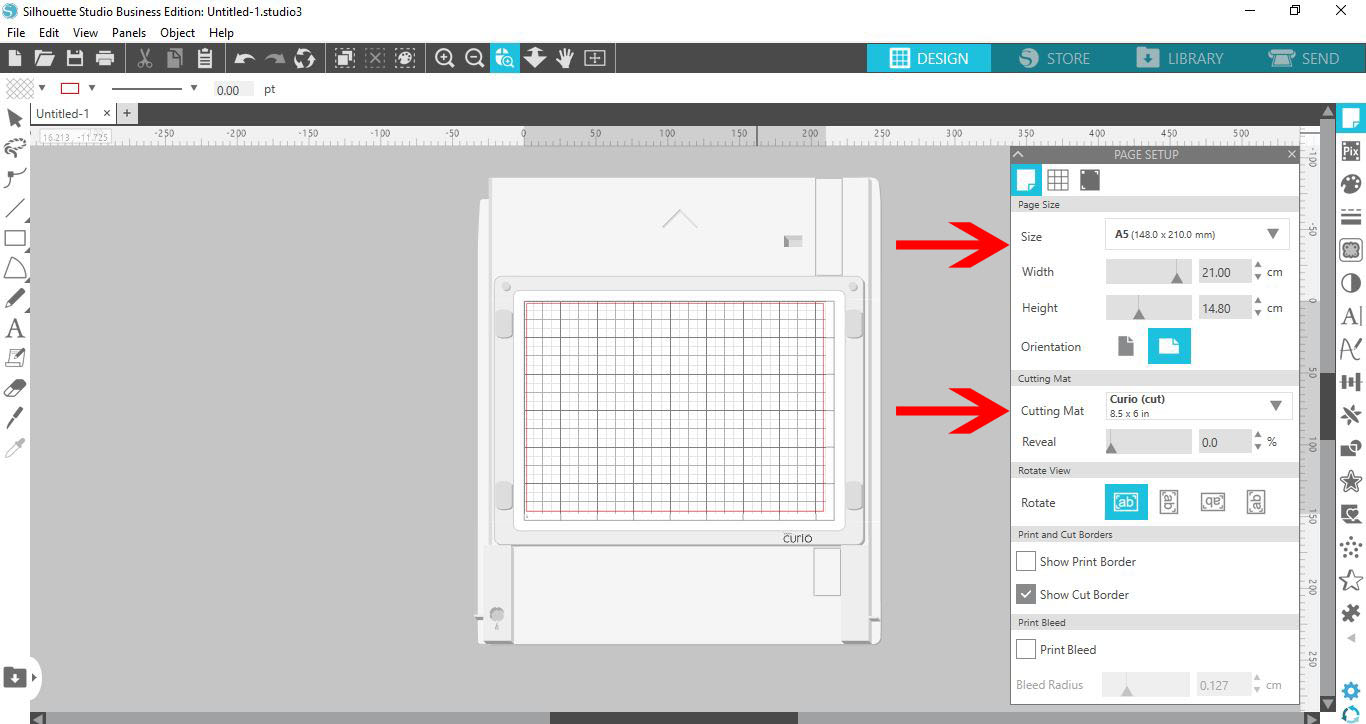
1- Open Silhouette Studio. Go to the cutting mat and change to the curio. Next Change the media size to fit the curio mat. A5 will work well.
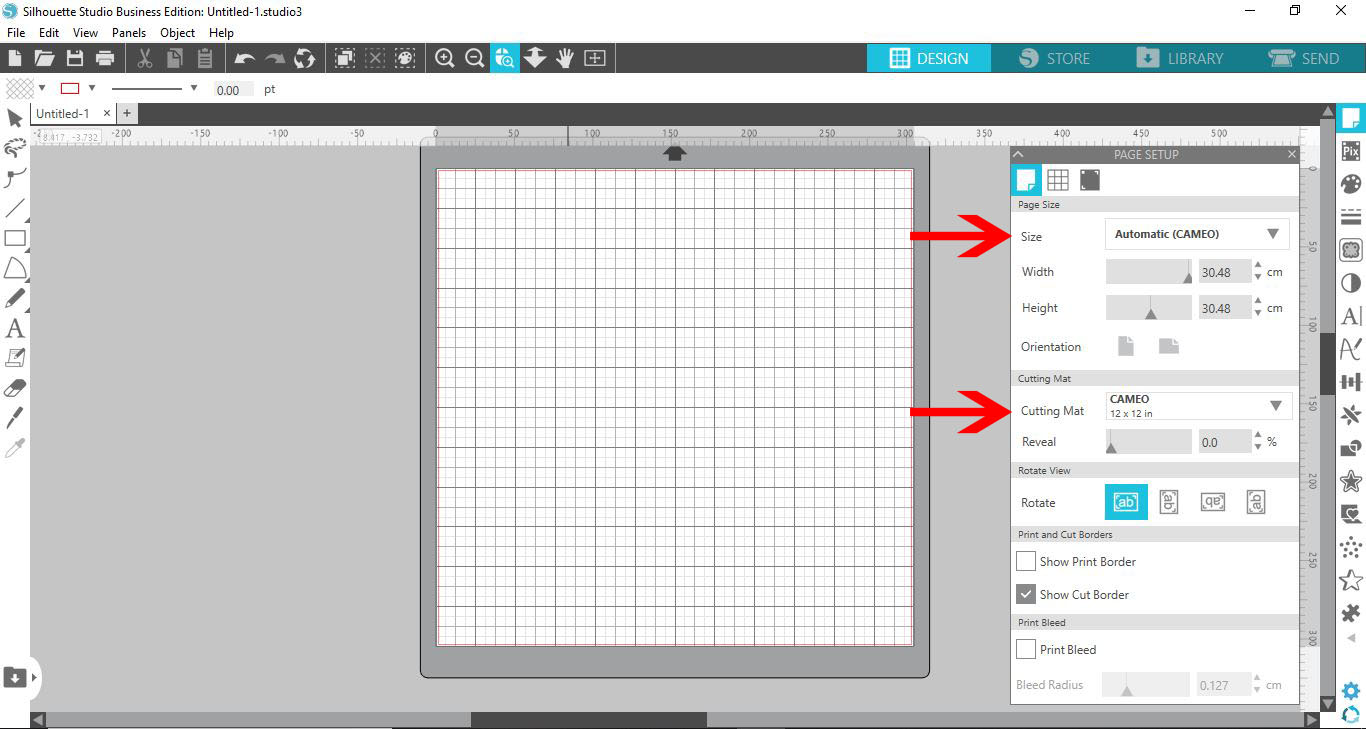
2- With the 2 sections changed you will see that the mat on the screen now is the curio mat.
3- Select your design. I am usingMy Valentine Has Furby Tara Reed Designs.
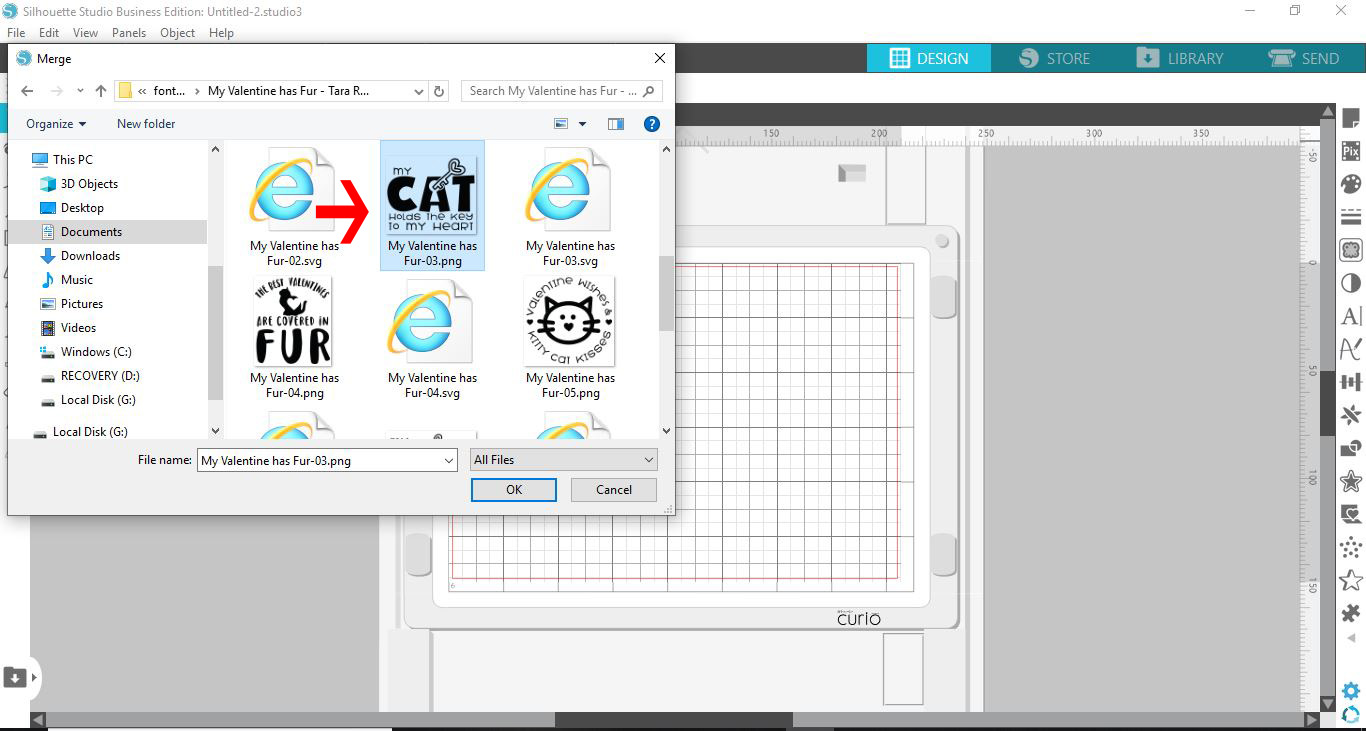
4- Select your design.
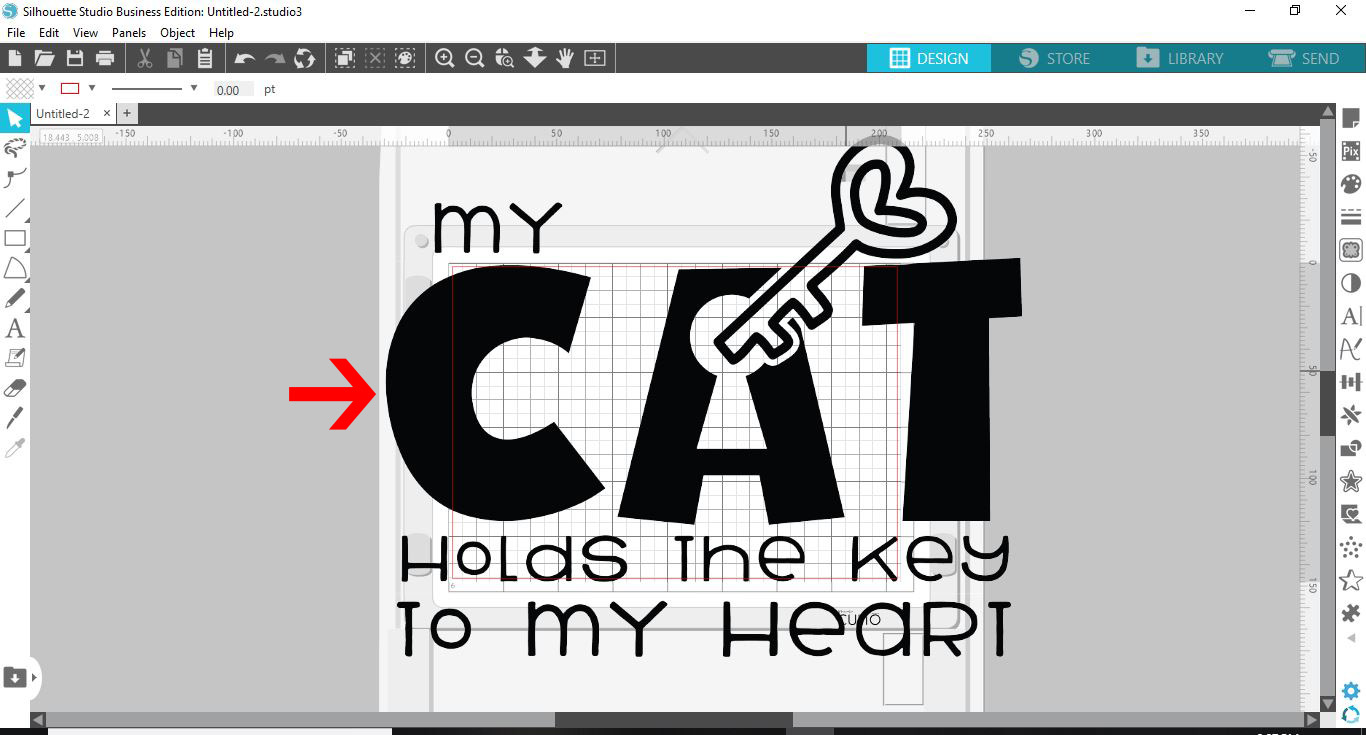
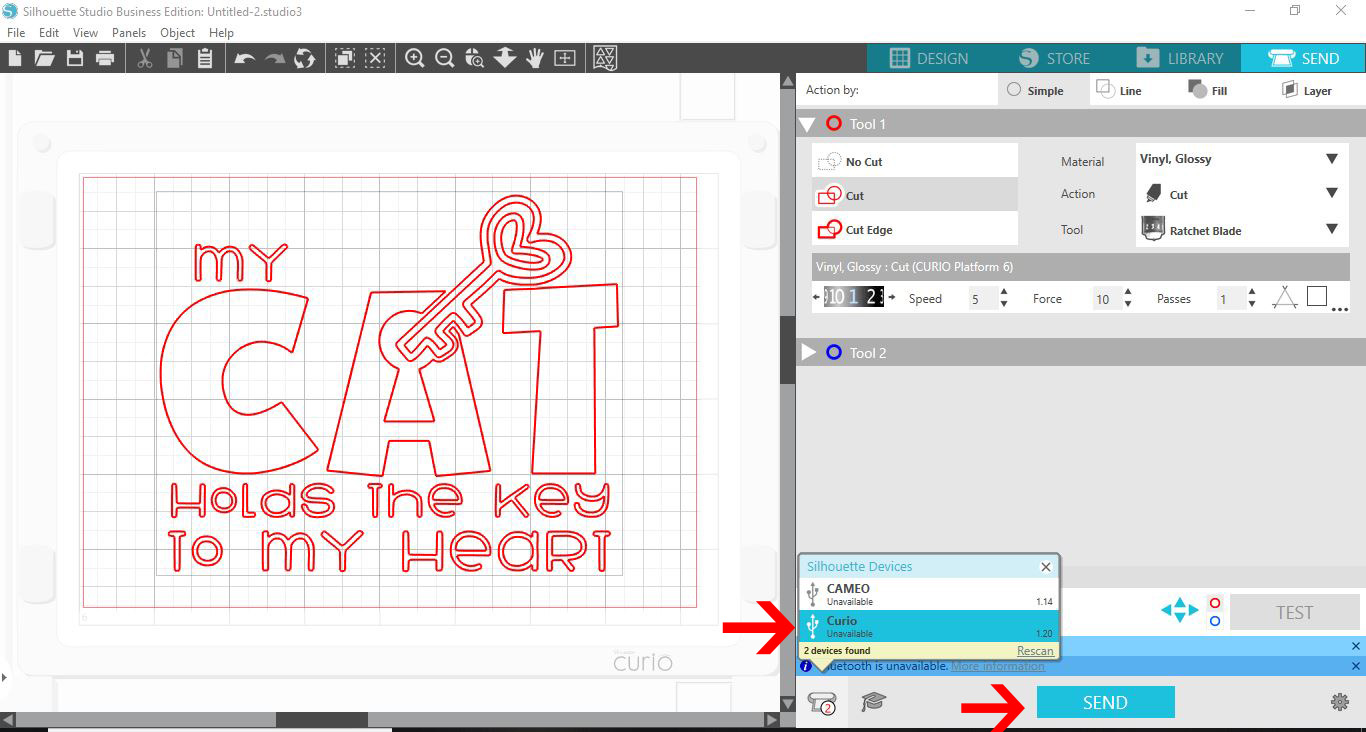
5-When you click on send with a PNG no cut lines appear.
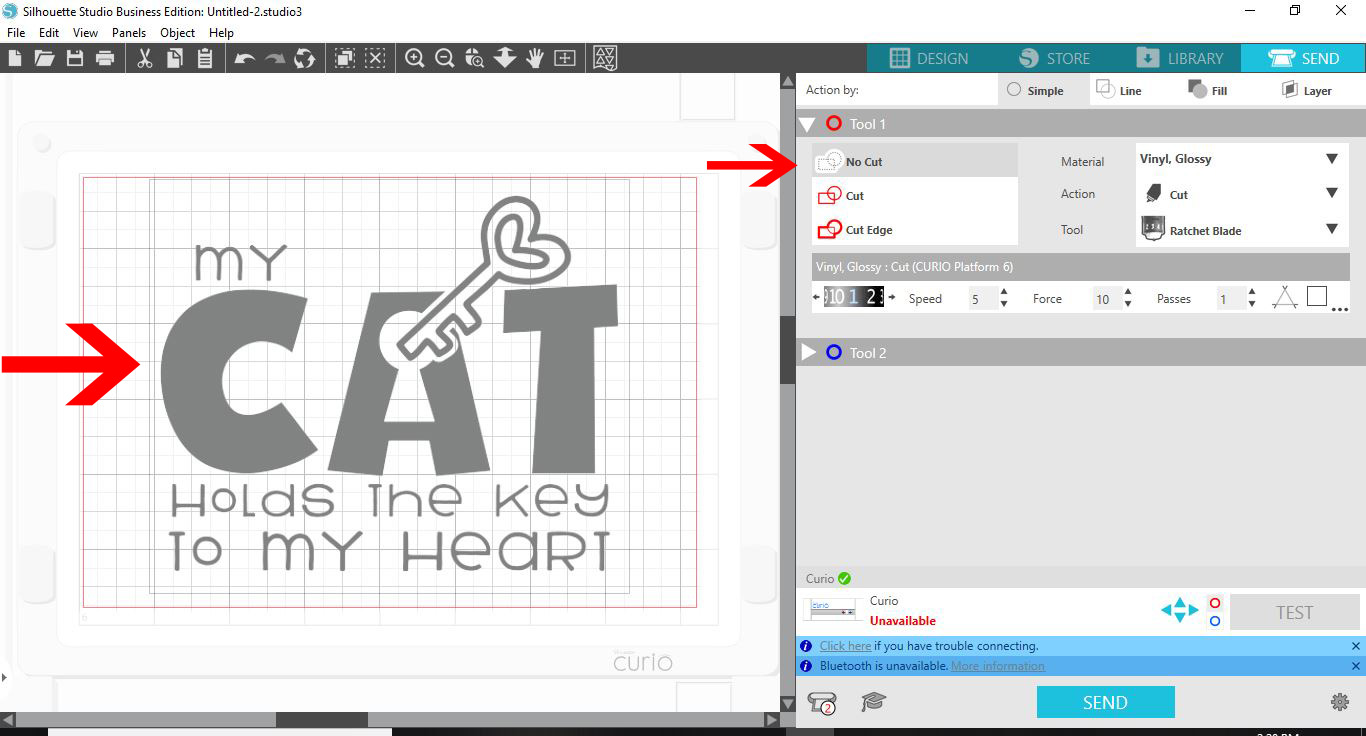
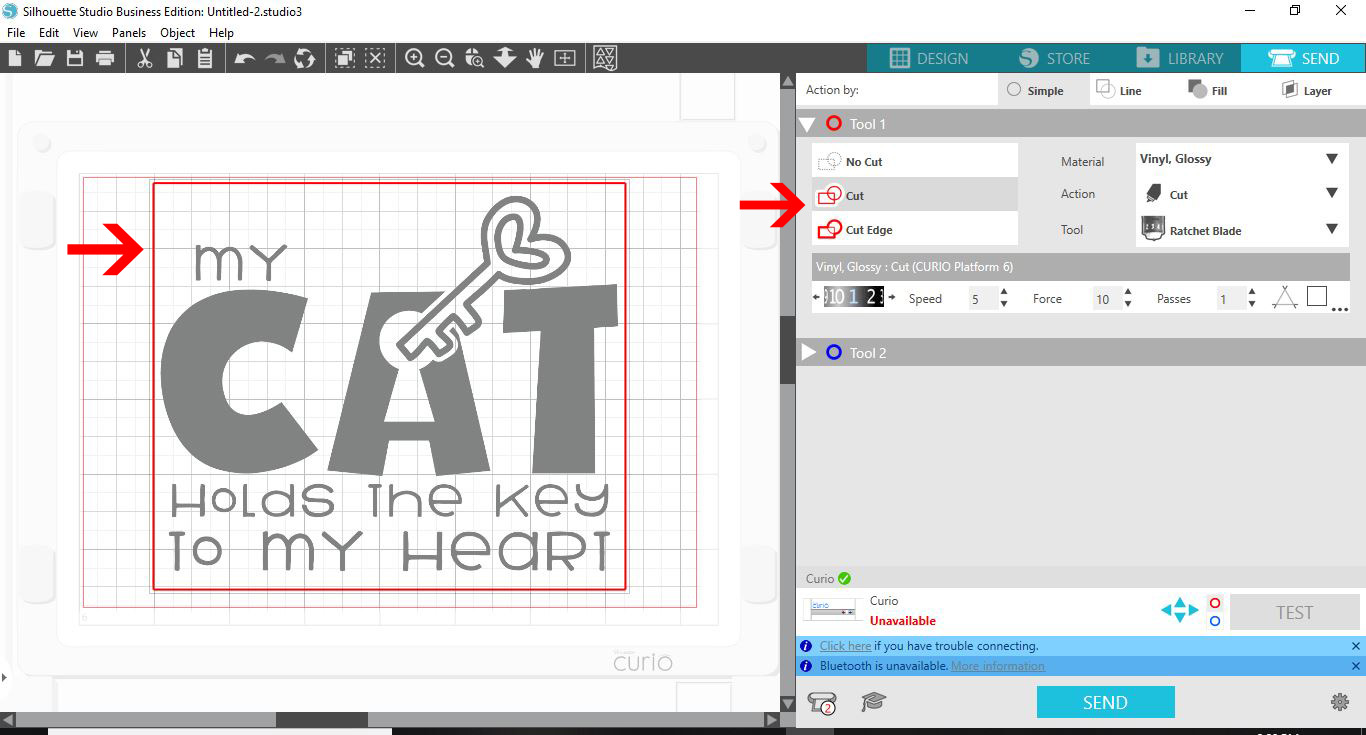
6- If you click on the cut lines, all you will see is cut lines around the outside edge of the PNG file.
7-To create cut lines for your PNG file you need to select the design and then click on the trace panel.
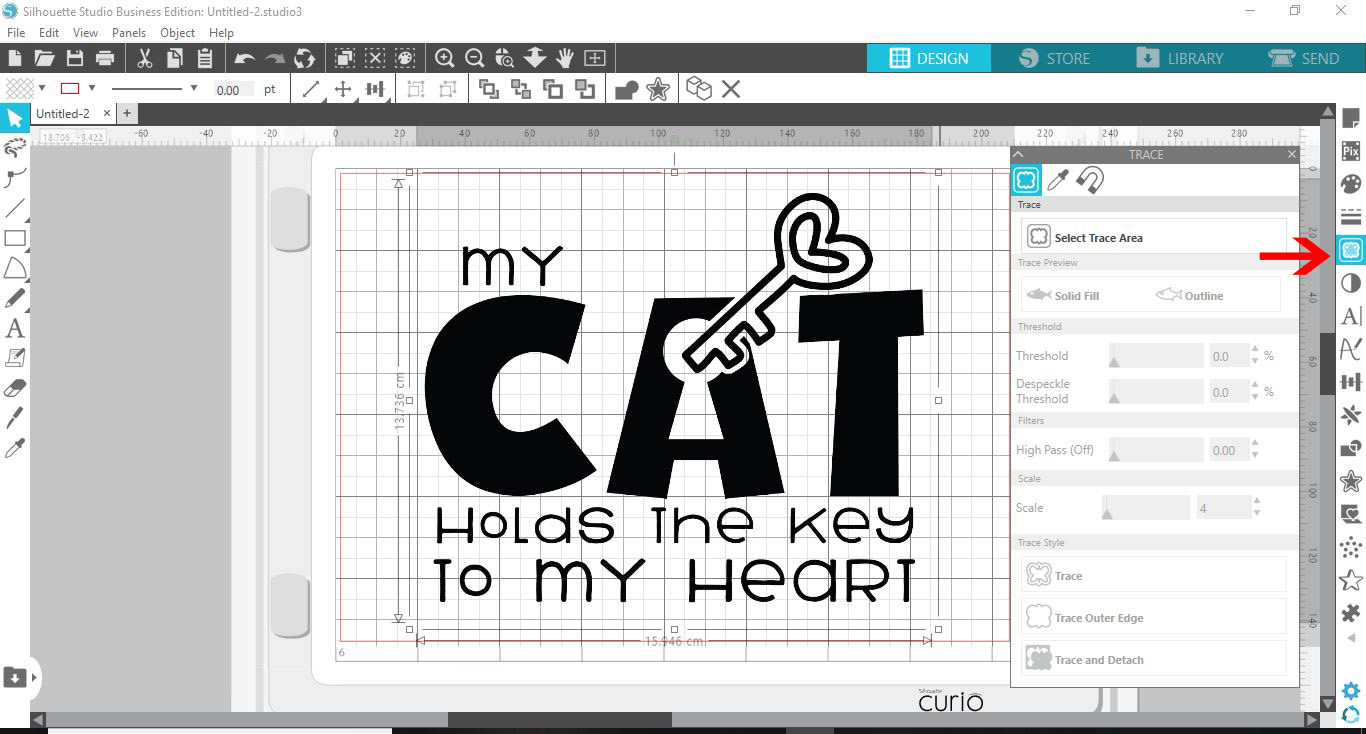
8- Click on the trace icon and draw your trace box around your design.
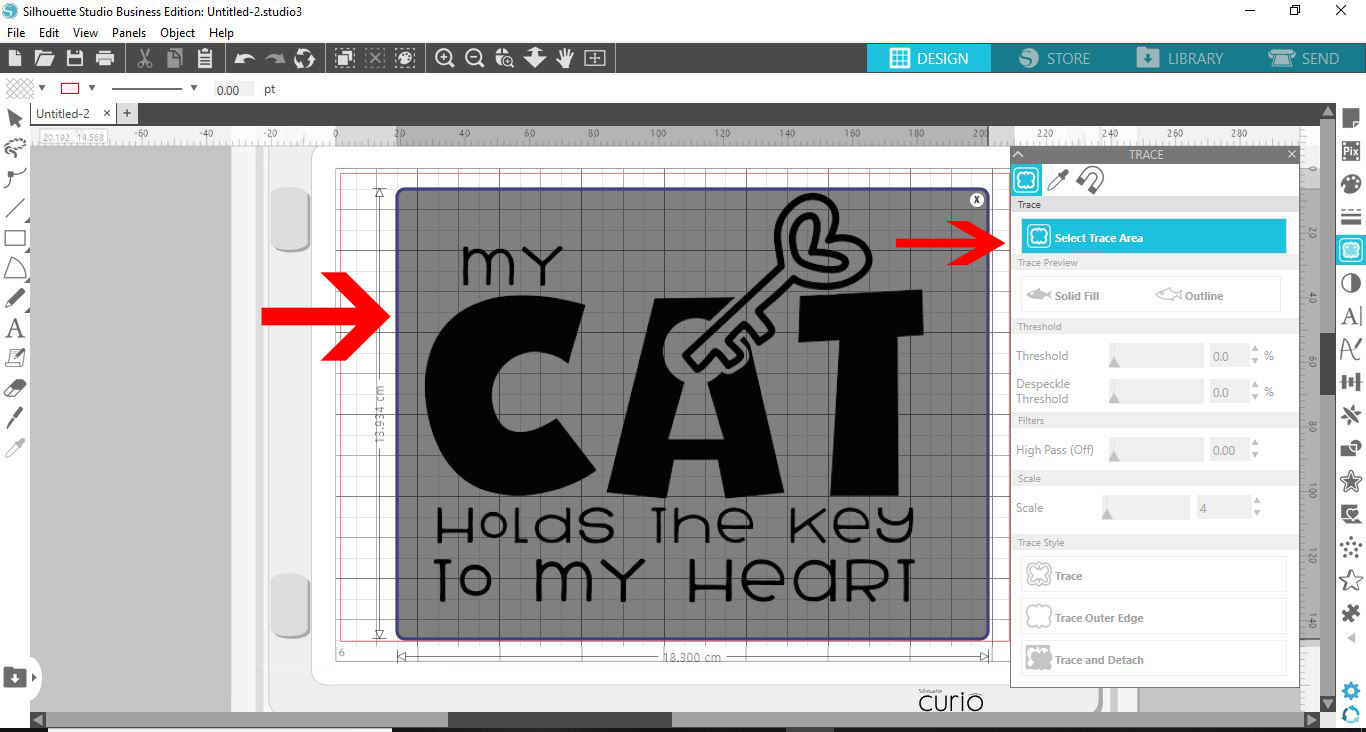
9- Your design will highlight yellow. Make sure all parts are highlighted. Adjust the threshold and the high pass to make sure everything is selected. Click on trace.
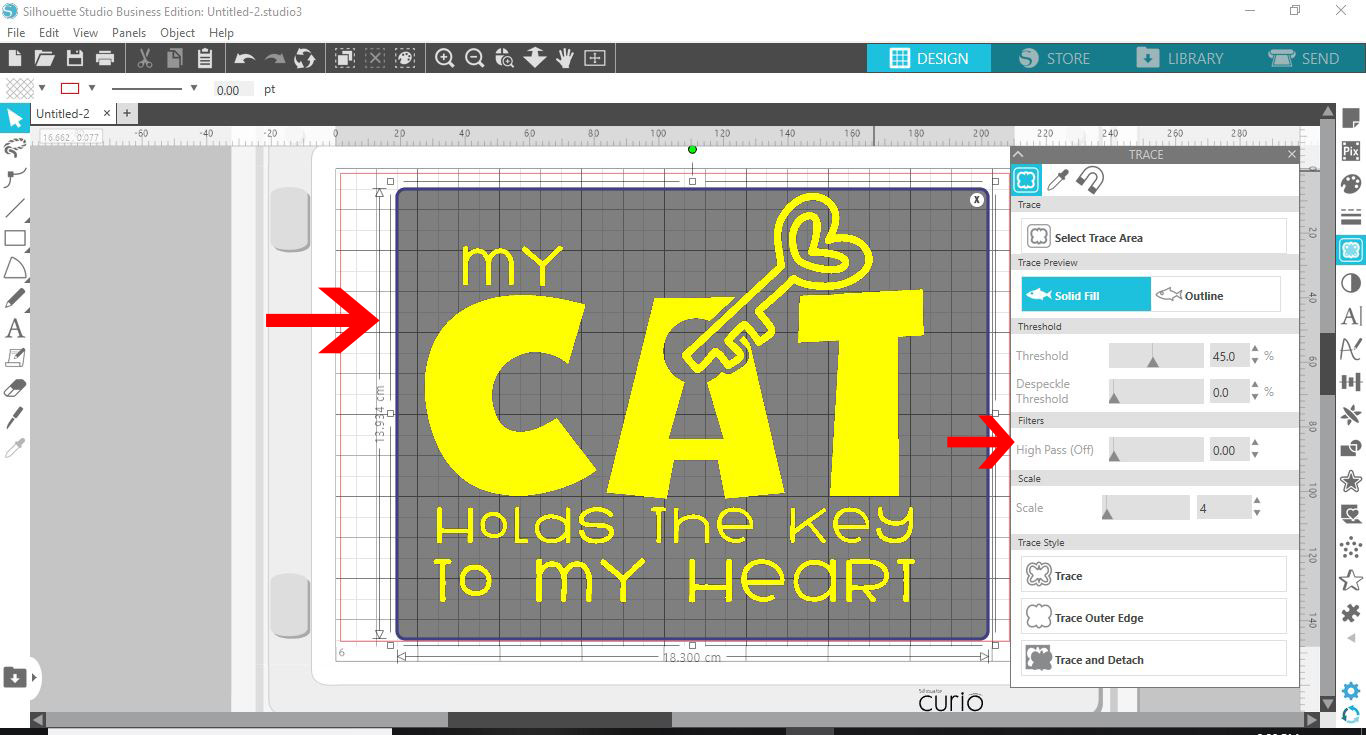
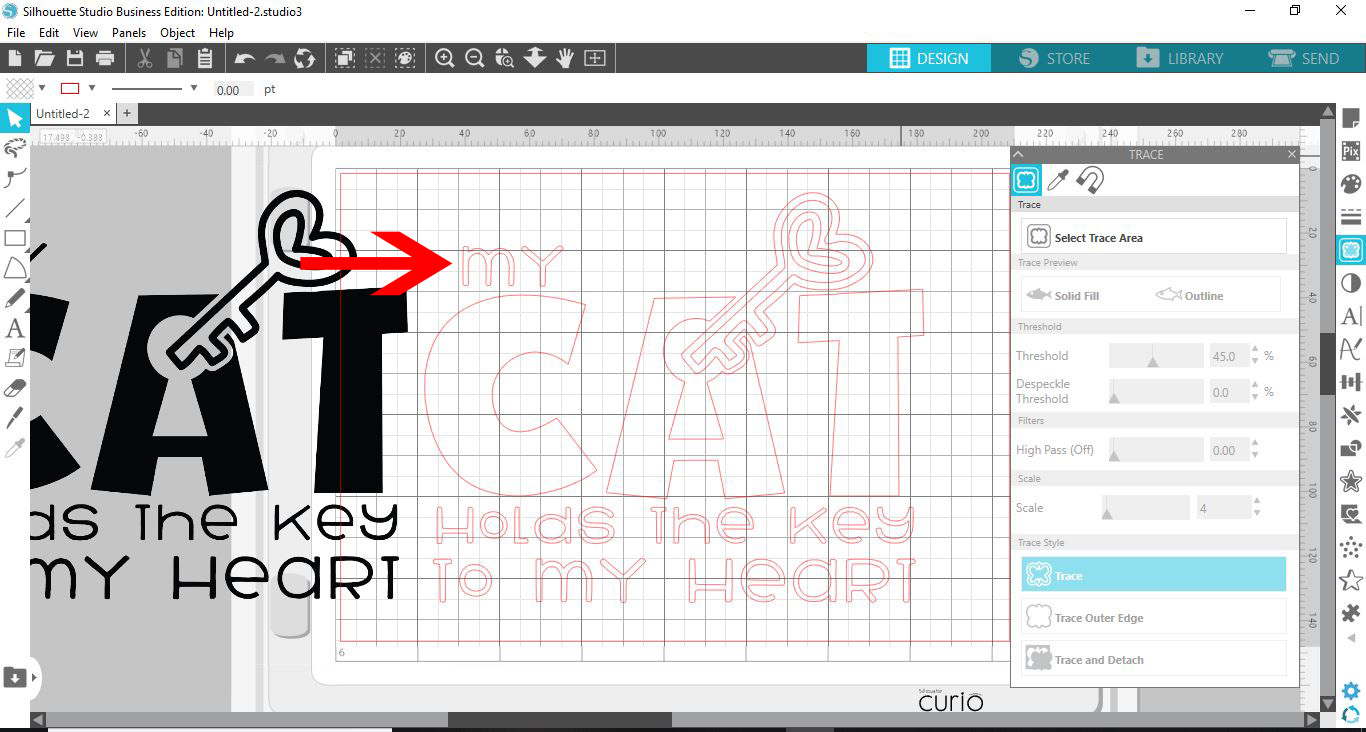
10-Your design will be traced and this will create cut lines. You can now delete the original design if you would like too.
11-Click the send option. You will now see red cut lines for your design. If for any reason you do not see them click on the cut icon.
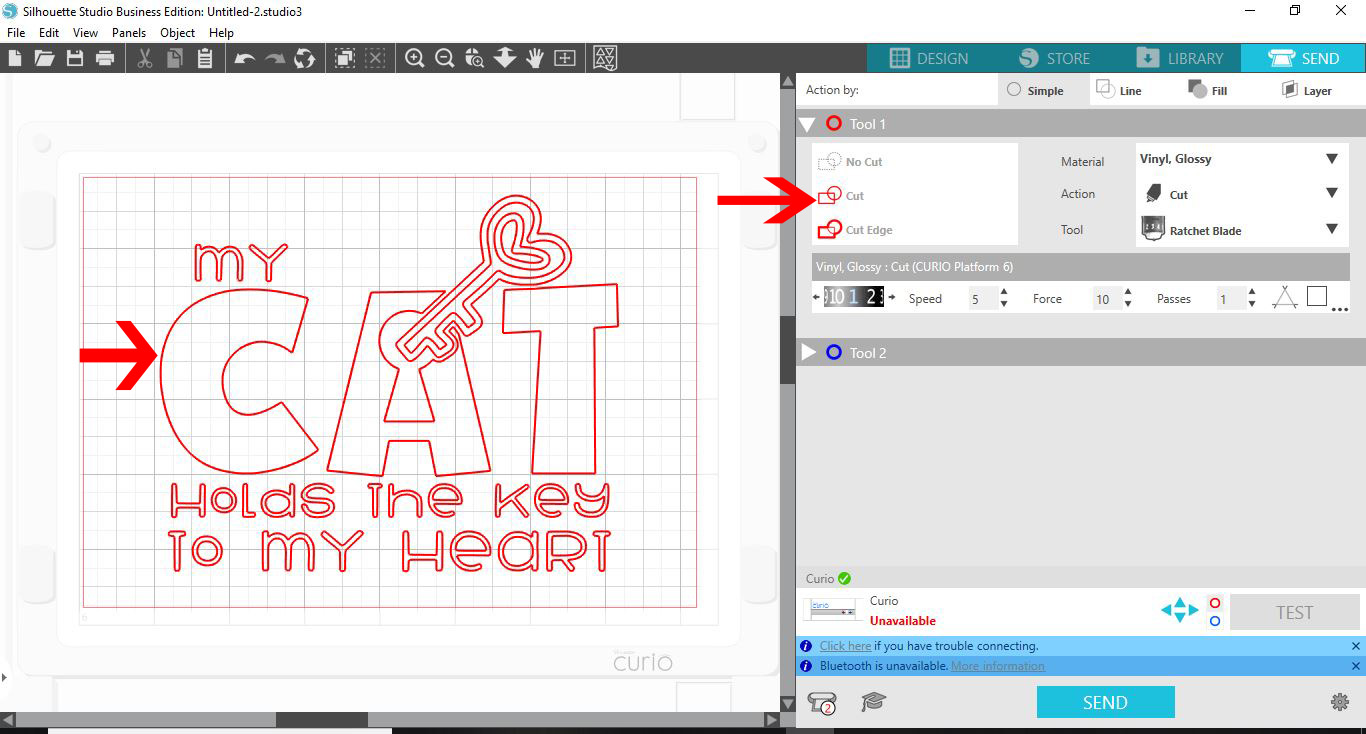
12- Select the curio and then you can now set your media and cut your PNG design.