By Design Bundles
Silhouette Tutorials4 min
Matrix Copy Function in Silhouette V4.1
*Business edition.
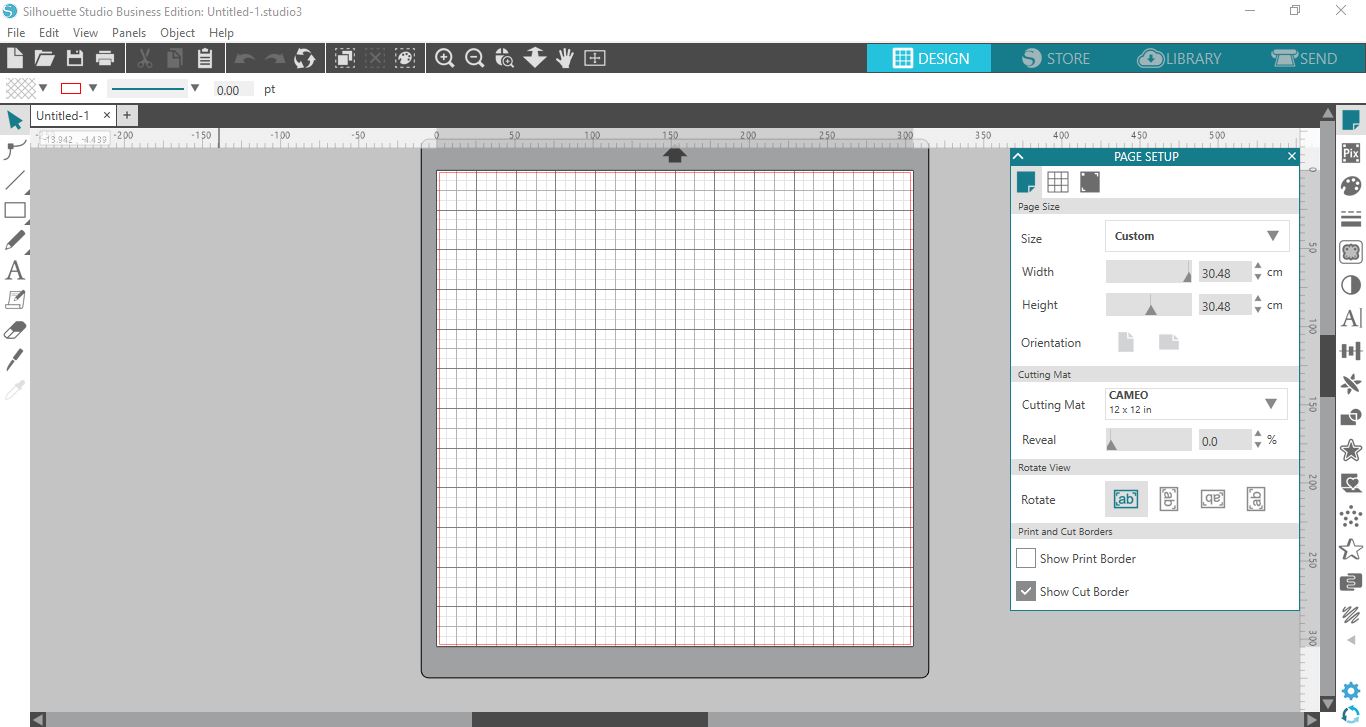
1- Open Silhouette.
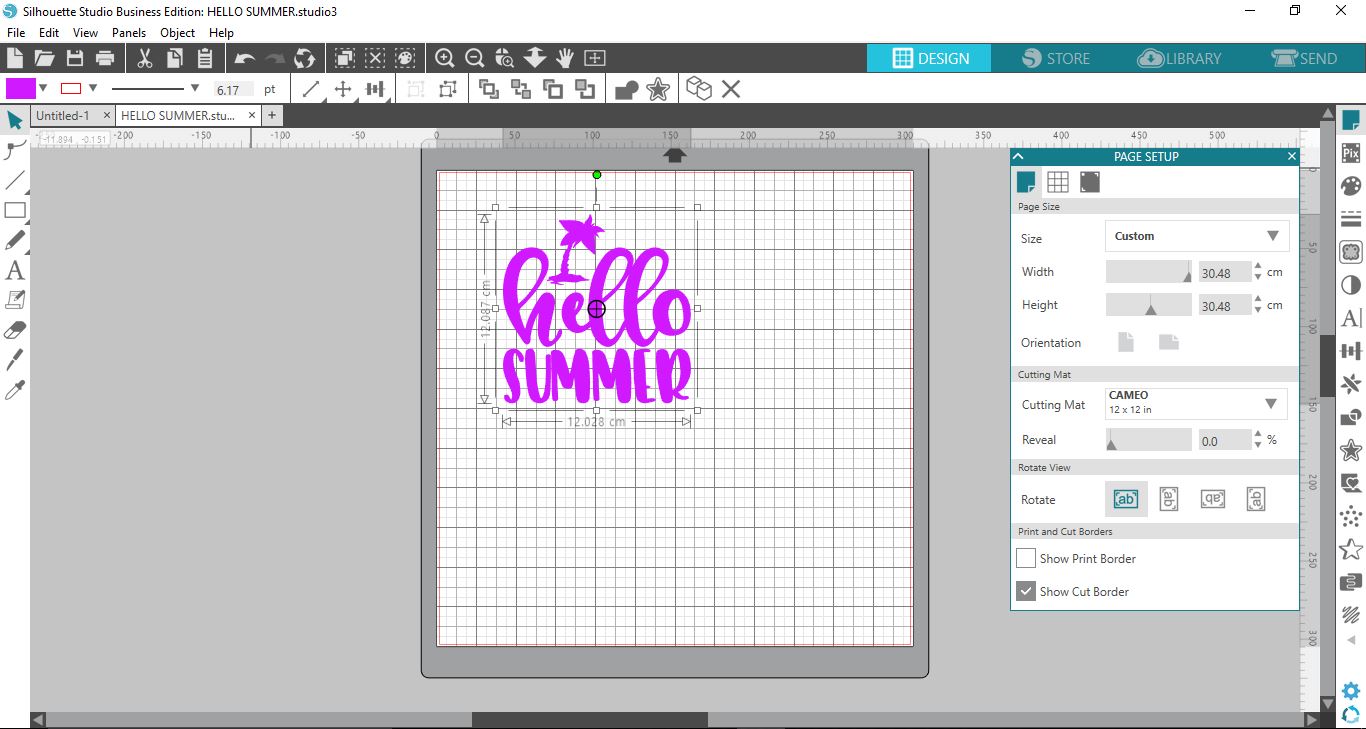
2- Create your design. I am using an SVG from this Free SVG Bundle.

3- Select the media layout icon on the right toolbar.
4- Click on the 2nd icon in the Media layout panel.
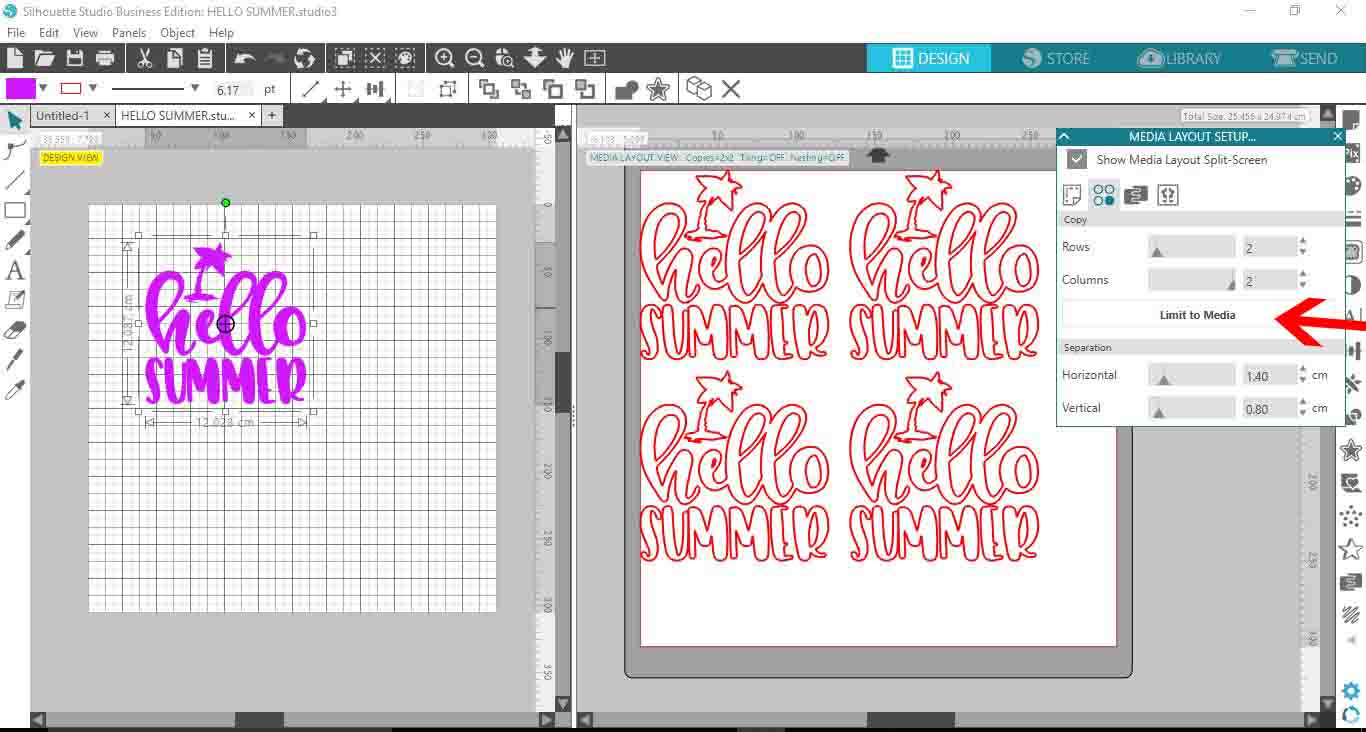
5- In the copy matrix options you have the ability to duplicate your design without touching or affection your original design.
You can add number of rows on your media.
6- You can also adjust the columns as well.
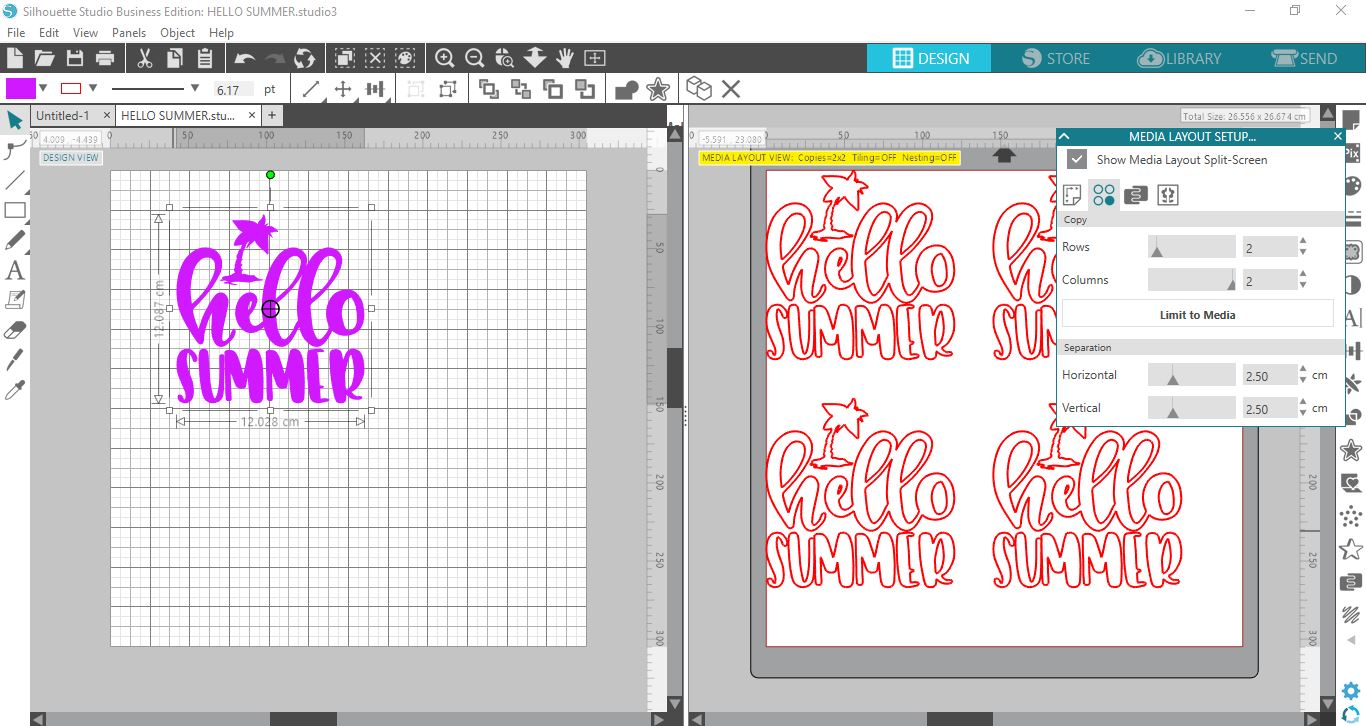
7- Depending on how may rows and columns you add this will add more copies of your design. you can see here I have added 2 rows and 2 columns which have given me 4 copies of the design on my media.
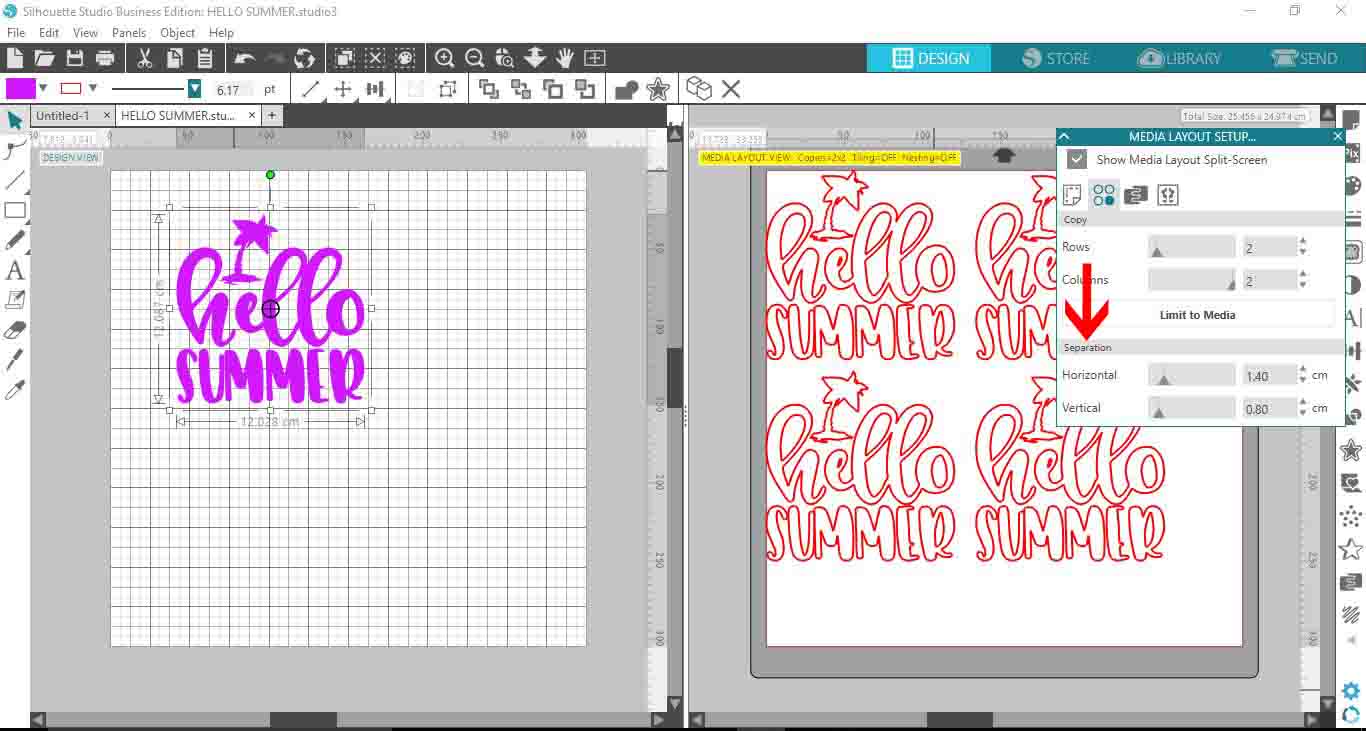
8- You can adjust the separation between the copies to ensure they fit better on your media.
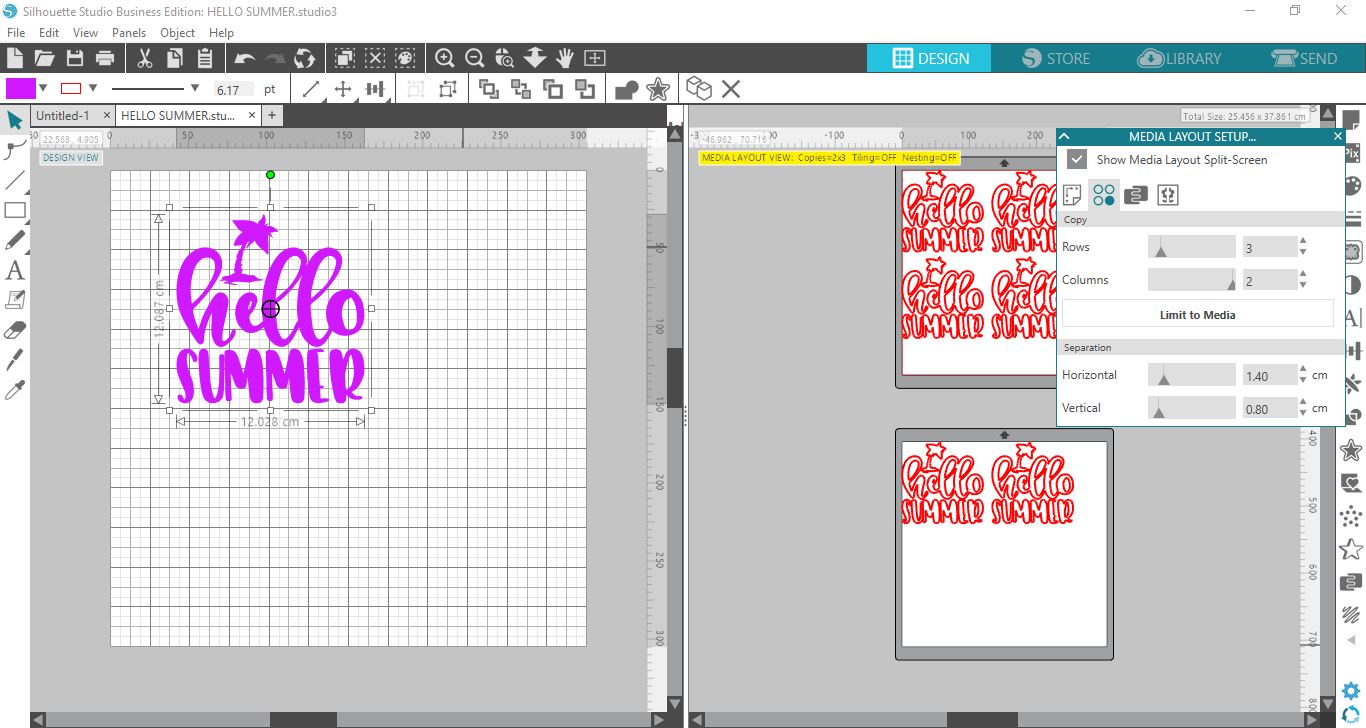
9- If you add a number of copies that will not all fit onto your media, the matrix copy function will automatically add the extra copies to a second media mat, this will show up on the right design space you you can see how many media sheets you will need.
10- If you select limit to media, the matrix copy function will readjust your number of copies to fit the original media page.
1- Open Silhouette.
2- Create your design. I am using an SVG from this Free SVG Bundle.
3- Select the media layout icon on the right toolbar.
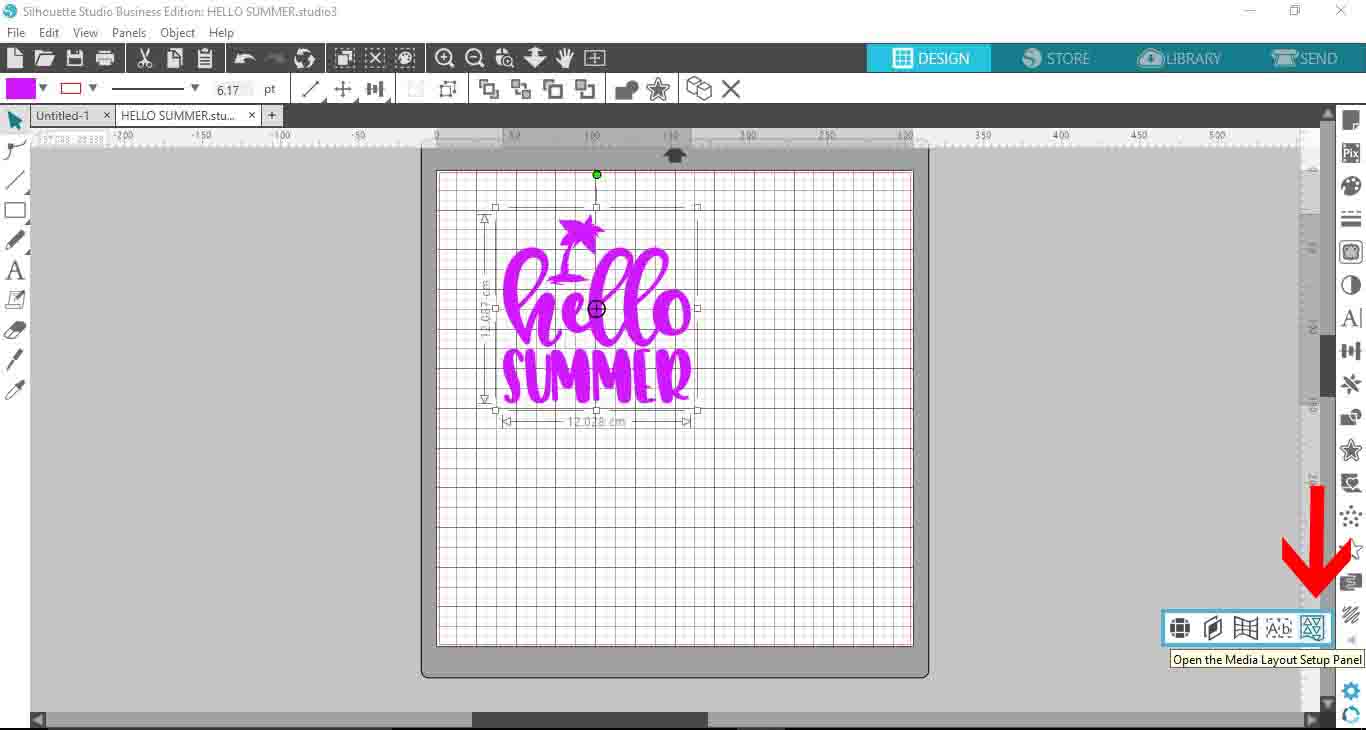
4- Click on the 2nd icon in the Media layout panel.

5- In the copy matrix options you have the ability to duplicate your design without touching or affection your original design.
You can add number of rows on your media.
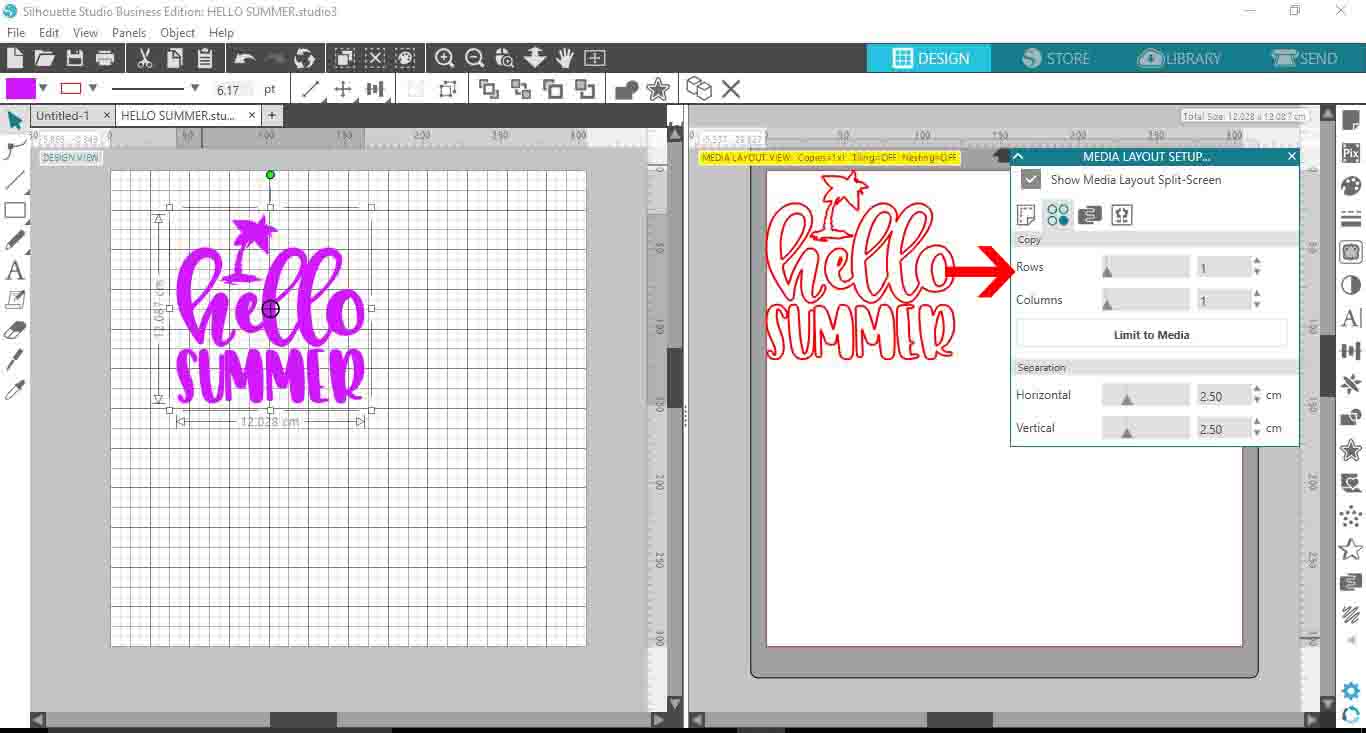
6- You can also adjust the columns as well.
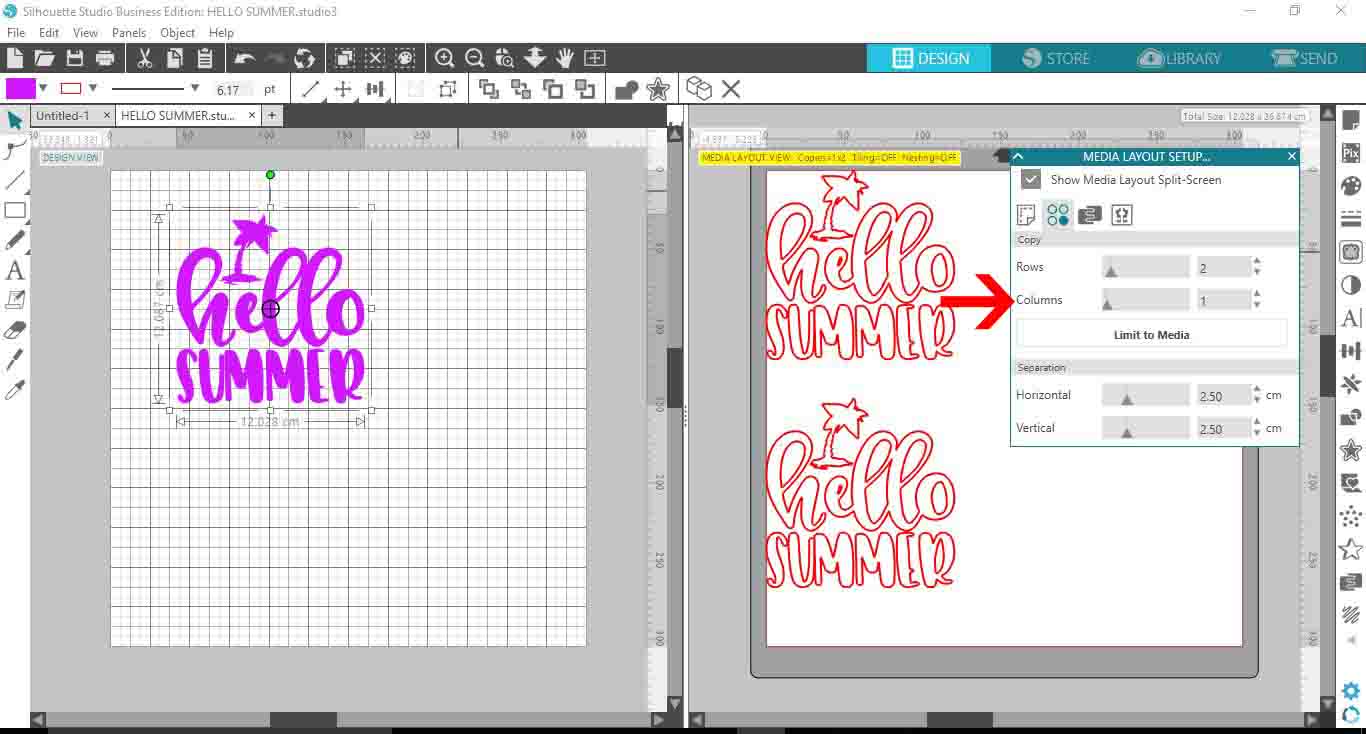
7- Depending on how may rows and columns you add this will add more copies of your design. you can see here I have added 2 rows and 2 columns which have given me 4 copies of the design on my media.
8- You can adjust the separation between the copies to ensure they fit better on your media.
9- If you add a number of copies that will not all fit onto your media, the matrix copy function will automatically add the extra copies to a second media mat, this will show up on the right design space you you can see how many media sheets you will need.
10- If you select limit to media, the matrix copy function will readjust your number of copies to fit the original media page.
Related Tutorials
Silhouette Tutorials
Auto Weed Function in Silhouette Studio V4.1
In this easy to follow tutorial learn how to use the Auto Weed function in Silhouette Studio v4.1.
Silhouette Tutorials
Print bleed function in Silhouette Studio
In this easy to follow tutorial learn how to use the Print Bleed function in Silhouette Studio.
Silhouette Tutorials
Importing Ai and EPS Files into Silhouette V4.1
Silhouette Tutorials
Conical Warp Tool in Silhouette V4.1
In only 2 steps use the Conical Warp tool in Silhouette Studio to make Tumbler Templates today!
Silhouette Tutorials
Drop Shadow Feature in Silhouette V4.1
Silhouette Tutorials
Warp Tool in Silhouette V4.1
Learn how to use the Warp Tool in Silhouette Studio to warp any shape or text in just three steps.