By Design Bundles
Silhouette Tutorials1 min
New thumbnail preview with silhouette studio files
*free version and higher.
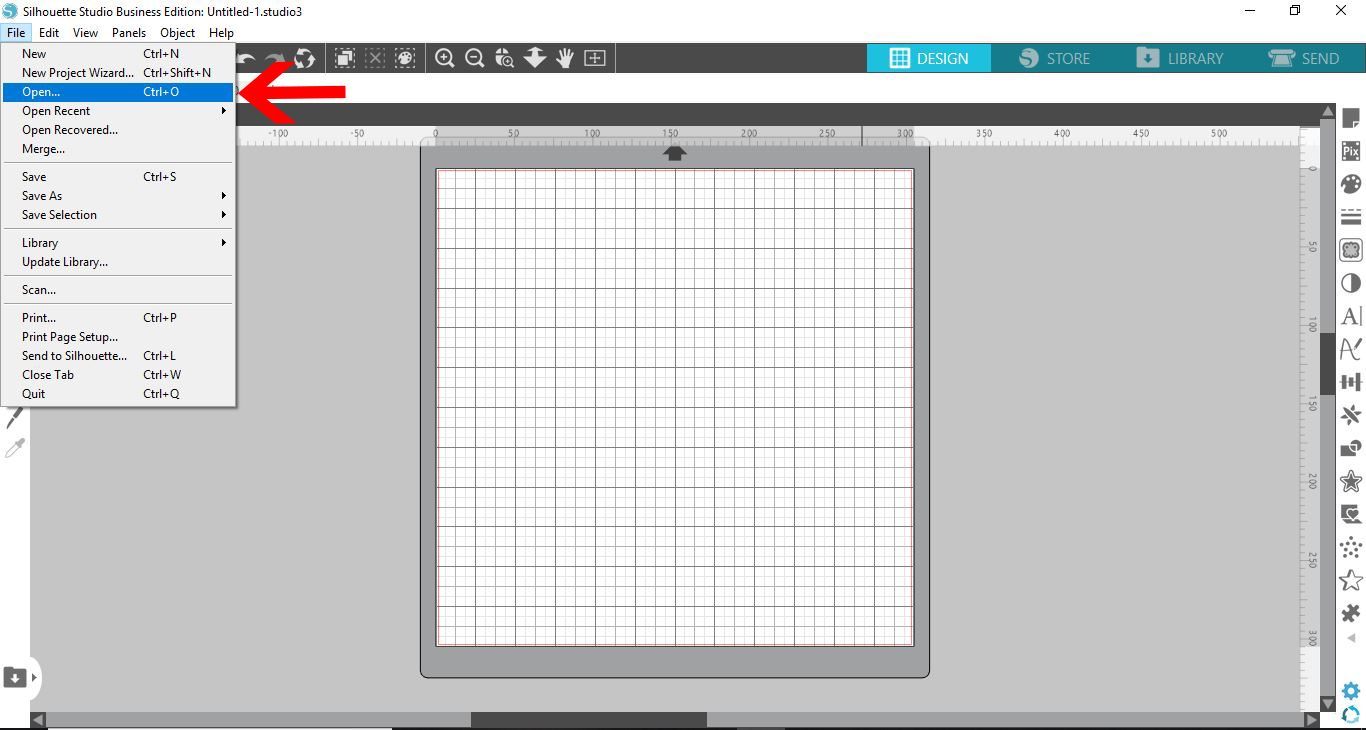
1- Open silhouette Studio. To access your files Click on File.

2- Click on open. (Ctrl + O )
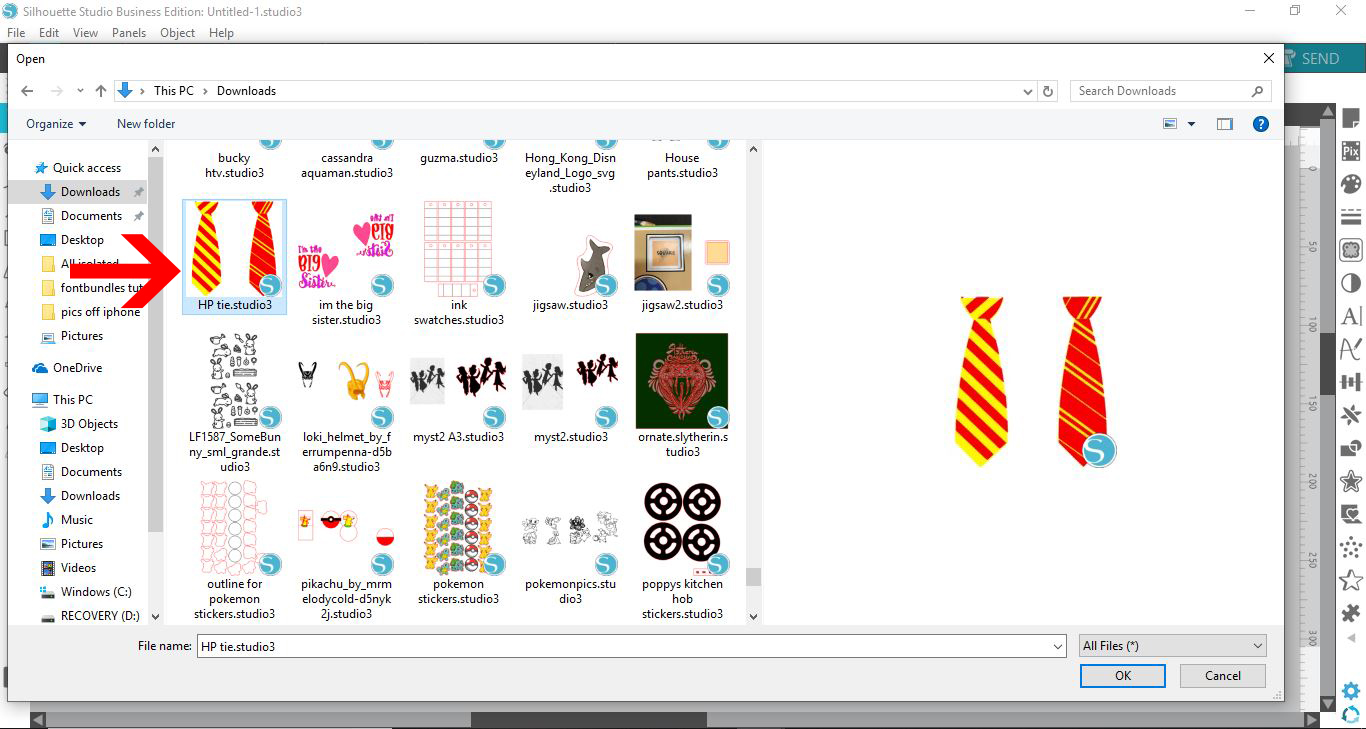
3-When you now look at your files in your PC, the file format will no longer be the Silhouette logo. If your file is a .studio3 file the file will now have a preview of the cut file.
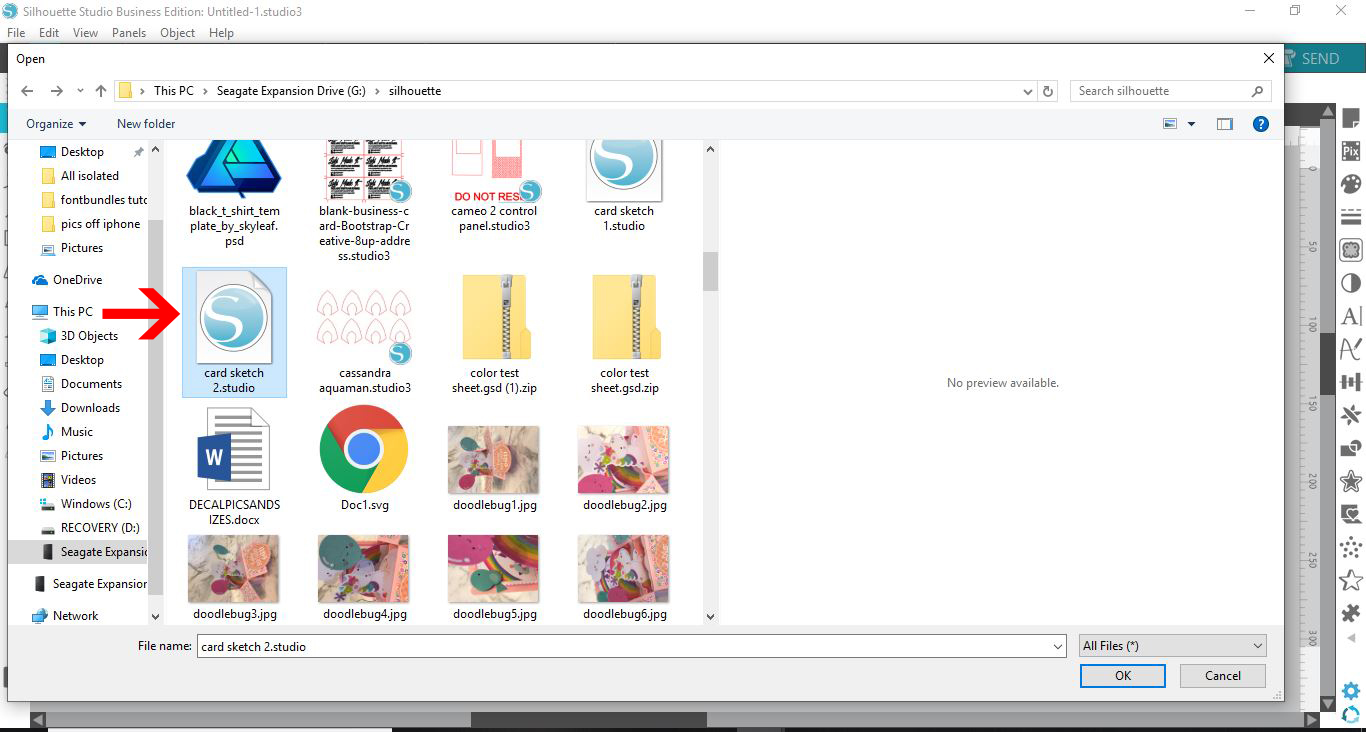
4- If your file is a .studio or a .studio2 file the silhouette logo will still stay as it previously was.
Related Tutorials
Silhouette Tutorials
How to Change Patterns on SVG Files in Silhouette Studio
Silhouette Tutorials
How to use SVG Files in Silhouette Studio
In this tutorial, learn how to upload and use SVG file in Silhouette Studio.
Silhouette Tutorials
How to Bulk Import Files into Silhouette Studio Library
In this tutorial you will learn how to bulk import files into the Silhouette Studio Library.
Silhouette Tutorials
How to click and drag your files to the design studio space in Silhouette Studio
Silhouette Tutorials
How to Add a New Cutting Material to Silhouette Studio
Silhouette Tutorials
Removing Unwanted Cut Lines in Silhouette Studio
Today, we'll show you three methods of removing unwanted cut lines in Silhouette Studio.