By Saqib Ahmad
How to Create a Spooktacular Halloween Garden Flag with Illustrate AI!
Hey crafty besties! 👋
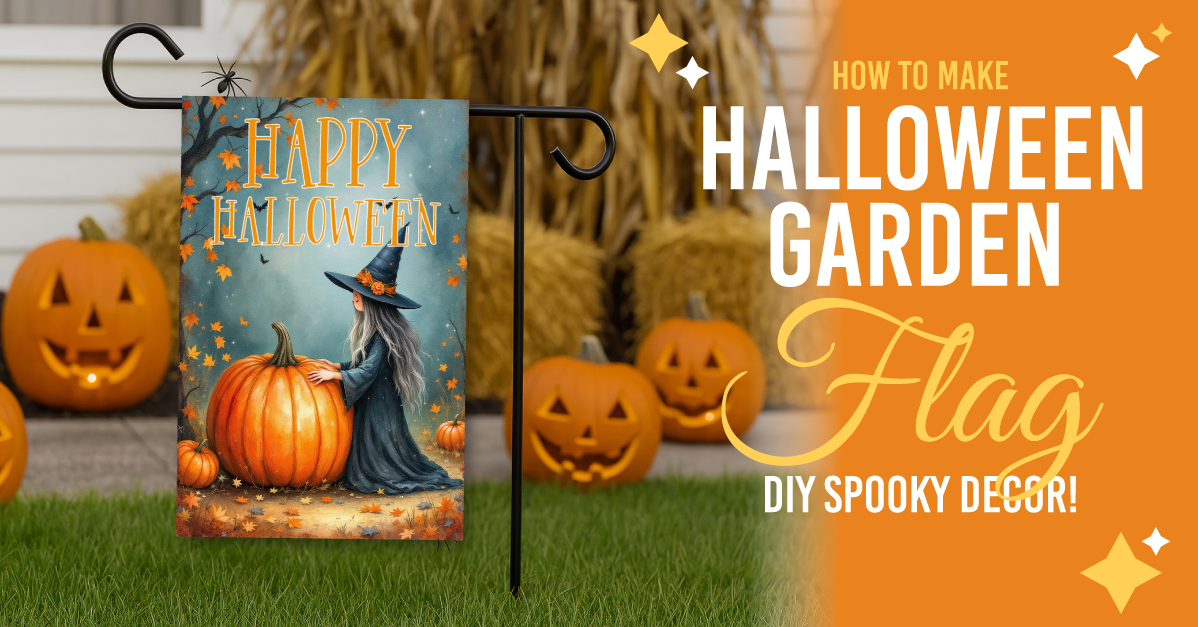
Are you looking to add a little Halloween magic to your garden this year? Well, you’re in for a treat, no tricks here! Today, I'm sharing a super fun and beginner-friendly tutorial on how to create your very own Halloween Garden Flag using Illustrate AI, and yes, you can do it all directly from Design Bundles.
Whether you're a seasoned crafter or just dipping your toes into the spooky spirit, this project is the perfect way to bring charm, color, and a little wicked whimsy to your outdoor space.
🏡 Why a Garden Flag?
Let’s talk about why garden flags are such a great idea:
- Instant festive vibes: A flag adds a seasonal splash to your yard without the hassle of big decorations.
- Perfect photo backdrop: Hello, Instagram moments! 📸
- Super easy to swap out: You can change your flag with every holiday or mood.
Standard size for easy display: Most flags are 12x18 inches (or 30.48 x 45.72 cm), which fits perfectly on standard garden flag poles or stands.
Ready to make your outdoor space scream “Halloween, but make it cute”? Let’s go!
👻 Step 1: Join the Spooky Club (Plus Membership)
To get started, you’ll need access to Illustrate AI, which is available with a Plus Membership on Design Bundles. If you're not already a member, now’s the perfect time to hop on board:
Get Plus Membership Here
https://designbundles.net/plus-choose
💡 Pro tip:Choose the Unlimited plan if you can, it unlocks a ton of extra Benefits, and creative freedom. Totally worth it if you love to craft as much as I do!
🧙♀️ Step 2: Time to Illustrate!
Head over to the Illustrate AI creator tool here:
👉 https://illustrateai.designbundles.net/create
Now let’s generate some Halloween magic! Here's a ready-to-copy prompt you can paste directly into the tool:
“A cute Halloween scene featuring a pumpkin and a witch together. The artwork should have a watercolor style with burned edges, giving it a whimsical and slightly vintage appearance. The color palette should include warm autumn colors to enhance the festive mood.”
🔧 Use these settings:
- Engine: Flux 1.1 Pro
- Size: Portrait
- Art Style: Drip and Splash
Click Create and BOOM! 🎨 Watch the Halloween cuteness come to life right before your eyes!
🖼 Step 3: Pick Your Favorite
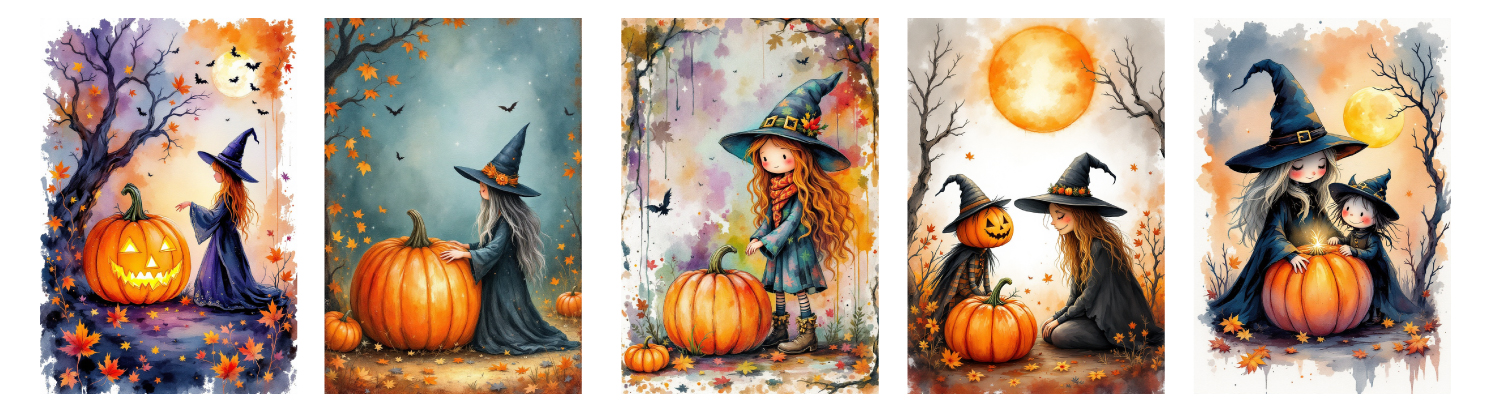
Take a scroll through your generated images, so many charming options! You can save your fave or keep experimenting with different engines and prompts to design multiple flag options. After all, who says one flag is enough? 😉
🎨 Step 4: Customize and Add Text
Perfect! I found a design I like. Let’s personalize it.
- Publish your image so it’s ready to edit.
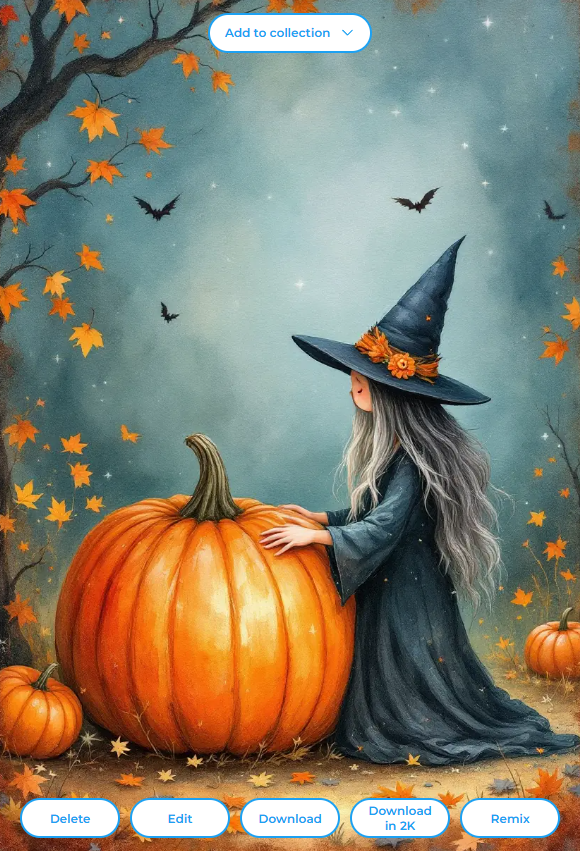
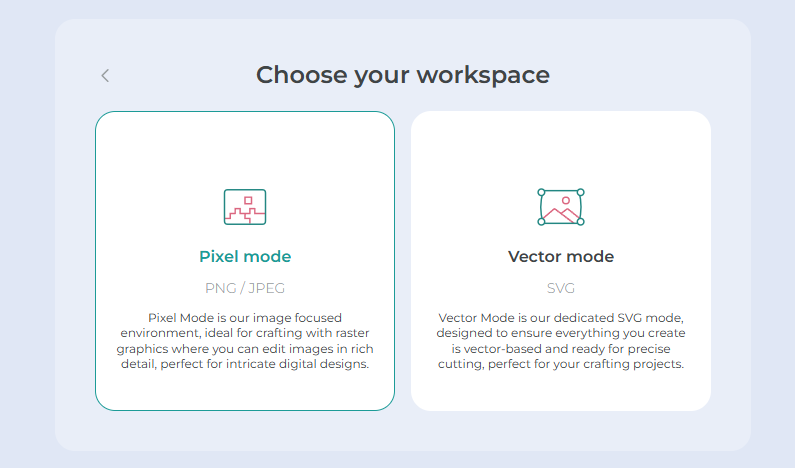
- Click Edit and select Pixel Mode.
- Head over to the Text tab > Select the Font you like and Click on Add Text.
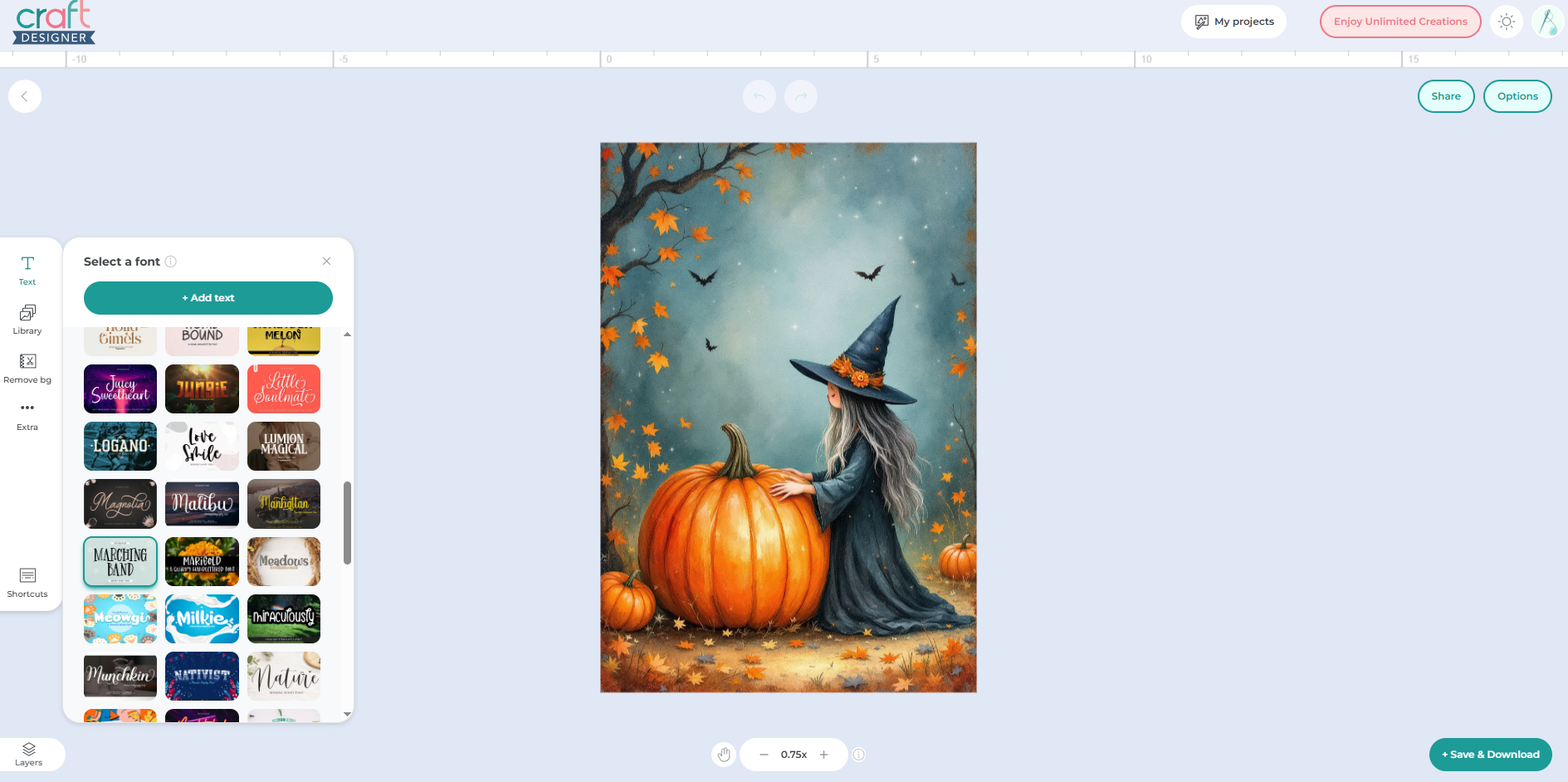
- Choose a font you like, add your Halloween greeting (like “Witchy Welcome”, ''Happy Halloween'' or “Pumpkin Patch Party”), and customize the color.
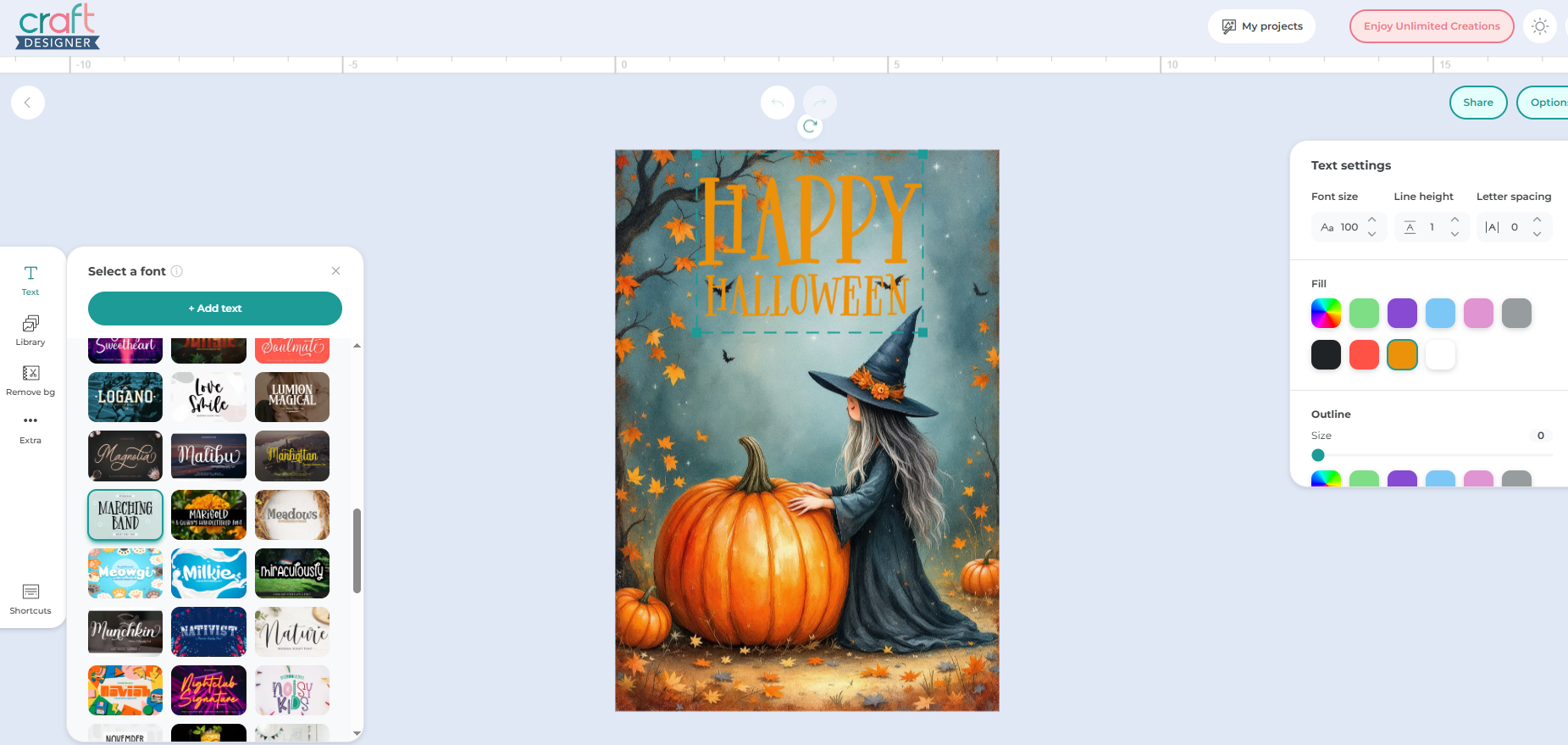
- Want to make the text pop? Add a stroke (outline) around it for visibility.
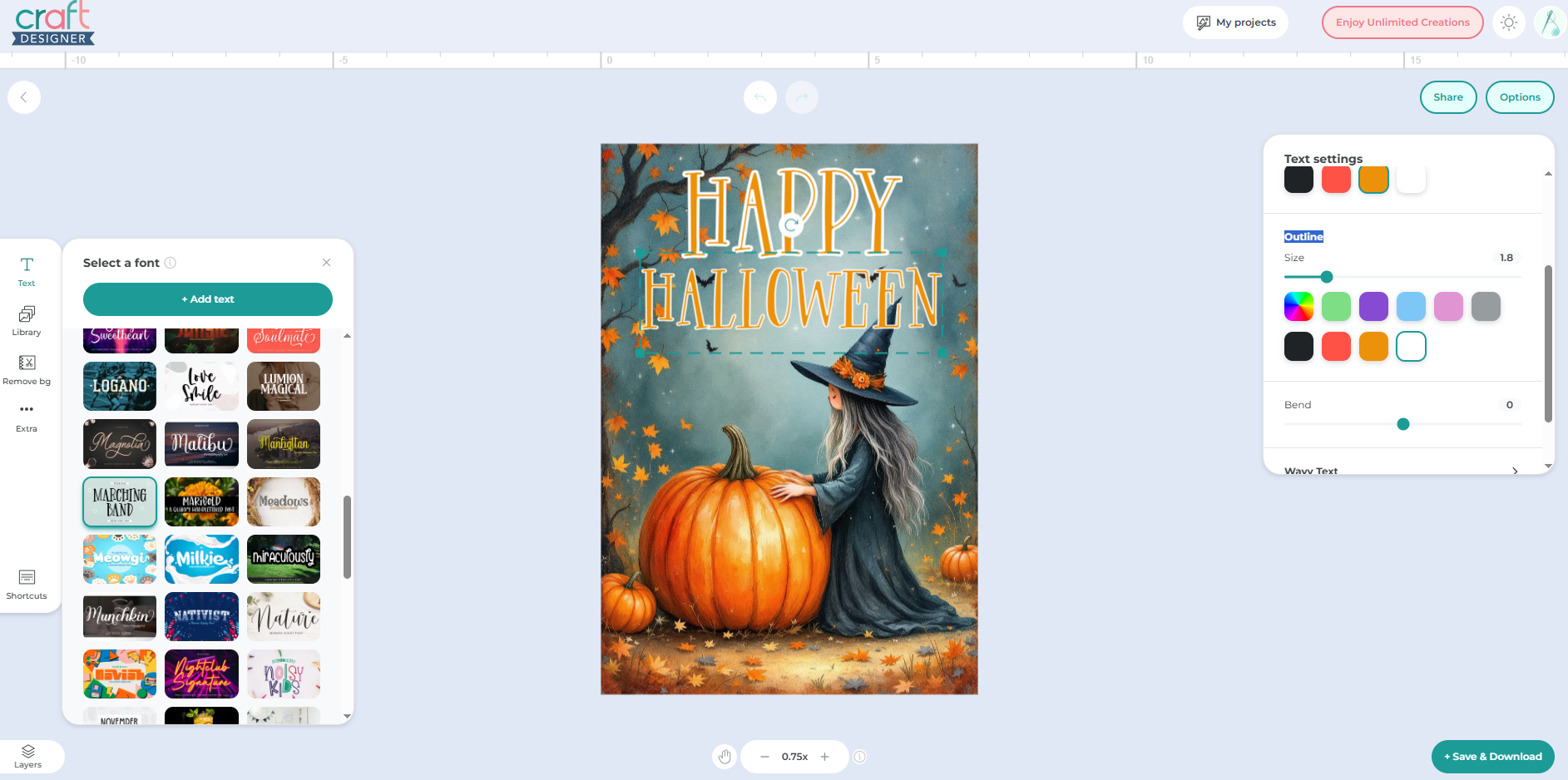
You can also resize your image to fit your flag perfectly, remember, the standard is 12x18 inches, but feel free to adjust based on your needs!
📥 Step 5: Download and Print
Once your masterpiece is complete, just click Save and Download, select your preferred size, and hit that download button.
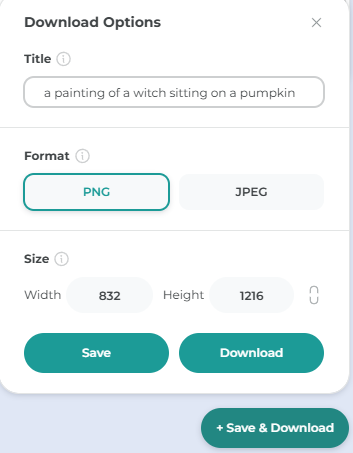
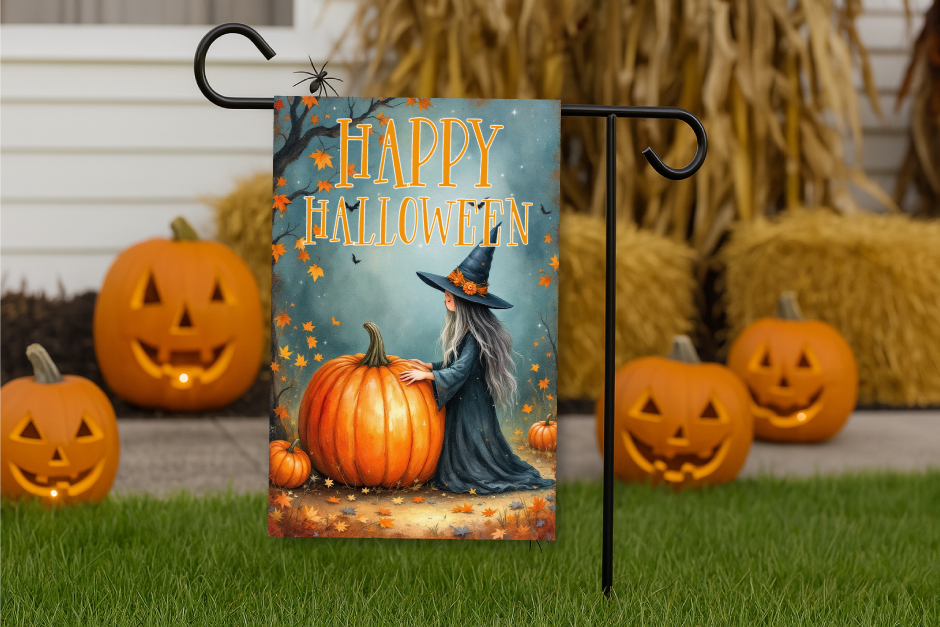
Tada! 🥳 Your custom Halloween garden flag design is ready to print and display!
🎃 Final Thoughts
That’s it, spooky friends! You’ve just created your very own Halloween garden flag, all from the comfort of your screen using the magic of Illustrate AI.
We can't wait to see your festive flags flying proudly in your garden! Don’t forget to tag Designbundles or share your creations, We love seeing what you crafty geniuses come up with. 🧡
Until next time! keep crafting, keep creating, and keep spreading those Halloween vibes. 🎃👻
See you in the next tutorial!