By Kia Lor
How to Add a Cartoon Effect to Photos in Pixascape
Have you ever wondered how you could make your photos look a little more cartoon-like? Well, now you can learn how to do that with this tutorial on adding a cartoon effect to your photos in Pixascape. It is very simple to do in Pixascape, and there are so many different styles!!
Pixascape is available for Silver and Gold Plus Members only at no extra cost. It's a photo editing software that is all online, and you can also access it on your phone! Why not sign up for a free 30 day trial of the Gold Plus Membership today?!
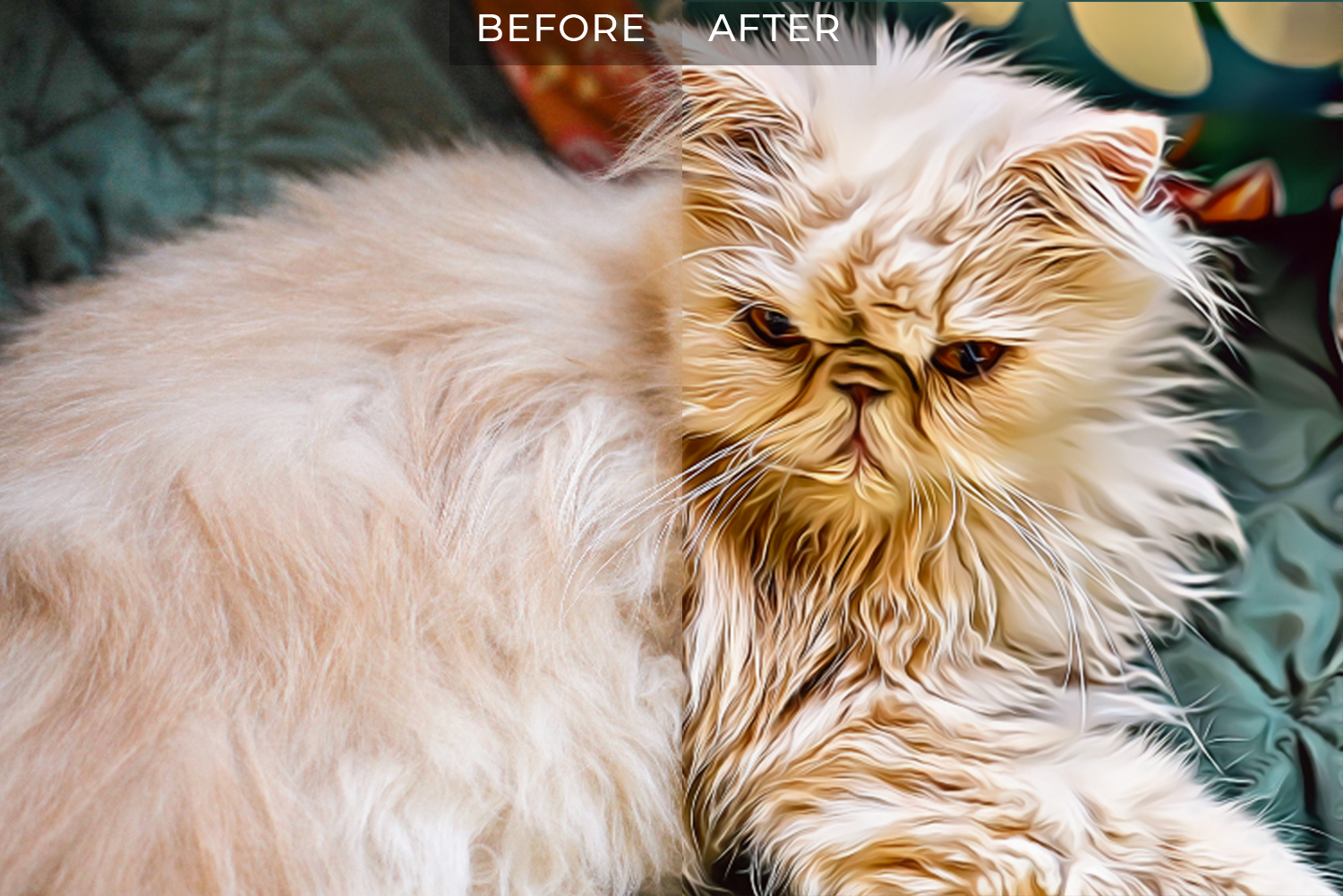
We will use this Persian cat photo to show you how to add a cartoon effect to your photos. You can use any photos you would like, such as photos of your own pets, or you can pick an amazing animal photo from Design Bundles to test cartoon effects on.
Before we begin, open your photo in Pixascape.
Step 1 - Enable Cartoonizer
Click the Effects button in the left toolbar. The Effects icon looks like a magic wand. Then select Cartoonizer.

Step 2 - Select a Cartoon Style Effect
On the left, click the cartoon effect you would like to try on your photo.
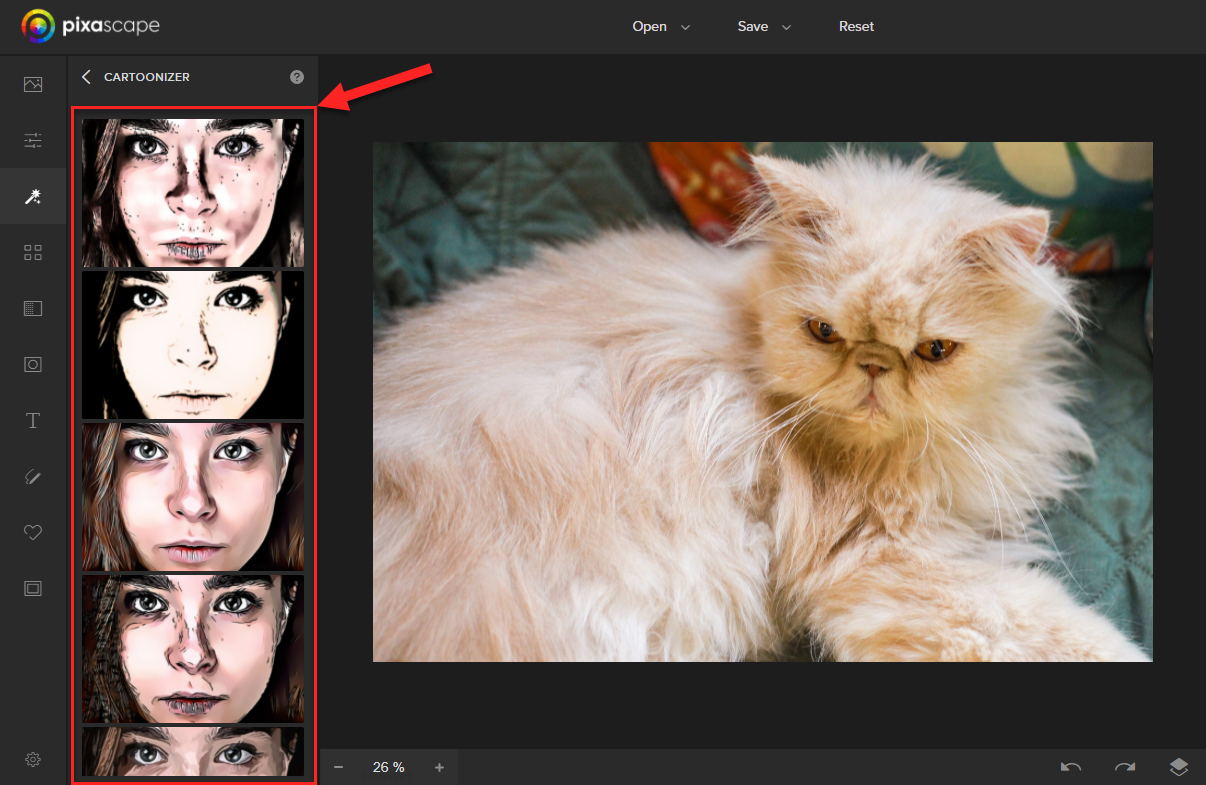
After selecting a cartoon effect, you may have to wait for Pixascape to prepare the image.
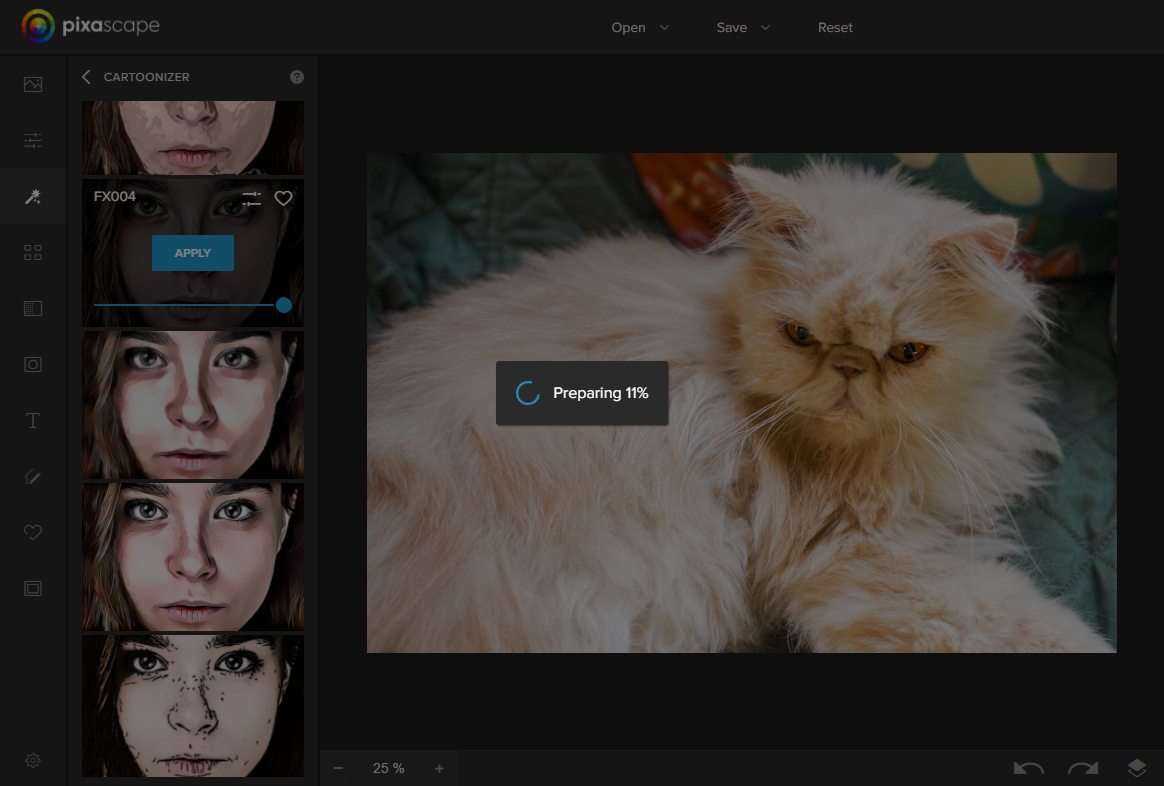
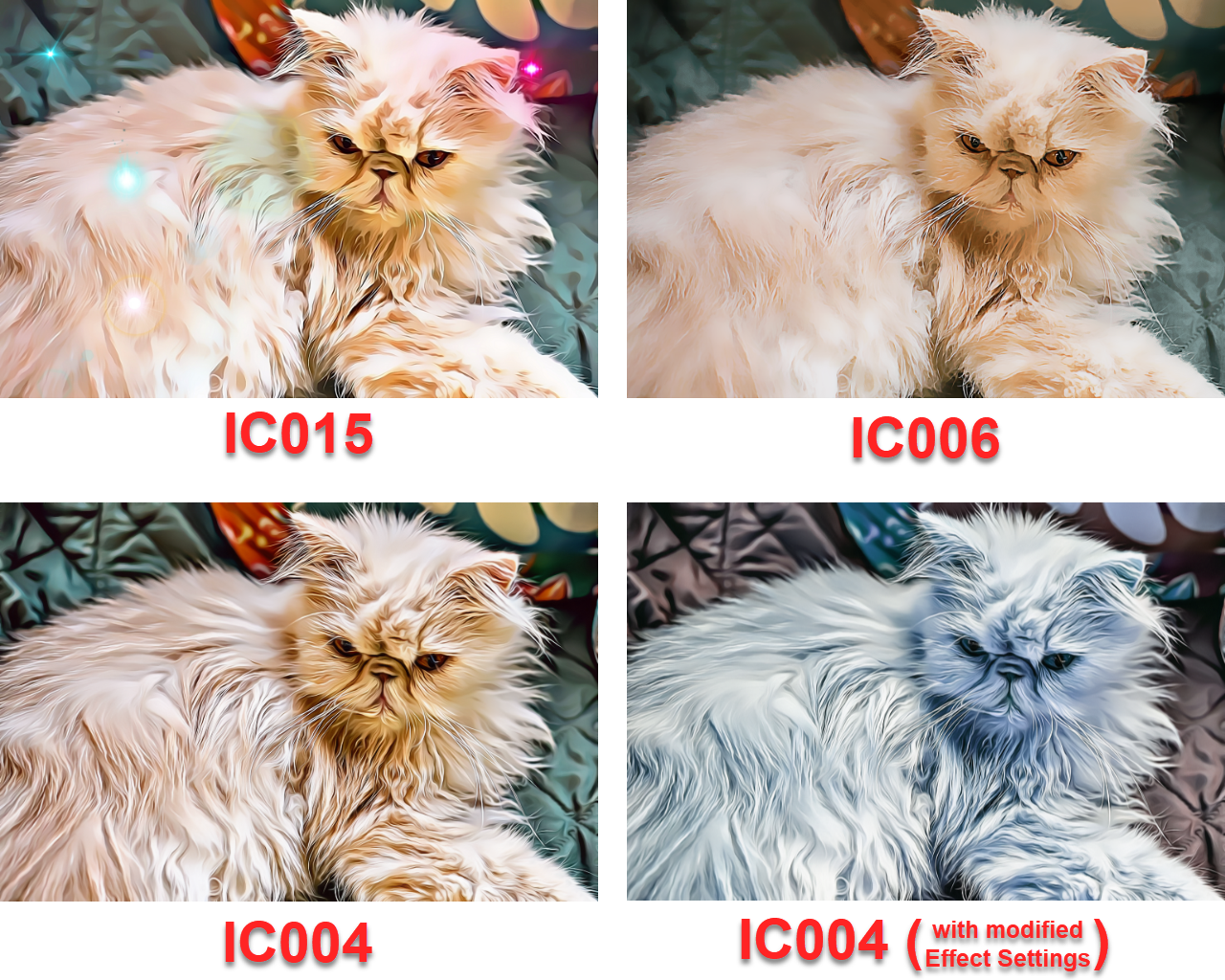
There are several different cartoon effects you can choose from. The following image shows some examples.
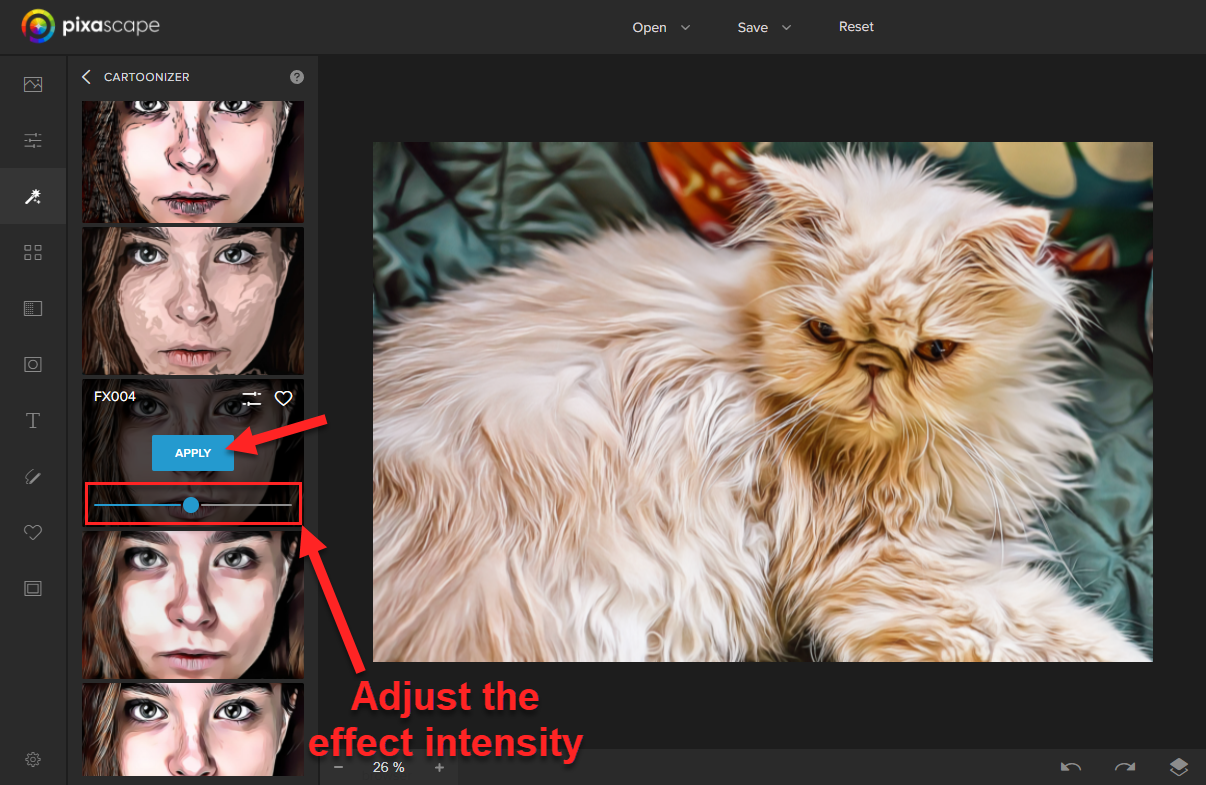
Step 3 - Adjust and Apply the Cartoon Effect
You can use the blue sliding bar to adjust the intensity of the cartoon effect. If you're happy with your image, click the blue Apply button.
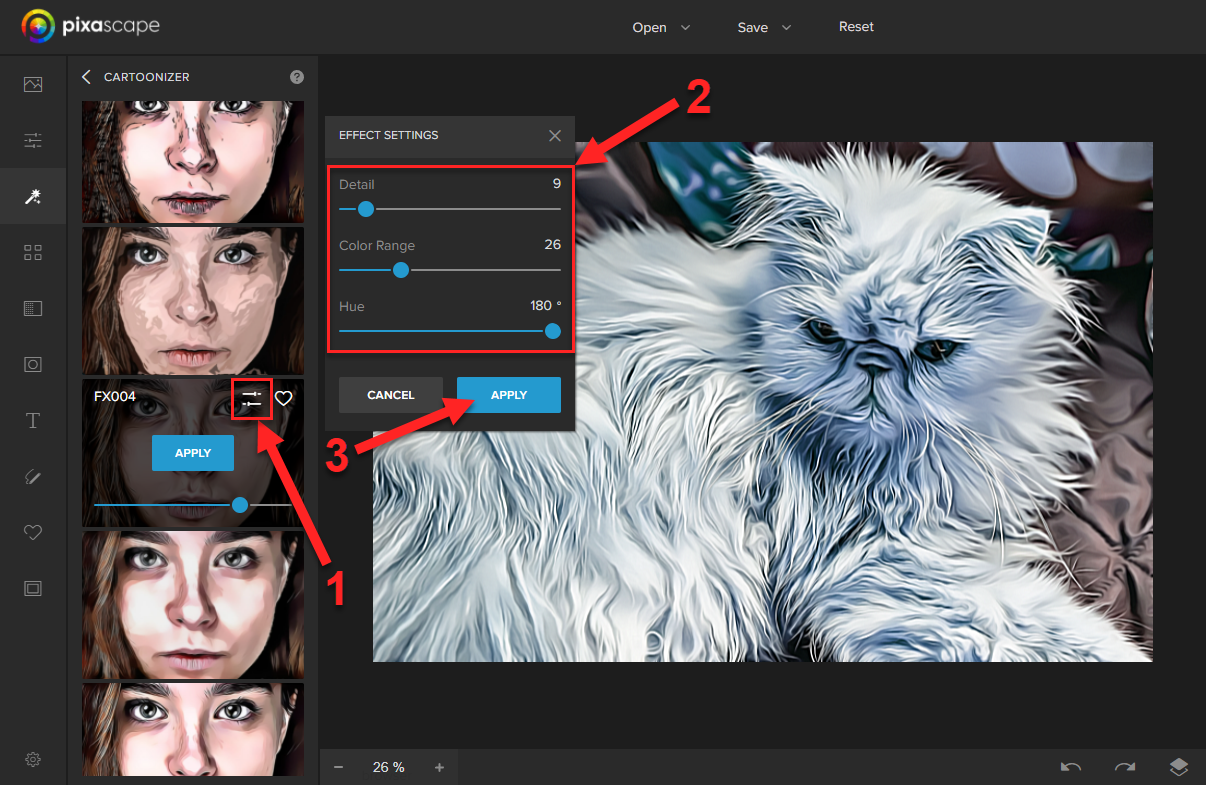
If you would like to fine-tune the cartoon effect some more, click the Effect Settings icon next to the heart icon. Then adjust the Detail, Color Range, and Hue settings to your liking.
Once you are done with the adjustments, you can do one of the following:
- Click the Cancel button to remove all the adjustments made so far in the Effect Settings popup.
- Click the blue Apply button to apply the cartoon effect and all the adjustments.
- Click the x button in the top-right corner of the Effect Settings popup to close the popup and keep the adjustments made. Use this button when you want to go back to change the intensity of the effect. The x button will not apply/commit any changes.
After you click one of the Apply buttons, a little message will pop up to let you know that the changes have been applied.

And that's it! Adding a cartoon effect to photos in Pixascape is truly that easy!!