
By Design Bundles
SCAL Tutorials2 min
Creating spiral text in Sure cuts a Lot 4.
*Note-SCAL4 pro used.
1-Open SCAL4 software.
2- Click and hold on the shape tool. a drop down menu will appear and click on the spiral option.
3-Click and drag to create a spiral to the size you need.
4- Click on the text tool and hold. The drop down menu will appear and select the text on path option.
5- Start typing your text. The text will follow the spiral.
6- If you have a few gaps at the tight end of the spiral, they can click before the text and press the space bar. this will move your text slightly so it becomes more pleasing to the eye.
1-Open SCAL4 software.

2- Click and hold on the shape tool. a drop down menu will appear and click on the spiral option.
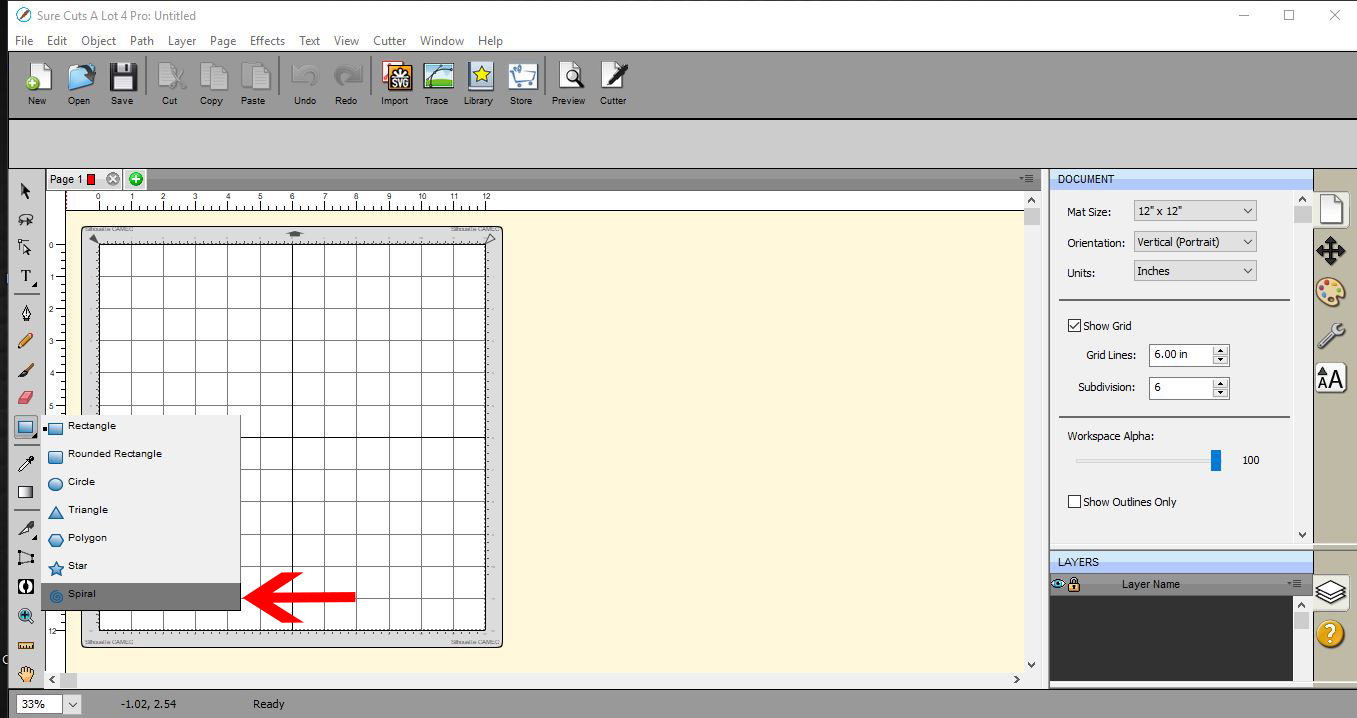
3-Click and drag to create a spiral to the size you need.
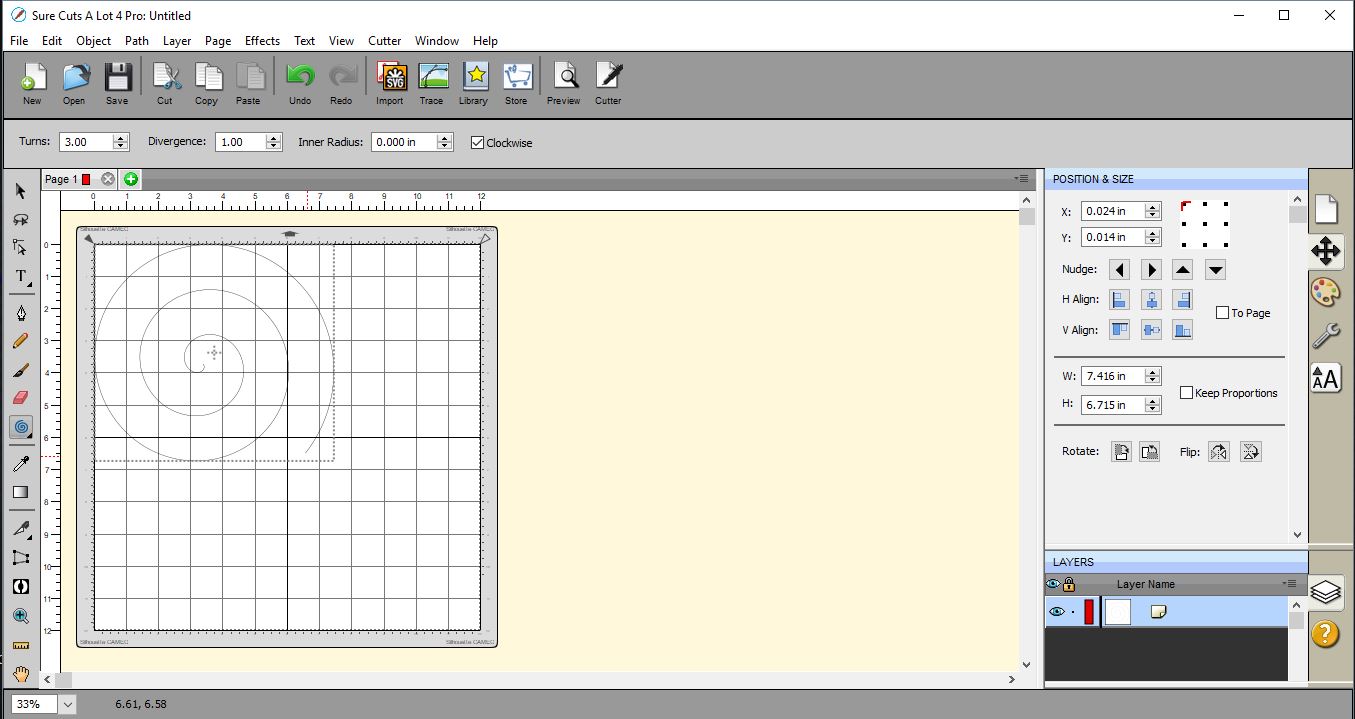
4- Click on the text tool and hold. The drop down menu will appear and select the text on path option.
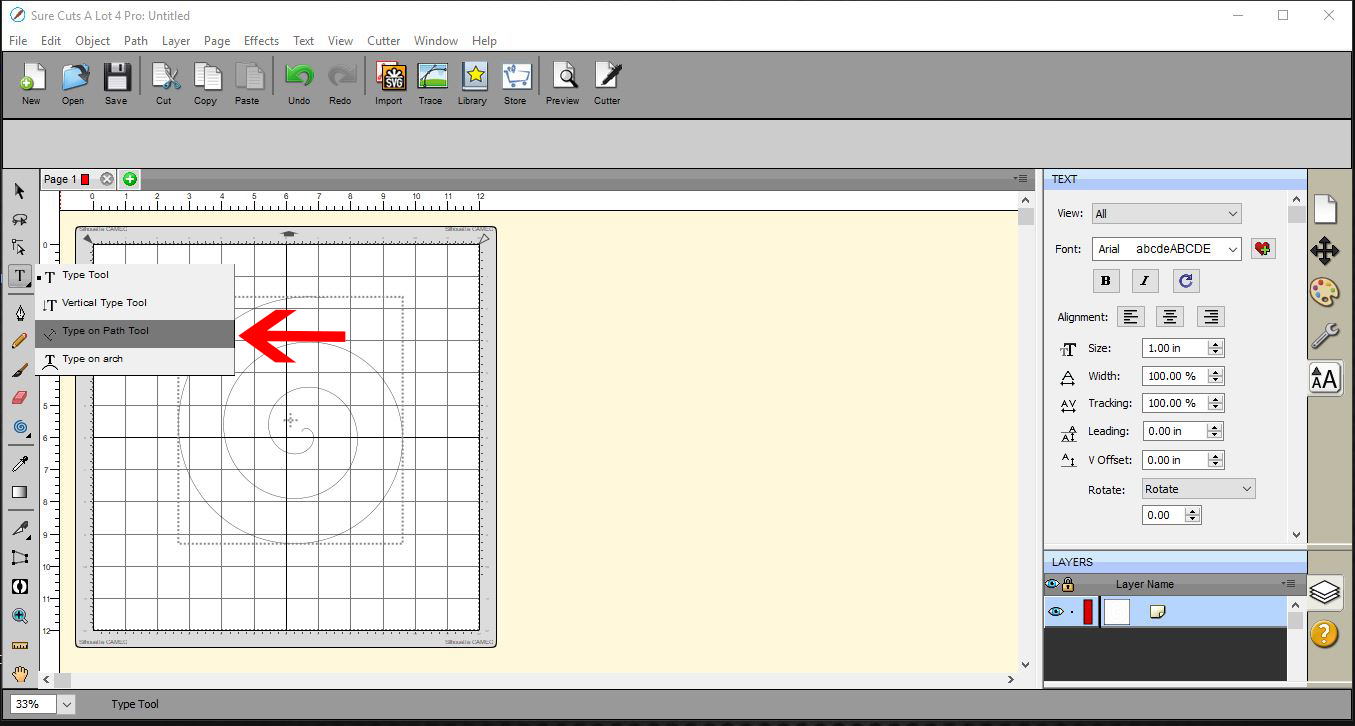
5- Start typing your text. The text will follow the spiral.

6- If you have a few gaps at the tight end of the spiral, they can click before the text and press the space bar. this will move your text slightly so it becomes more pleasing to the eye.

Related Tutorials
SCAL Tutorials
How to create Curved text in Sure Cuts A Lot 4
SCAL Tutorials
Sure Cuts A Lot 4 Basics - The Text tool
SCAL Tutorials
Sure Cuts a Lot 4 Basics - Text Panel
SCAL Tutorials
Arched text effect in Sure Cuts a Lot 4
SCAL Tutorials