Get Unlimited Access to Thousands of Premium Fonts and More! Start Creating for Free Now

FontBundles.NET
Pricing
FontBundles.NET

Categories

New

Account

Start Free Trial
How to Adjust the Rollers on Silhouette Cameo or Portrait

By Design Bundles

How to Adjust the Rollers on Silhouette Cameo or Portrait

Discover how to easily adjust the rollers on a Silhouette Cameo or Portrait for various sized media.

In this super quick and easy tutorial, learn how to adjust the rollers on a Silhouette Cameo or Portrait. If you are not using a mat and the media is less than 12 x 12 inches, the rollers need to be adjusted. Other times you may need to adjust to stop the mat or material from sliding around. We will guide you through the simple steps to do this.

Step 1 - Turn the Machine Lever

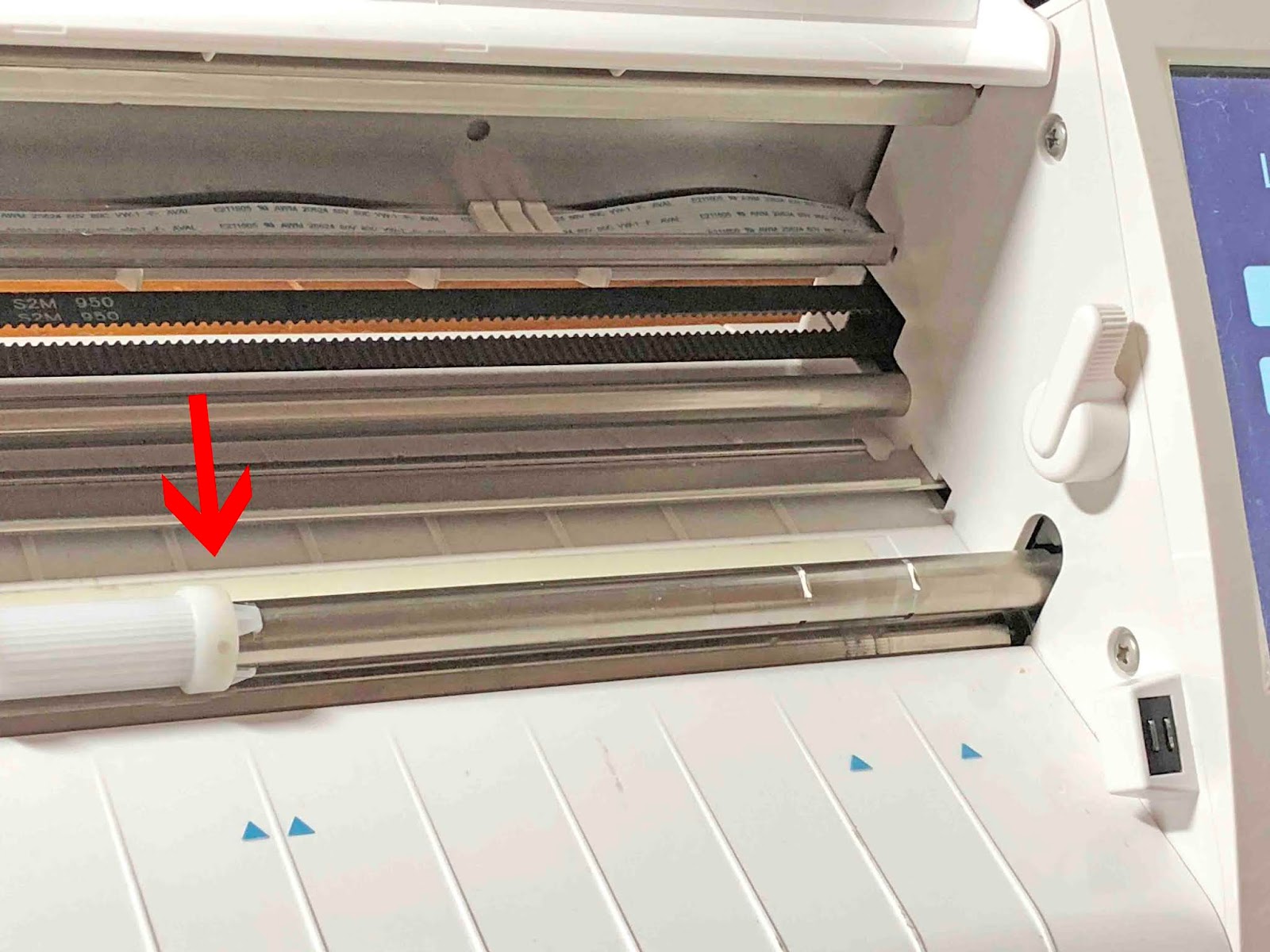
Open your Cameo or Portrait and locate the machine lever inside on the far right. Now turn this clockwise. Don’t use any tools as this may cause damage. The lever should be easy enough to turn.
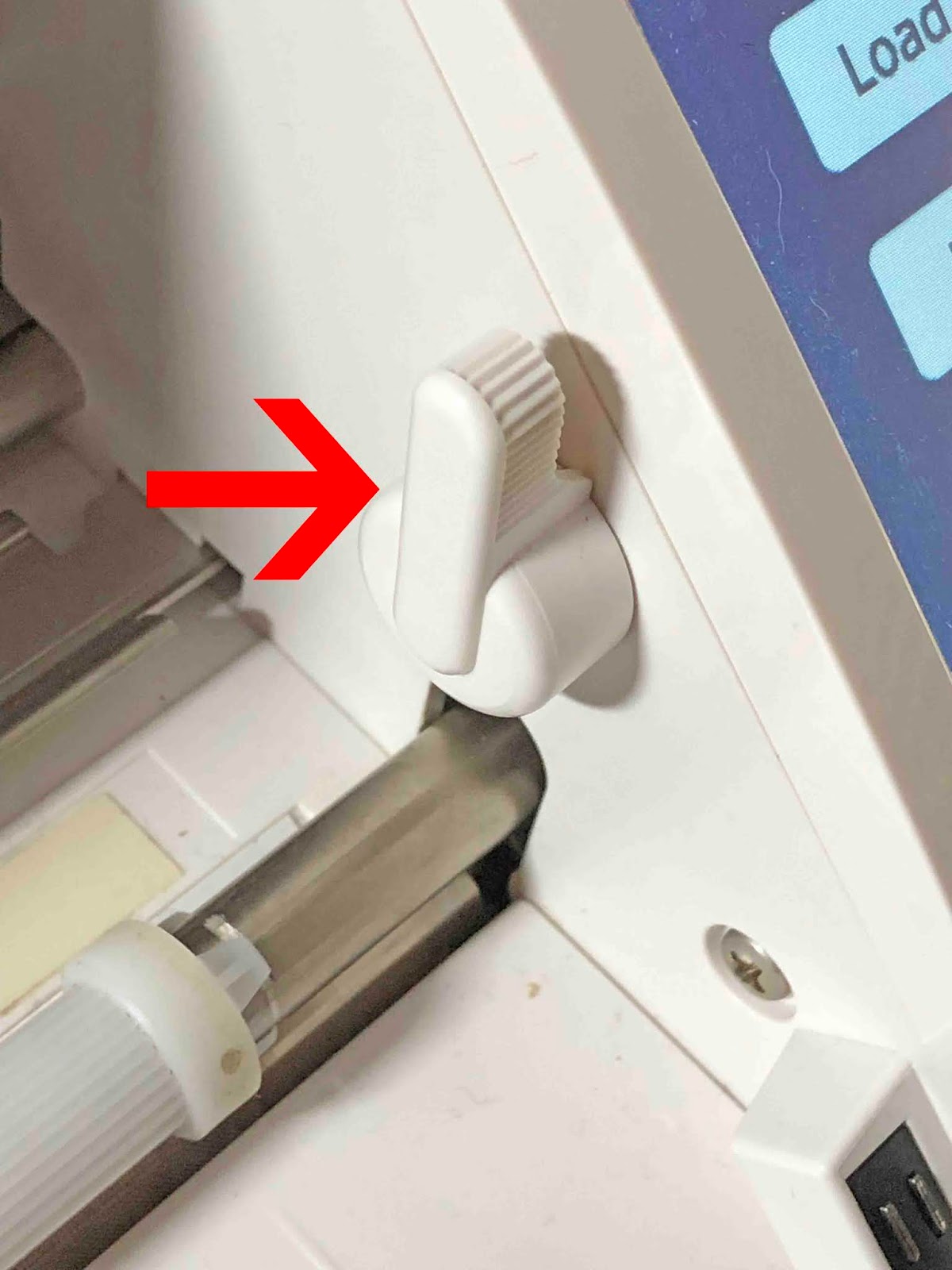
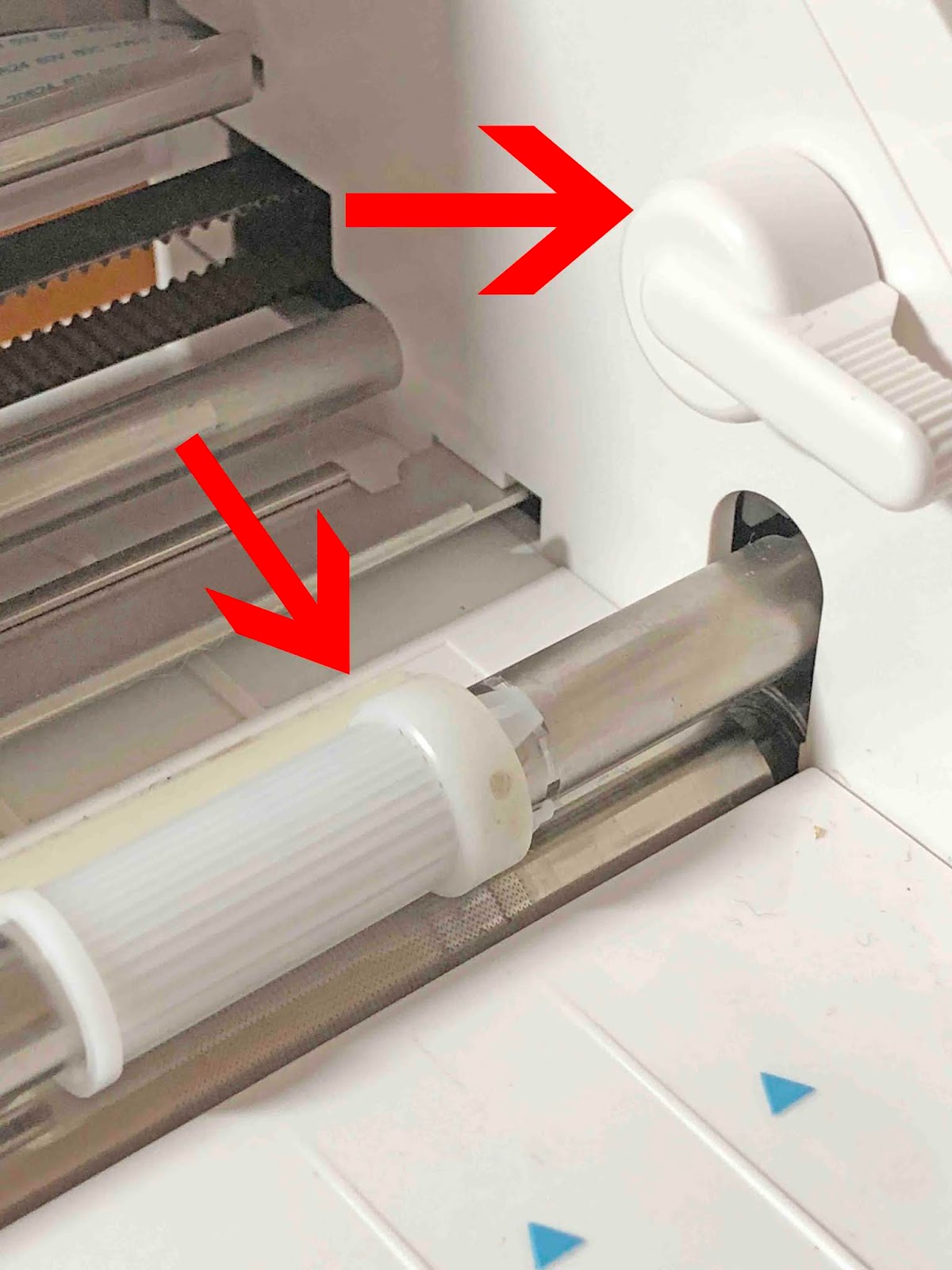
Once the lever has been turned clockwise, the roller bar will lift up.
Step 2 - Adjust the Plastic Roller

Carefully twist the white plastic roller to remove it from the notches on the roller bar.
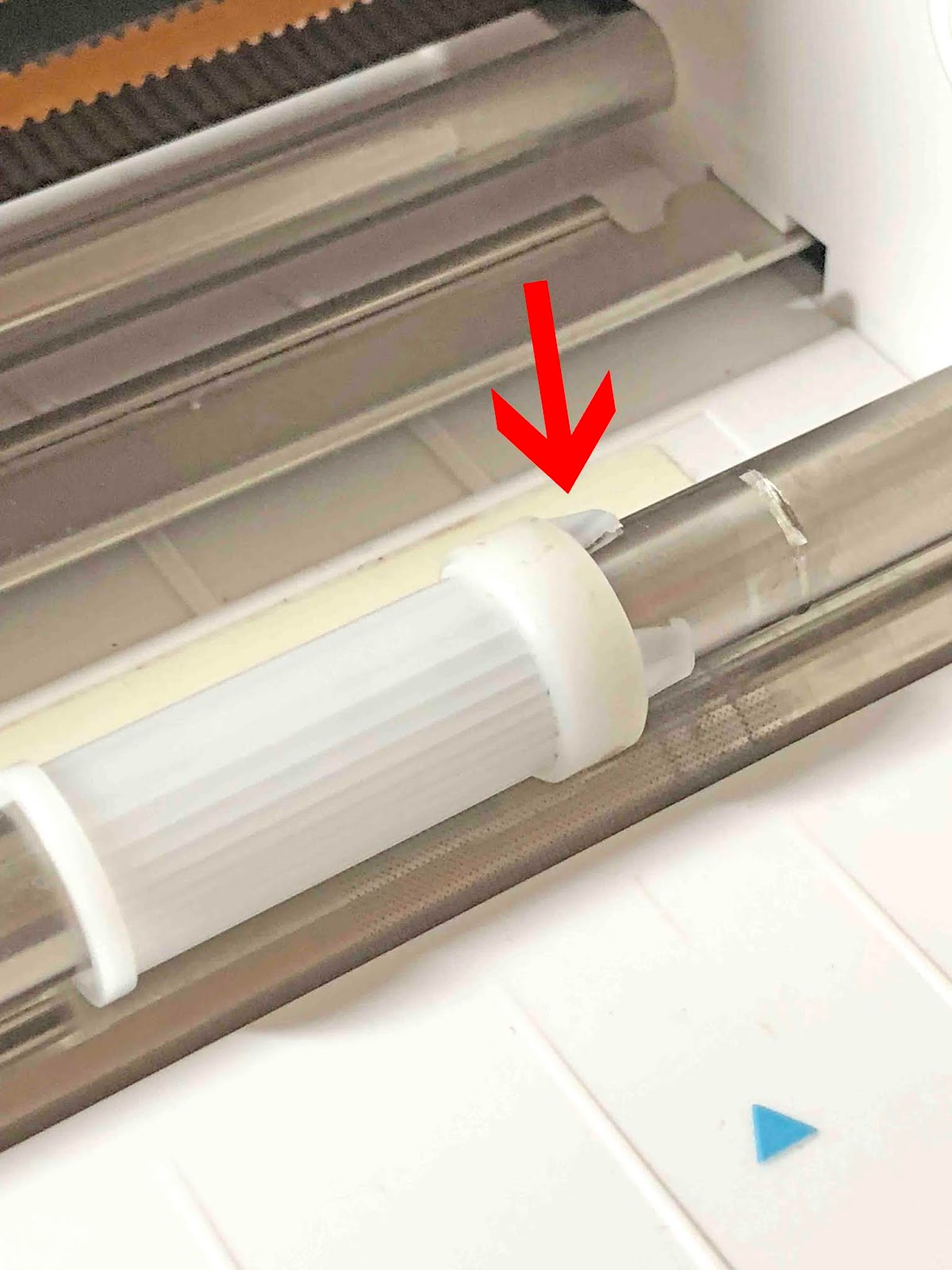
Slide the plastic roller to one of the other notches on the bar. Choose one that you need for your media size then click it in place. Finally, move the handle back to the original position.
Now you are ready to start cutting. Remember to be gentle with your machine while adjusting the lever and rollers. The Silhouette Cameo and Portrait make it so straightforward to adjust for various sized materials!

Related Tutorials

Silhouette Tutorials

How to Use Your Silhouette Studio Library on More Than One Computer

Learn how to access your Silhouette Studio Design Edition library on up to 3 different devices!
Cricut Tutorials

How to Make Circle Monograms for Cricut or Silhouette

Learn how to create a Circle Monogram for Cricut Design Space or Silhouette Studio.
Font Tutorials

How to Install Fonts on a Windows PC or Mac

Discover how to easily install your purchased fonts to your Windows PC or Mac
Silhouette Tutorials

How to Reinstall Silhouette Studio on to Your Computer

If you need to reinstall Silhouette Studio on your PC, this tutorial will help you out.

Keep going

You may also like

All silhouette tutorials
The weekly drop

Fresh tutorials, trends & free files.

Join 6 million makers getting our best craft guides and exclusive freebies straight to their inbox.

No spam. Unsubscribe anytime.
Adjust the Rollers on Silhouette Cameo | Design Bundles