By Design Bundles
Silhouette Tutorials3 min
How to color and cut digital files in Silhouette
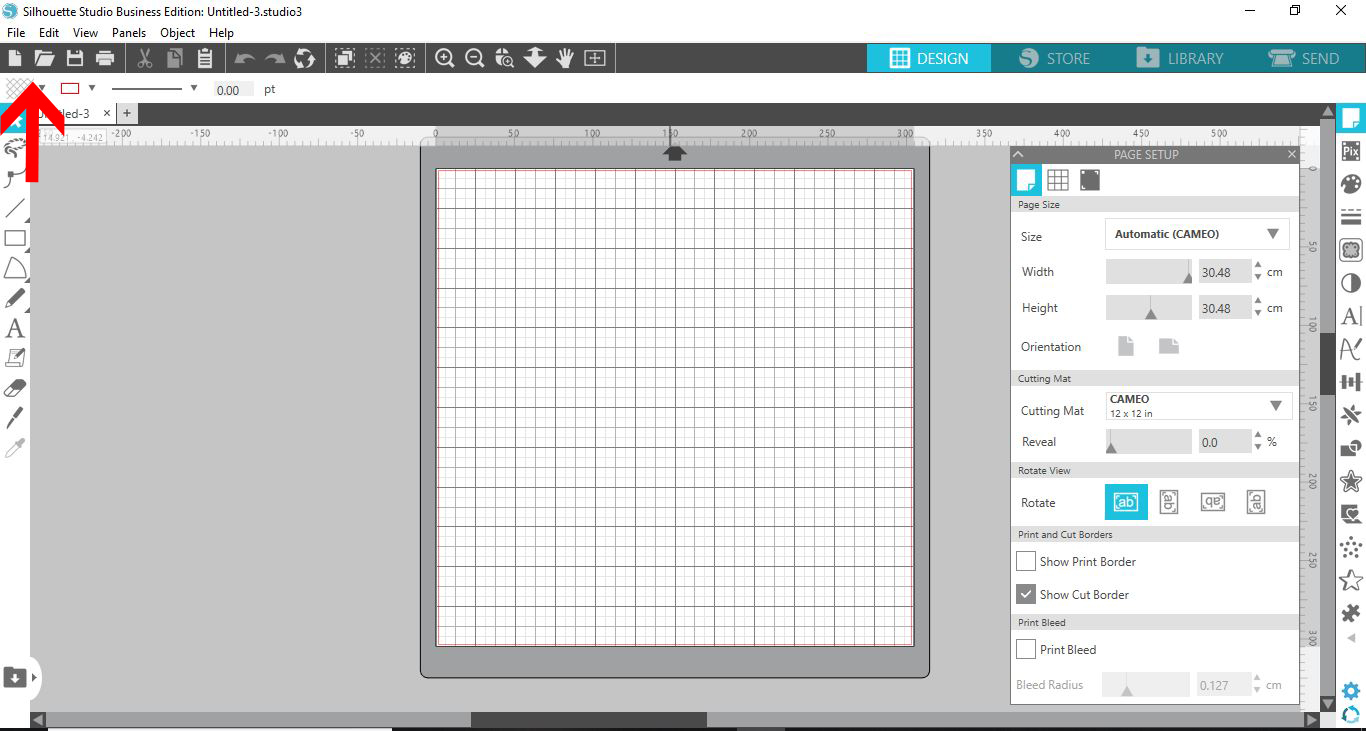
1- Open Silhouette studio. Click on the open folder.
2- Insert your design. I am using Patterned animals from designbundles.net
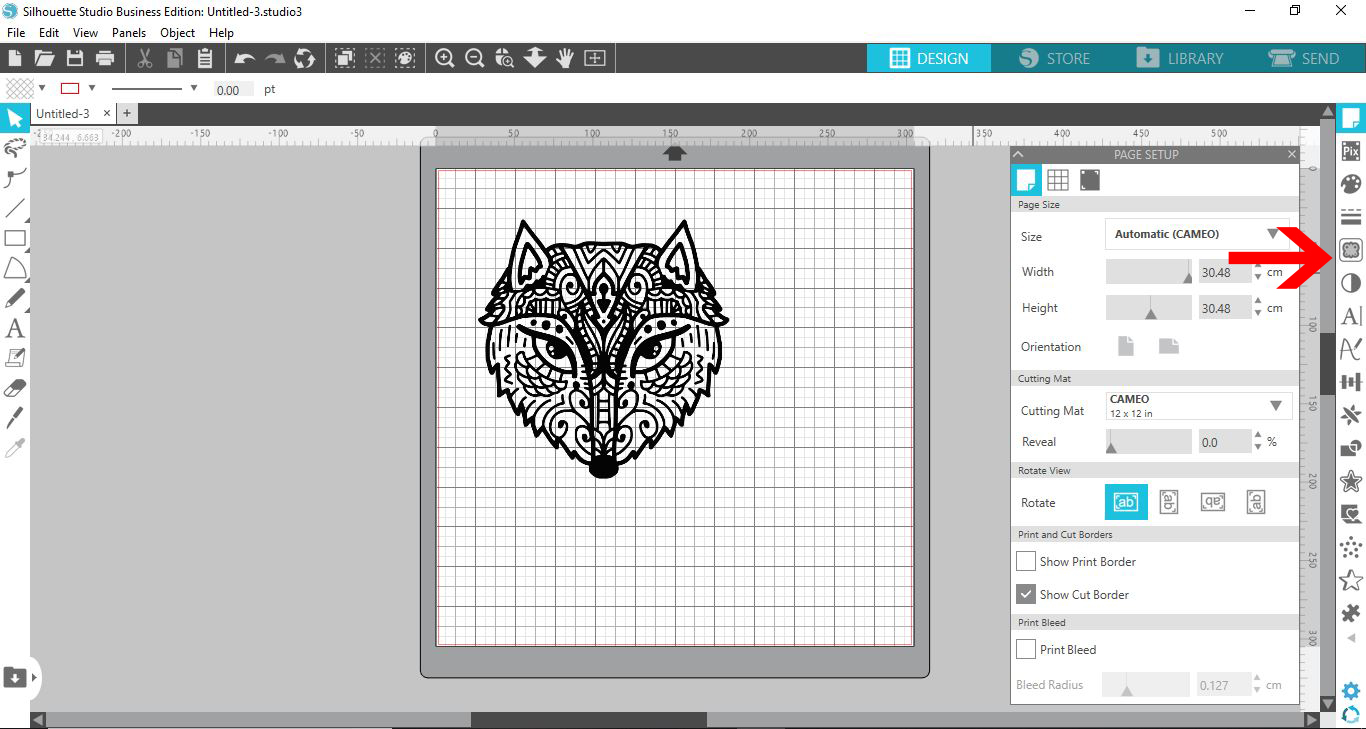
3- Select the trace panel and trace your design.
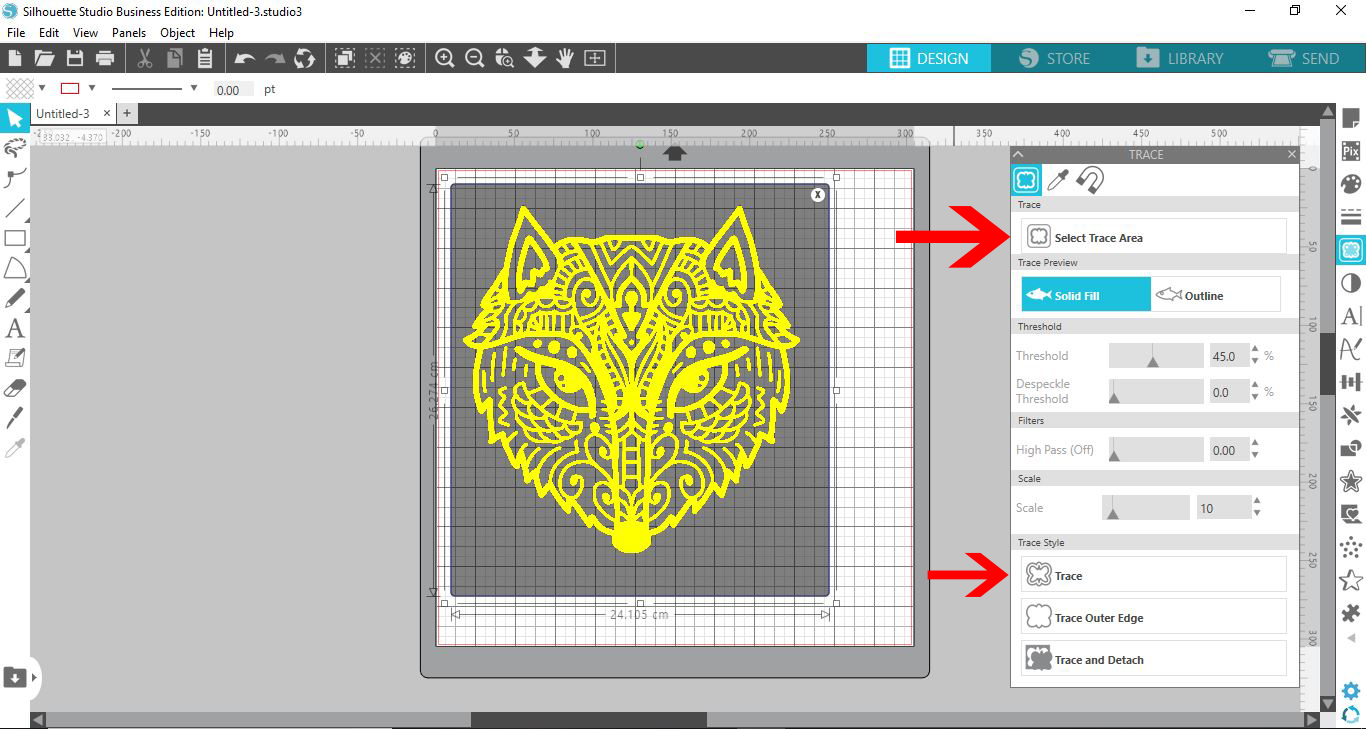
4-Move the original design from the traced design.
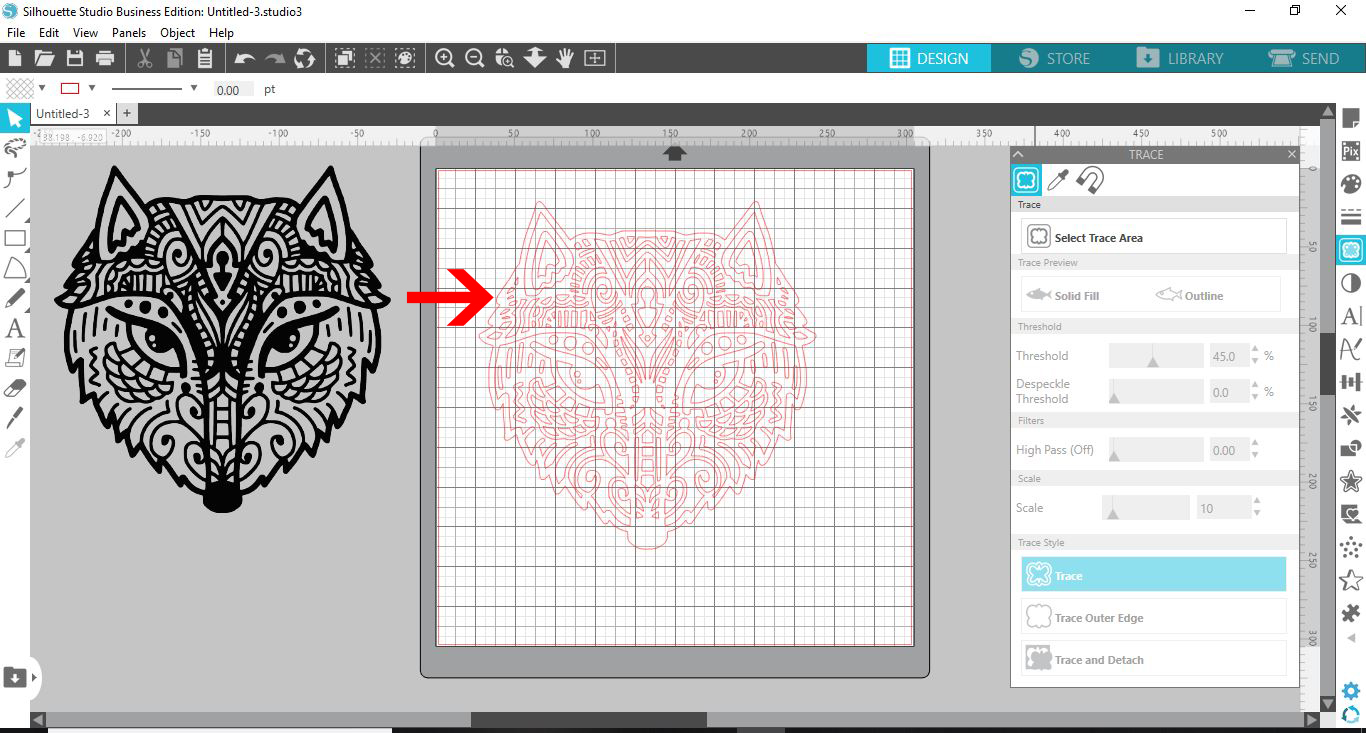
5- Select the traced design. Right click and select release compound path.
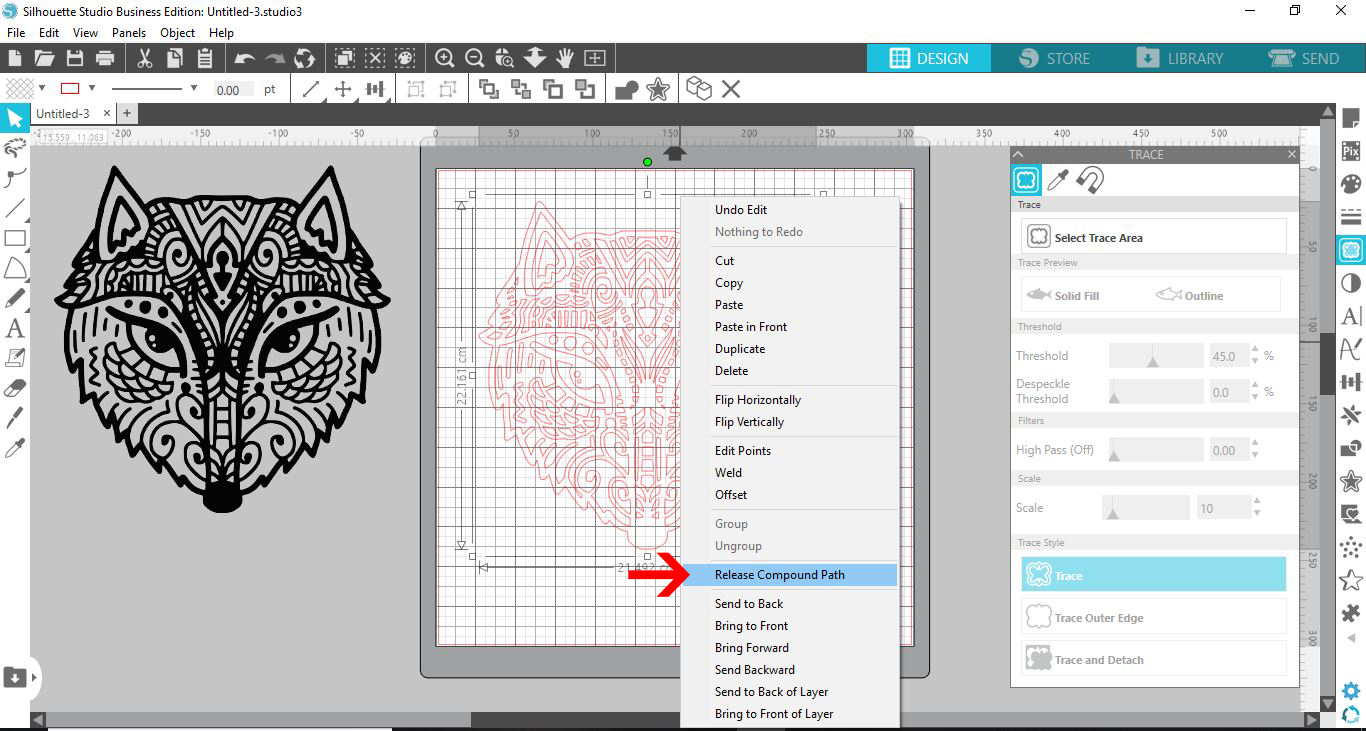
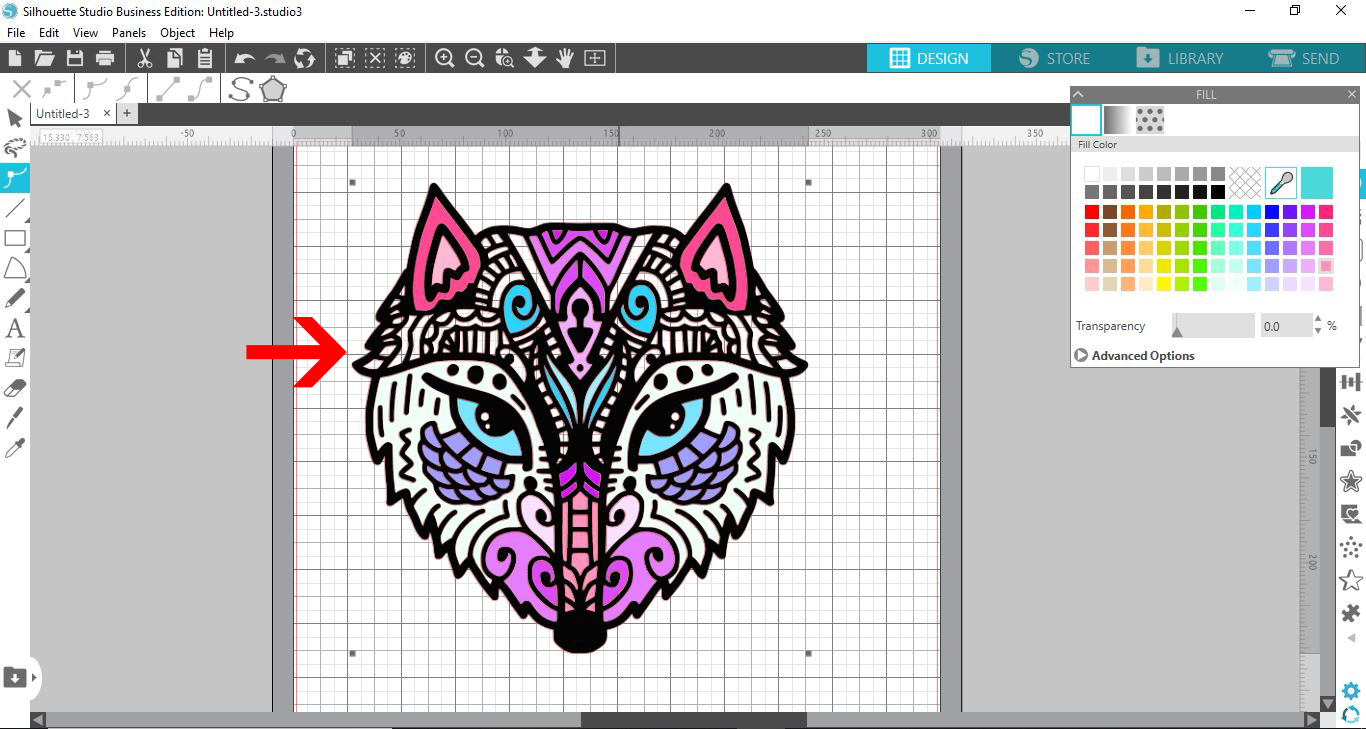
6- Select the fill panel. Select a part of the design and fill with a color. You can also use a fill pattern if you choose.
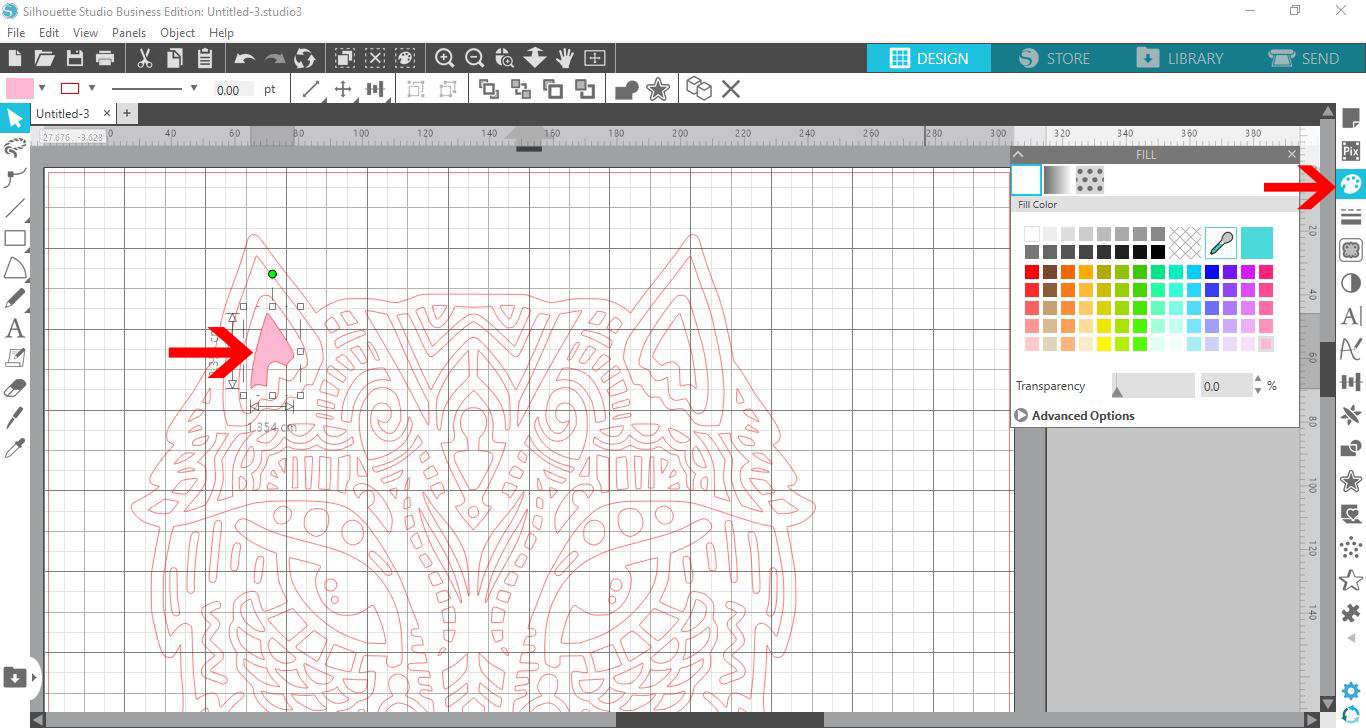
7- Repeat filling parts of your design.
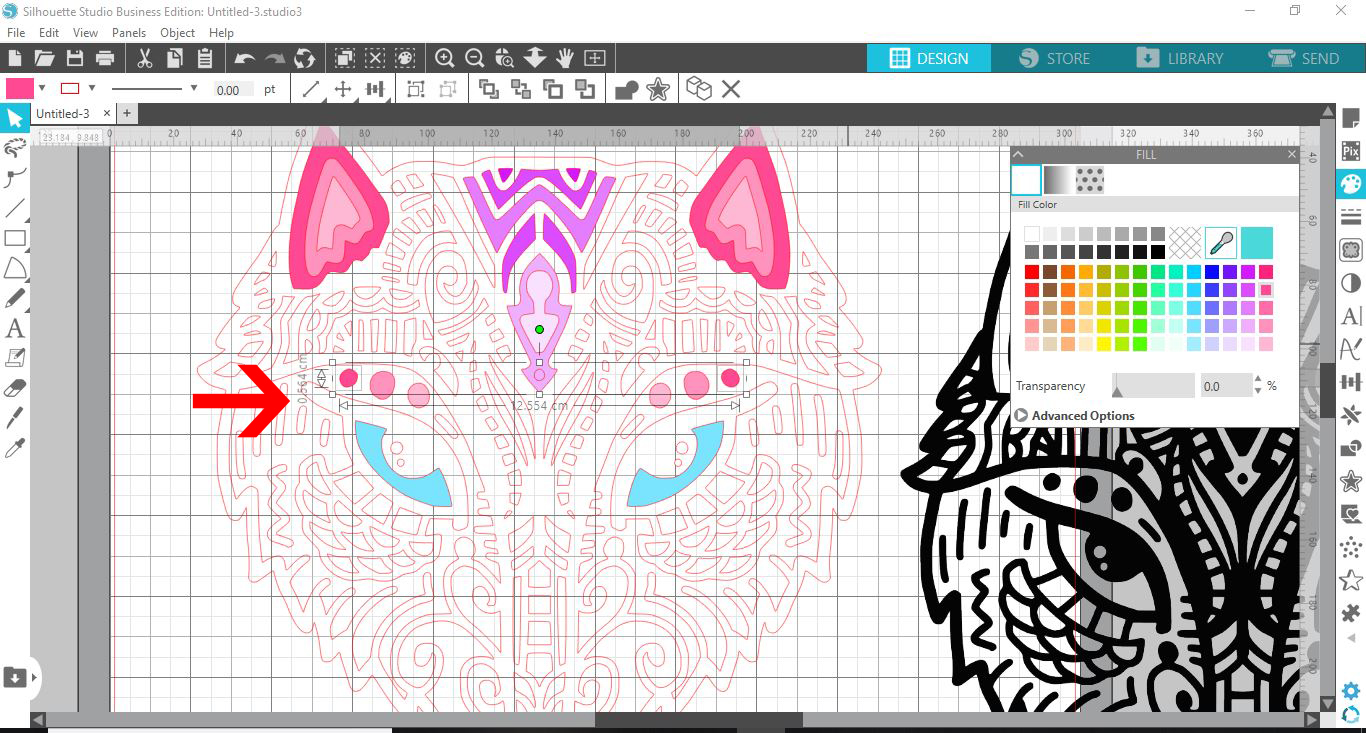
8- When you are happy with the filling color, drag the original image (png/svg) over the colored design.
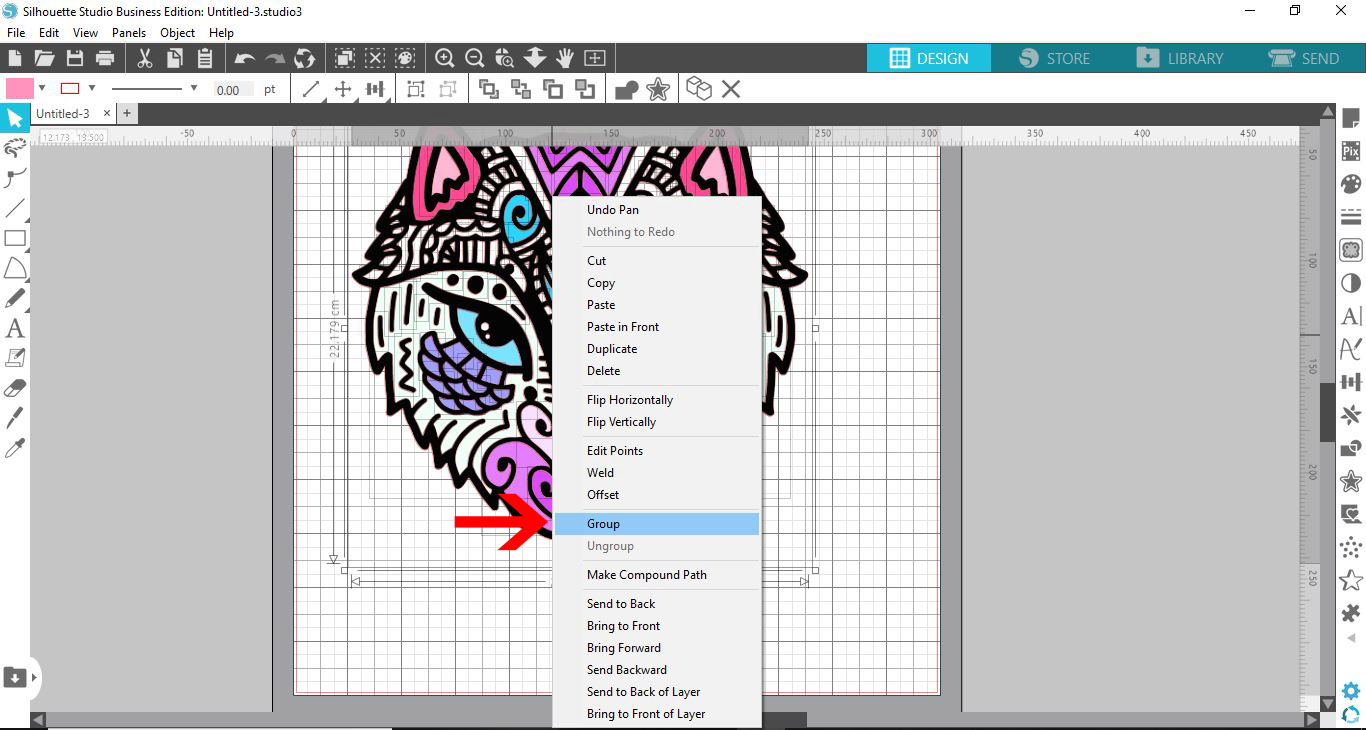
9- Select all and right click. Group.
10- When you go to the send screen, you will see that all parts of the design will cut. When you print and cut you only want the outer edge to cut.
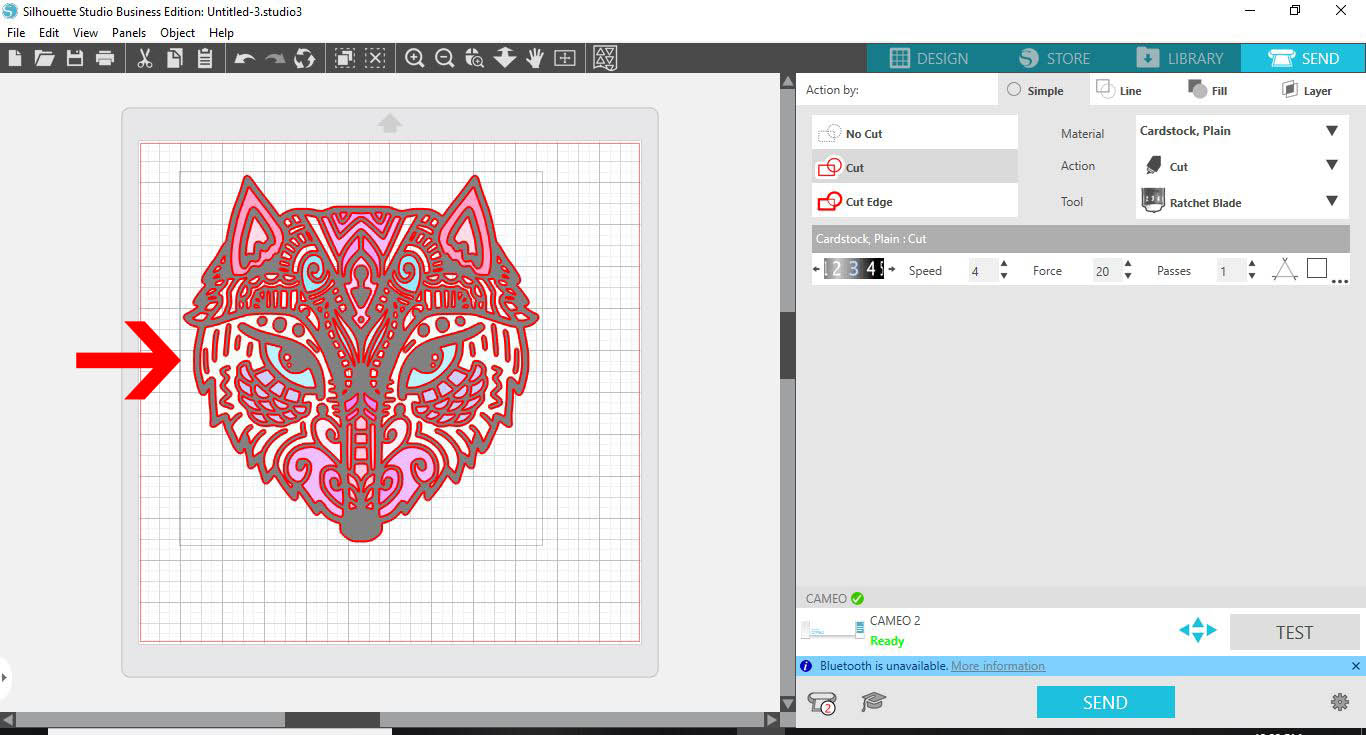
11- With all of the image selected. click on no cut.

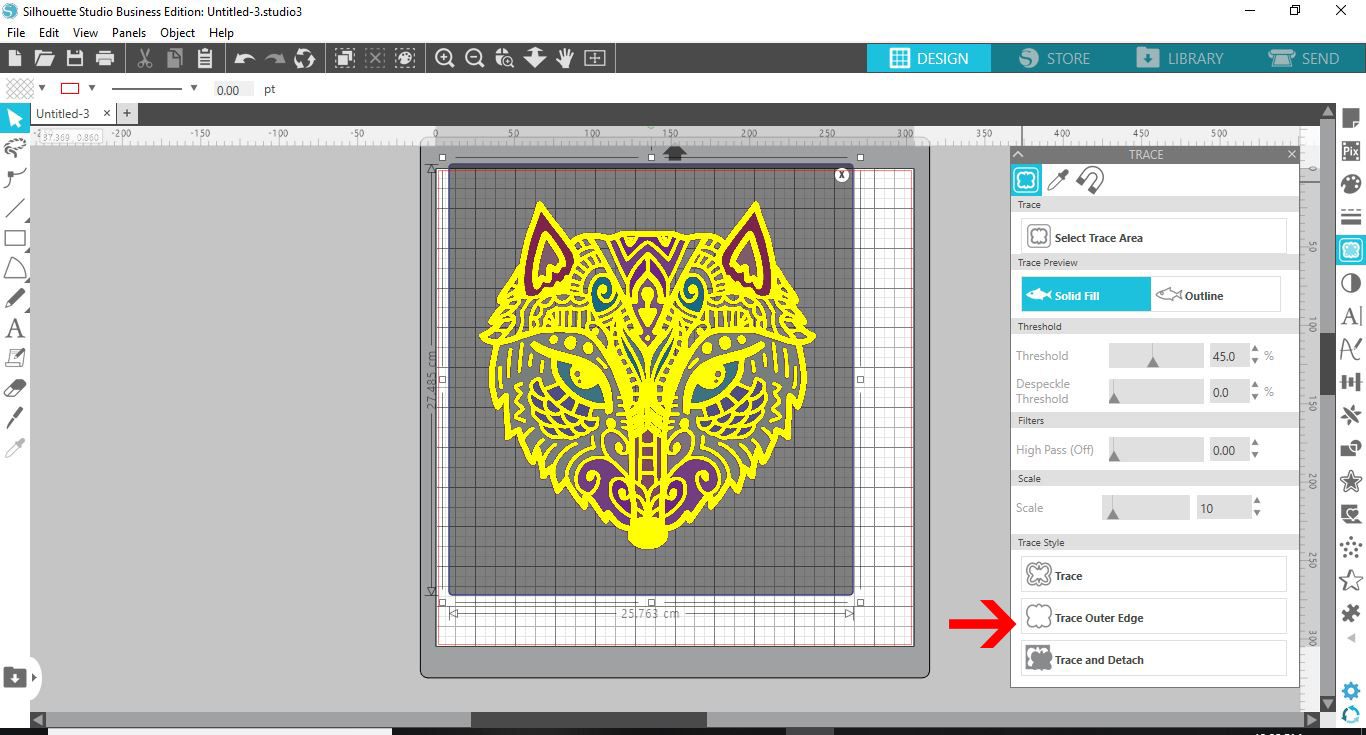
12- With the design still grouped. Click on the trace panel. then select the trace area icon.
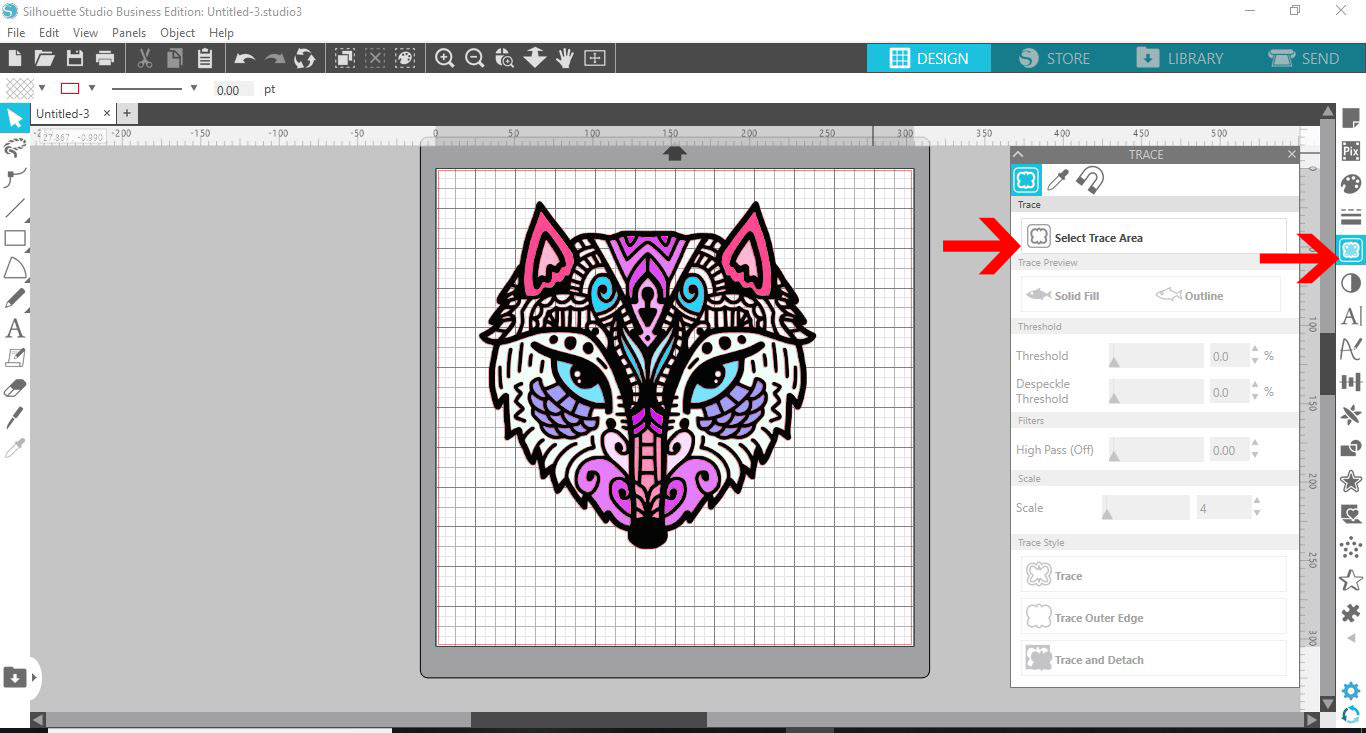
13- Click on trace outer edge.
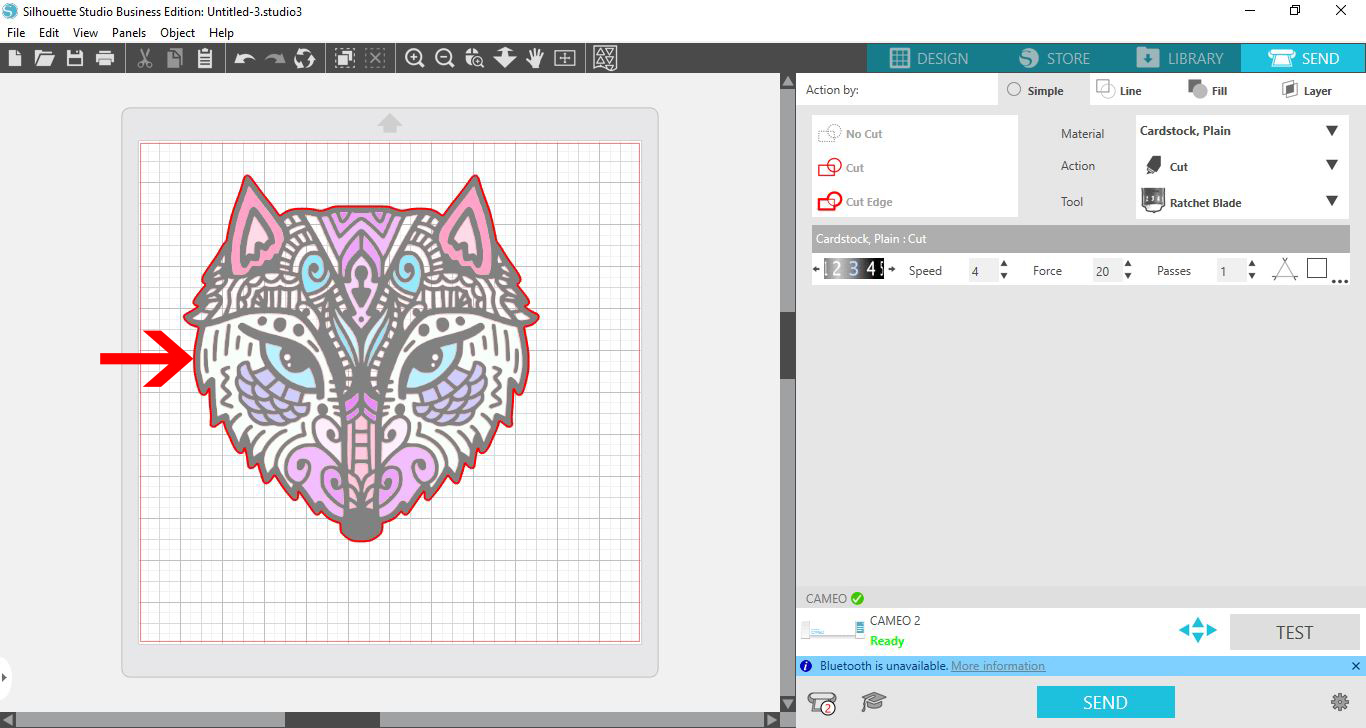
14- Now when you go to the send screen, you can see just an outline to cut. Print your design then cut.
Related Tutorials
Silhouette Tutorials
How to Use Silhouette Files in Cricut Design Space
Discover how you can use your Silhouette Studio file in Cricut Design Space.
Silhouette Tutorials
Removing Unwanted Cut Lines in Silhouette Studio
Today, we'll show you three methods of removing unwanted cut lines in Silhouette Studio.
Silhouette Tutorials
How to Change Patterns on SVG Files in Silhouette Studio
Silhouette Tutorials
How to Use Advanced Color Settings in Silhouette Studio
Discover the Advanced Color Settings in Silhouette Studio!
Silhouette Tutorials
How to use SVG Files in Silhouette Studio
In this tutorial, learn how to upload and use SVG file in Silhouette Studio.
Silhouette Tutorials
How To Convert and Cut an EPS file in Silhouette Studio
In this tutorial we will show you two methods to convert and cut an EPS file in Silhouette Studio.