By Design Bundles
Silhouette Tutorials1 min
How to use a foil quill made file in Silhouette studio
1- Open silhouette studio . Click on the open file icon.
2- Select your foil quill foil.
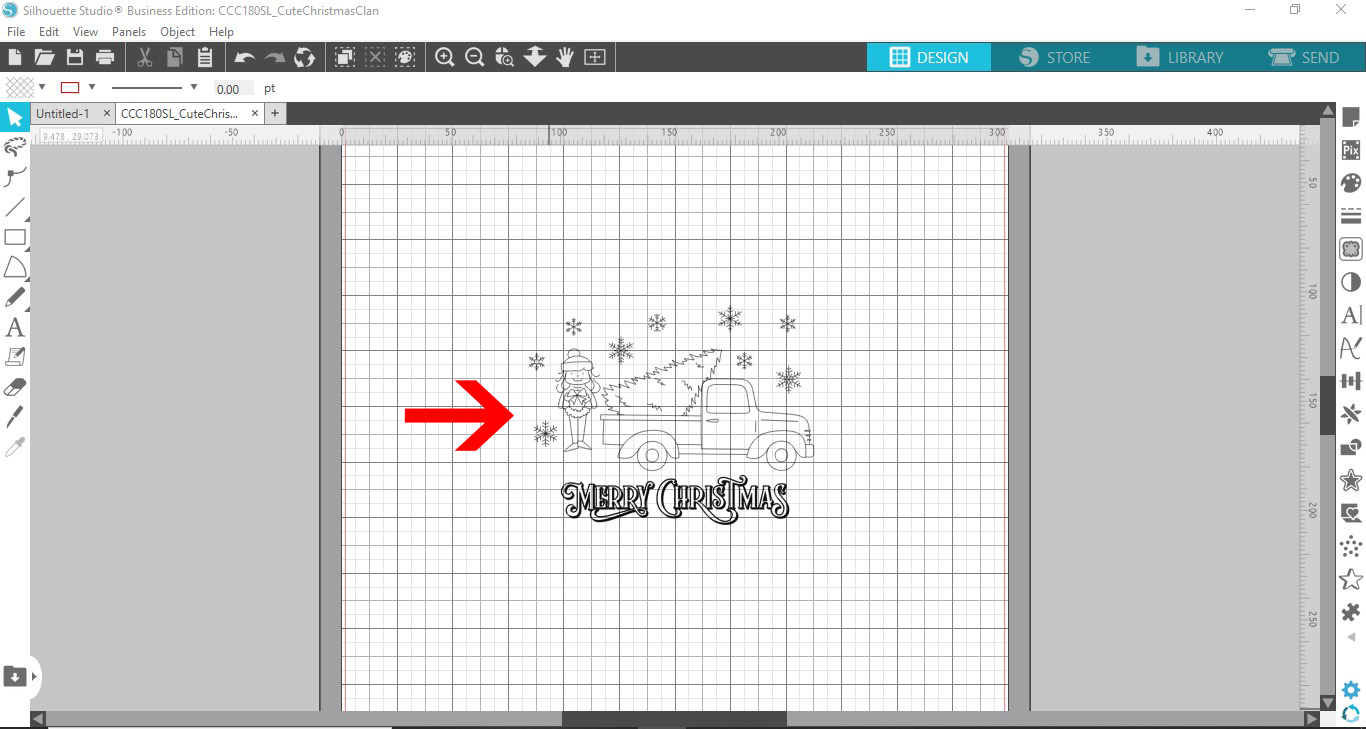
3- Your foil will appear on your design space. As you can see the images are single line designs.
4- Select the images, then right click and ungroup.
5- Rearrange the images to create a design. or you can just use one of them.
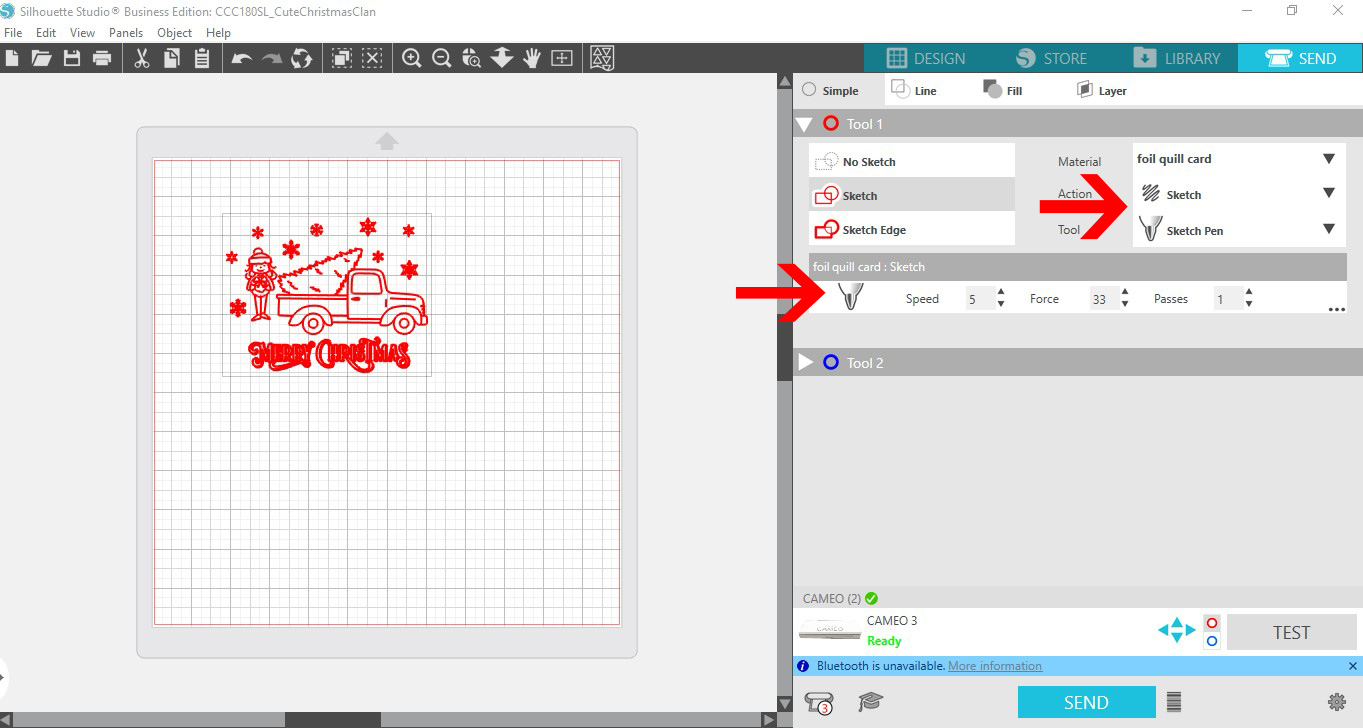
6- Click on the send screen. Select the sketch option and the media you are using.
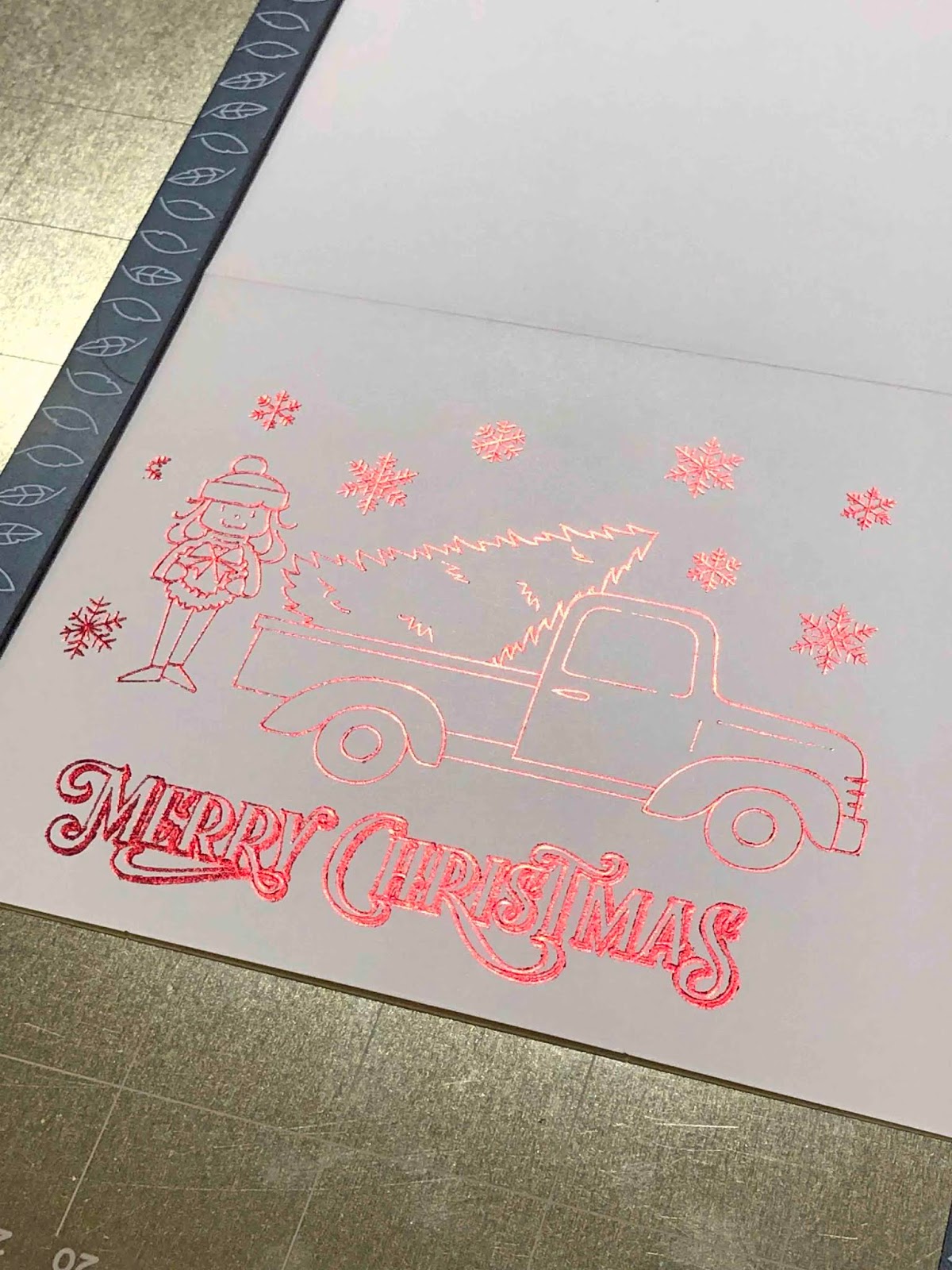
7- Your quill design is not transferred on to your media.
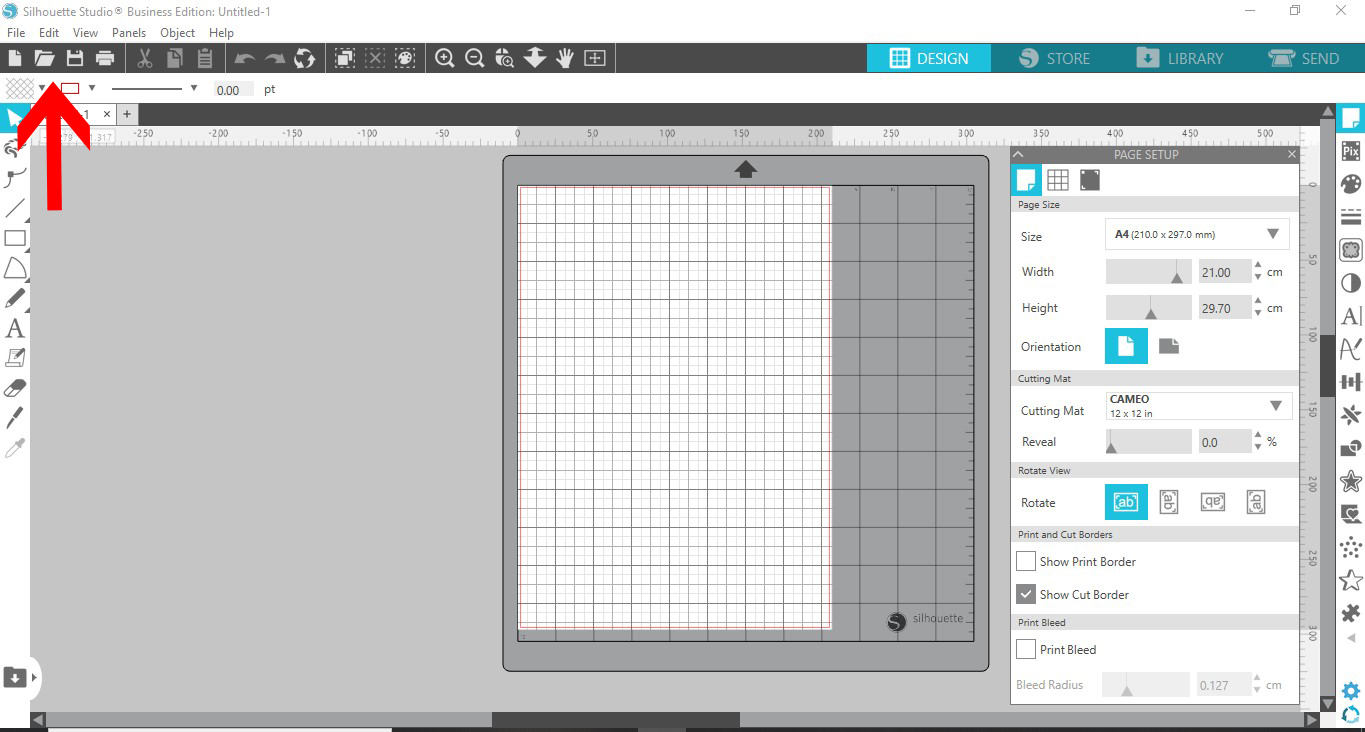
2- Select your foil quill foil.
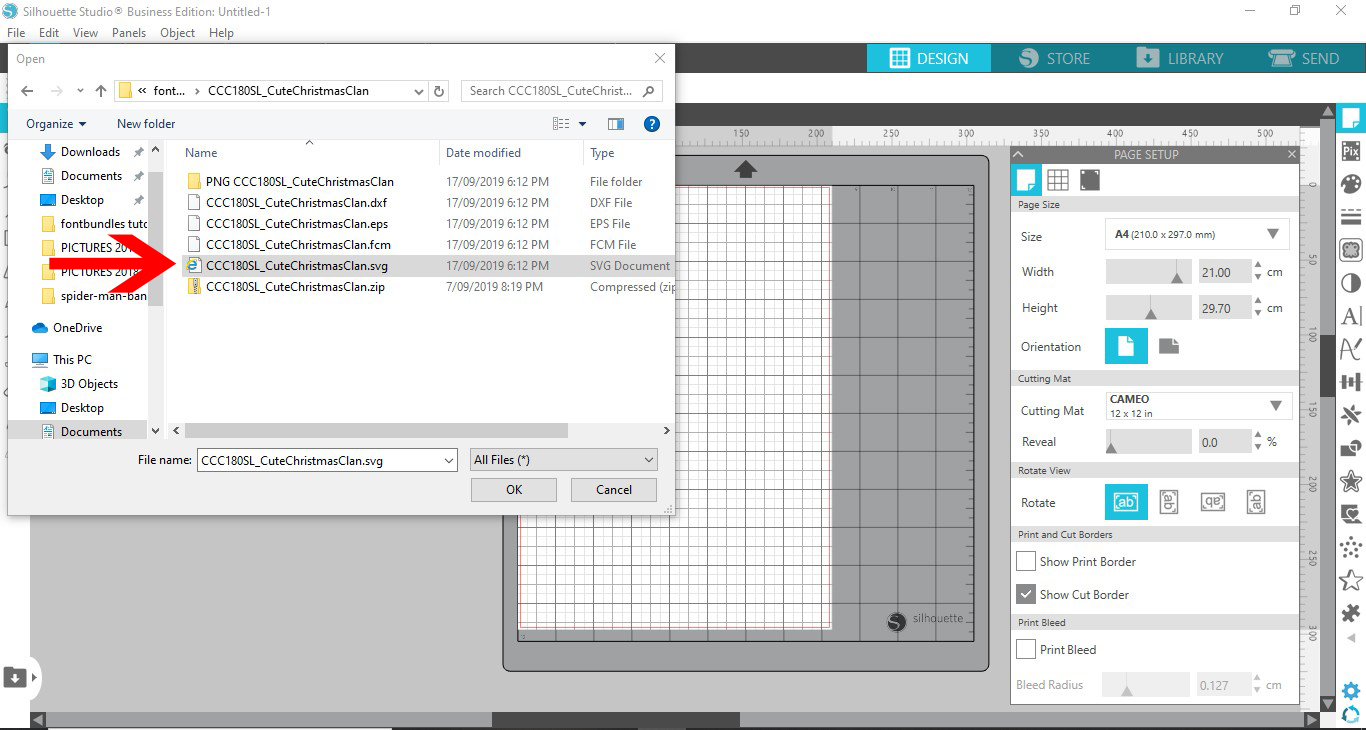
3- Your foil will appear on your design space. As you can see the images are single line designs.
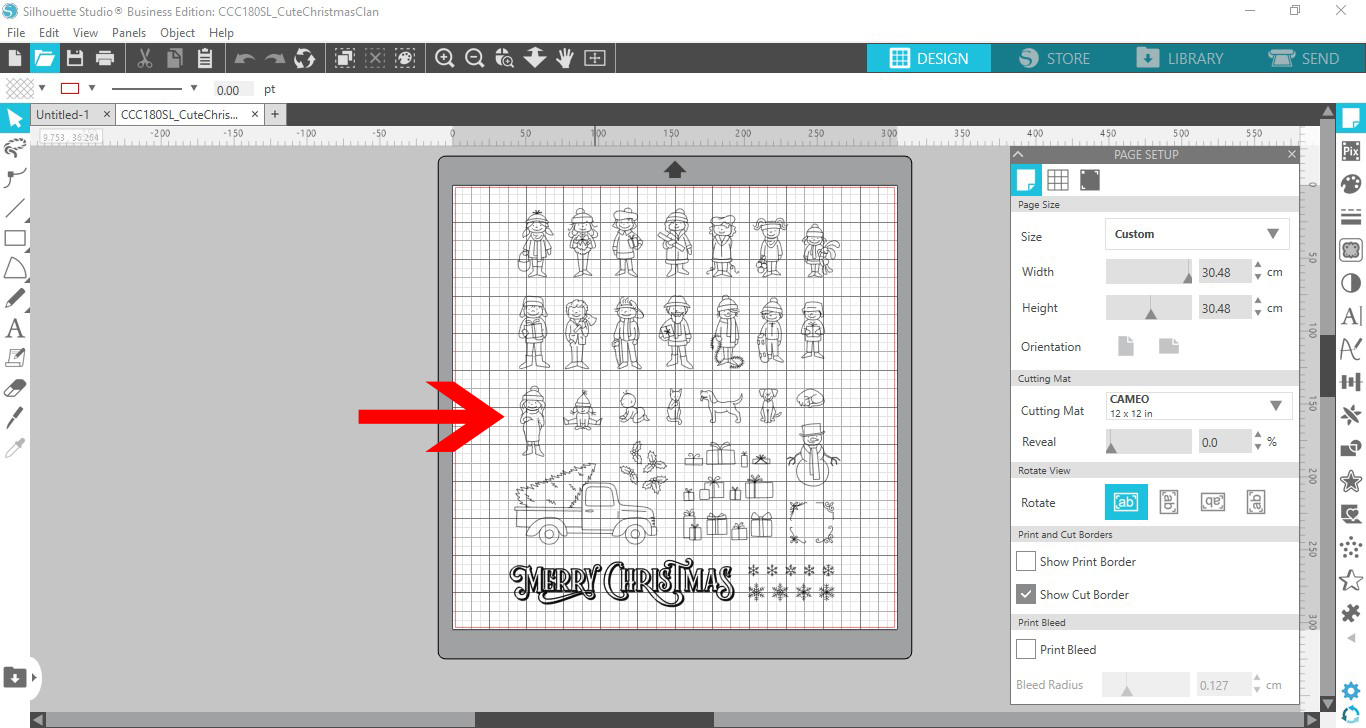
4- Select the images, then right click and ungroup.

5- Rearrange the images to create a design. or you can just use one of them.
6- Click on the send screen. Select the sketch option and the media you are using.
7- Your quill design is not transferred on to your media.
Related Tutorials
Silhouette Tutorials
How to use a regular SVG file with the foil quill in silhouette studio
Silhouette Tutorials
How to Use the Foil Quill on Acetate in Silhouette Studio
In this tutorial learn how to use the Foil Quill on Acetate using Silhouette Studio in just 3 Steps!
Silhouette Tutorials
How to Use Text With the Foil Quill in Silhouette Studio
Silhouette Tutorials
How to use the foil quill on a candle using silhouette studio
Silhouette Tutorials
How to use a jpeg image with the foil quill in silhouette studio.
Silhouette Tutorials
How to fill text with the foil quill in silhouette studio free edition
In 4 easy steps learn two ways to fill text with the Foil Quill in Silhouette Studio Free Edition.