By Design Bundles
How to Use Sketch Pens to Fill in Text in Silhouette Curio
1- Open Silhouette Studio. Click on the cutting mat options and change to Curio. Change the size of the cut area to fit the curio mat.
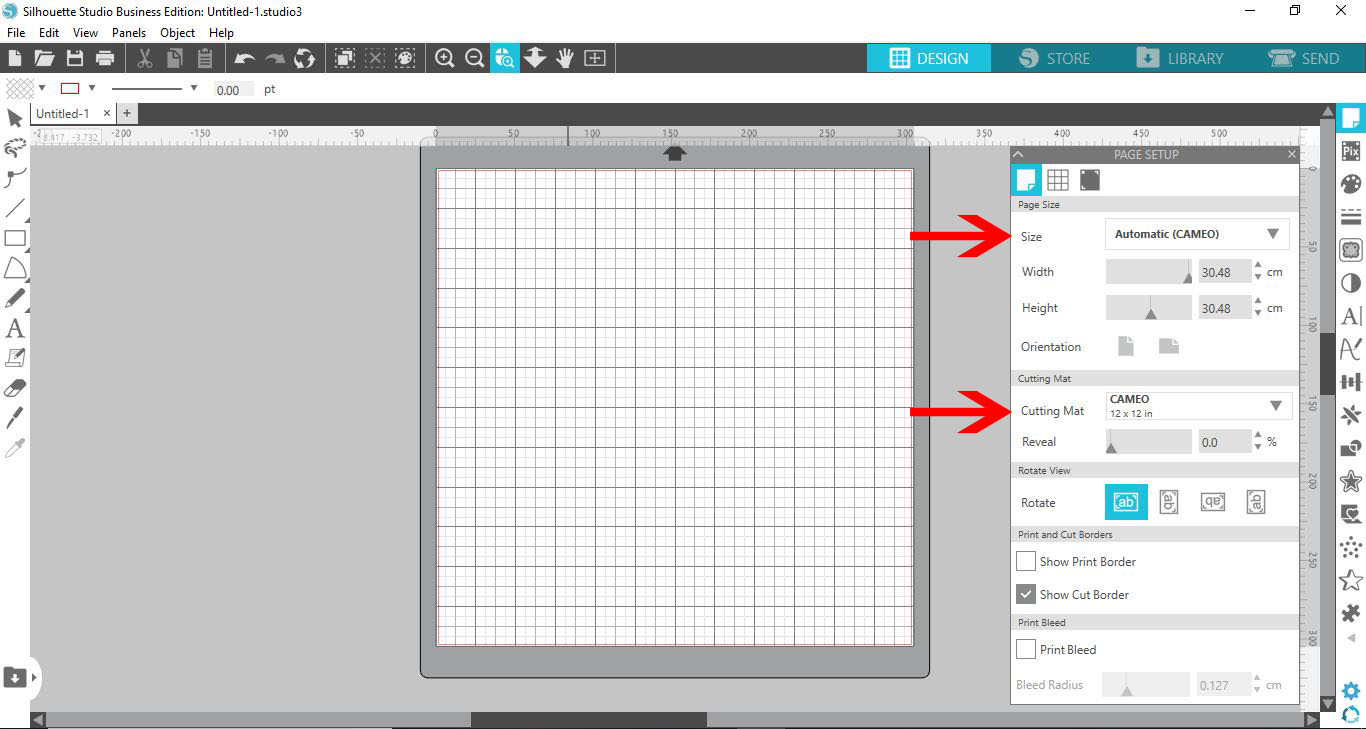
2- With the cutting mat and the size changed, you will see the curio mat appears on the design space.

3- Type your text.
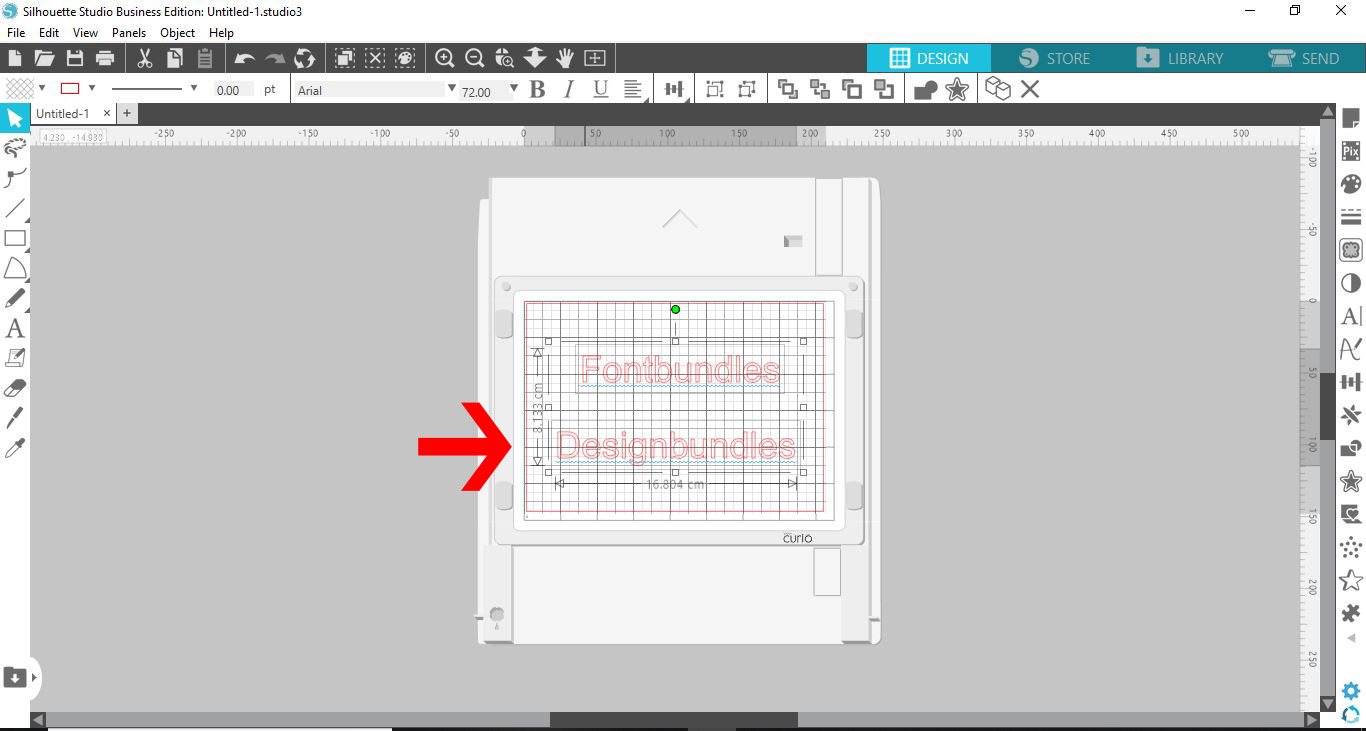
4- Choose your font. I'm using theGarlic butter fontfrom Font Bundles.
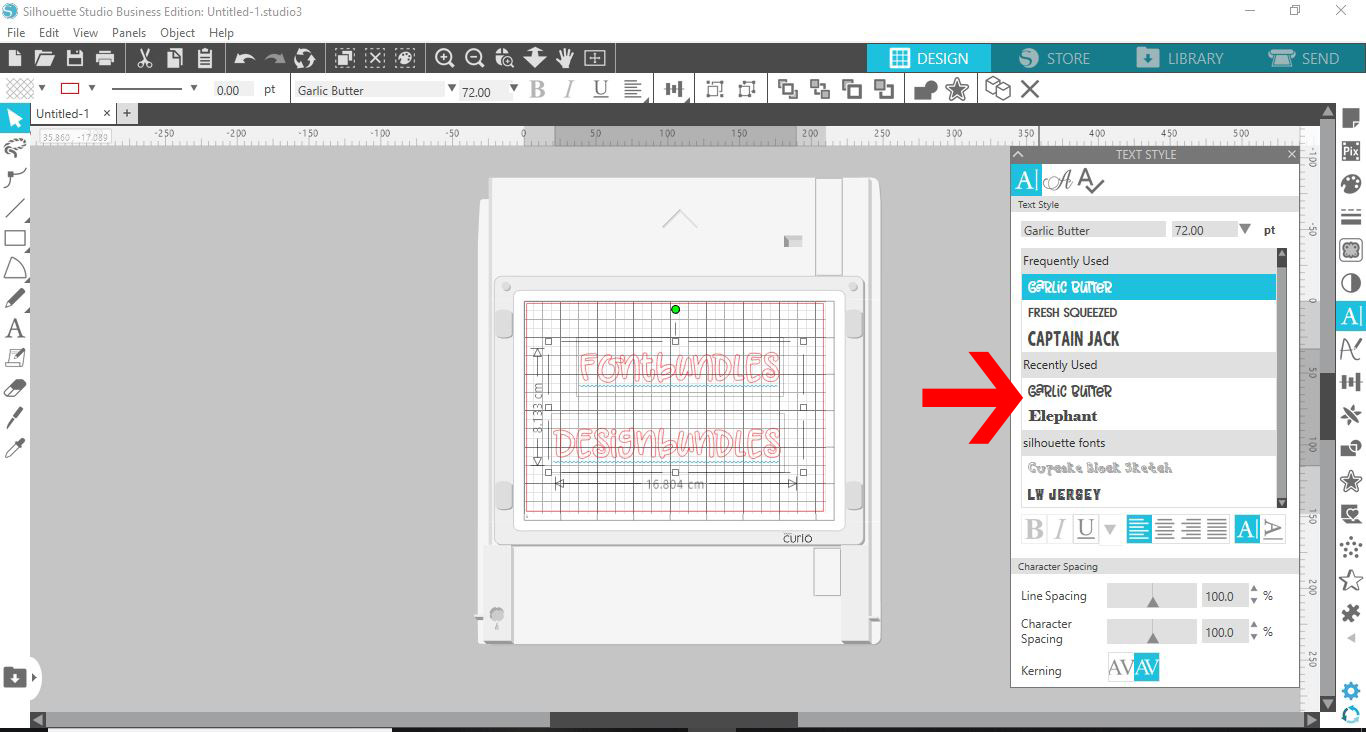
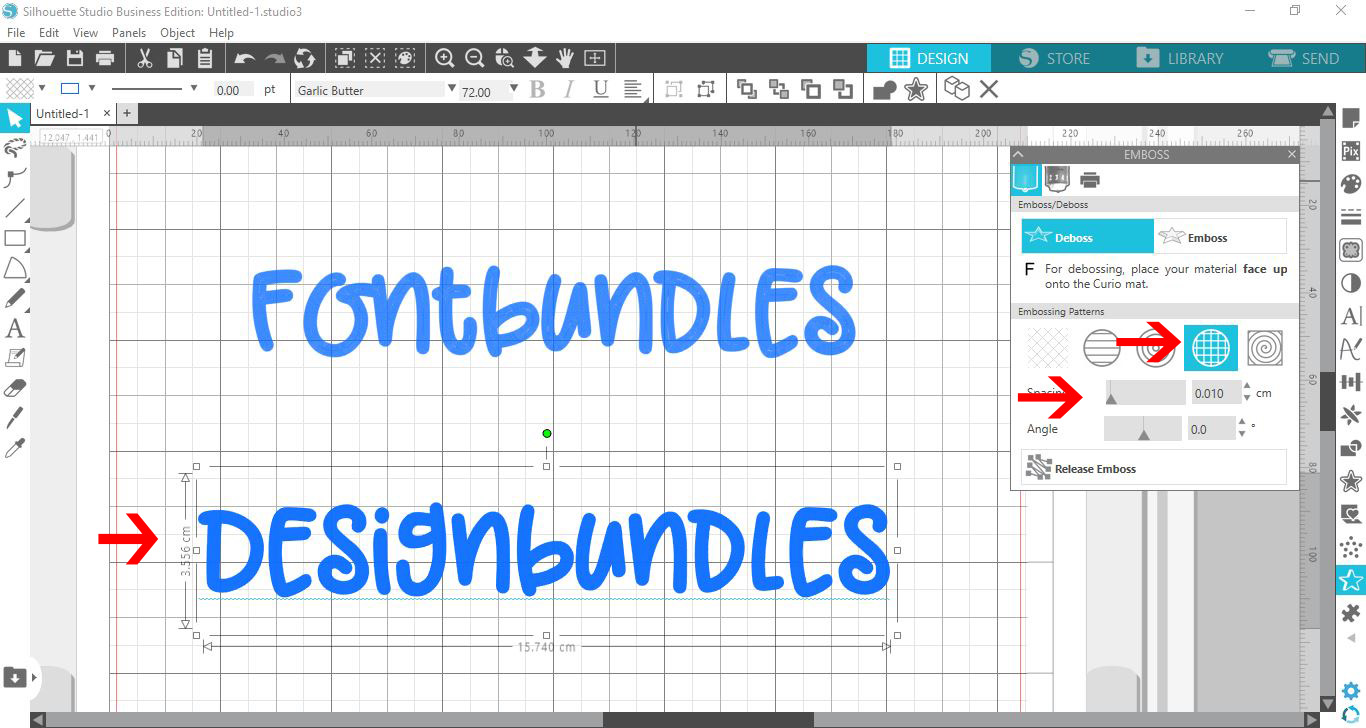
5- Select the emboss/deboss panel.
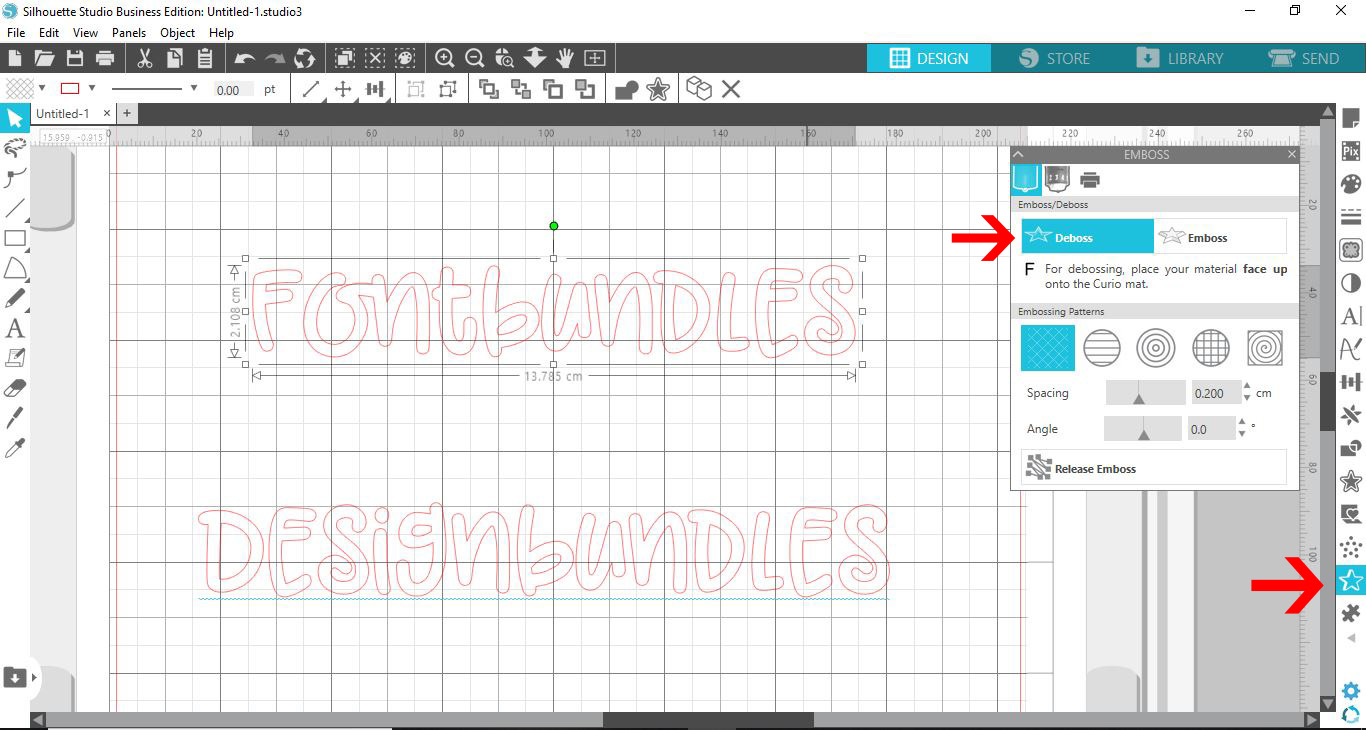
6- Select the concentric fill pattern.Change the spacing to 0.01 which will fill the font with draw lines.
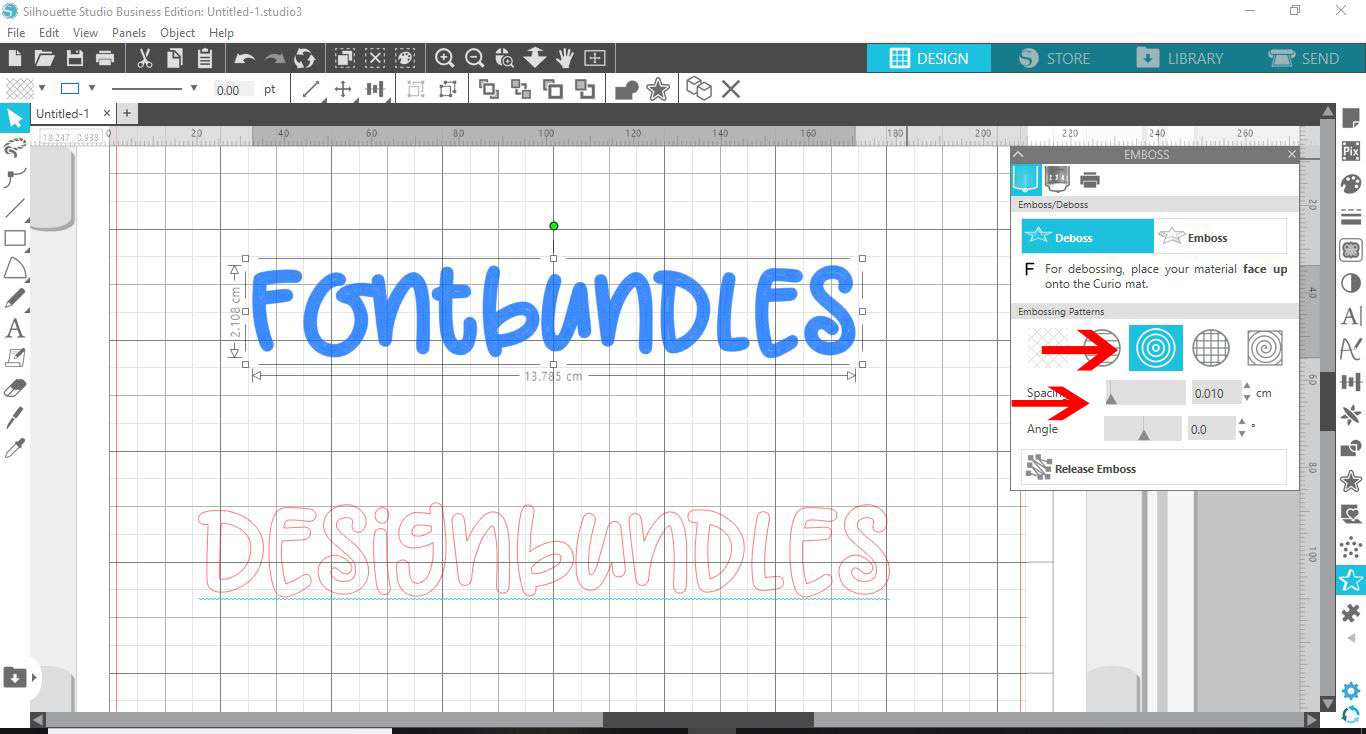
7- You can use several of the fill patterns. the cross hatched option if set to 0.01 will also fill the font.
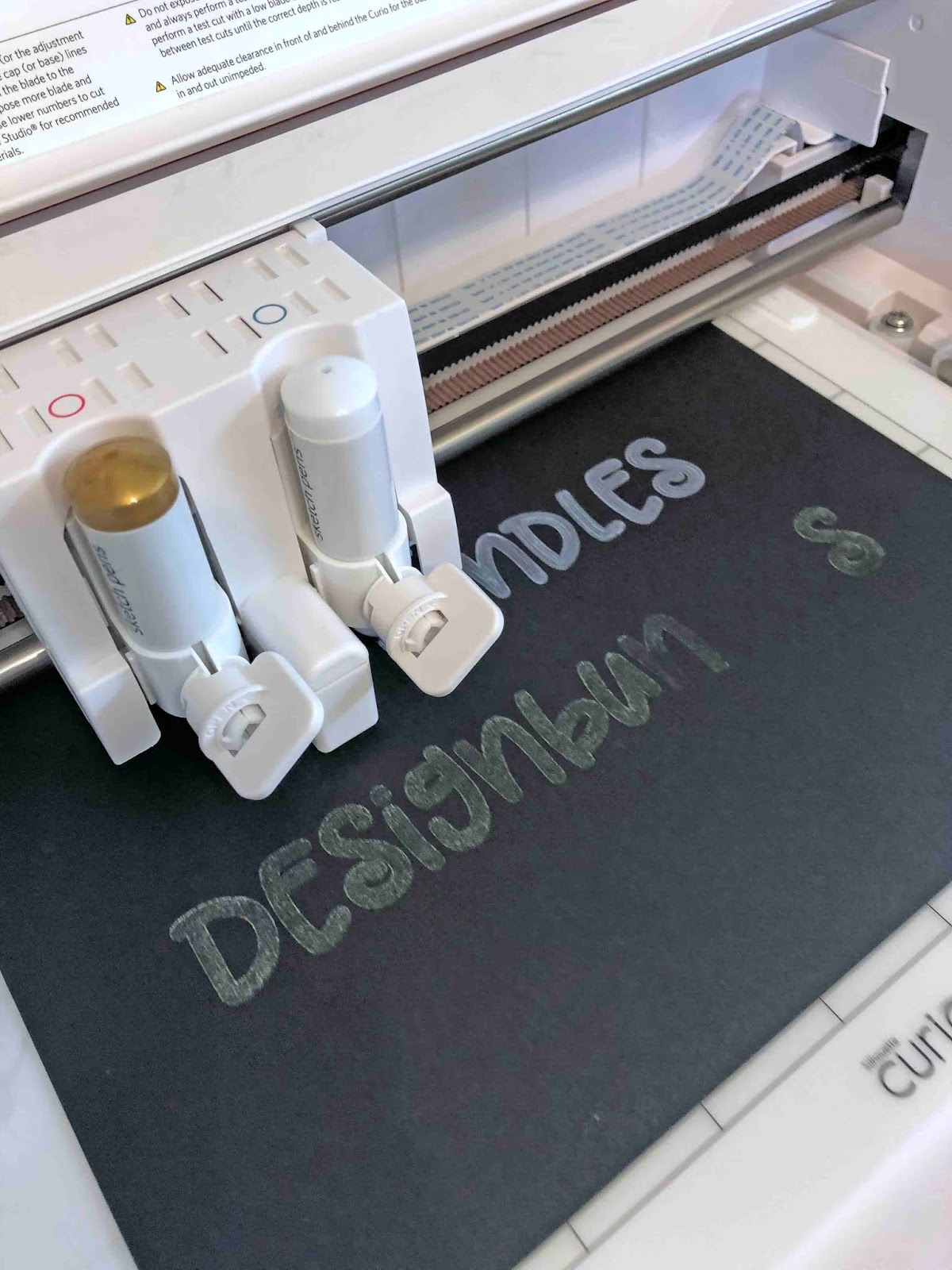
8- If you want to use different colours when sketching, change the colours of your text to match the circles on the tool holders. it makes it easier to remember which will color which.
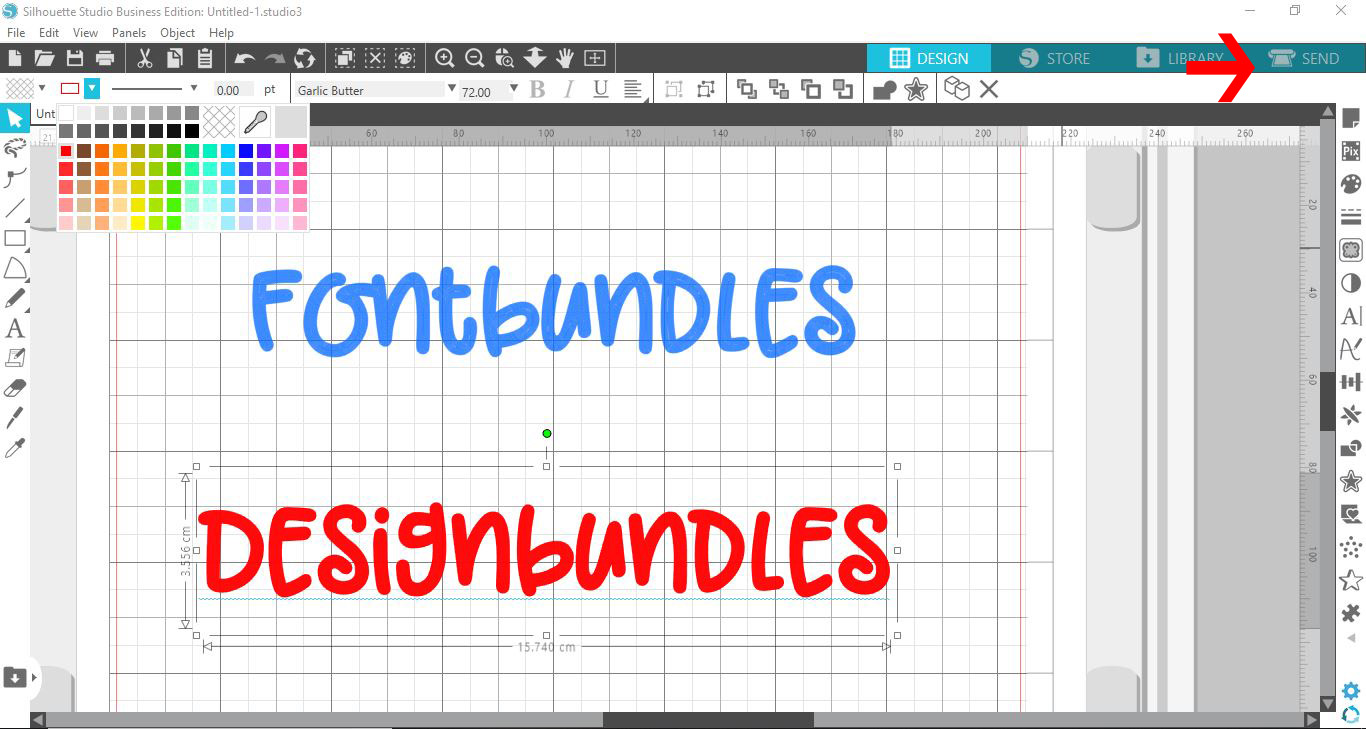
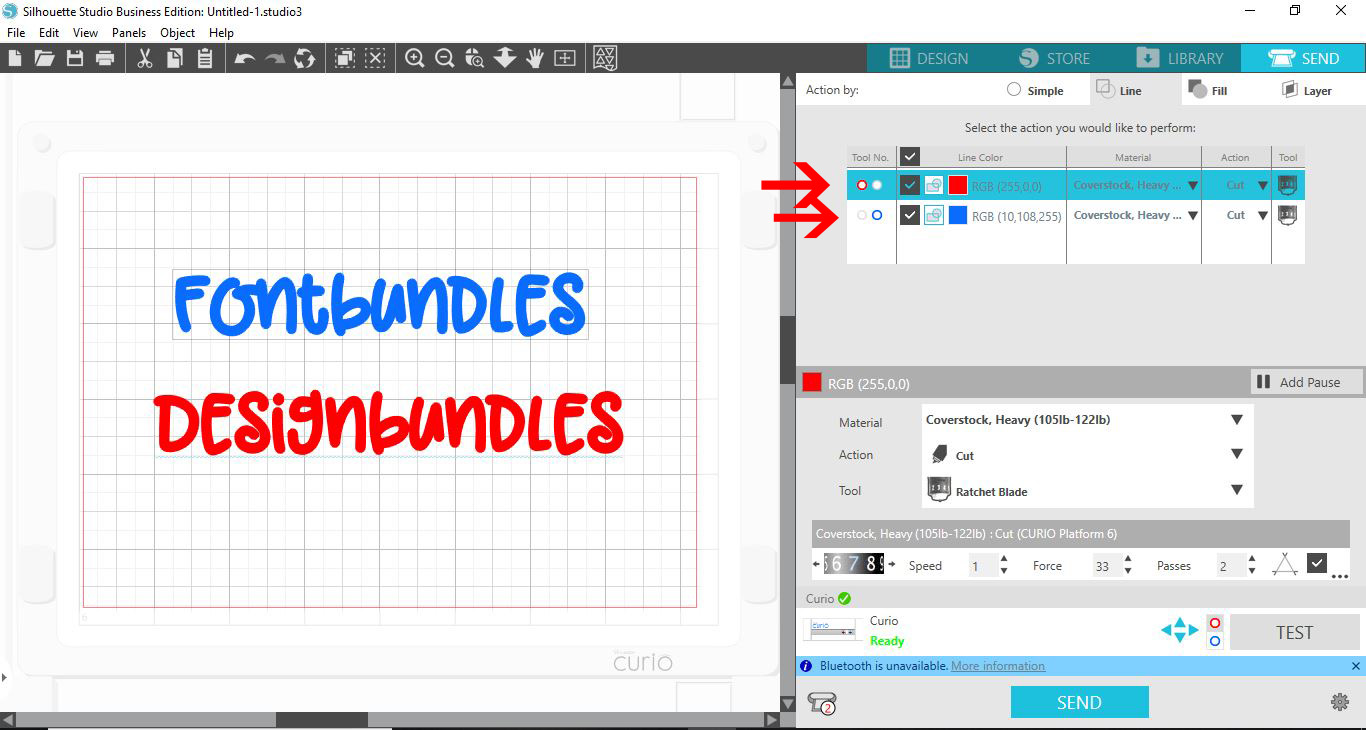
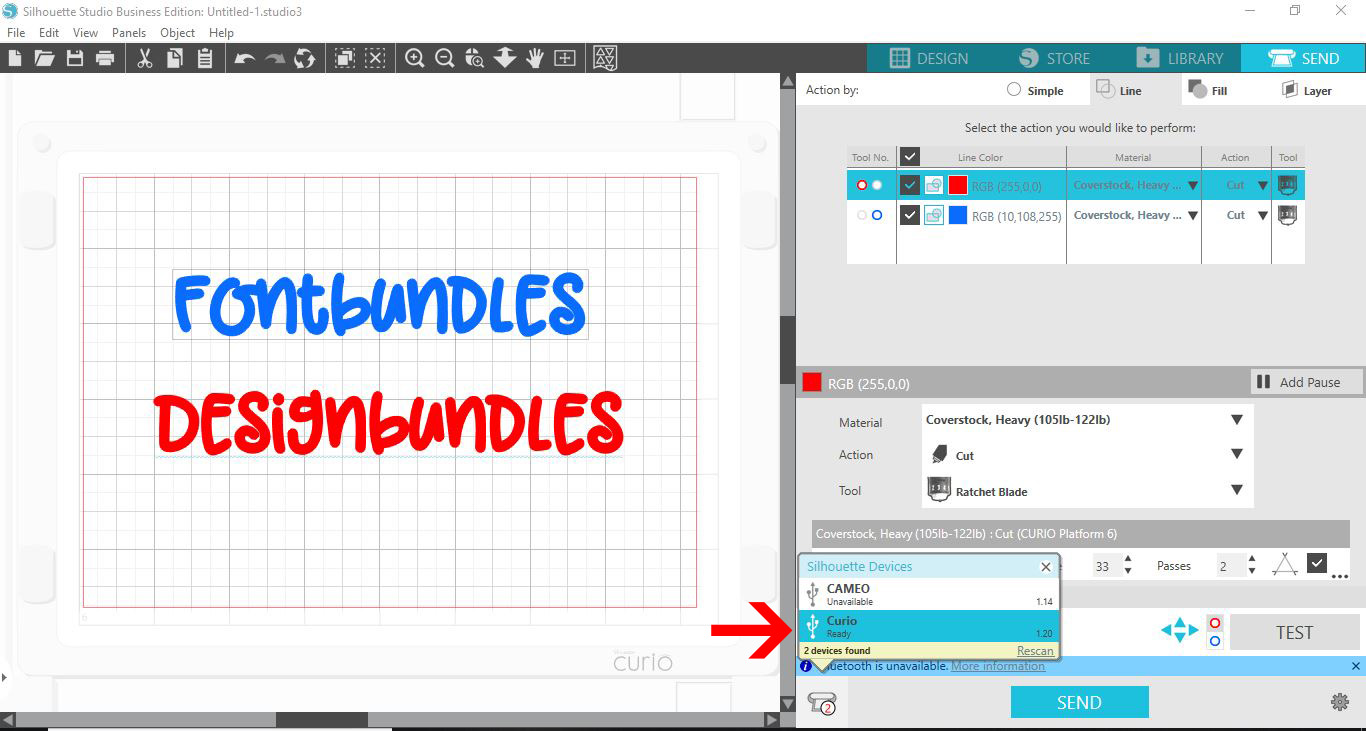
9- Go to the send screen. Click on the line option. Select the font to match the res circle on your screen and do the same with the blue font and circle.
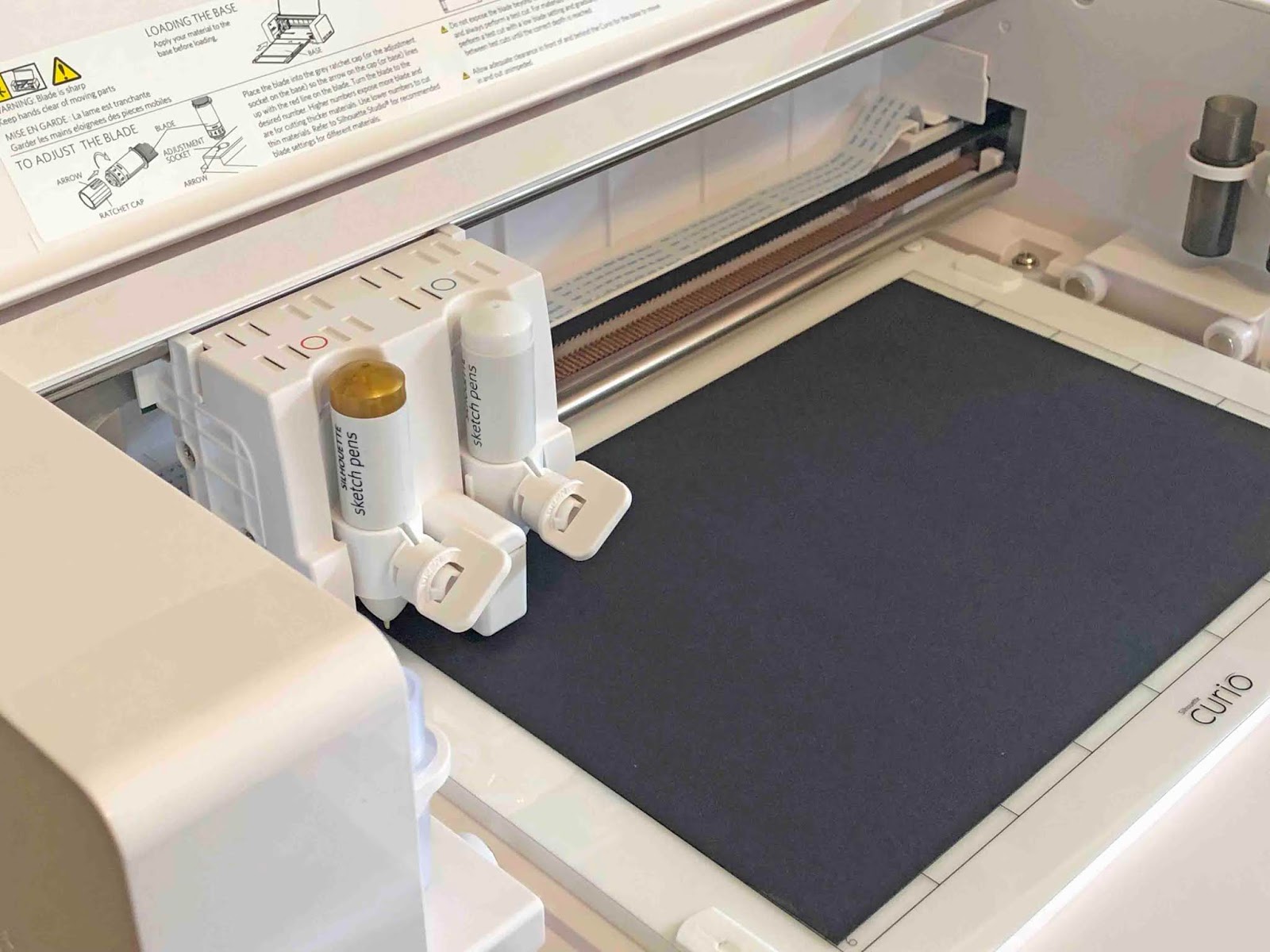
10- Place the colored pens in the correct tool holders.
11- Select the curio as the machine you will be using.
12- Select sketch on both colours. Send your design to the curio.
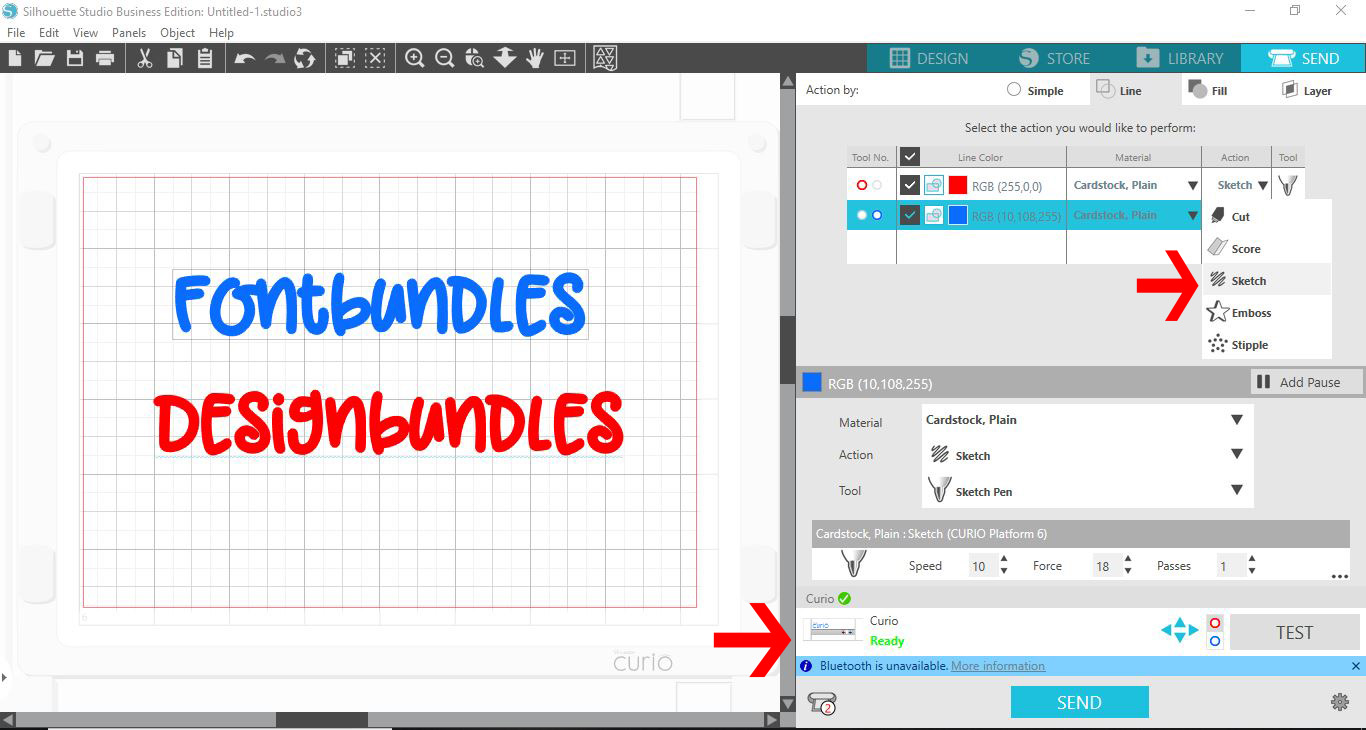
13- As you can see the 2 colours will be used at the same time.