
By Design Bundles
Silhouette Tutorials4 min
How to use Multiple Color Sketch Pens with Silhouette Curio
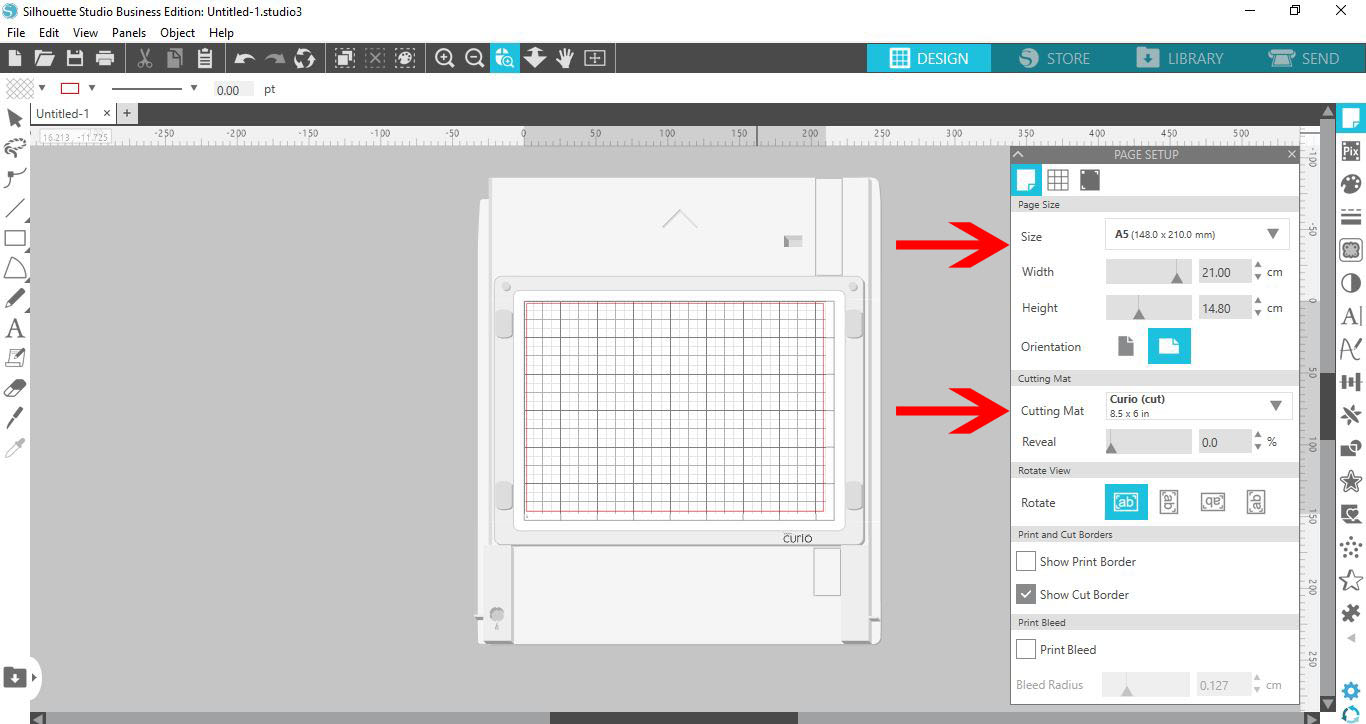
1- Open Silhouette Studio. Go to the cutting mat and change to the curio. Next Change the media size to fit the curio mat. A5 will work well.
2- With the 2 sections changed you will see that the mat on the screen now is the Curio mat.
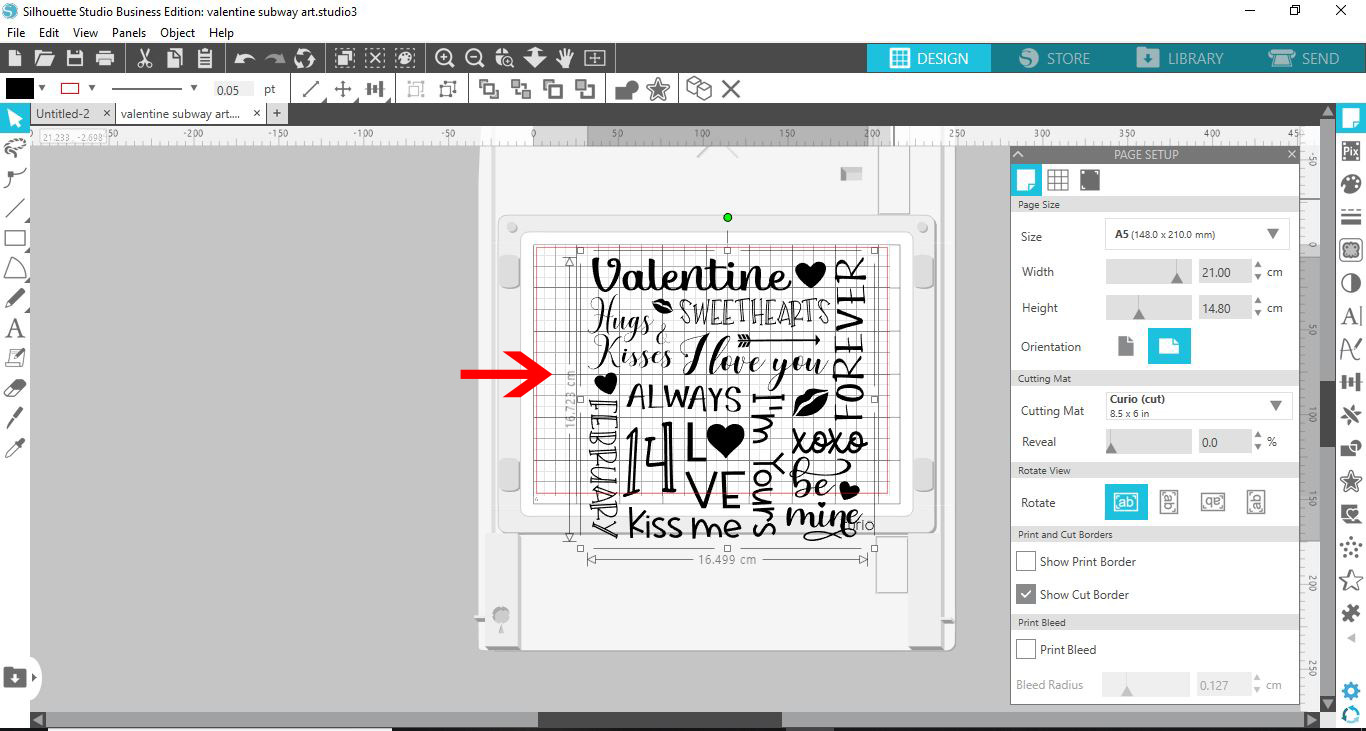
4. Your image will appear in the design space. Click on the page setup panel.
5- Select the registration marks.
6- Resize the design so it fits within the registration area.
7- Select your design, right click and ungroup.
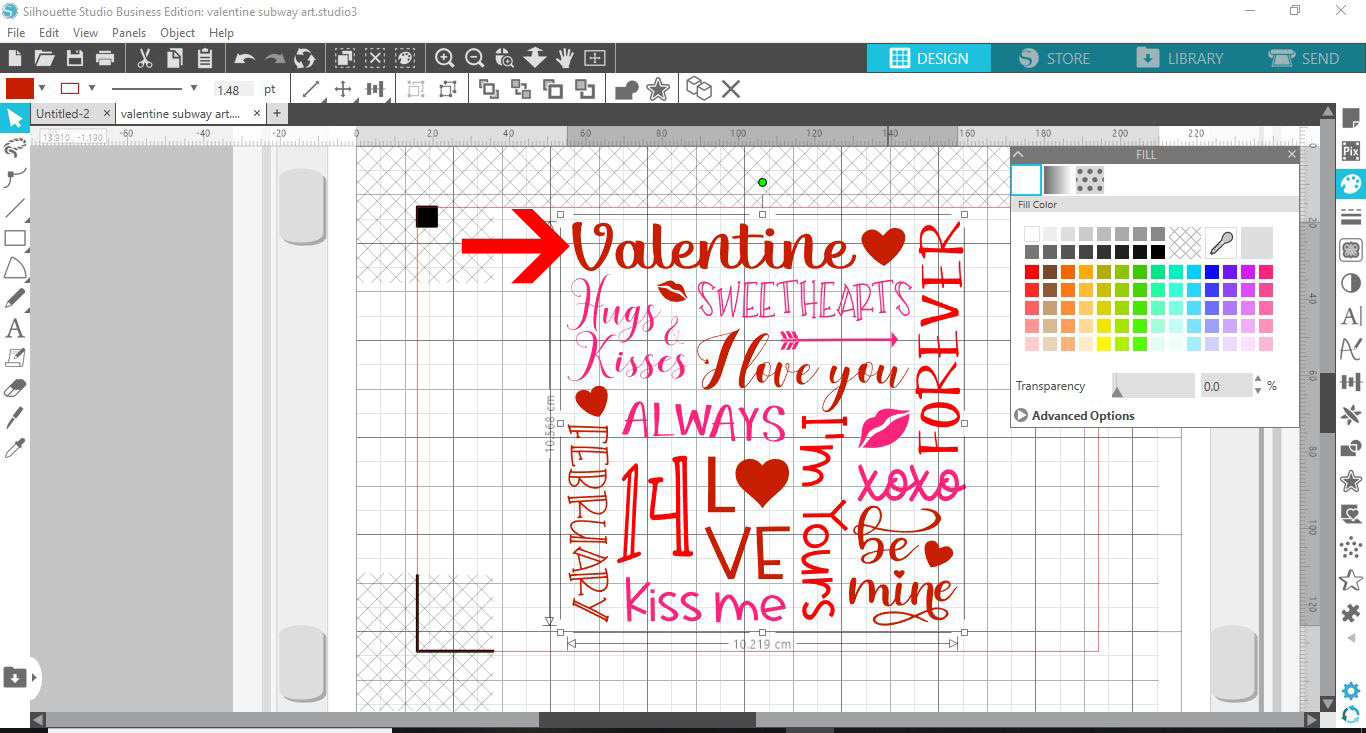
8- Select several parts of your design. Click the fill panel and color the selected parts with one color.
9- Select the next part of your design and then color in a different color.
10- Repeat selecting parts of the design and color.
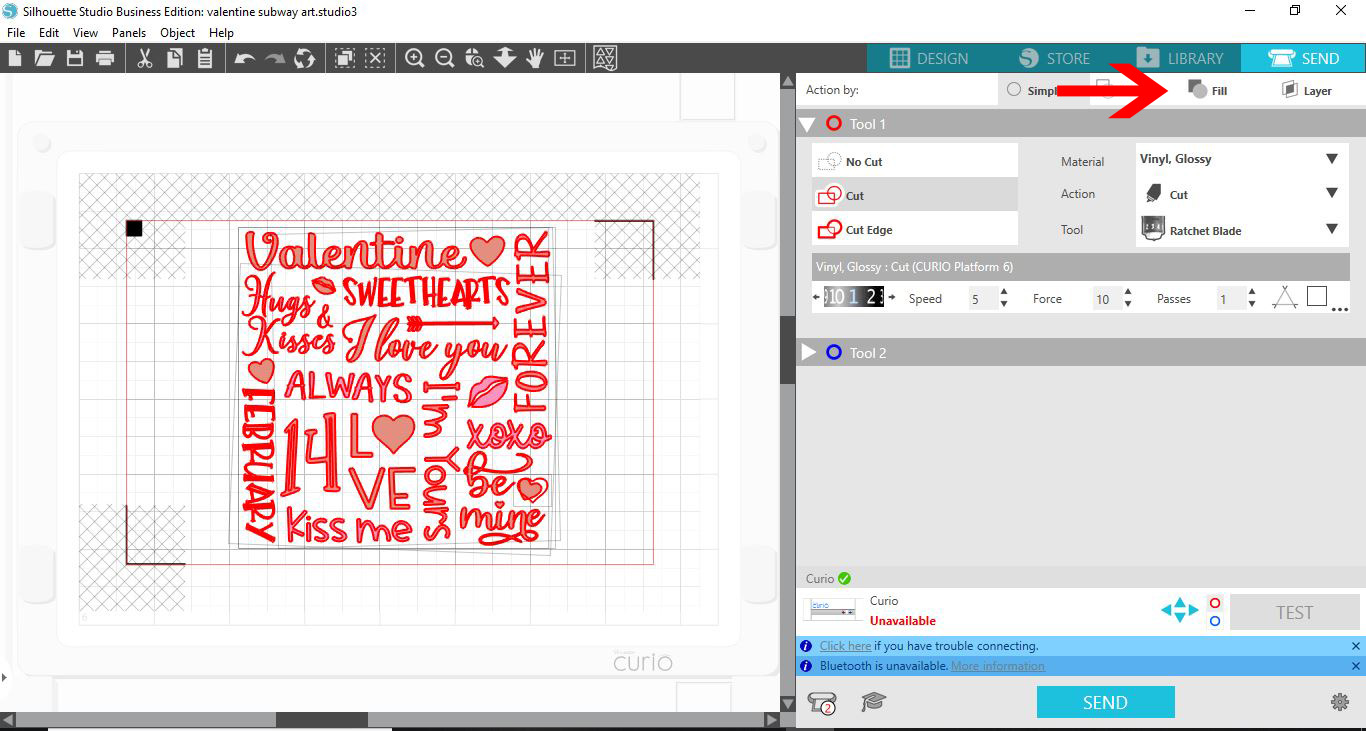
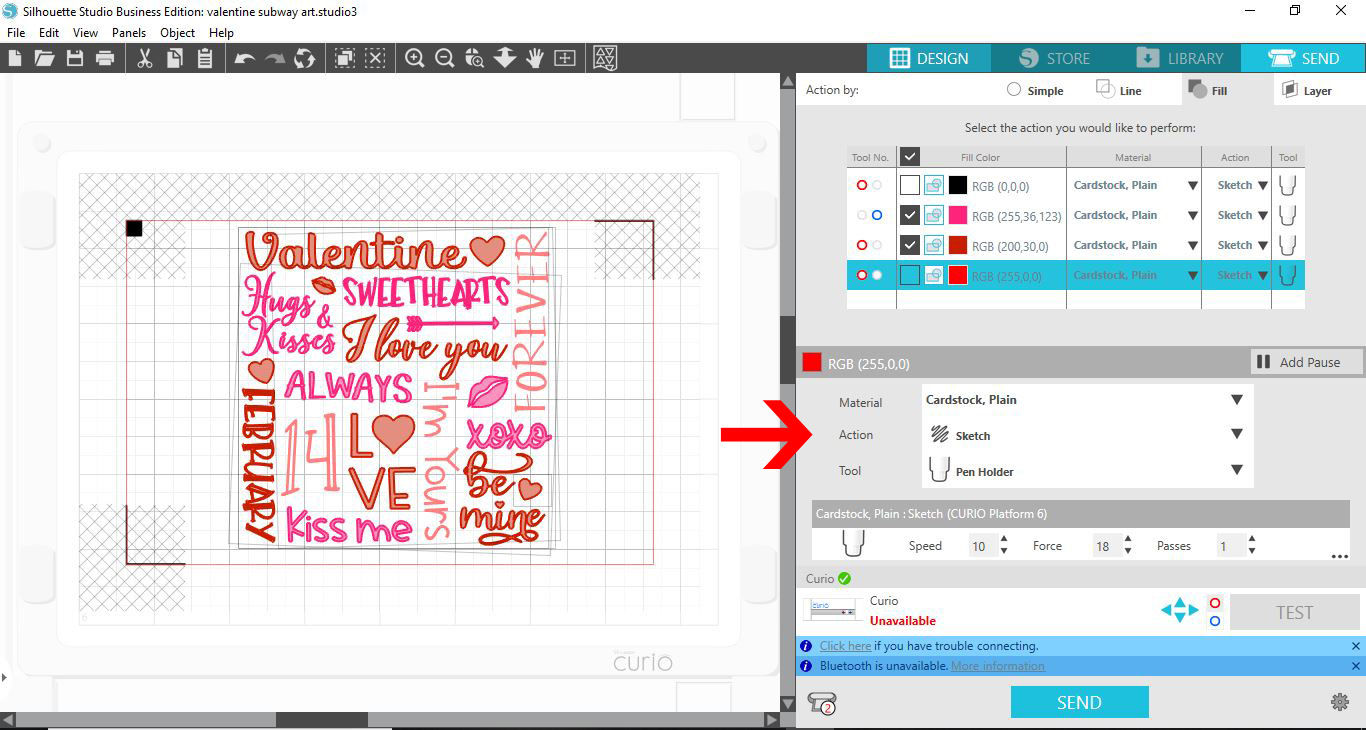
11- Go to send. In your send screen you will see that everything is selected. Select the fill option.
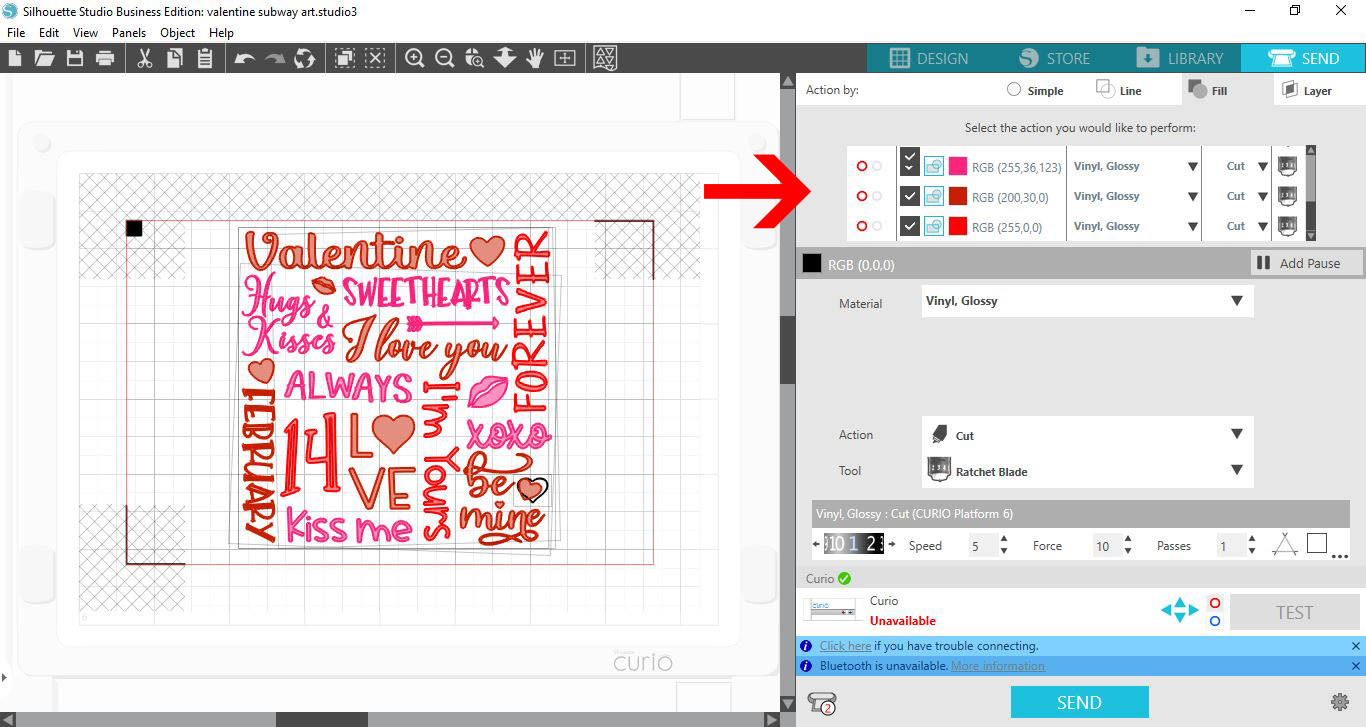
12- In the fill option you will see each color in the drop down list.
13- You can check the 2 colors you would like to use, make sure that you have the color you want in each holder on the curio that match the colored circle. (red and blue)
14- Select your media and sketch pen option.. Click send. The curio will read the registration marks and draw your design. Once finished, replace the pens with the next colors and repeat till all the colors have been filled.
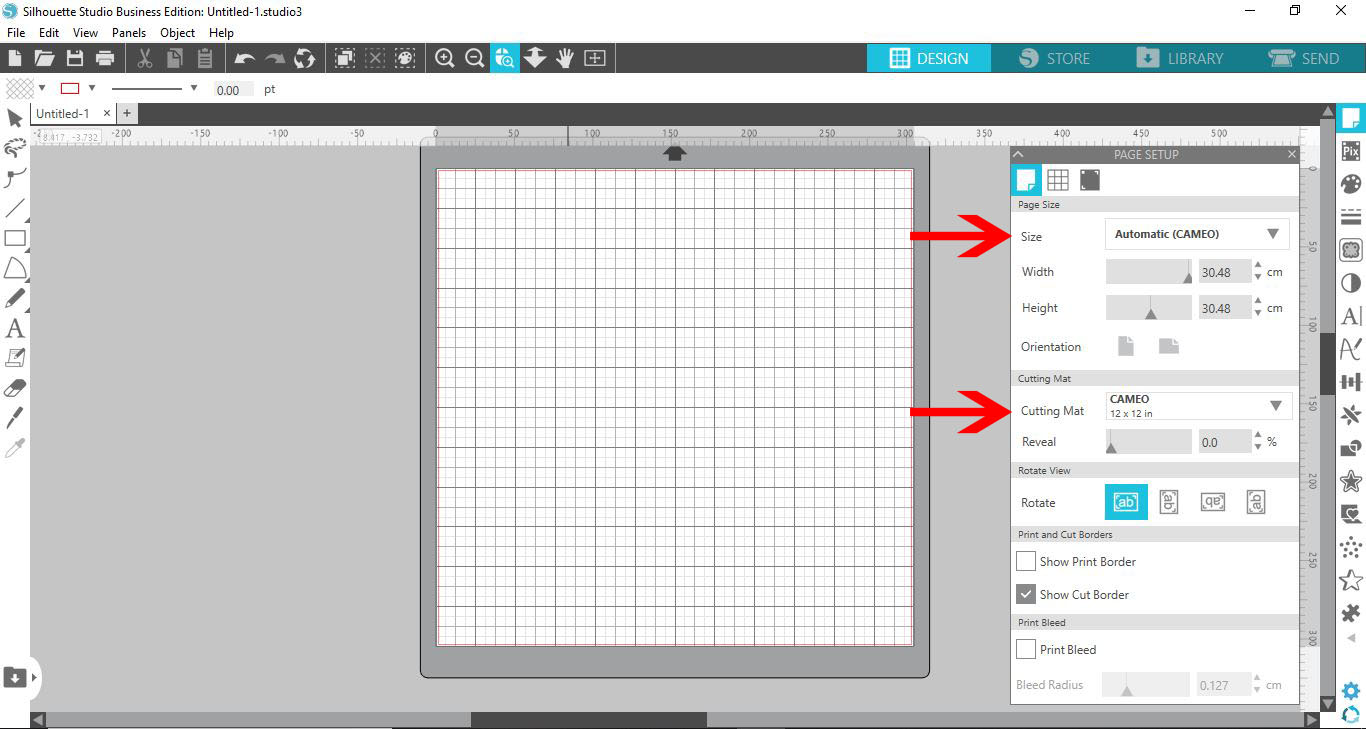
2- With the 2 sections changed you will see that the mat on the screen now is the Curio mat.
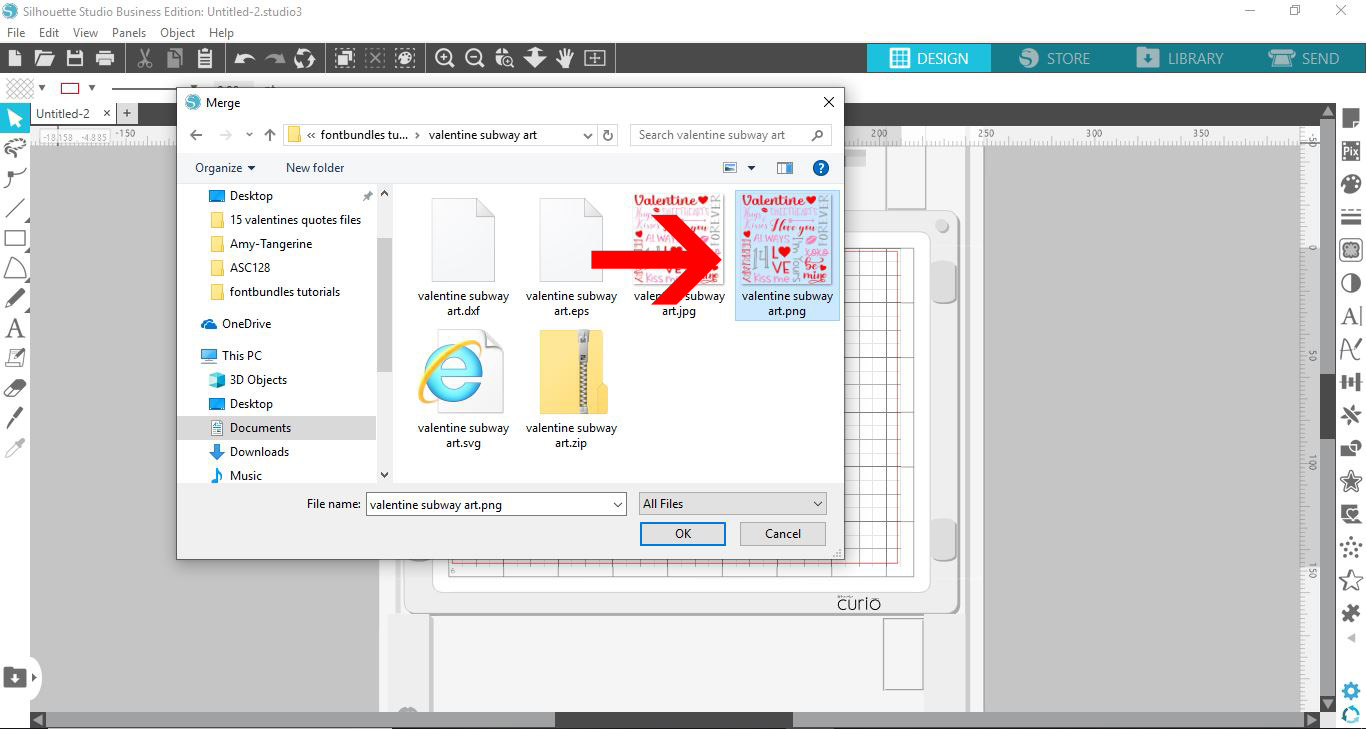
3- Select your image.
4. Your image will appear in the design space. Click on the page setup panel.
5- Select the registration marks.
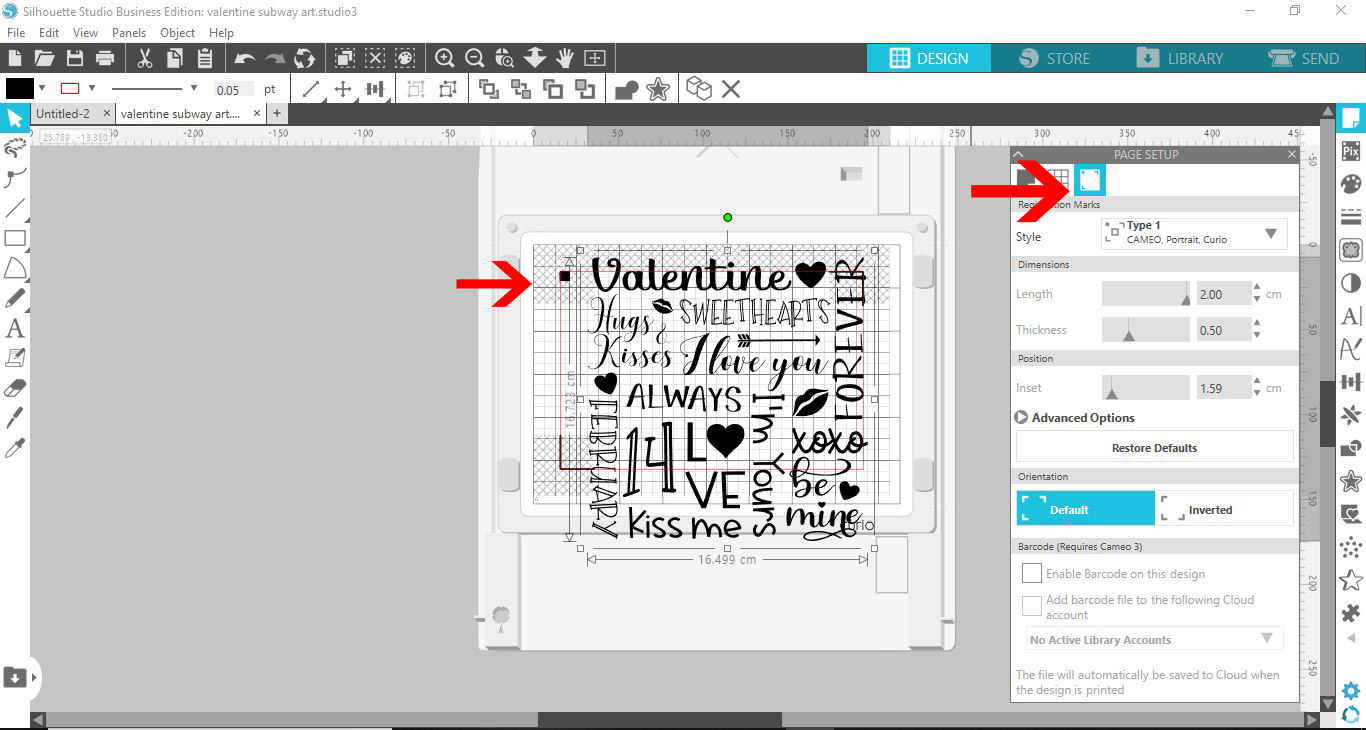
6- Resize the design so it fits within the registration area.
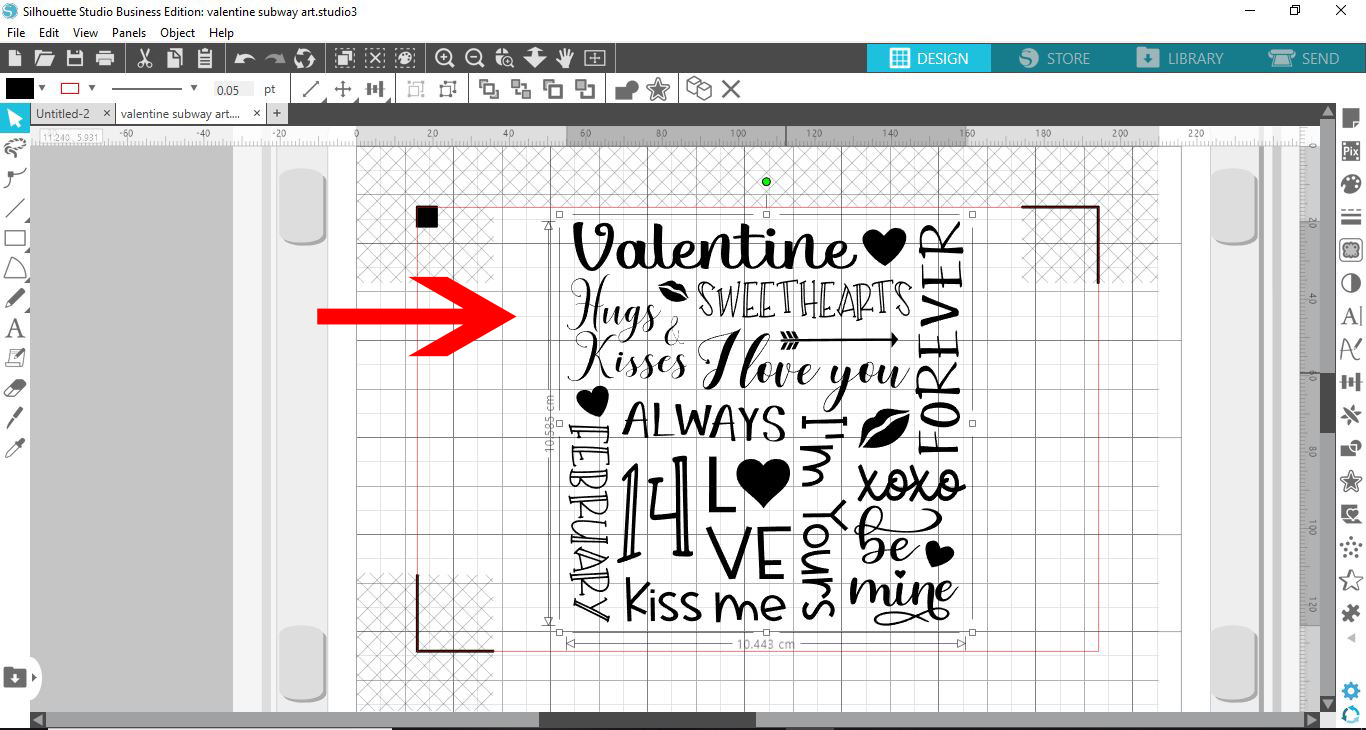
7- Select your design, right click and ungroup.

8- Select several parts of your design. Click the fill panel and color the selected parts with one color.
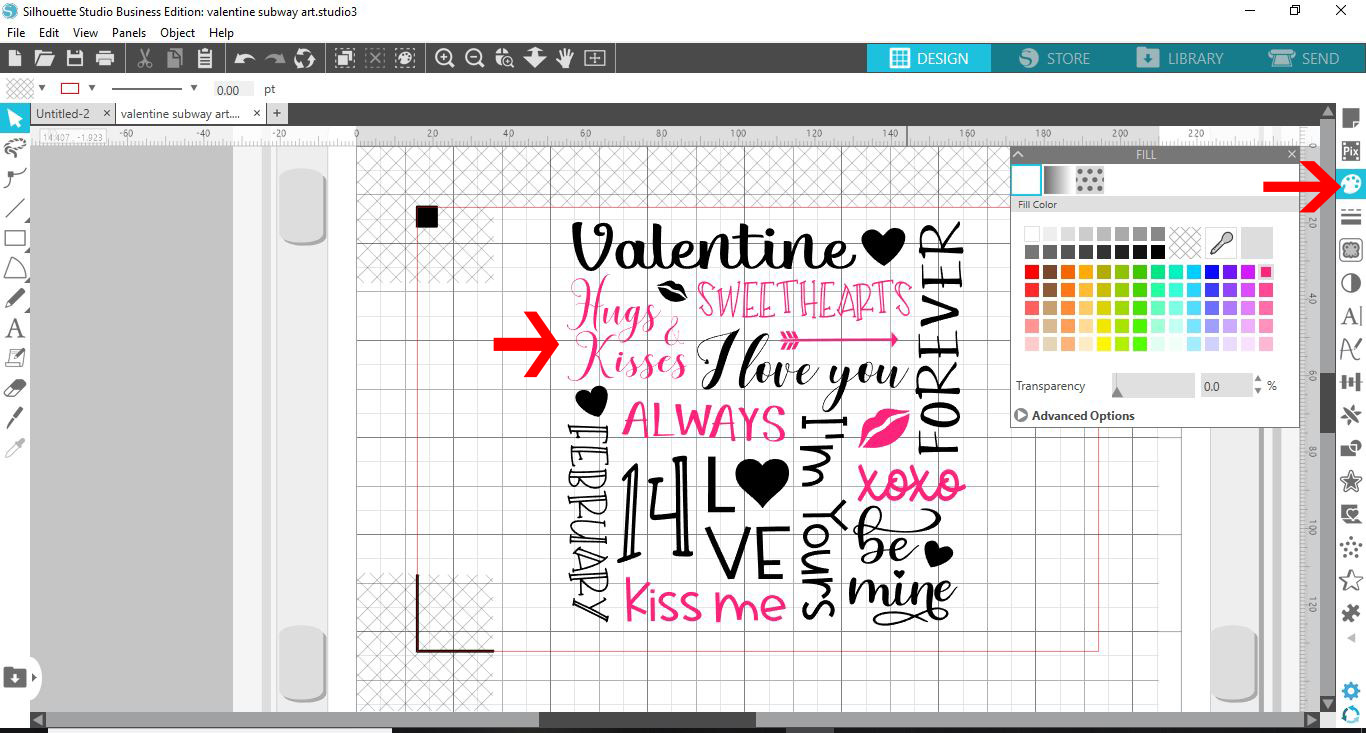
9- Select the next part of your design and then color in a different color.
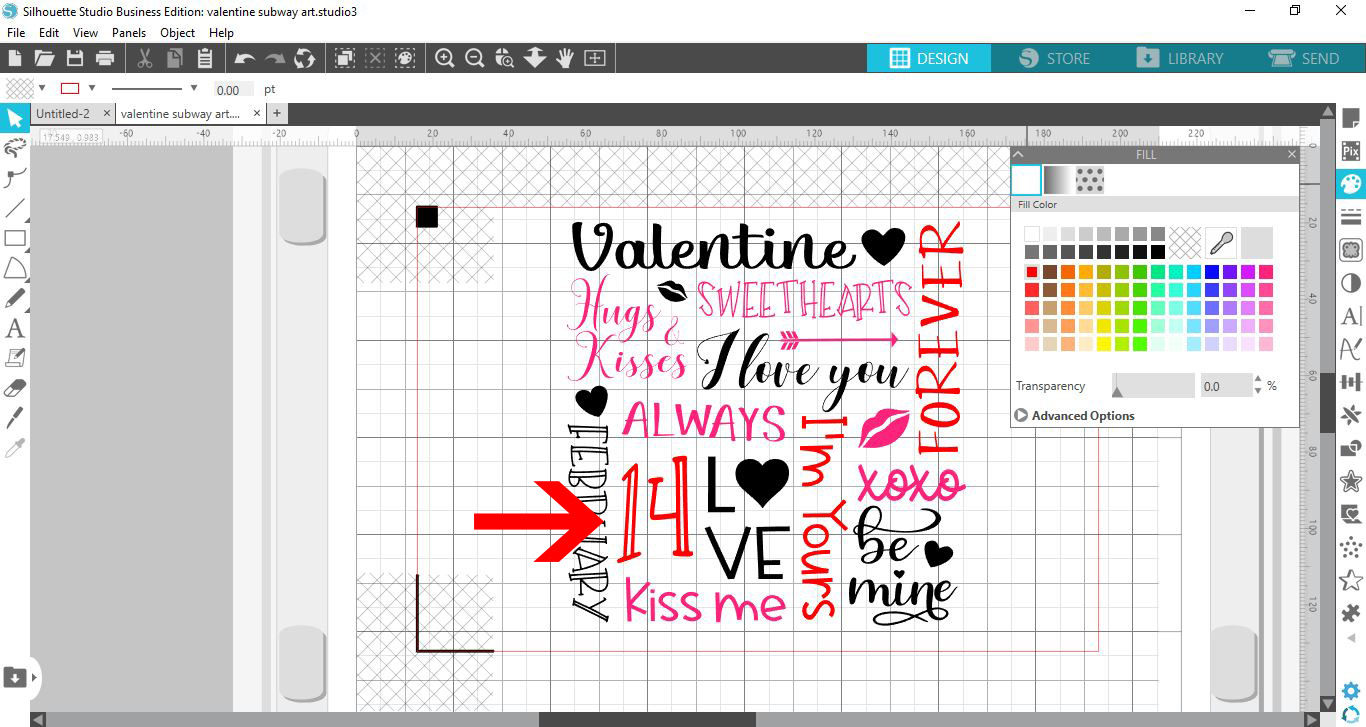
10- Repeat selecting parts of the design and color.
11- Go to send. In your send screen you will see that everything is selected. Select the fill option.
12- In the fill option you will see each color in the drop down list.
13- You can check the 2 colors you would like to use, make sure that you have the color you want in each holder on the curio that match the colored circle. (red and blue)
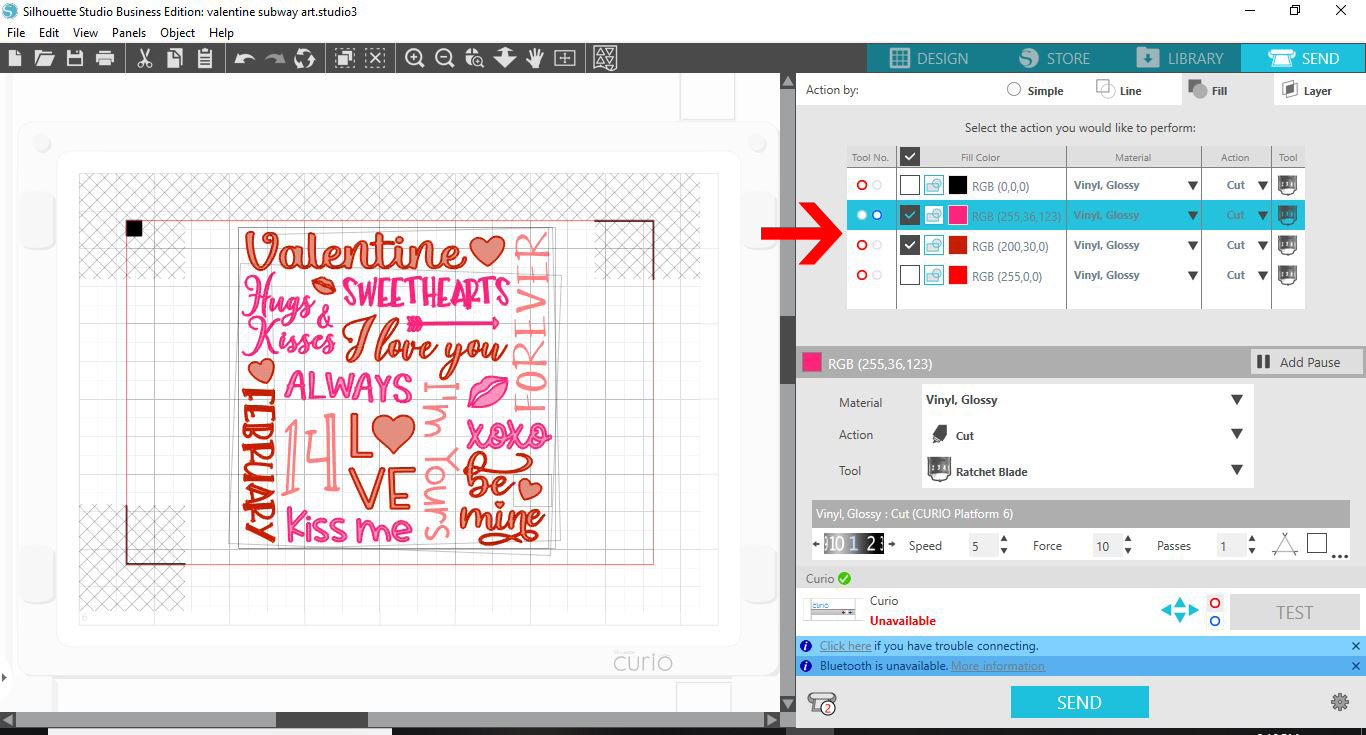
14- Select your media and sketch pen option.. Click send. The curio will read the registration marks and draw your design. Once finished, replace the pens with the next colors and repeat till all the colors have been filled.
Related Tutorials
Silhouette Tutorials
How to Use Sketch Pens to Fill in Text in Silhouette Curio
Silhouette Tutorials
How to Use Advanced Color Settings in Silhouette Studio
Discover the Advanced Color Settings in Silhouette Studio!
Silhouette Tutorials
How to use Sketch Markers with Silhouette Studio
Silhouette Tutorials
How to use the Stippling Tool with Photos in the Silhouette Curio
Bring photos to life in a unique way, by stippling on to metal sheets.
Silhouette Tutorials
Using the Sketch Tool with the Silhouette Curio
Silhouette Tutorials