By Design Bundles
Using Silhouette Studio V4 Project Wizard and Tutorial Helper
1-Open up Silhouette and go to File > New project wizard.

2-A new project page will appear. In V4 you can now select what you would like to create via the easy new icon system. Simply select the type of project you want to create and silhouette will load the relevant panels for you in the design space.
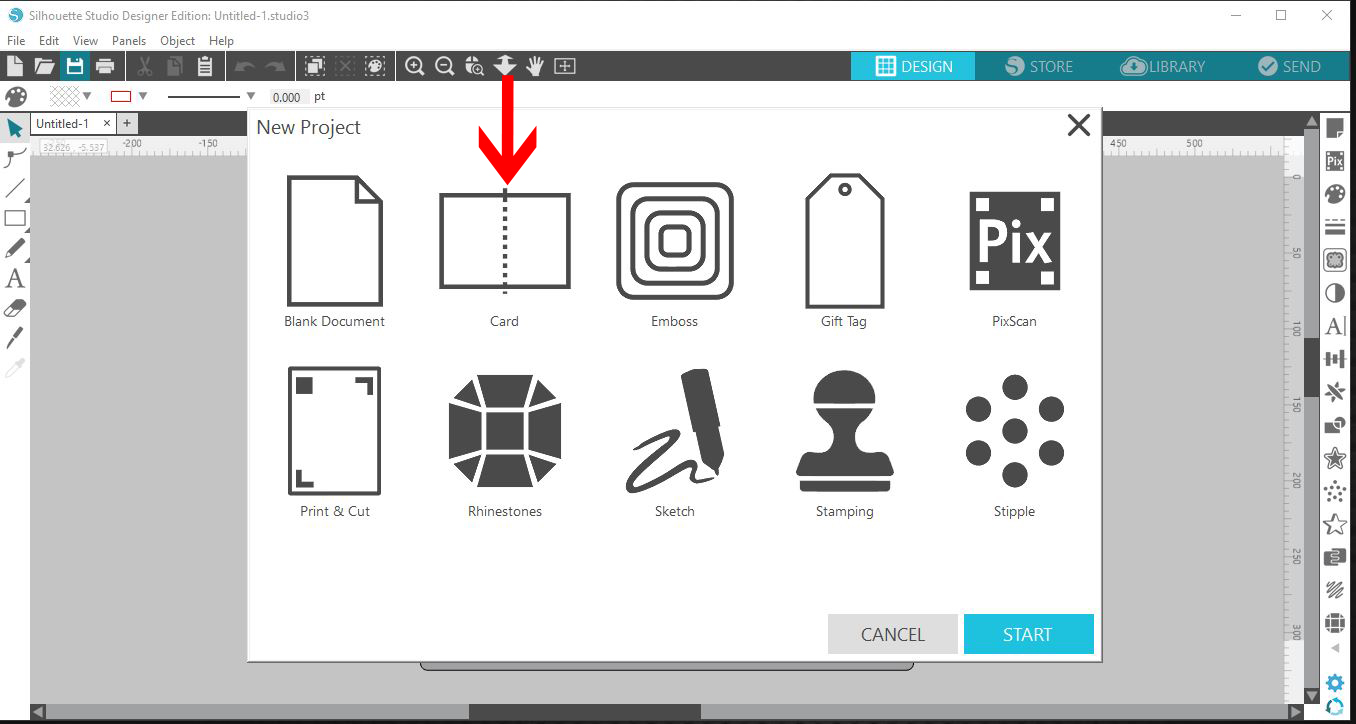
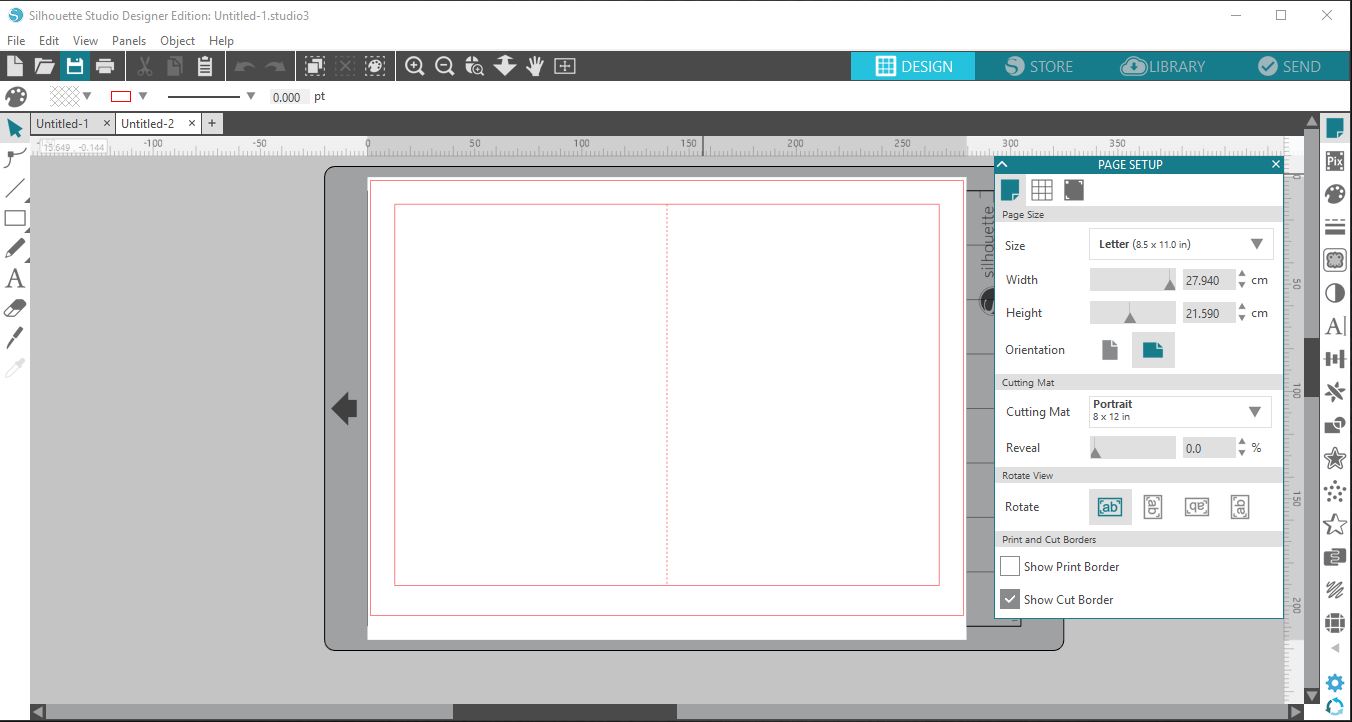
3-I selected Card and the project wizard automatically opened up a page with a preset card template.
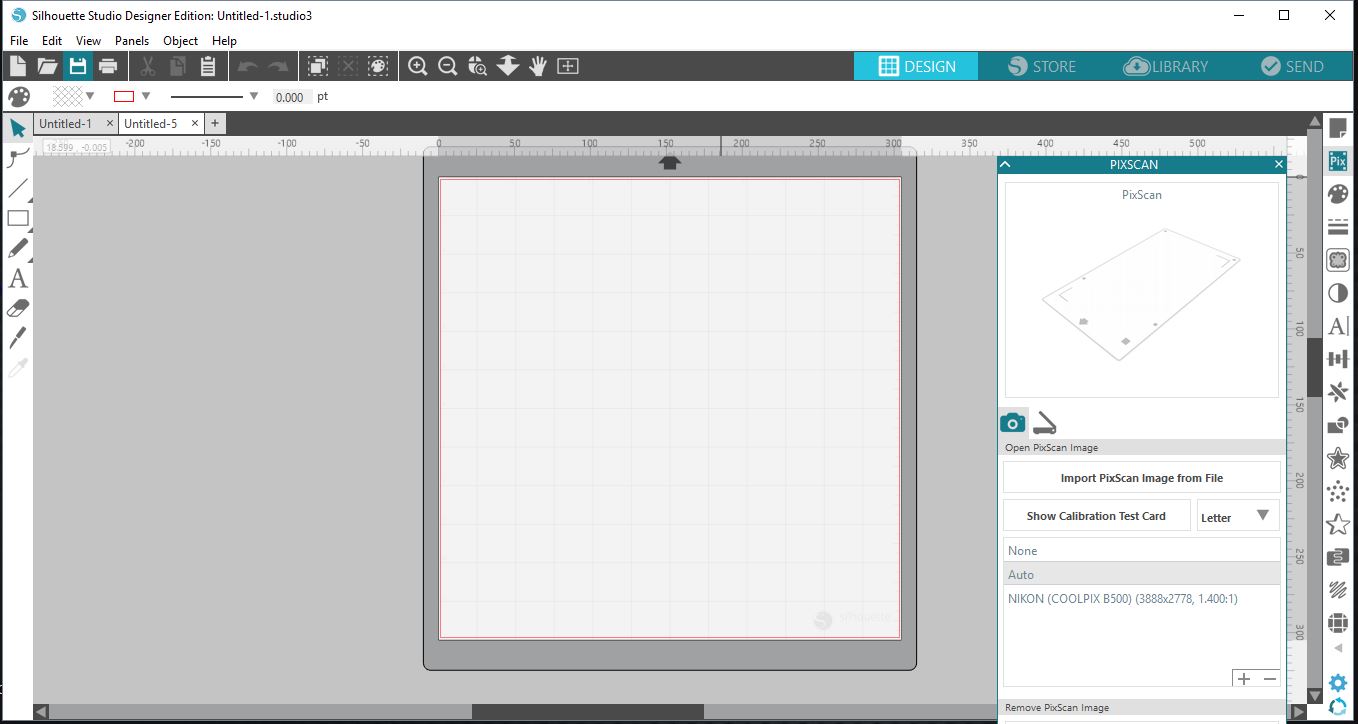
4-Here I selected PixScan and it automatically opened the panel to upload the pixScan project.
5-In the new V4 software you also have access to tutorials. Go to Help > Tutorials. to bring up the tutorial options.
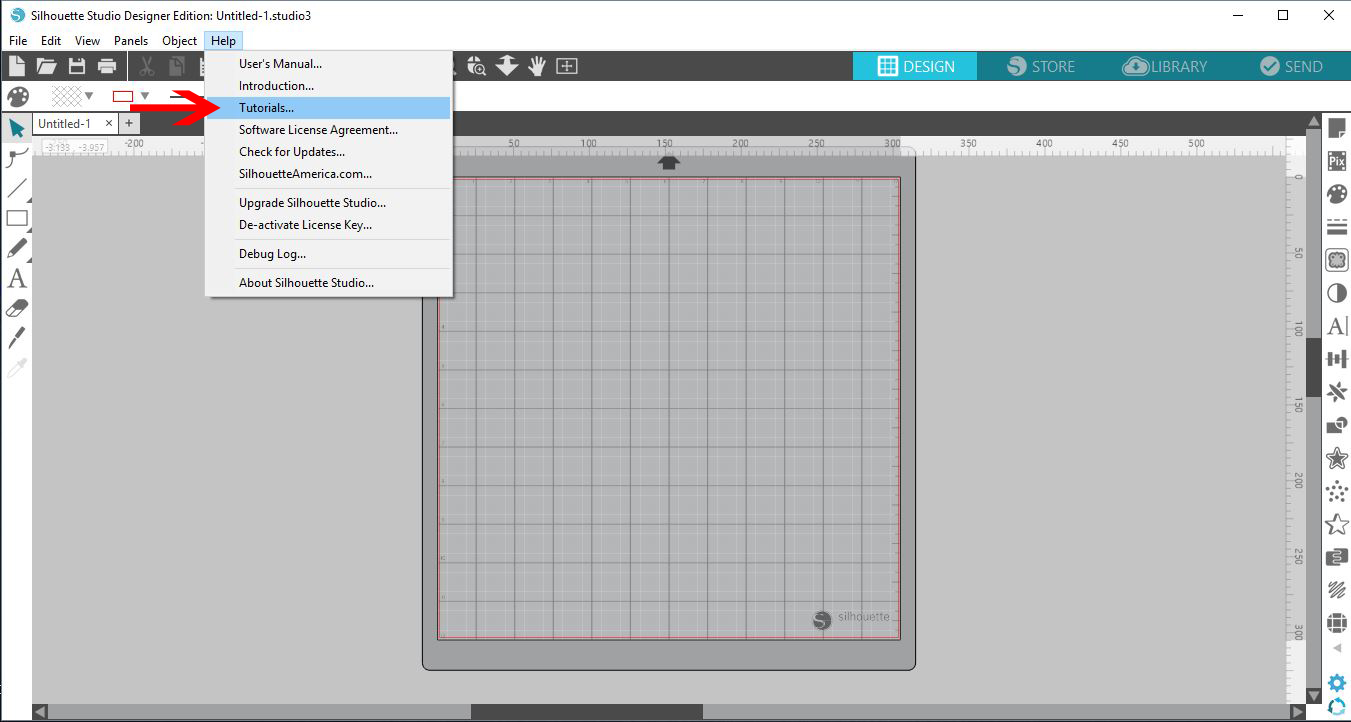
6- A number of tutorials will now appear in a new window. You can choose from easy tutorials to harder ones.
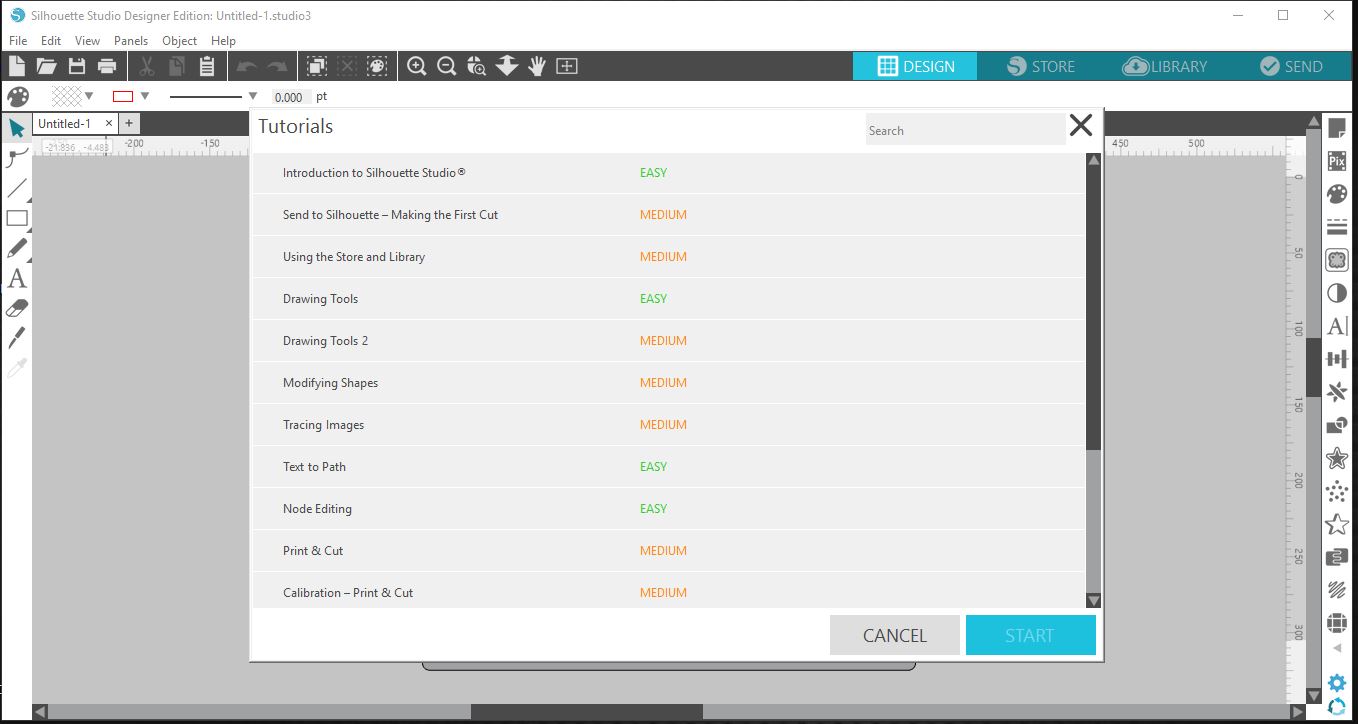
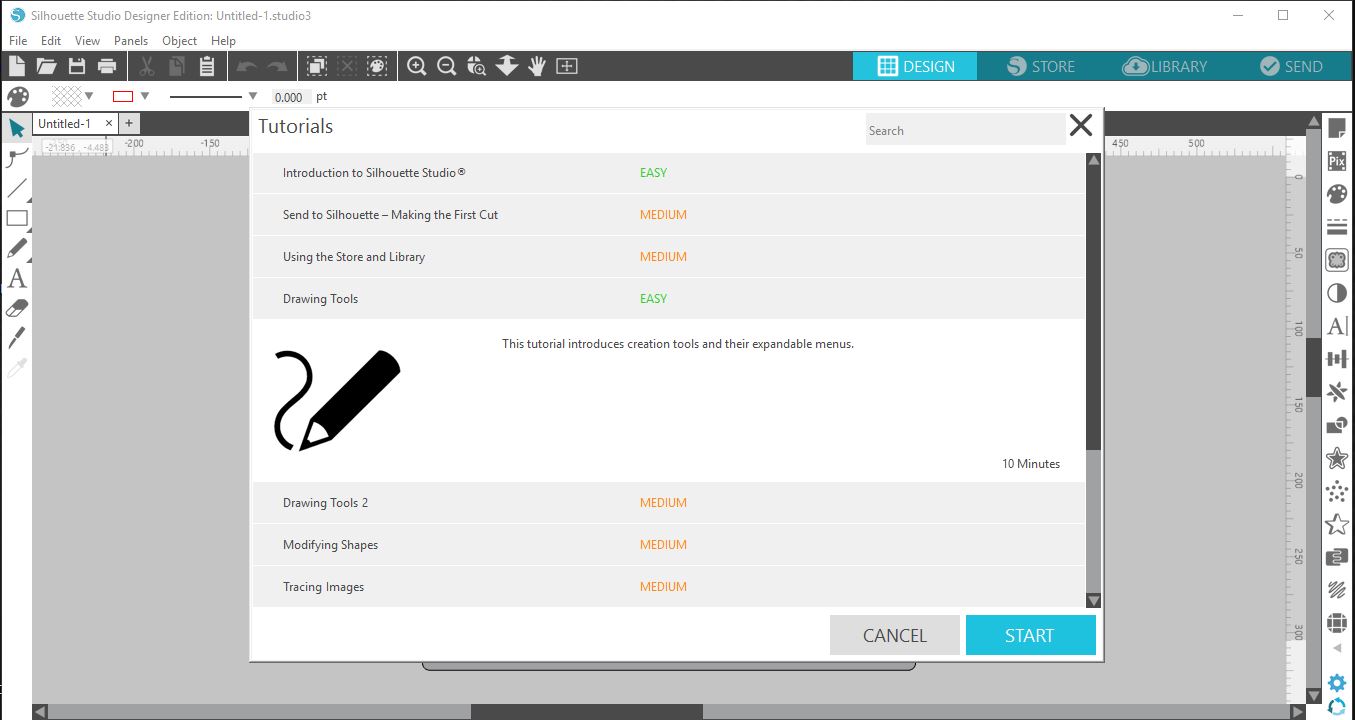
7-Select the tutorial that you would like to do. this will bring up info on how long the tutorial is and what it is about. You can then select start.
8-When you select start a smaller panel will appear in the bottom left with stet by step instructions and animated pictures explaining on how to do the tutorial.