
By Design Bundles
Cricut Tutorials3 min
How To Weld And Use Shadows In Cricut Design Space
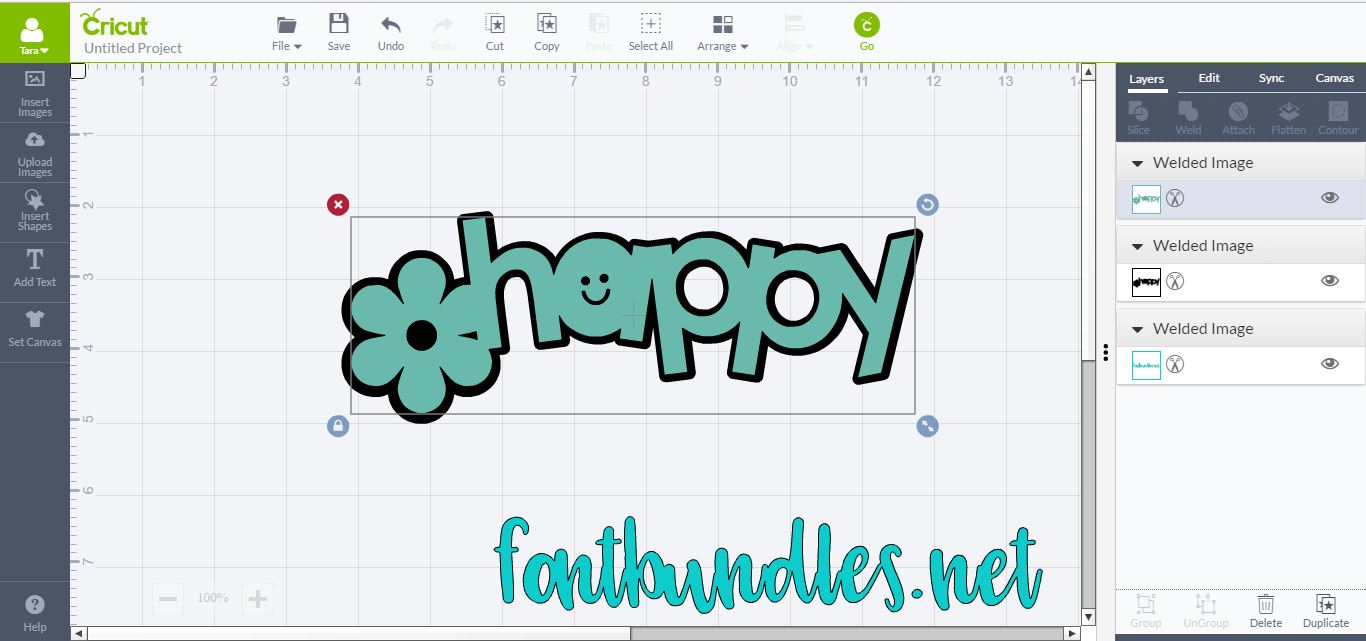
In this tutorial, discover how to weld and use shadows in Cricut Design Space.
How To Weld And Use Shadows In Cricut Design Space
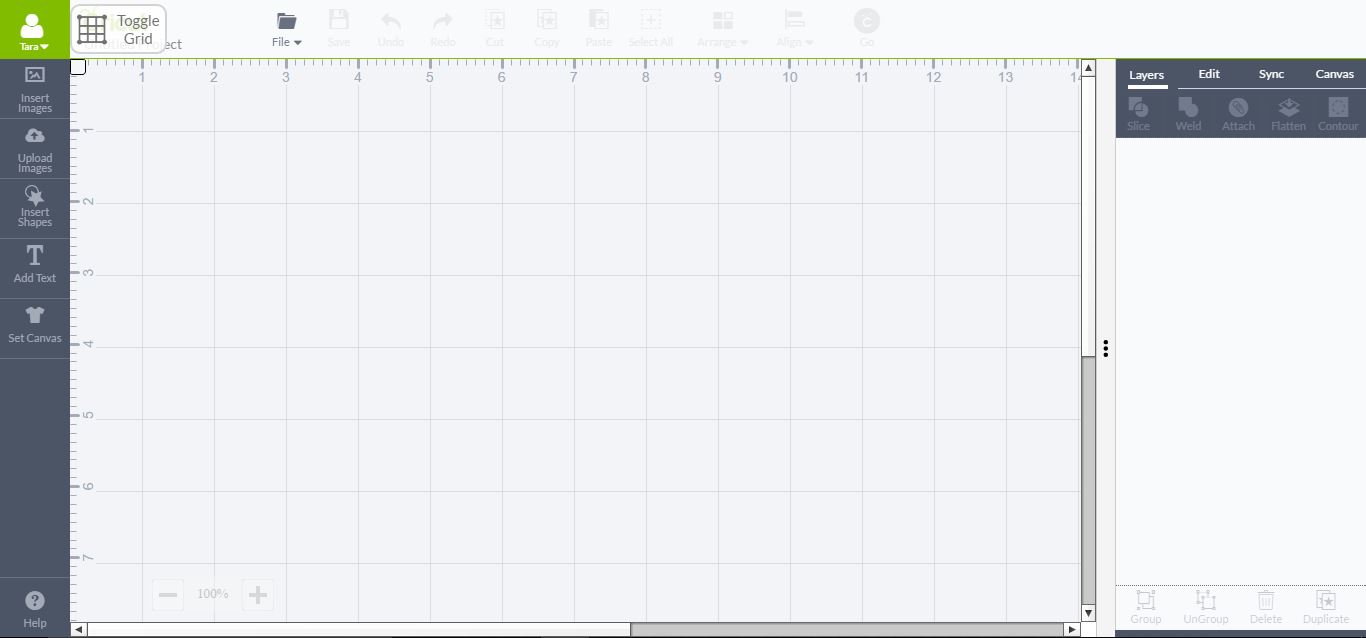
1- Open Cricut design space.
To Weld Text -
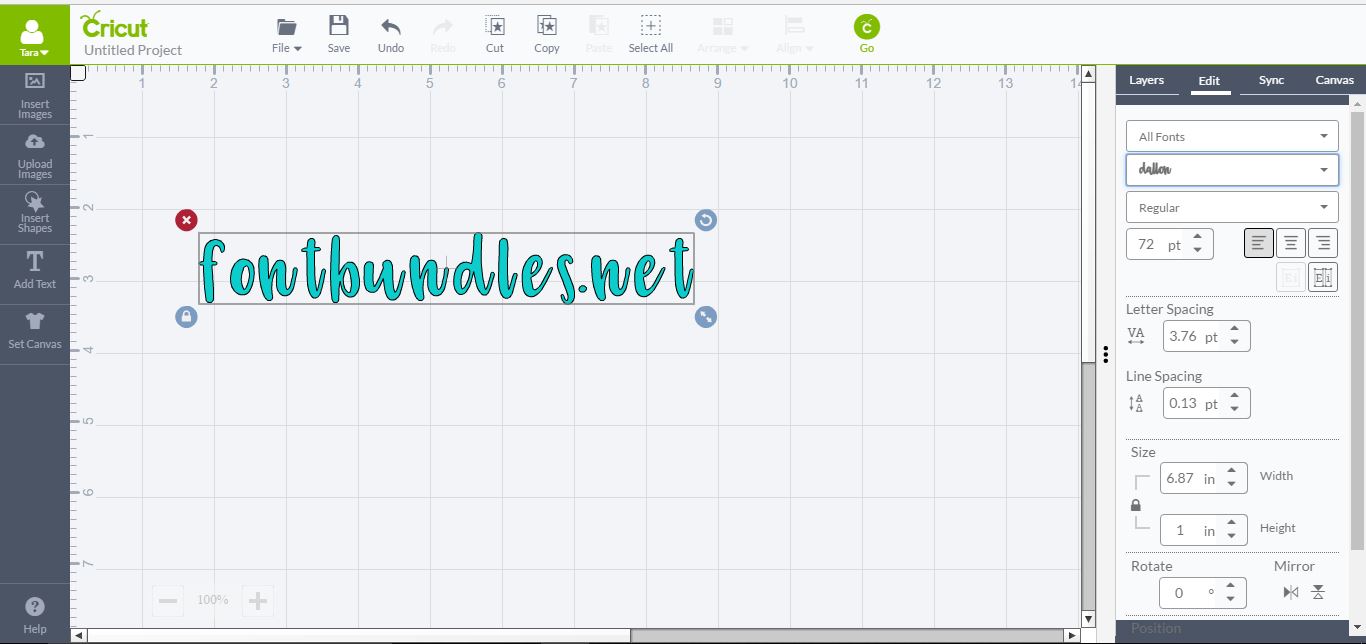
2- Type your text, then select the font you would like to use. I am using Dallon.
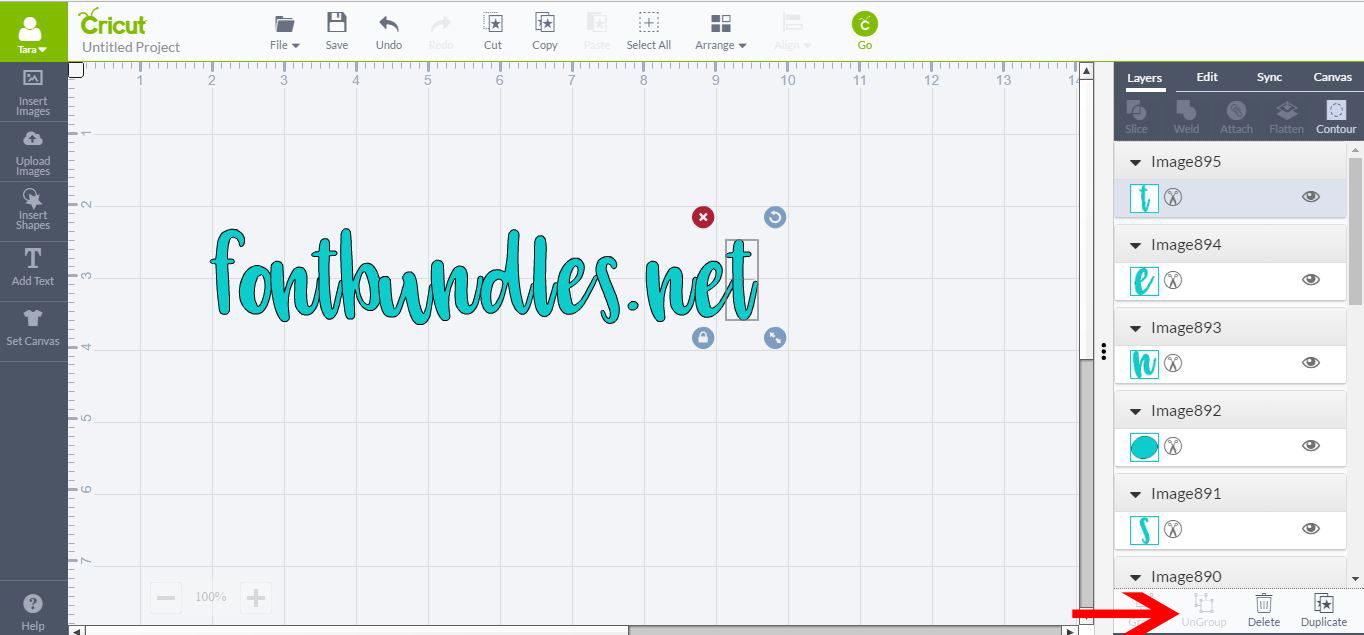
3- Ungroup the text and then move each letter of the text to slightly touch each other.
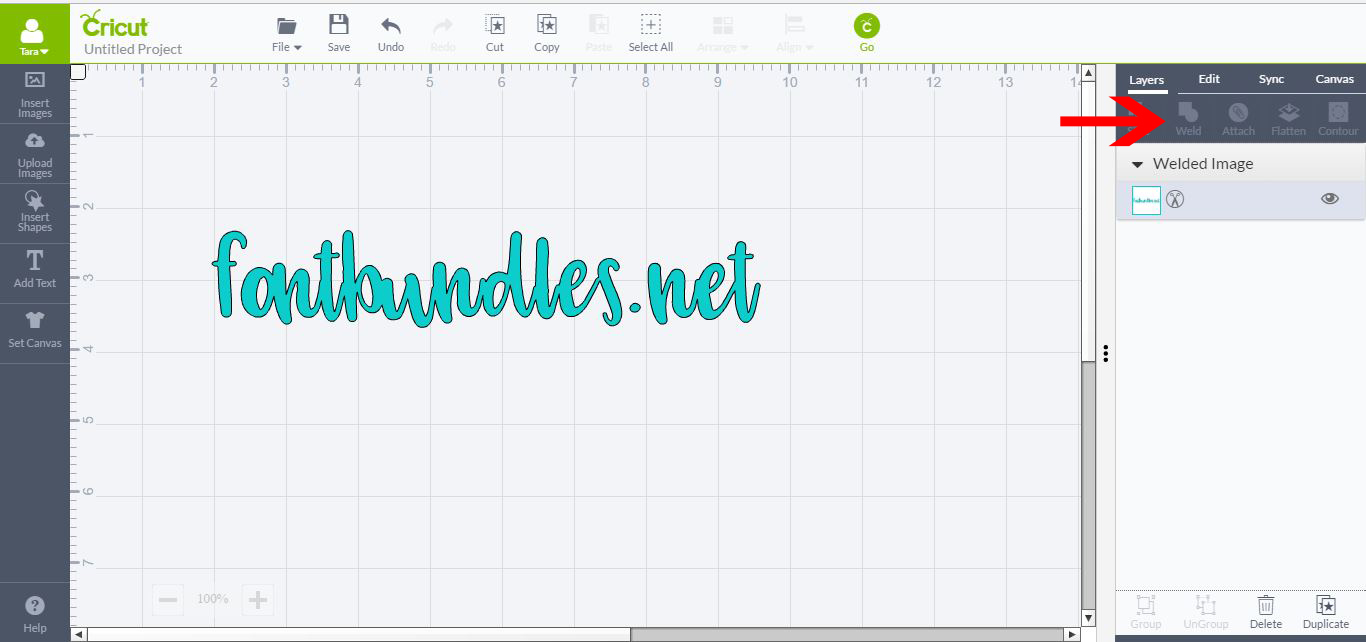
4- Select all the letters and then click on Weld (in layers)
To Adjust and weld Shadows-
5- Select the images that you want to use. Many of the shapes in the CDS library have shadows.
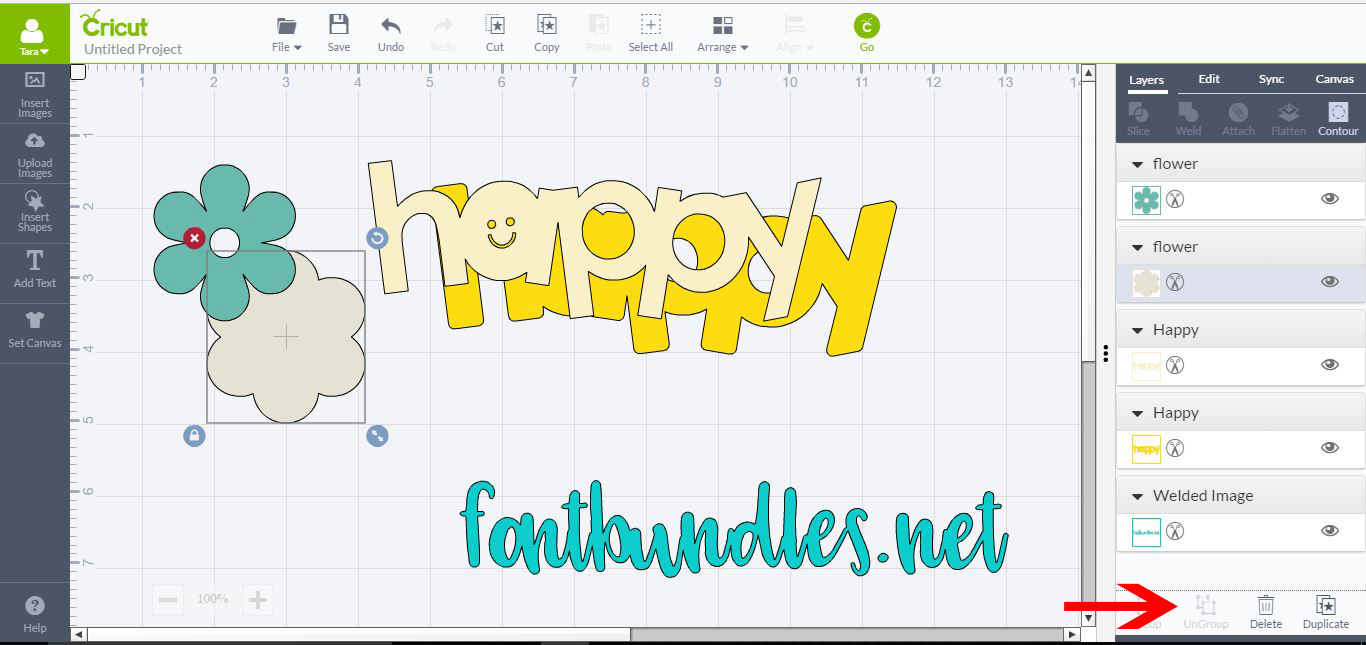
6- Ungroup the shapes.
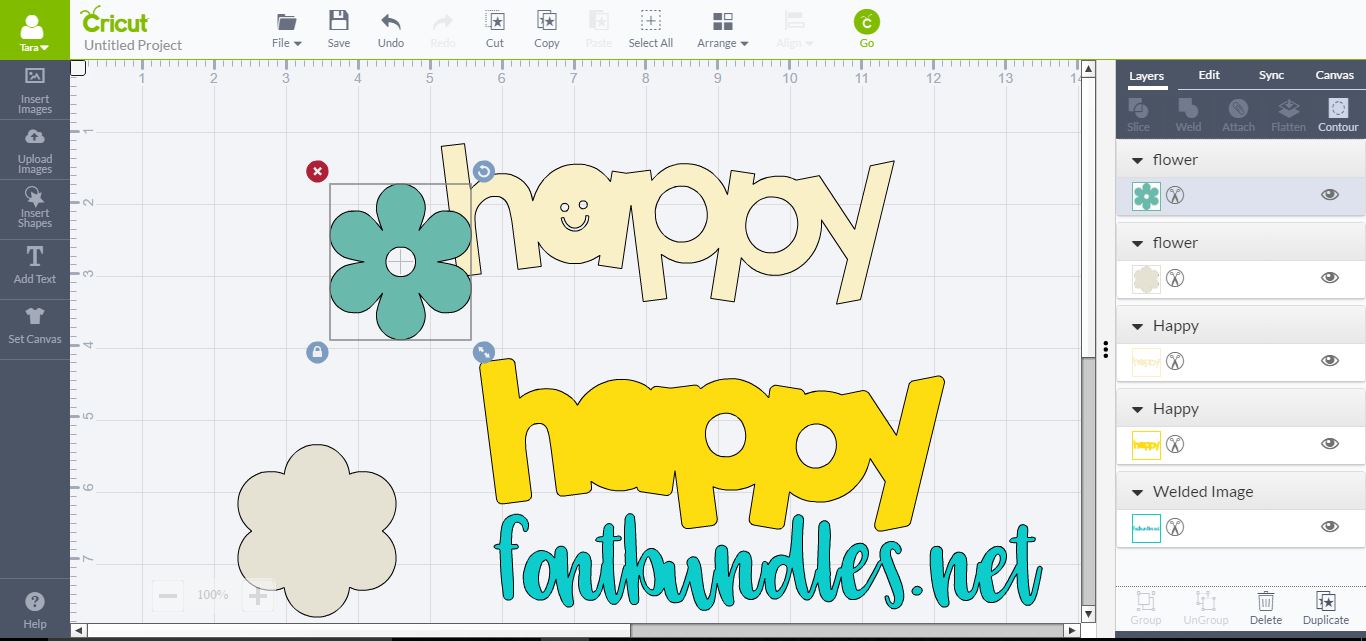
7- Take the word and the shape(leaving the shadows), and layer one over the other where you want it to be welded.
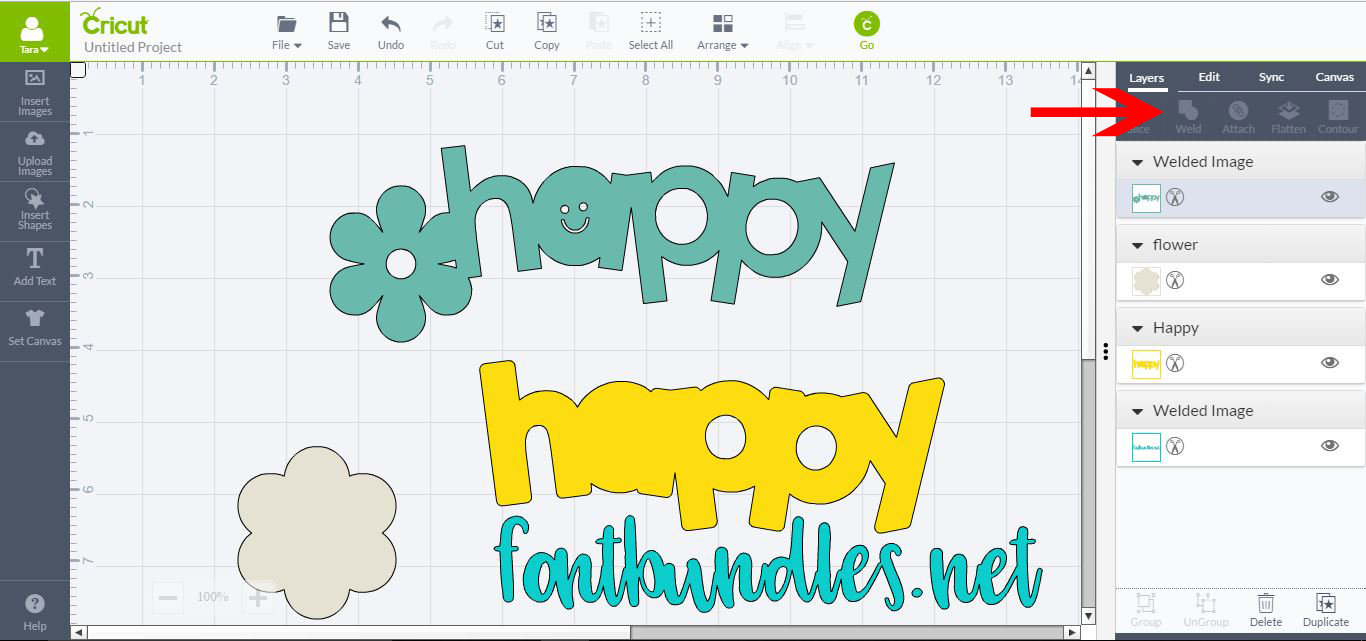
8- Select both the shape and font and weld (in layers tab)
9- Place the shadow of both the word and the shape under your newly welded design. Adjust until you are happy with the shadow.
10-Move the welded shape from the shadows.
11-Select both shadows and then weld (in layers tab)
12- Select your shadow in the layers tab and click on it to adjust the colour. I used black.
13- Drag the welded text/shape over your new shadow and group together.
1- Open Cricut design space.
To Weld Text -
2- Type your text, then select the font you would like to use. I am using Dallon.
3- Ungroup the text and then move each letter of the text to slightly touch each other.
4- Select all the letters and then click on Weld (in layers)
To Adjust and weld Shadows-
5- Select the images that you want to use. Many of the shapes in the CDS library have shadows.
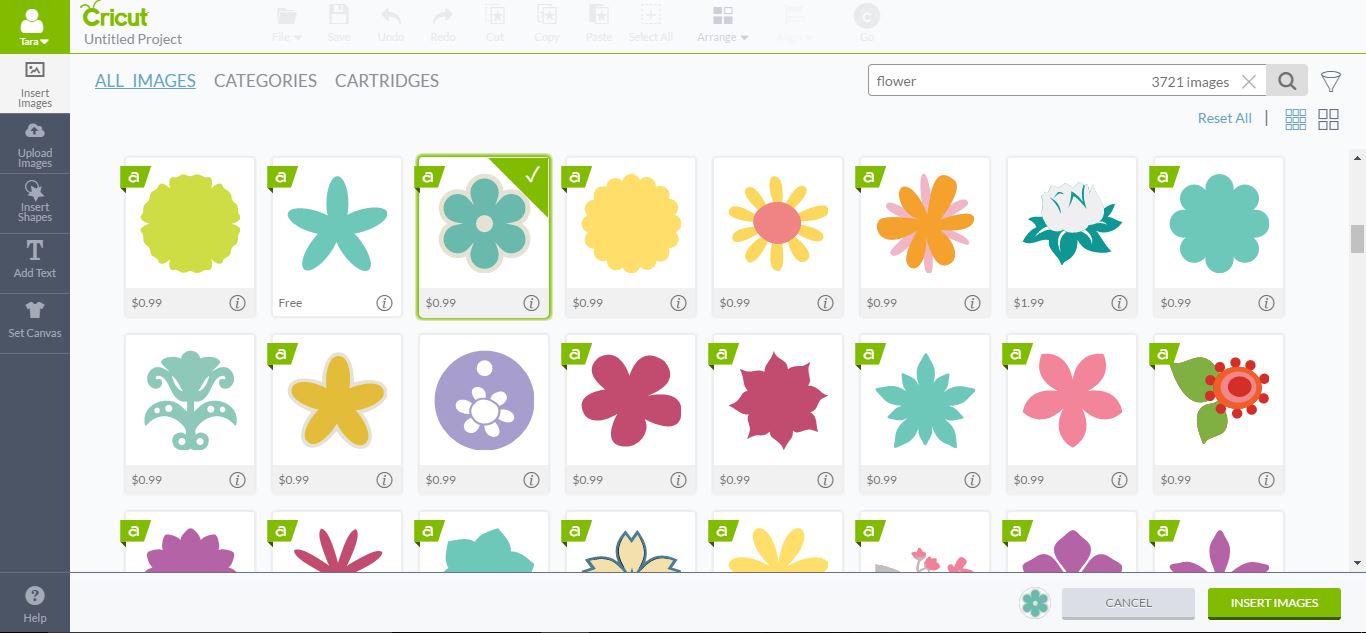
6- Ungroup the shapes.
7- Take the word and the shape(leaving the shadows), and layer one over the other where you want it to be welded.
8- Select both the shape and font and weld (in layers tab)
9- Place the shadow of both the word and the shape under your newly welded design. Adjust until you are happy with the shadow.
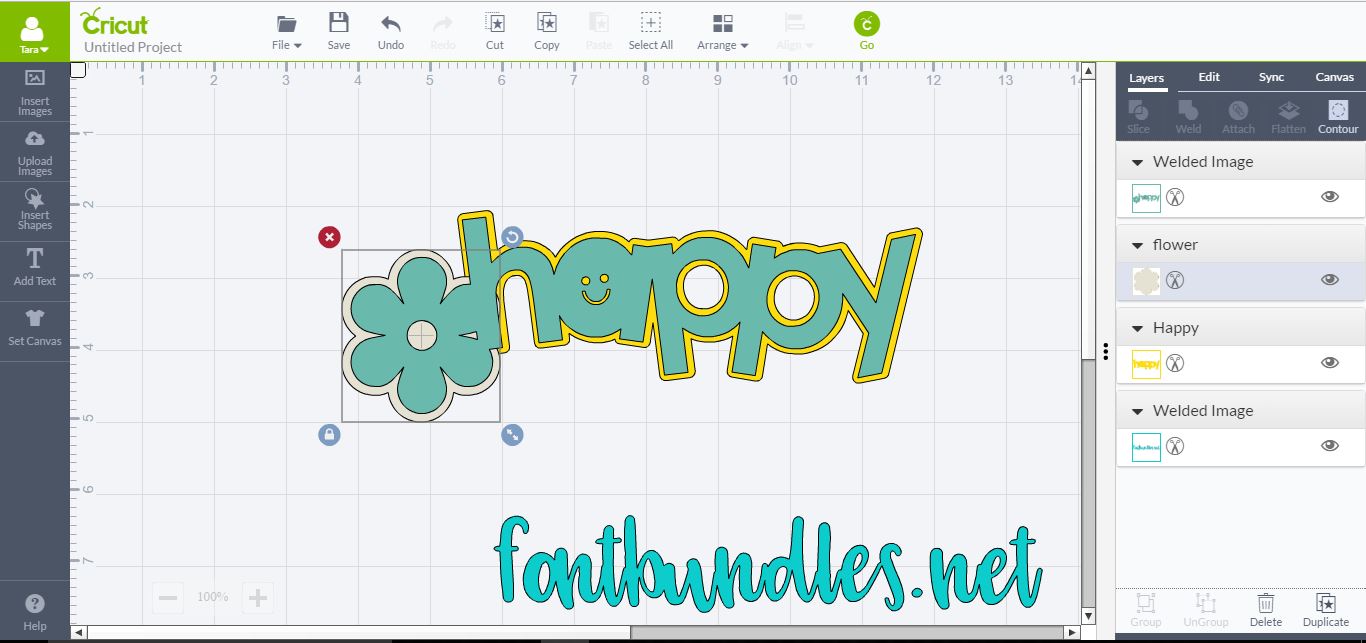
10-Move the welded shape from the shadows.
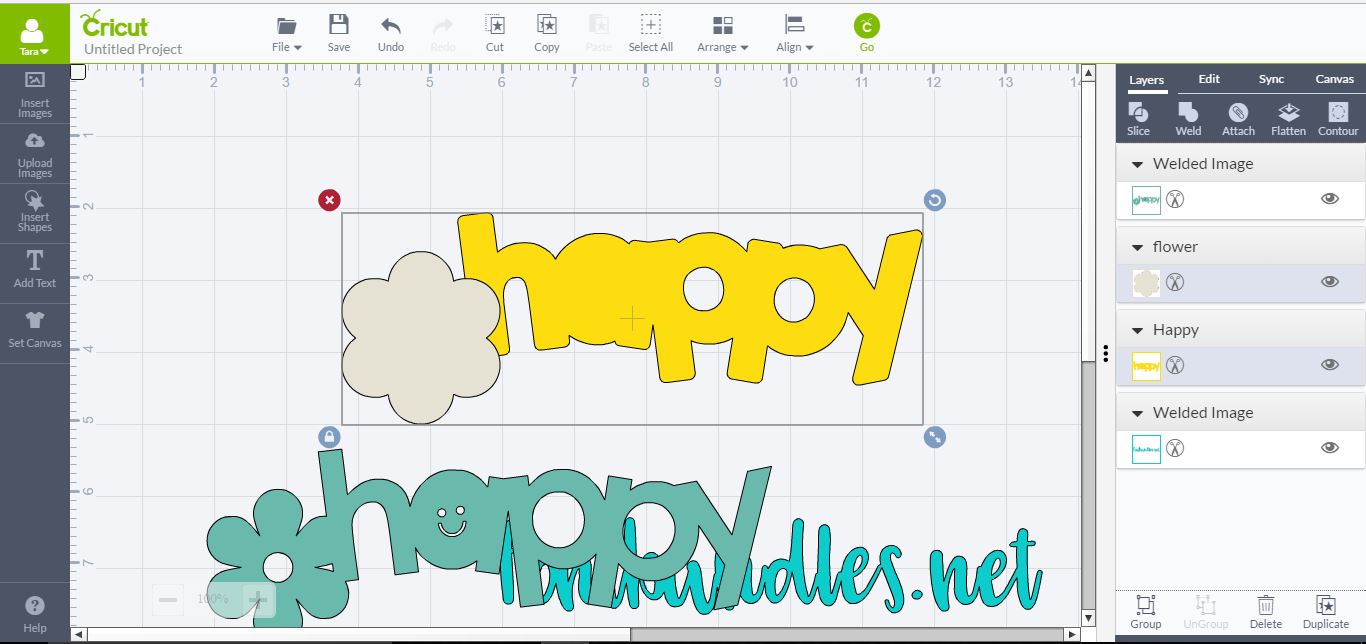
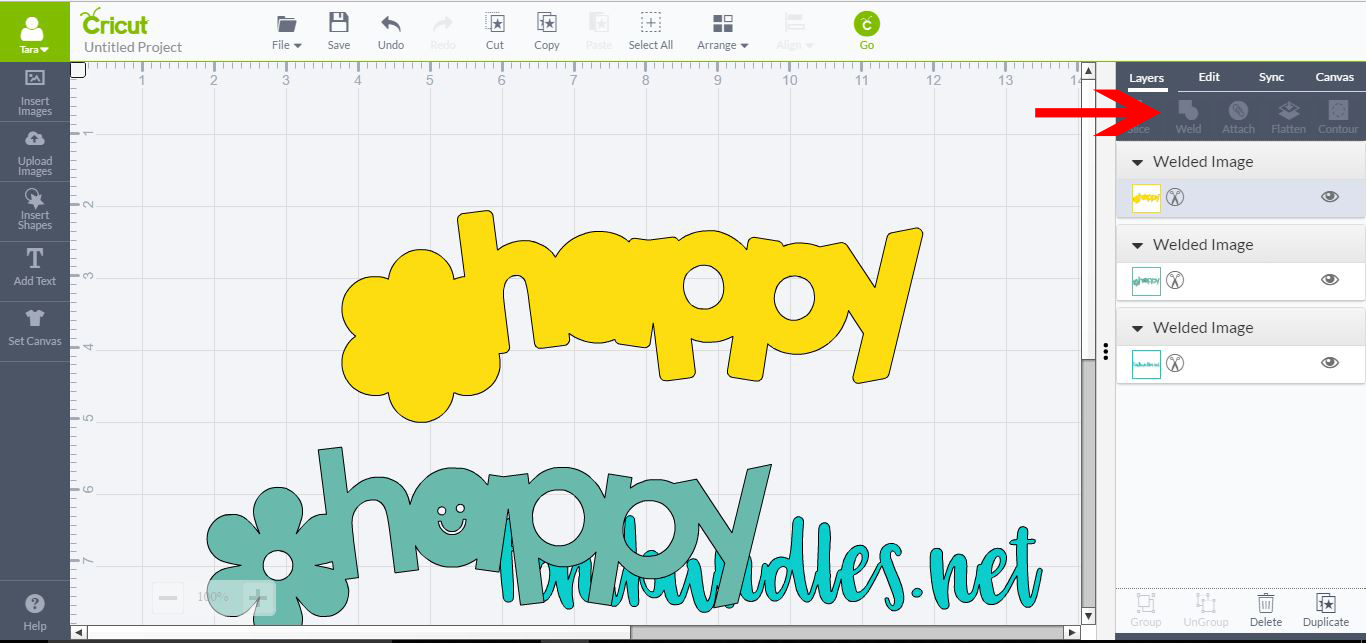
11-Select both shadows and then weld (in layers tab)
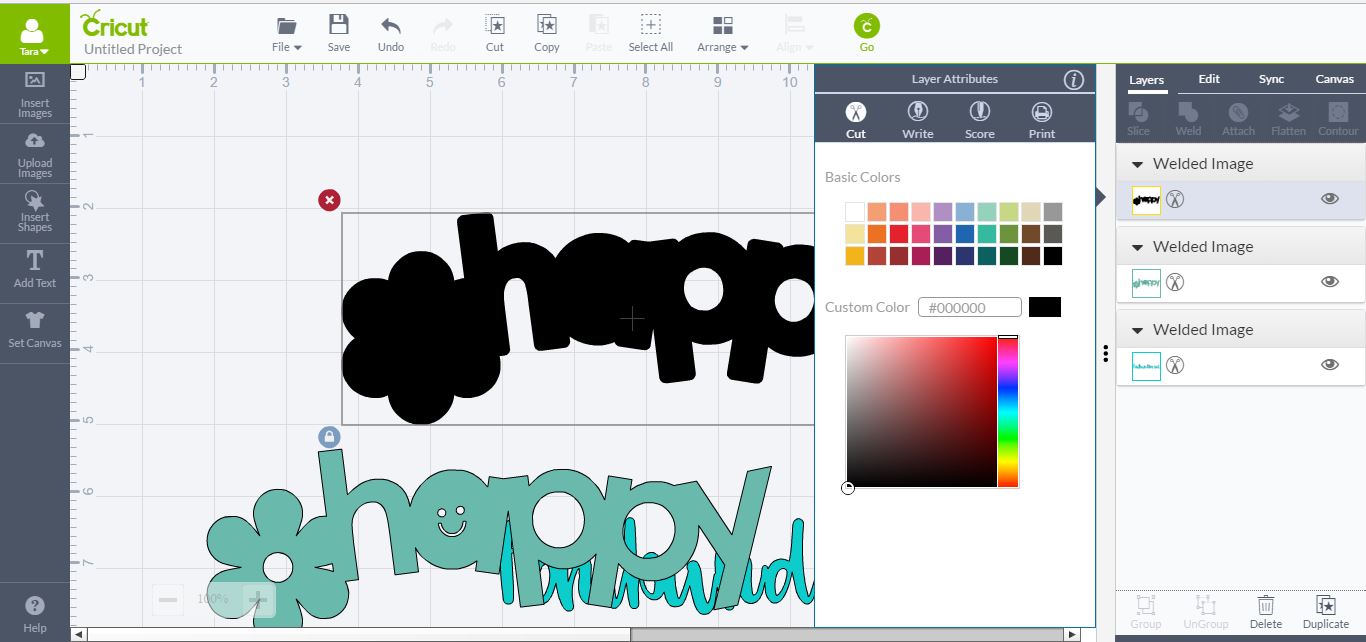
12- Select your shadow in the layers tab and click on it to adjust the colour. I used black.
13- Drag the welded text/shape over your new shadow and group together.
Related Tutorials
Cricut Tutorials
How To Use The Slice Tool In Cricut Design Space To Split Images
Learn how easily to Split Images in Cricut Design Space using the Slice Tool.
Cricut Tutorials
How to Use a PDF File in Cricut Design Space
In this tutorial we guide you through the steps on using a PDF file in Cricut Design Space.
Cricut Tutorials
How to use Glyphs in Cricut Design Space
Discover how to use font glyphs/alternate characters in Cricut Design Space.
Silhouette Tutorials
How to Use Silhouette Files in Cricut Design Space
Discover how you can use your Silhouette Studio file in Cricut Design Space.
Cricut Tutorials
How to use Fonts In Cricut Design Space
Learn how to successfully use Fonts in Cricut Design Space with this step-by-step tutorial.
Cricut Tutorials
How to Use Pattern Fill in Cricut Design Space
Learn how to use the pattern fill feature in Cricut Design Space with this beginner tutorial.