By Design Bundles
SCAL Tutorials2 min
Using the Wrapper function in Sure Cuts a Lot 4
*Note- Using SCAL4 Pro.
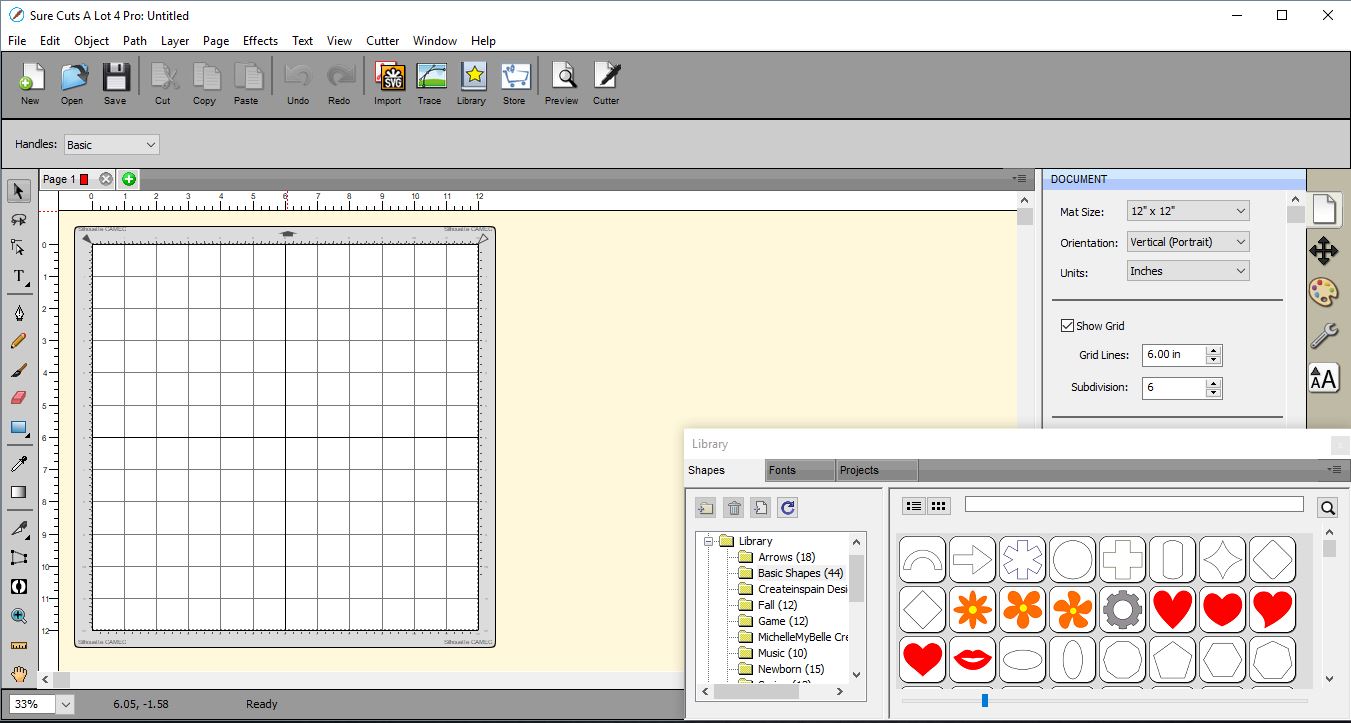
1- Open SCAL4 software.
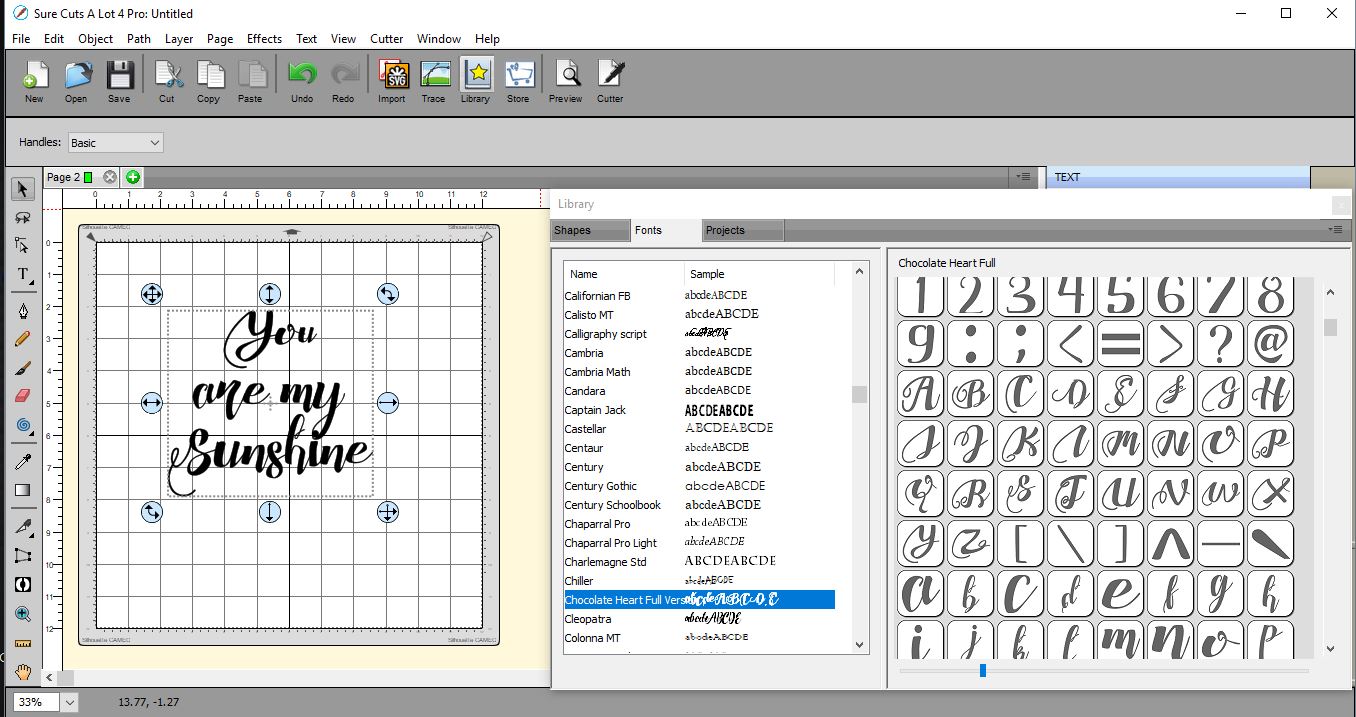
2-Type your text. I am using Chocolate Heart script from fontbundles.net.
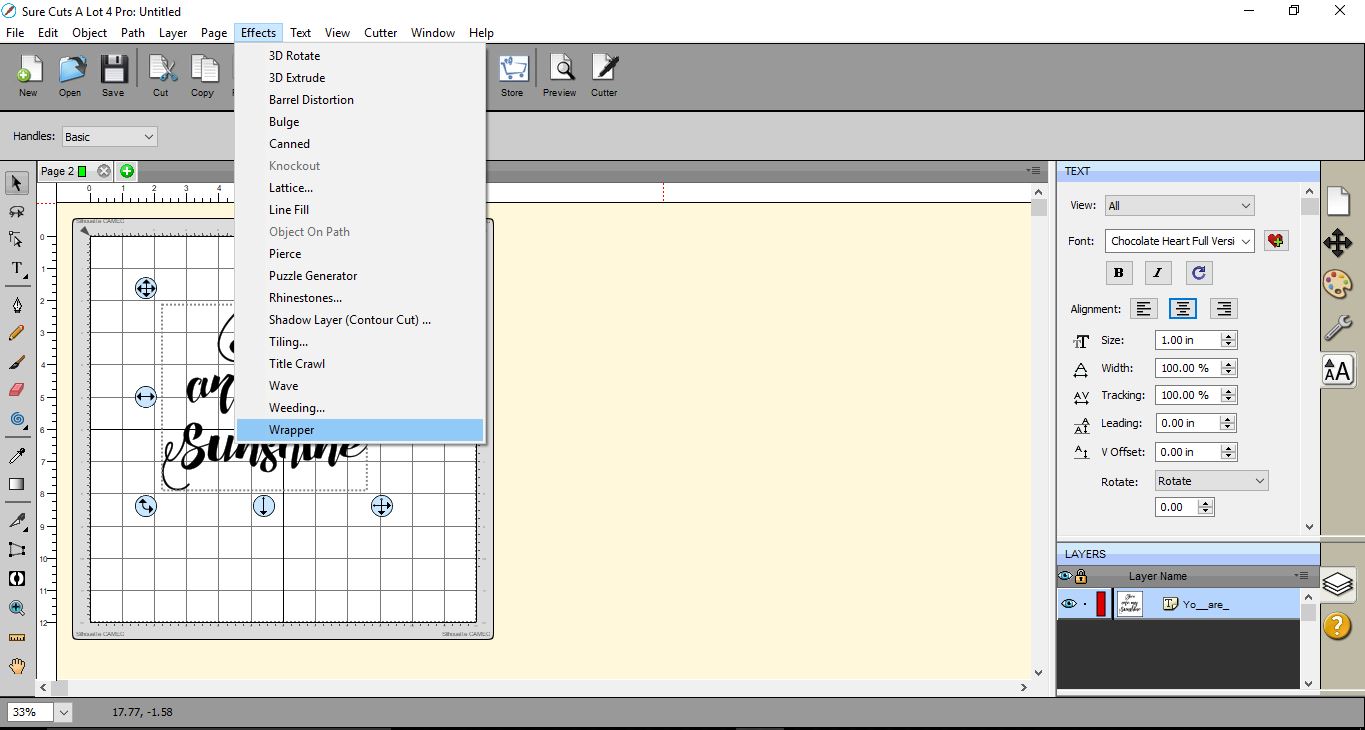
3- Go to Effects > wrapper.
4- A new window will appear. You can add the dimensions of your glass or circular object. By doing this the software will calculate the curve your text needs to be able to be applied onto the circular object, so it appear to look straight on the glass.
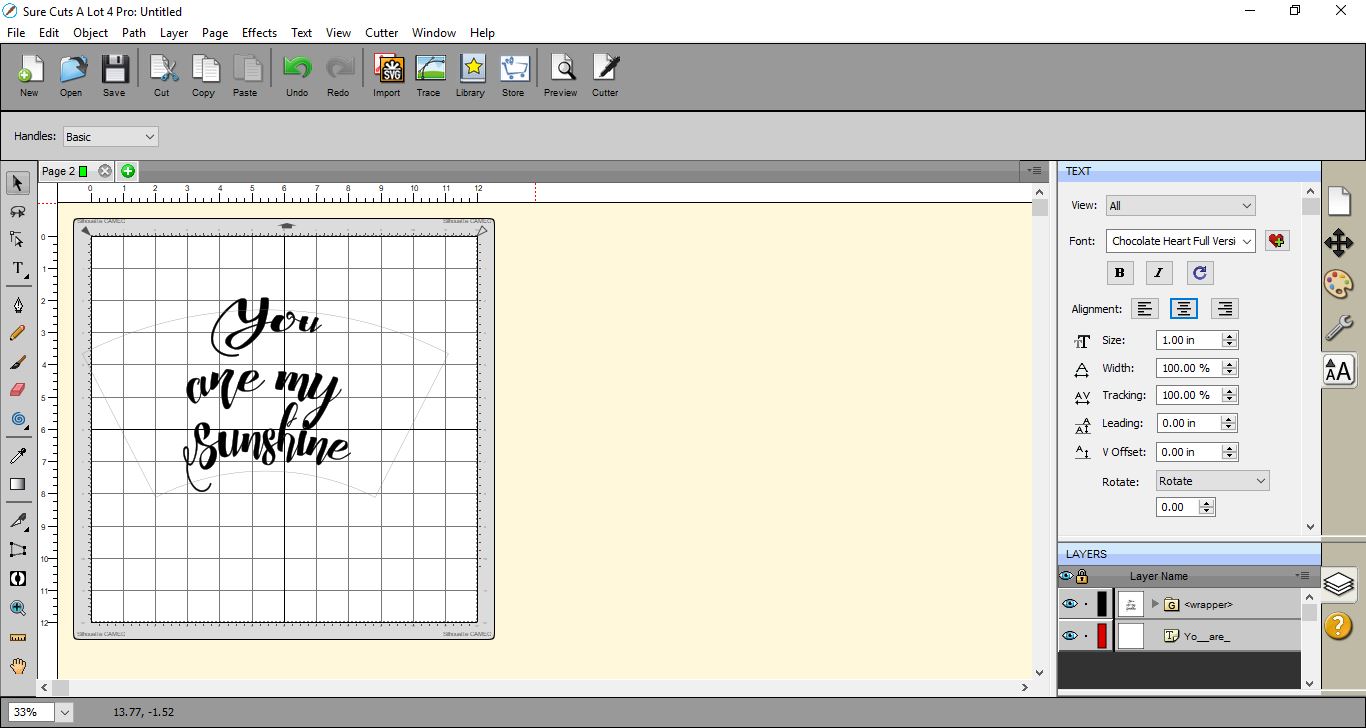
5- Once you are happy click OK. You will see the text has altered slightly and a faint line will appear to show the curve. You can now cut the design on vinyl and place on your object and it will appear straight.
1- Open SCAL4 software.
2-Type your text. I am using Chocolate Heart script from fontbundles.net.
3- Go to Effects > wrapper.
4- A new window will appear. You can add the dimensions of your glass or circular object. By doing this the software will calculate the curve your text needs to be able to be applied onto the circular object, so it appear to look straight on the glass.
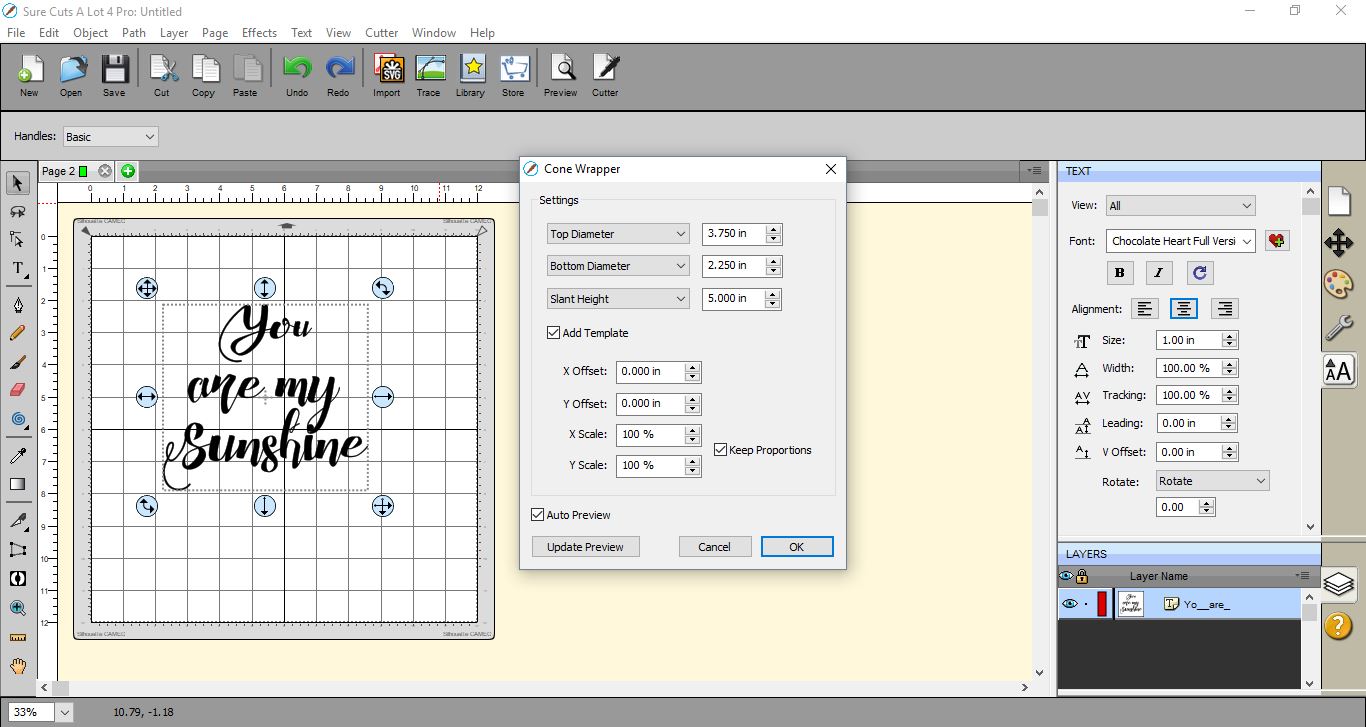
5- Once you are happy click OK. You will see the text has altered slightly and a faint line will appear to show the curve. You can now cut the design on vinyl and place on your object and it will appear straight.
Related Tutorials
SCAL Tutorials
Sure Cuts a Lot 4 Basics - Font Preview function
SCAL Tutorials
Using digital papers in Sure Cuts A Lot 4
SCAL Tutorials
Sure Cuts A Lot 4 Basics - Knockout Function
SCAL Tutorials
Sure Cuts A Lot 4 Basics - Lattice function
SCAL Tutorials