By Design Bundles
How to Alter Designs in Silhouette Alta 3D Printer Software
1- Load the Silhouette Alta software. Click on the tab to access the library.
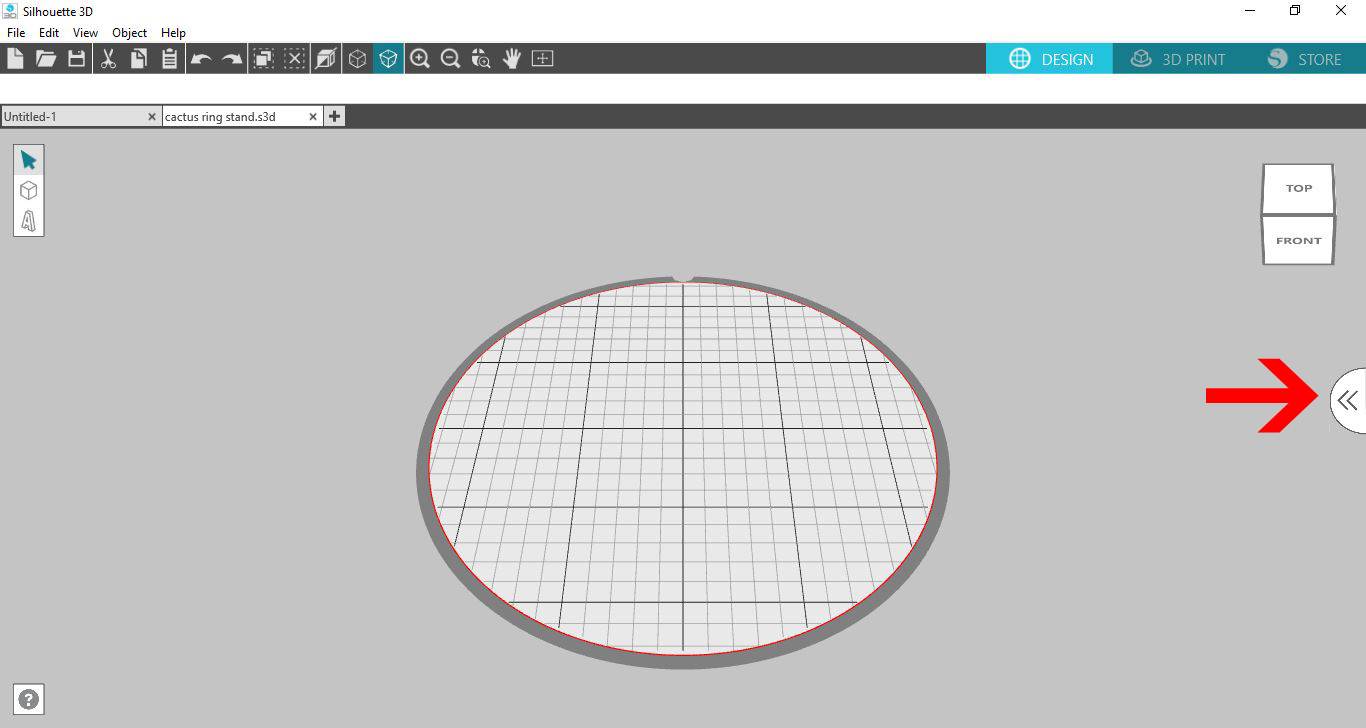
2- Click on the Library.
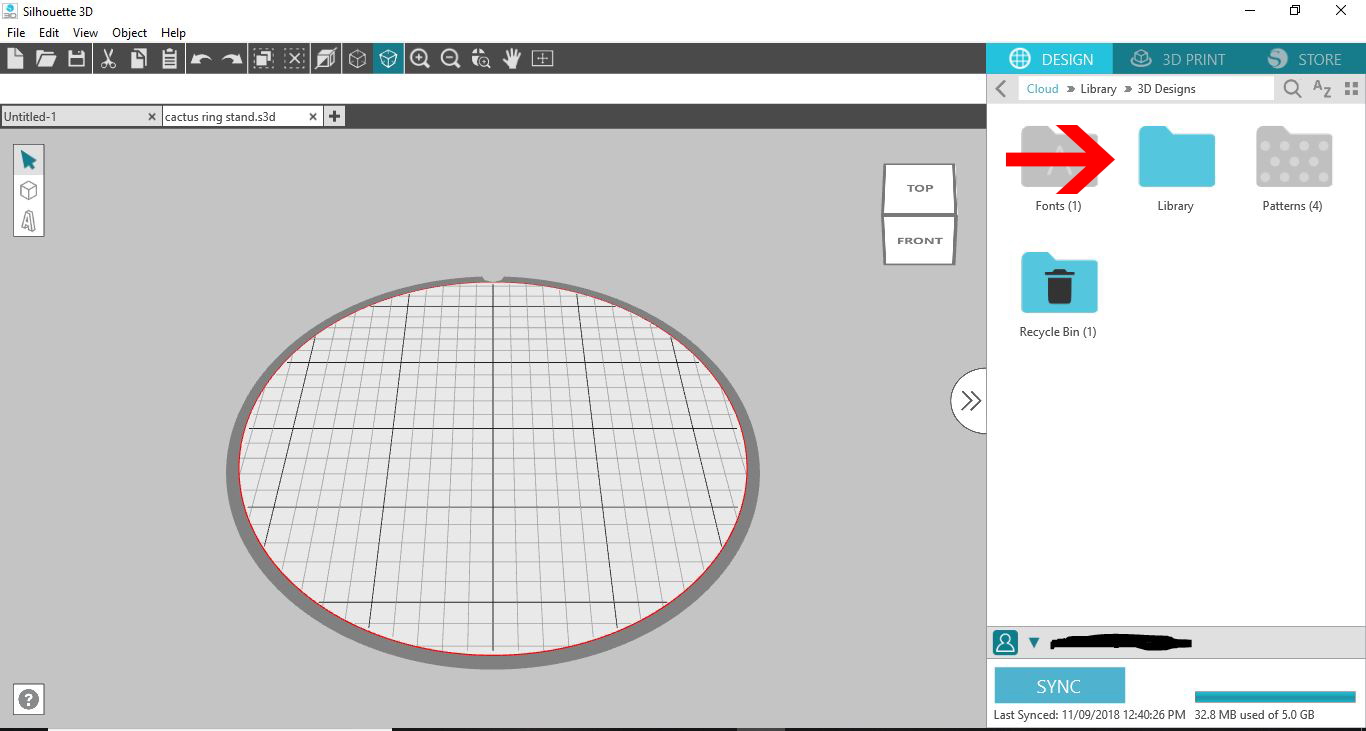
3- Go the the 3D designs you have loaded. (you can also load a 3rd party .obj or .stl file).
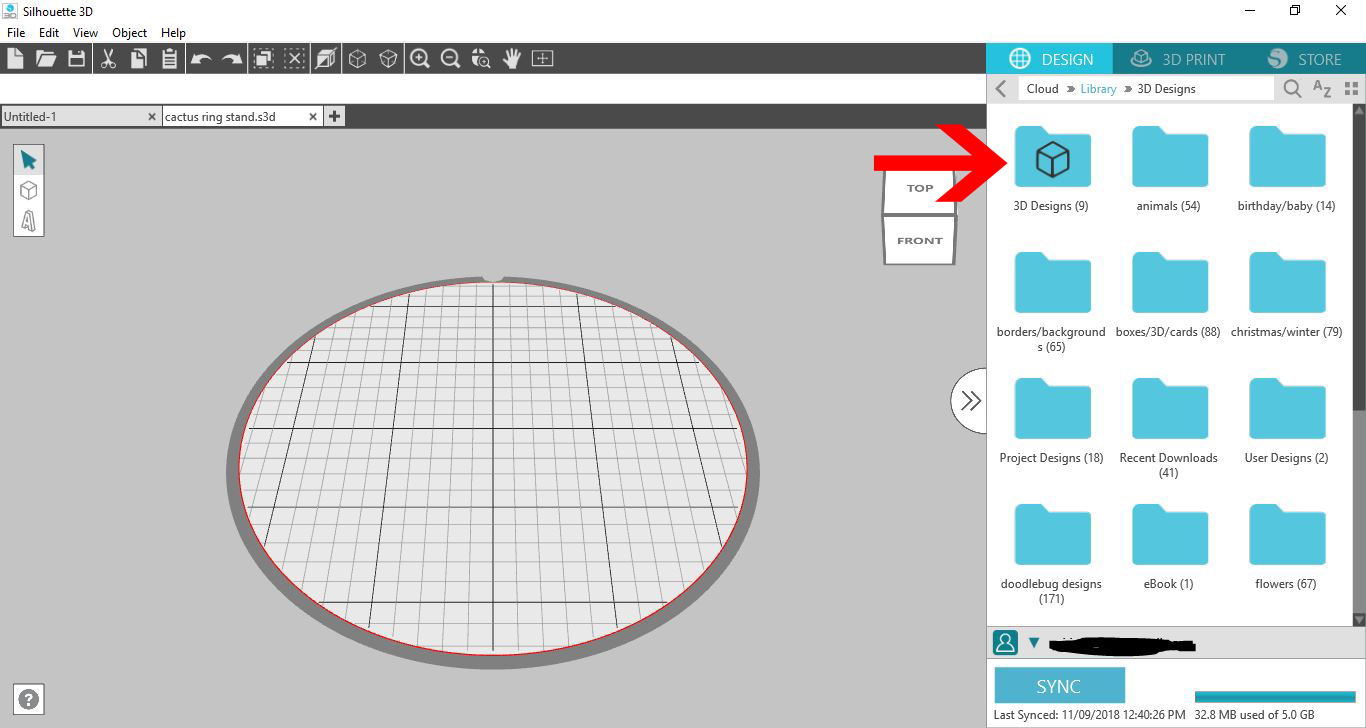
4- Select your 3D design. Double click to apply to your design area.
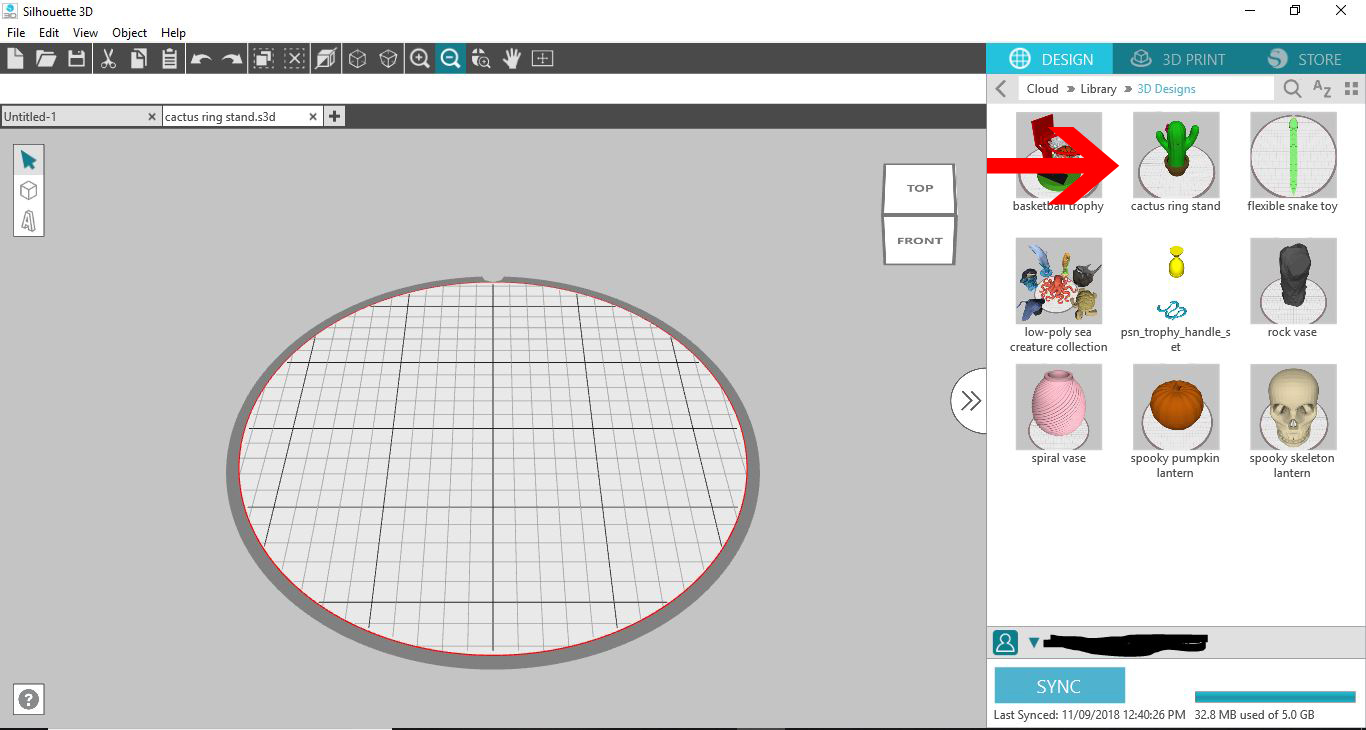
5- Your design will appear onto your design area.
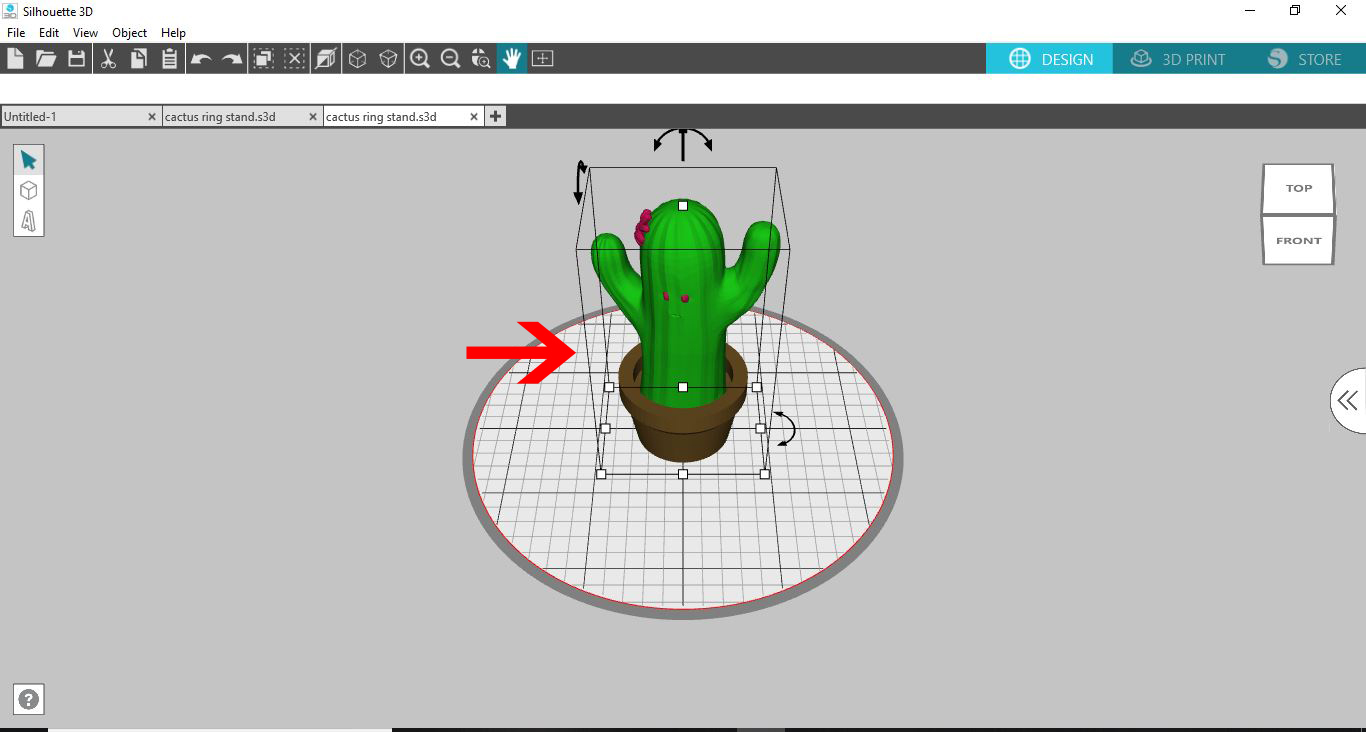
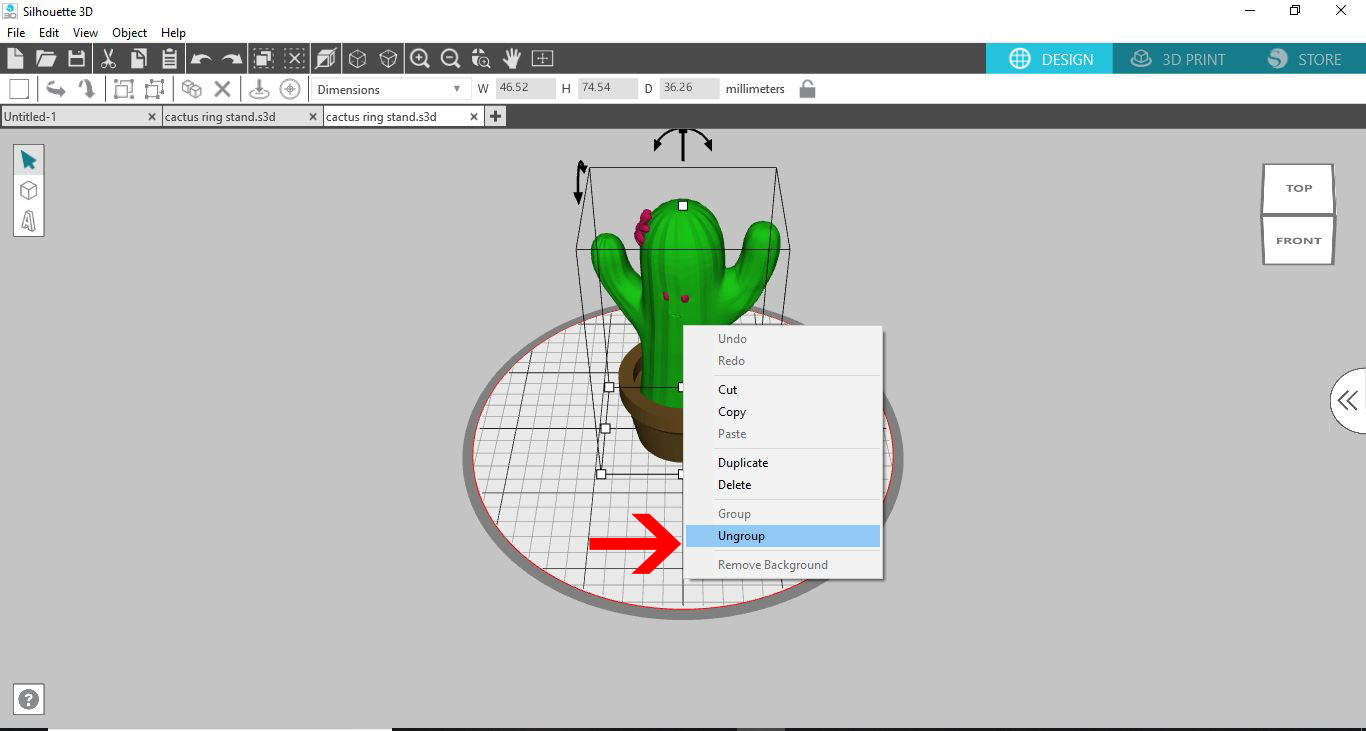
6- You will need to ungroup the different parts of your design. Right click and then select ungroup.
7- Pull all the sections apart. Select the part of the design you would like to replicate and then click on the duplicate icon until you have the number your require.
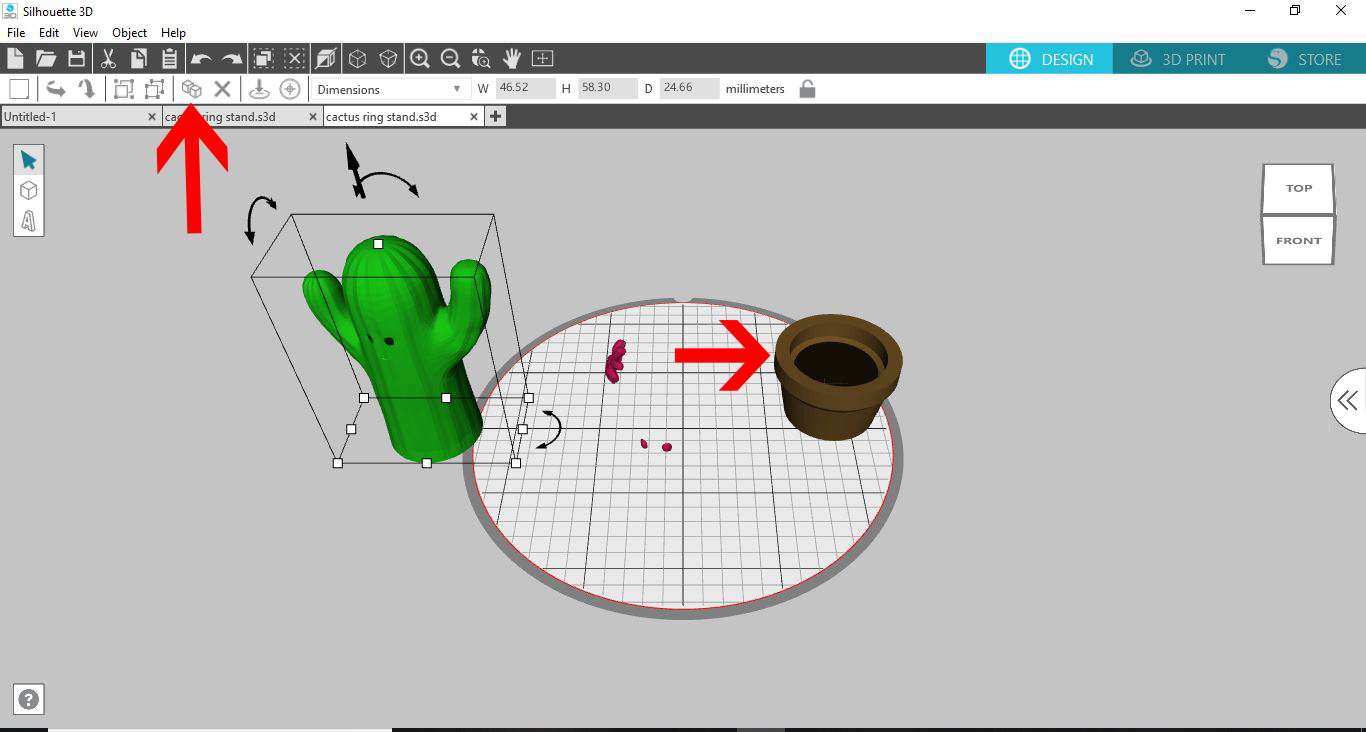
8-Rearrange the parts to suit your needs. Select them and then click on group. this way they will print as one object not 3 (its kind of how the weld function works in silhouette studio.)

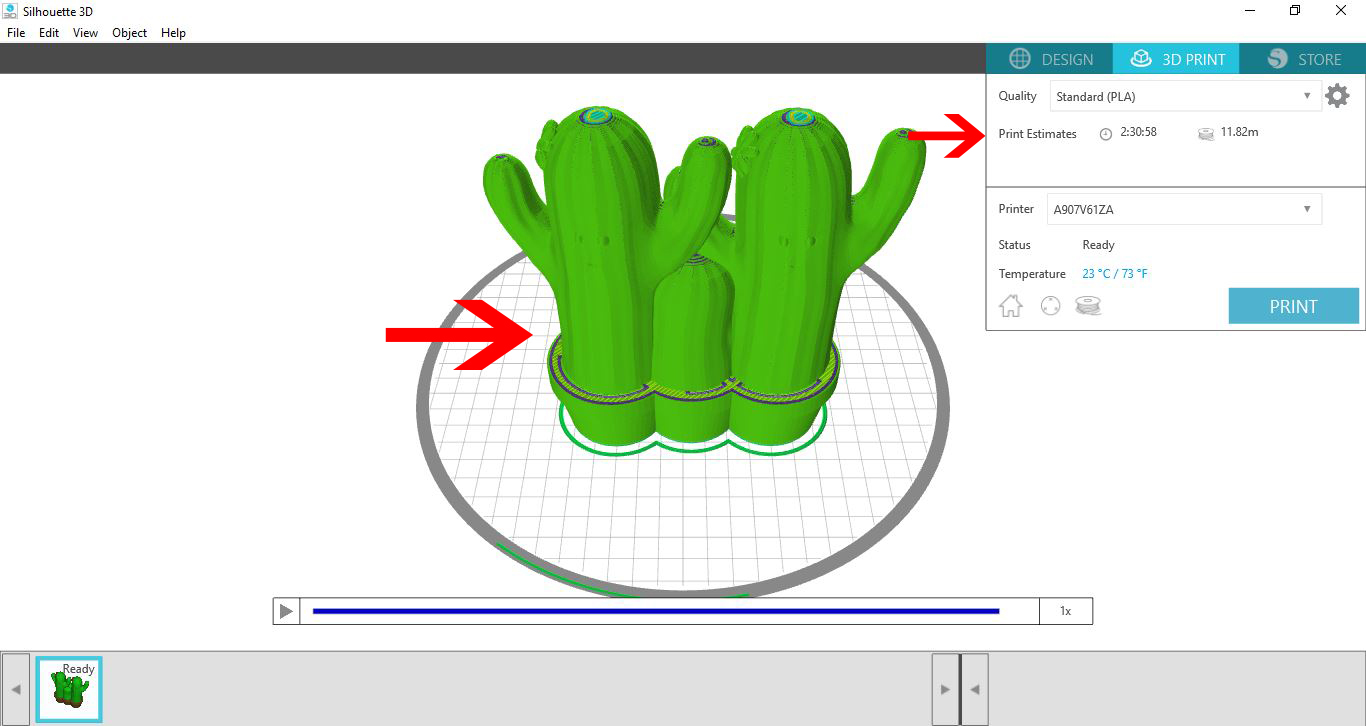
9- Alter anything else you would like to use, then with everything selected, right click and group as one object (or if you need to print in different colours leave ungrouped and glue at a later date together.
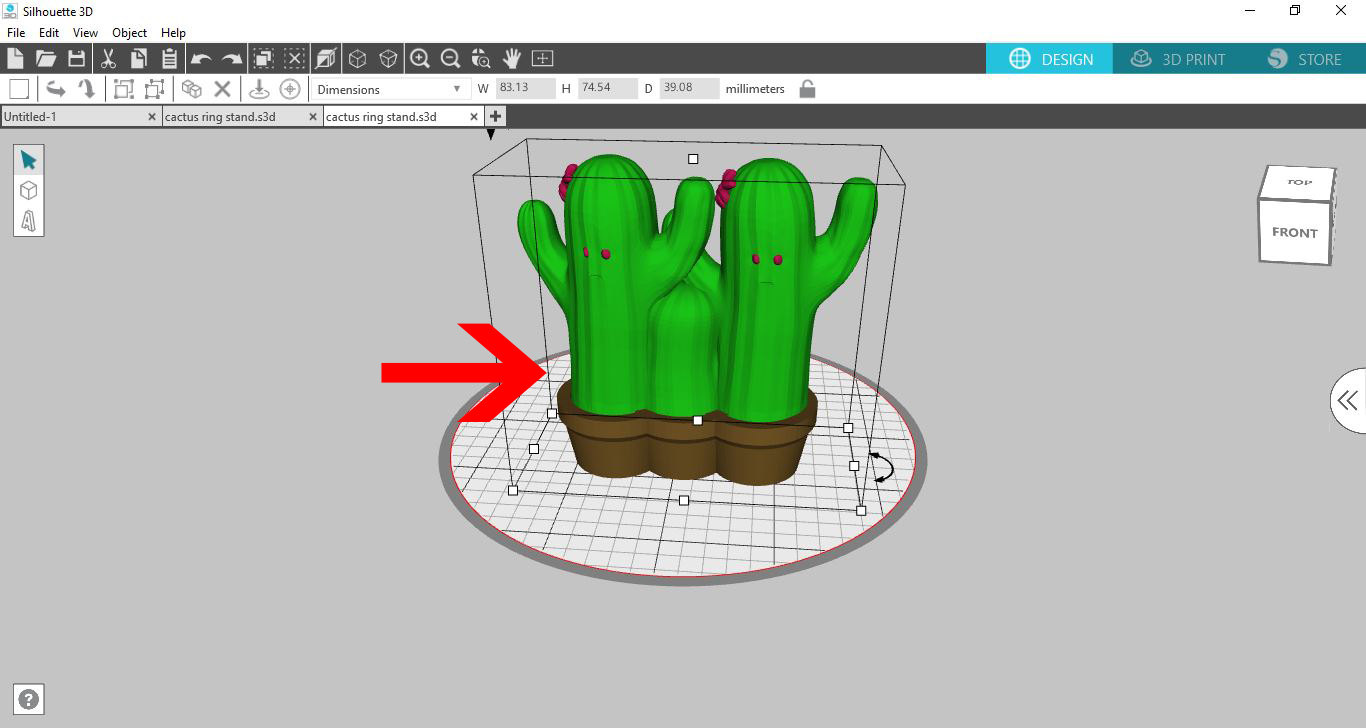
10- Once you are happy, click 3D print and select the quality of print and then load filament and print your design.