By Design Bundles
How to Use a DXF file in the Silhouette Alta 3D software
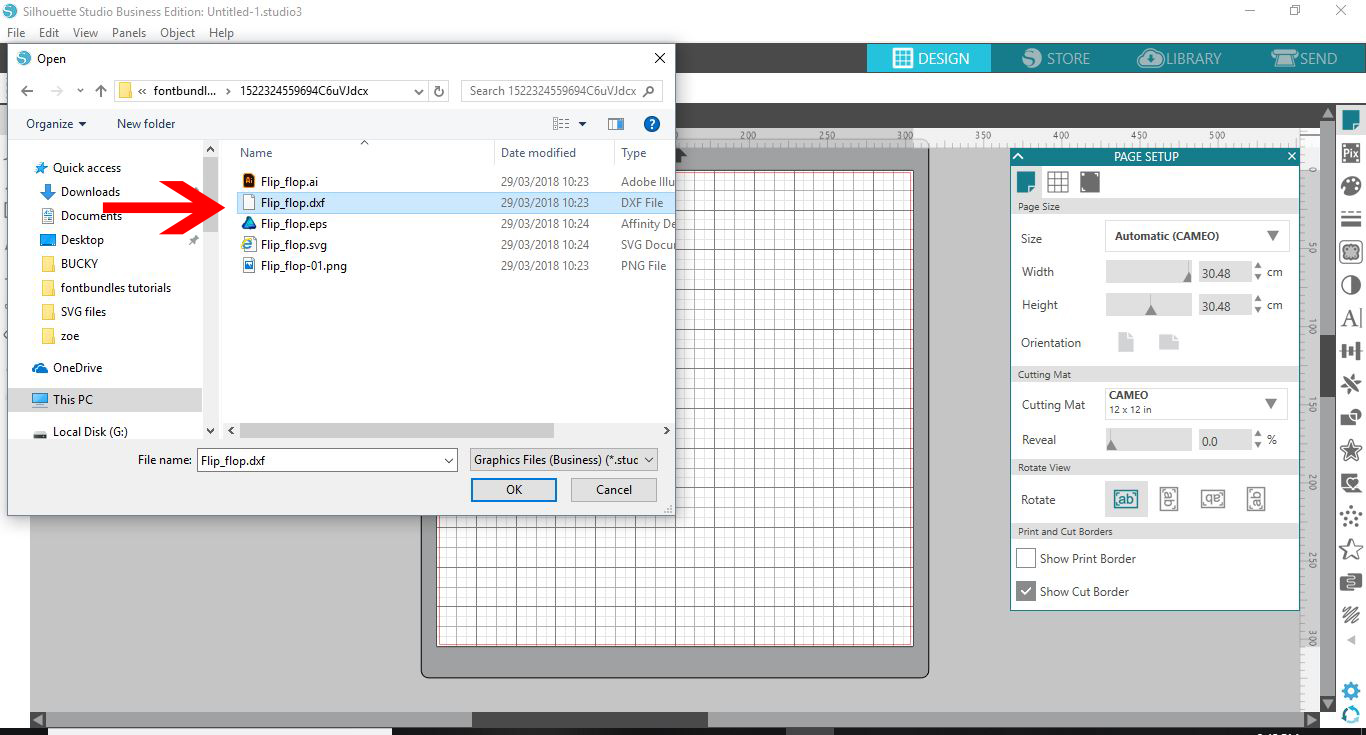
1- Open up Silhouette Studio software (Business Edition). Click on the open folder.
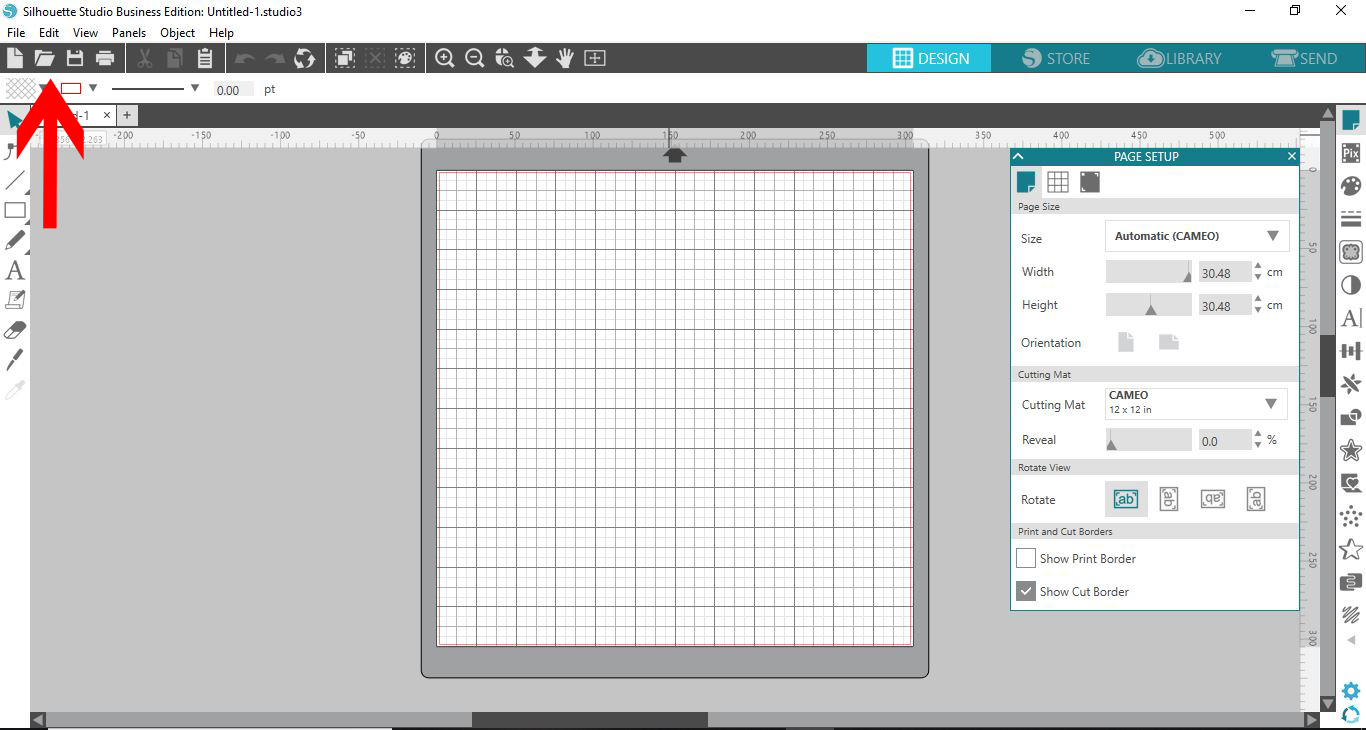
2- Click and open your DXF file. I am using theflip flop monogram svgfrom designbundles.net
3- The file will now appear in your design area.

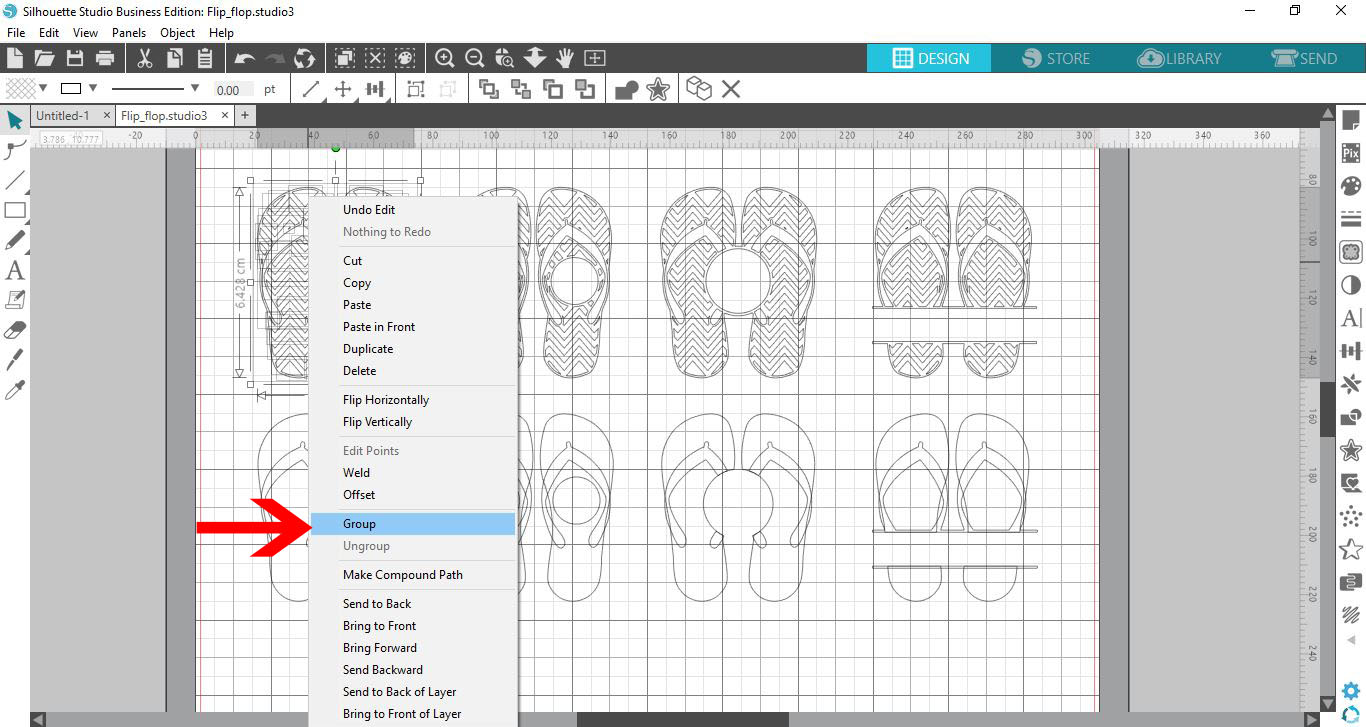
4- Ungroup the design, then select the part you would like to use.

5- Right click and group the part you want to use.
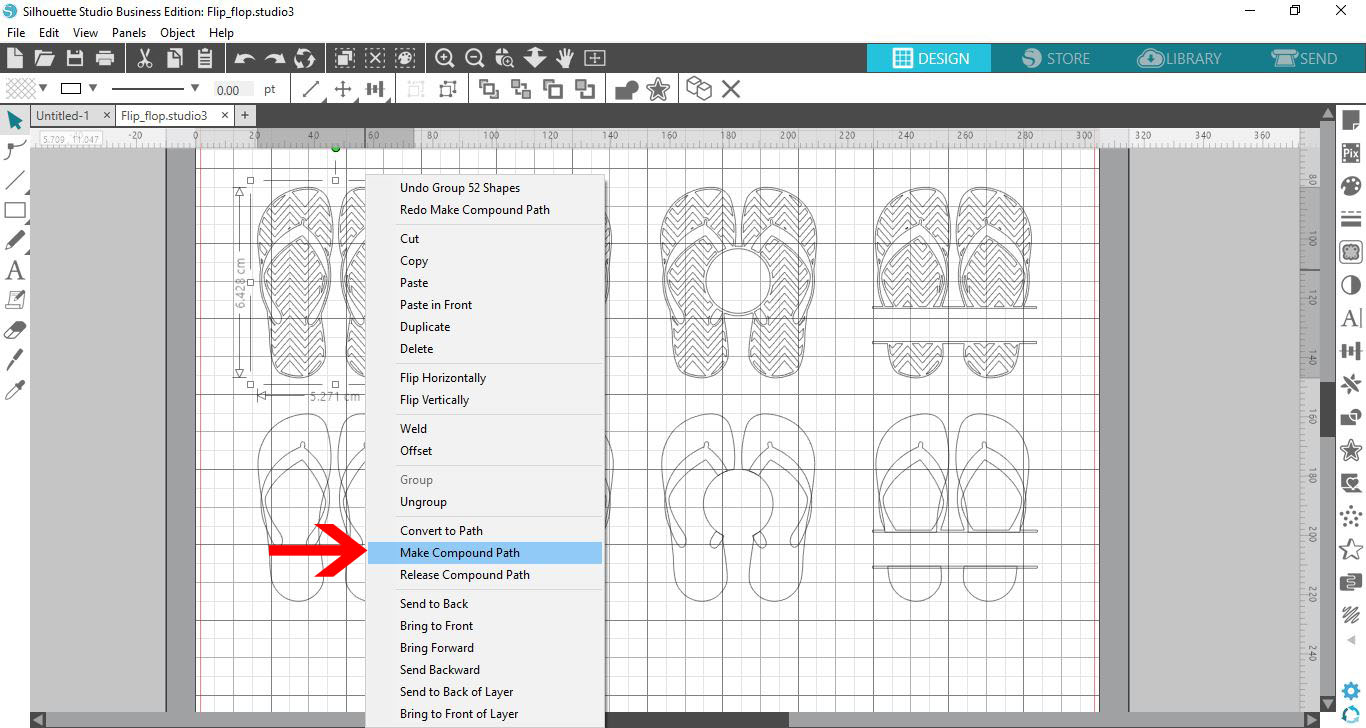
6- Right click again and make a compound path.
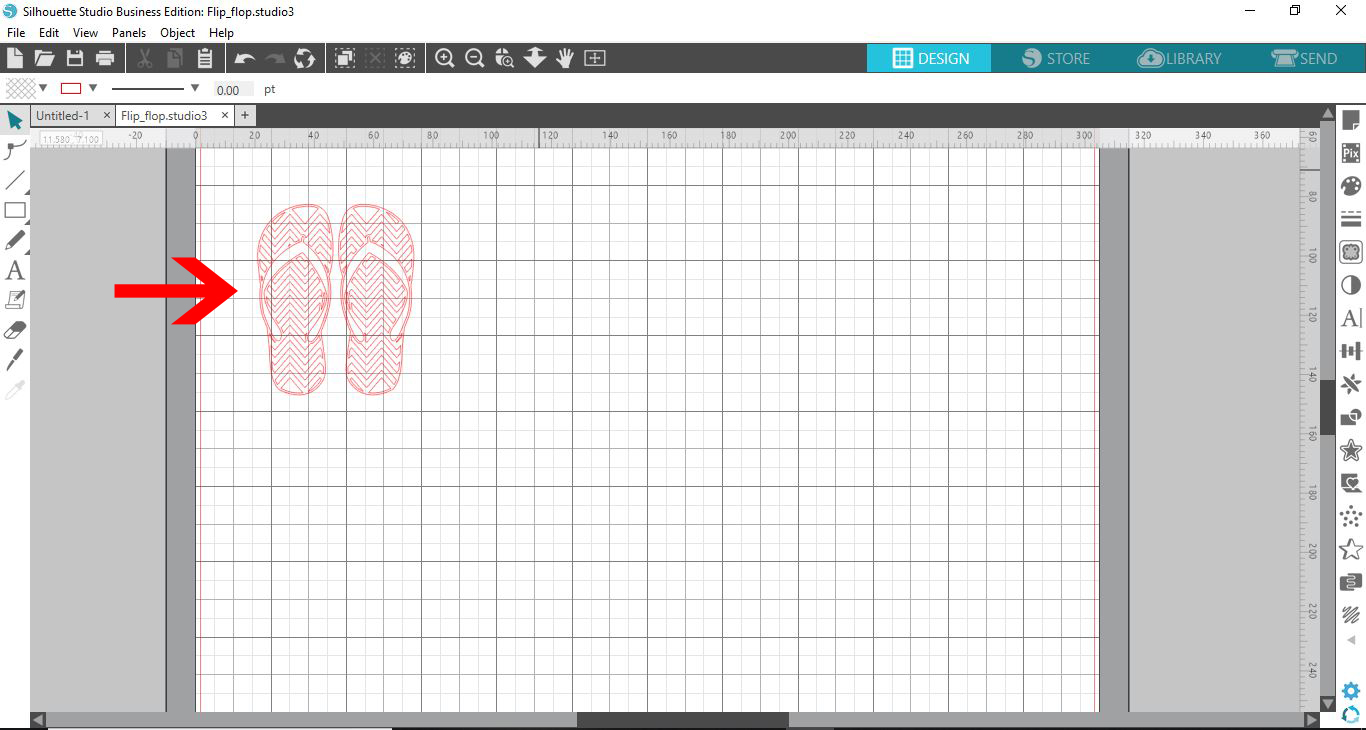
7- Delete any other part of your design you do not need.
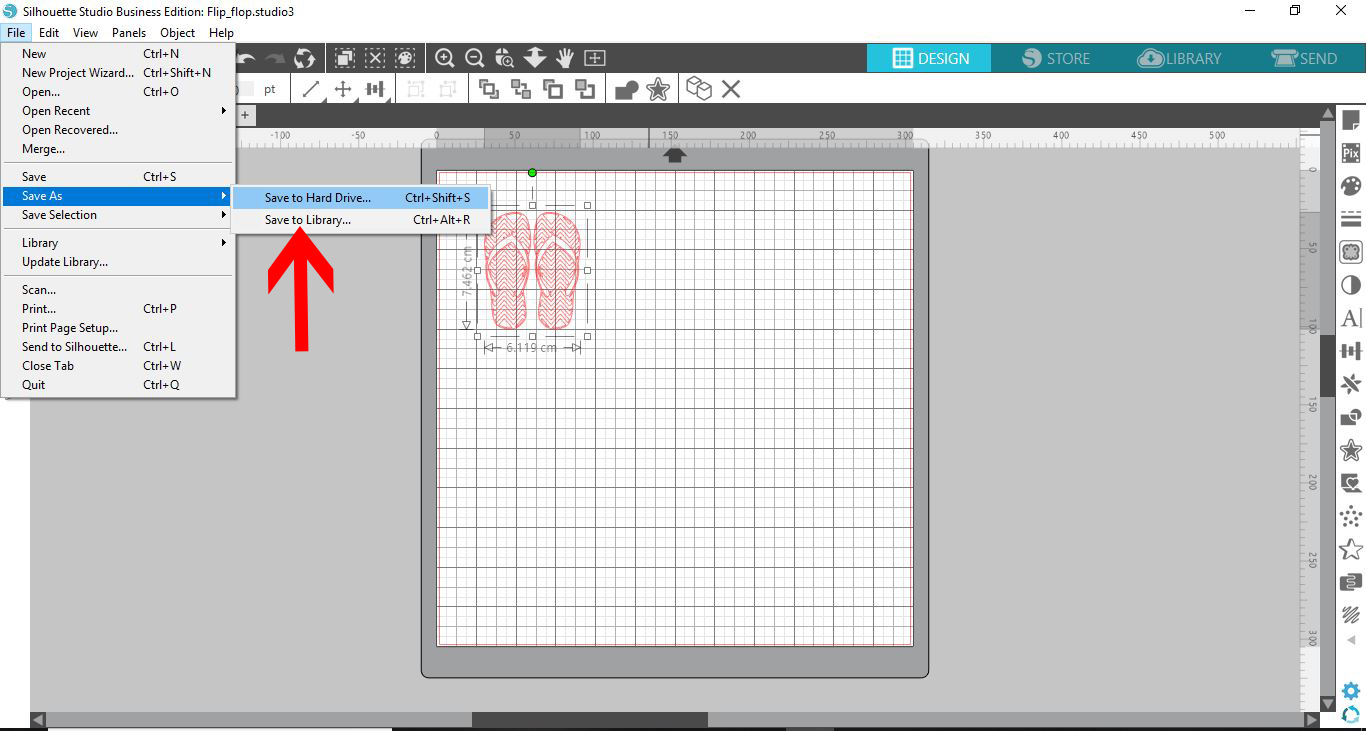
8- Go to file - save as - save to hard drive.
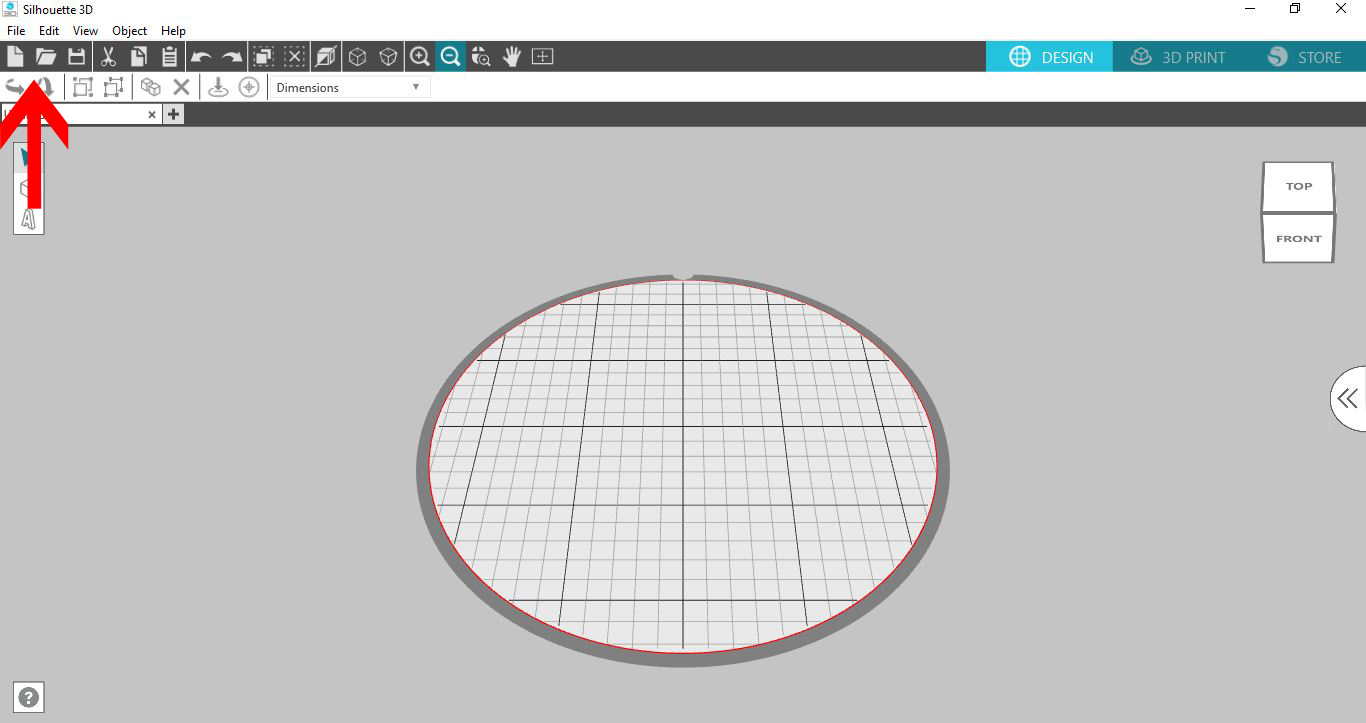
9- Open the Alta 3D software. Click on the open folder icon.
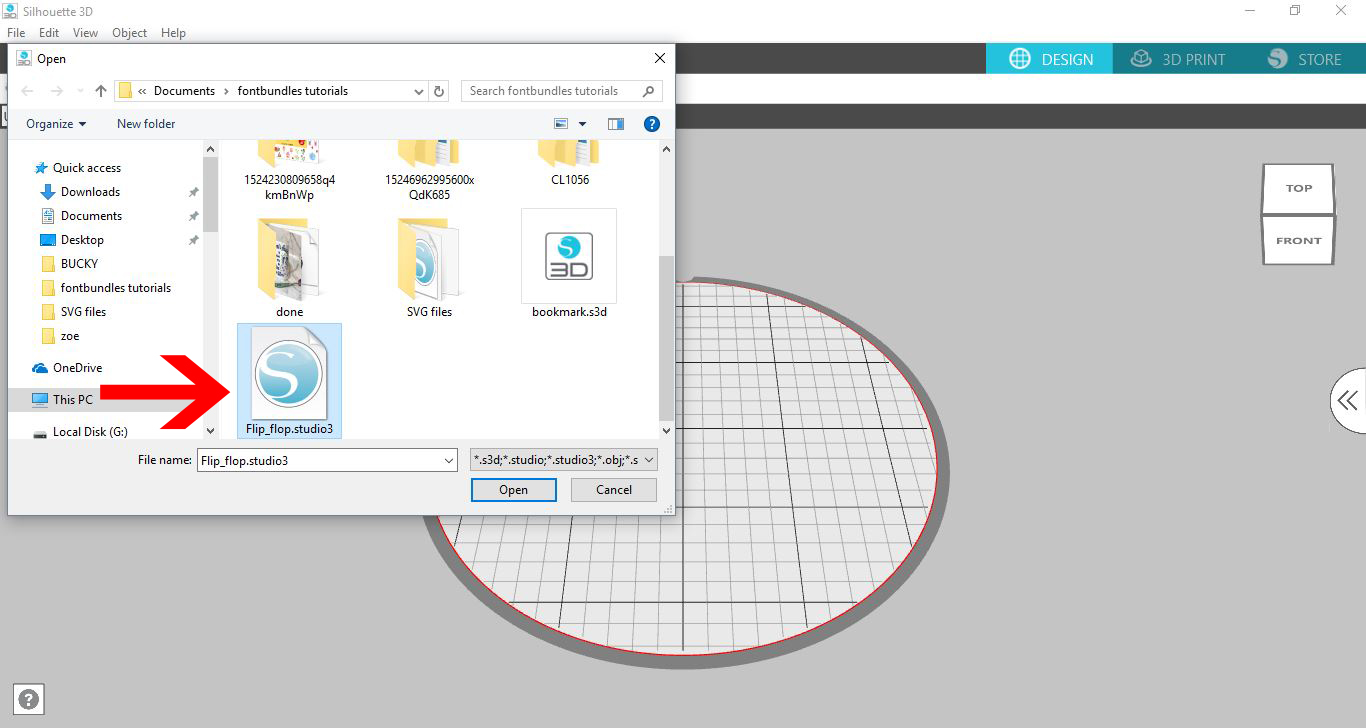
10- Find your saved studio file and open it.
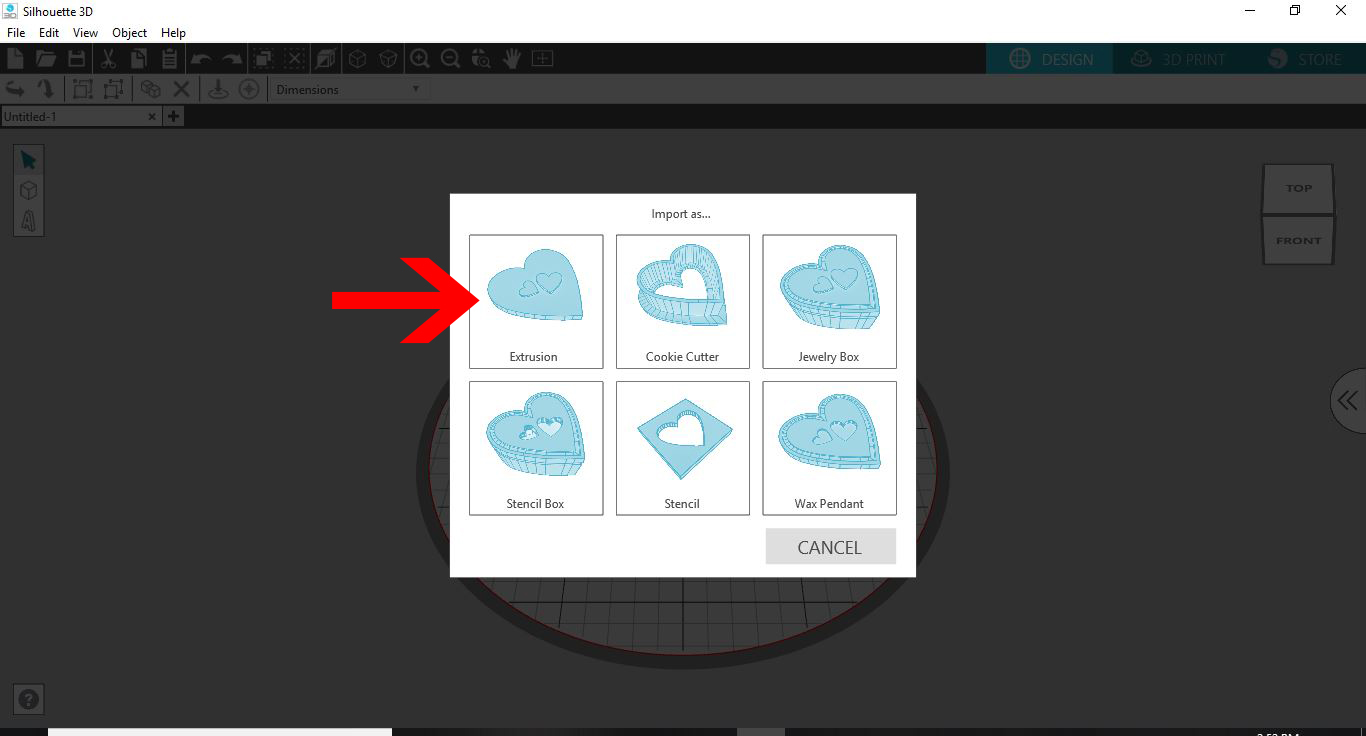
11- a new window will appear. this will determine what you convert your design to. I am picking extrusion.
12- Your design will be imported and converted into your 3D software design space.
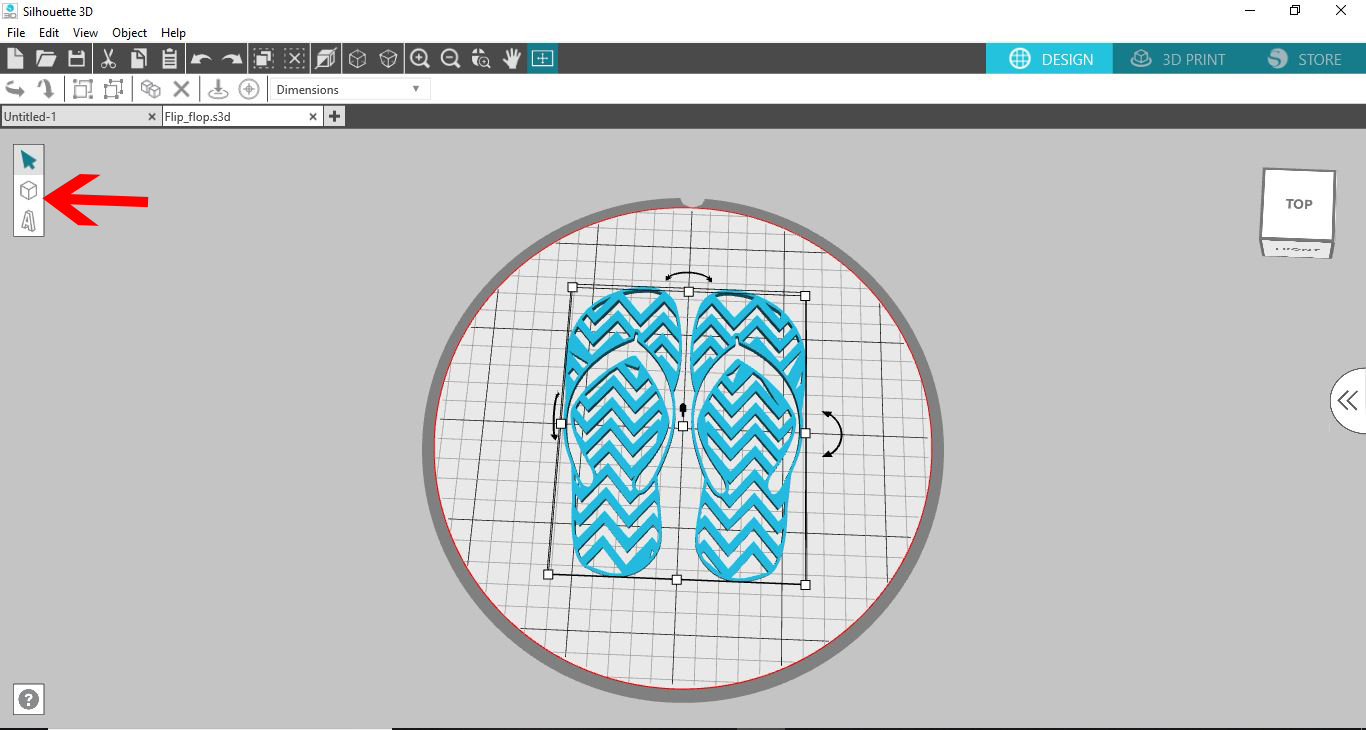
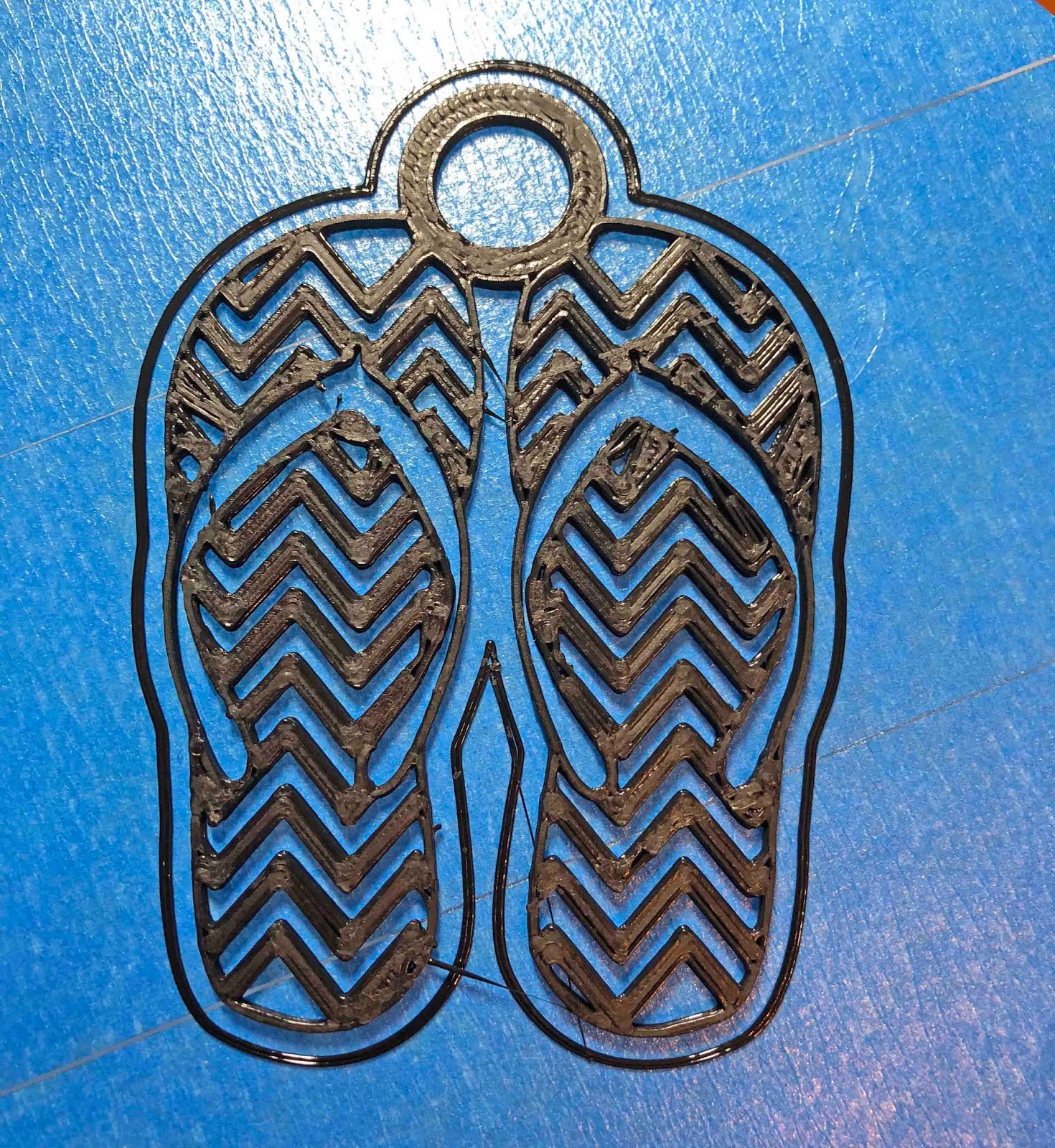
13- If you want ot add to your imported design you can add and group it. I have added a tube to join the 2 flip flops and at the same time create a loop to create this design to a keyring.
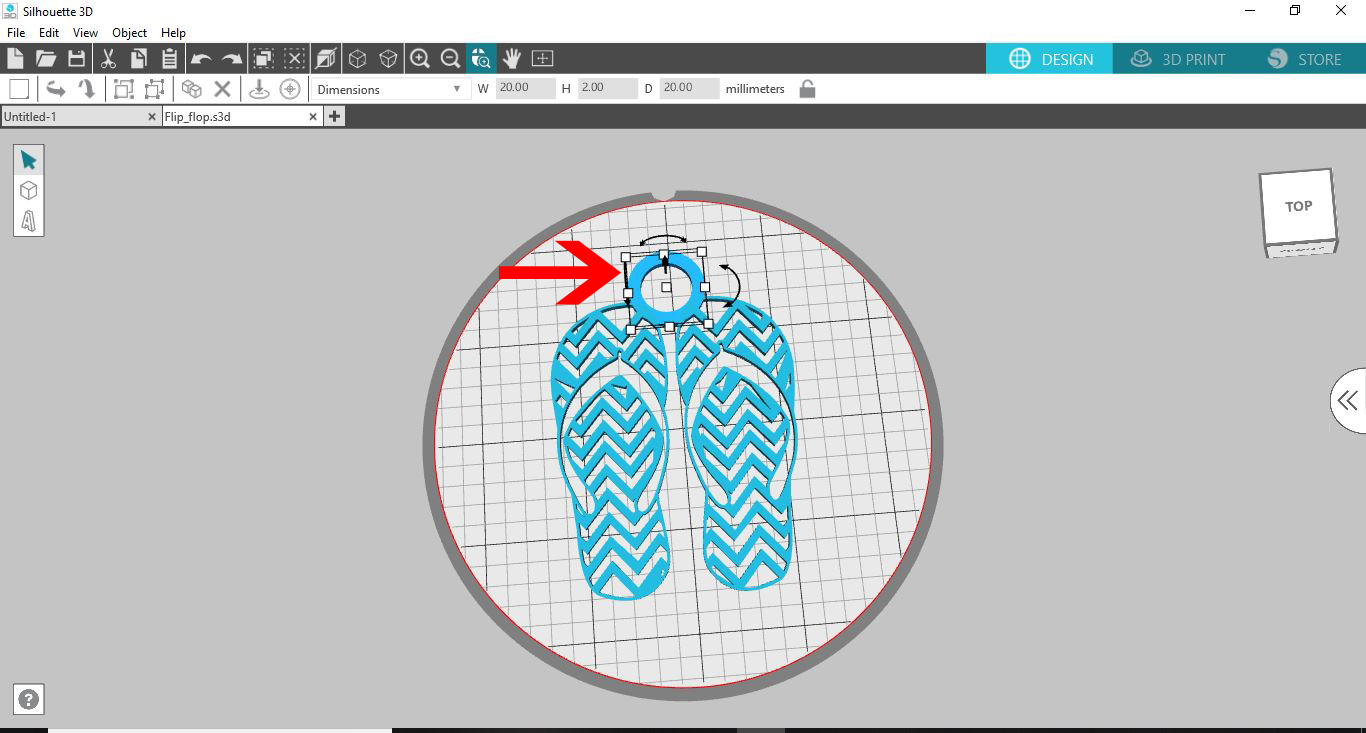
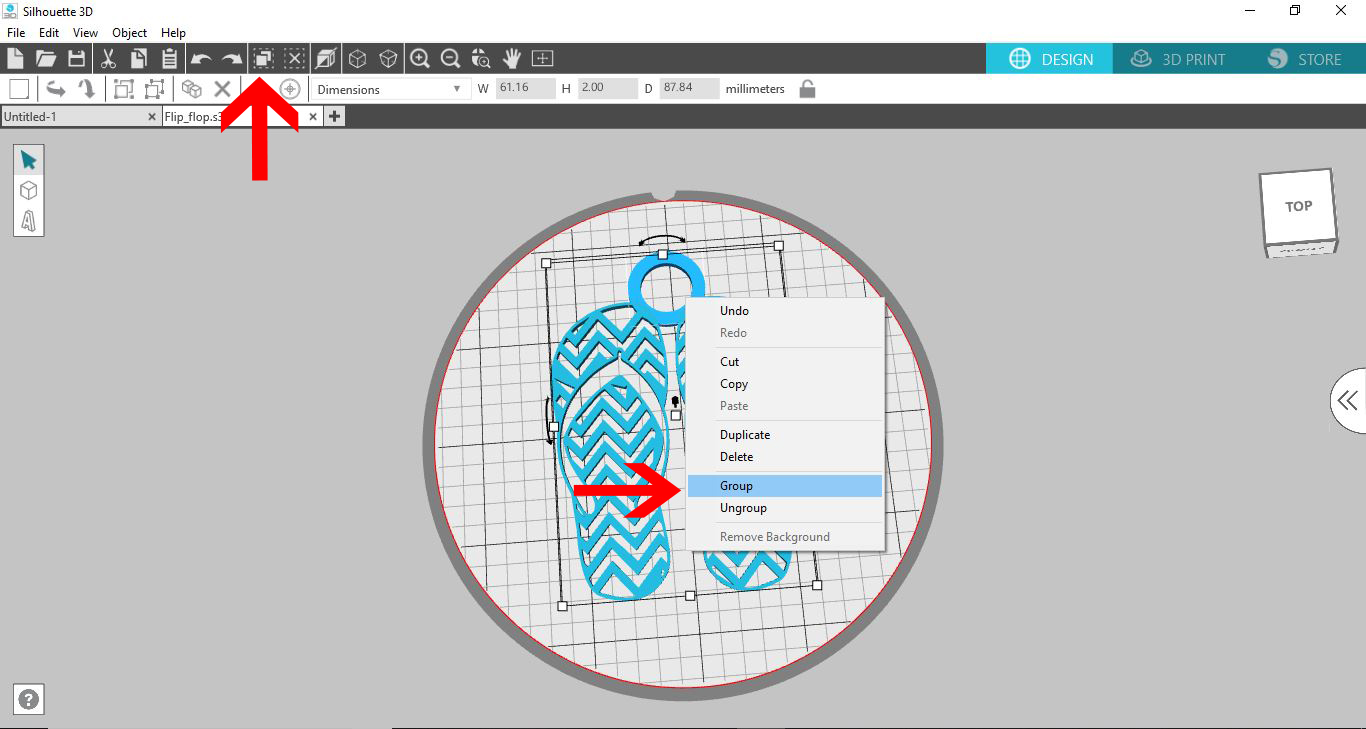
14- When adding new parts to your design, if you want them to print all together you need to group them. Click on the select all icon, then right click and click on group.
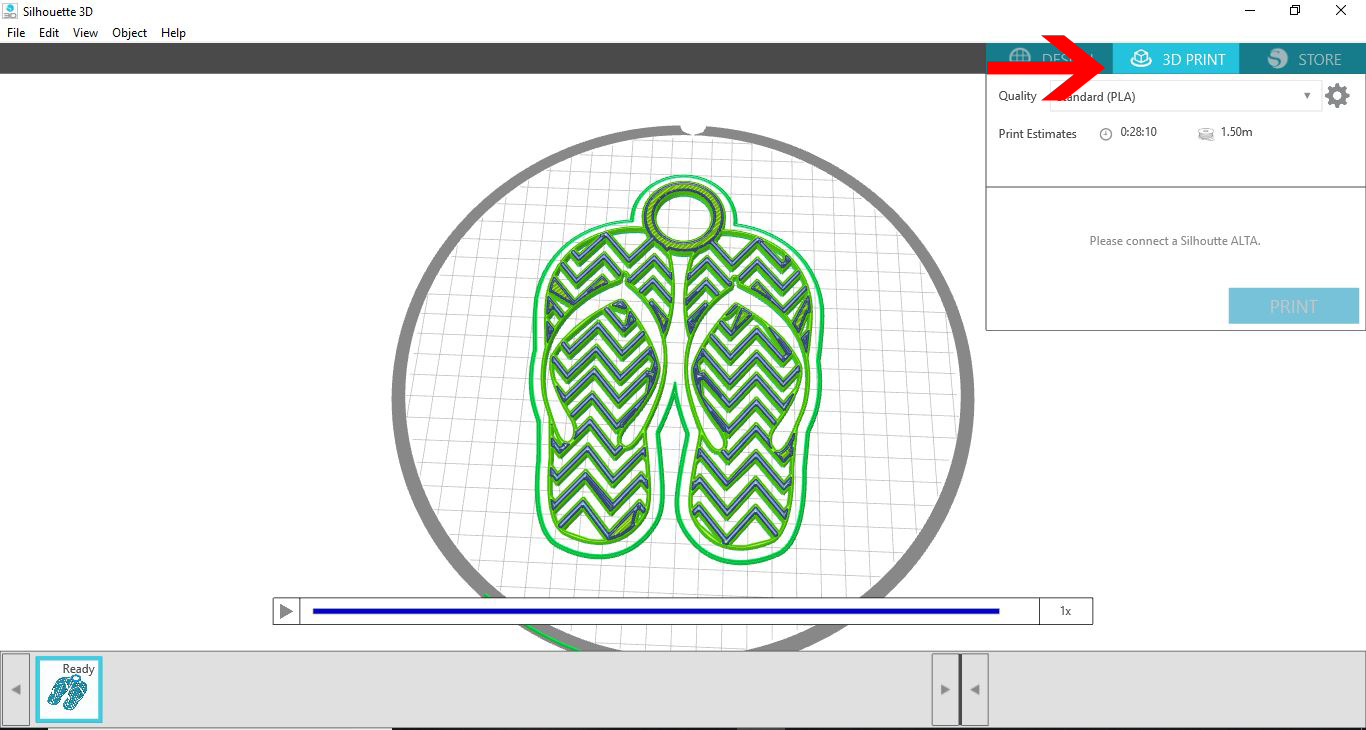
15-Your software will slice the design and you can print your design.
16- Your design is printed.