By Design Bundles
Silhouette Tutorials2 min
How to Unload Filament in the Silhouette Alta 3D printer
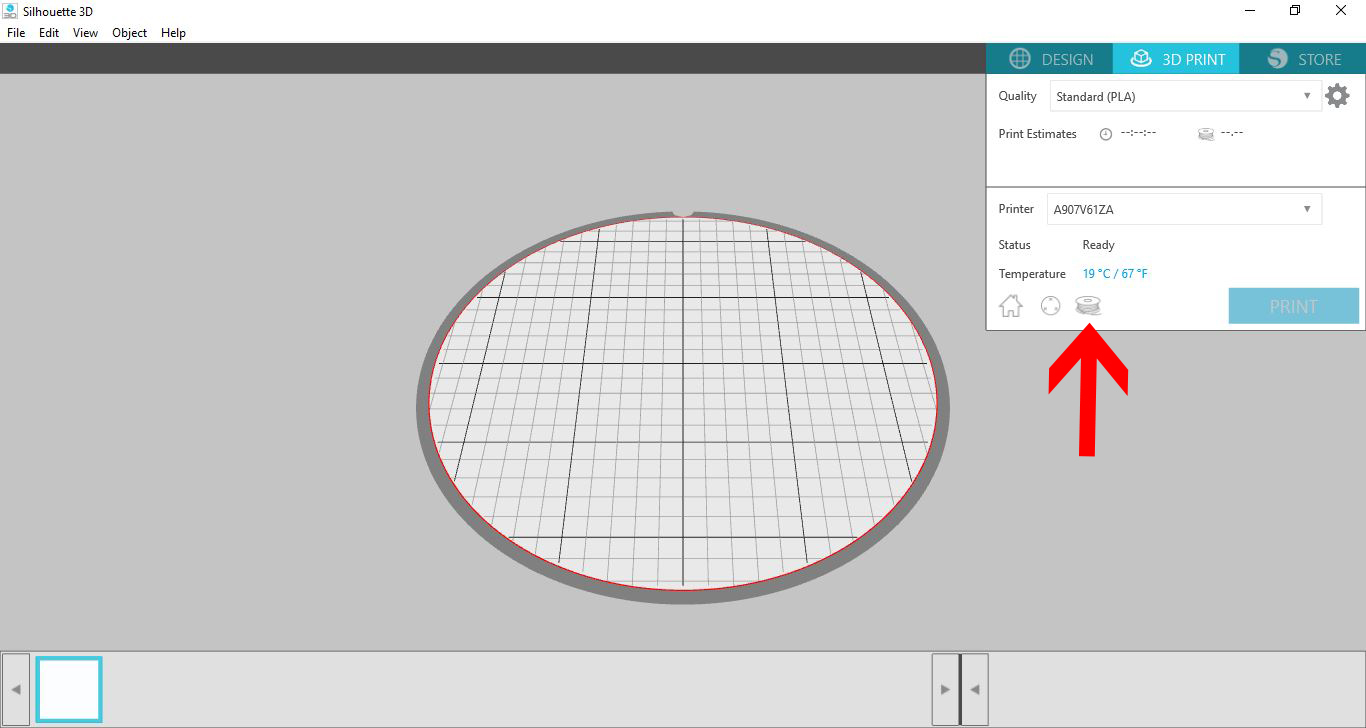
1- Once you have finished all your printing for the day you need to unload your filament. Click on the 3D print icon.
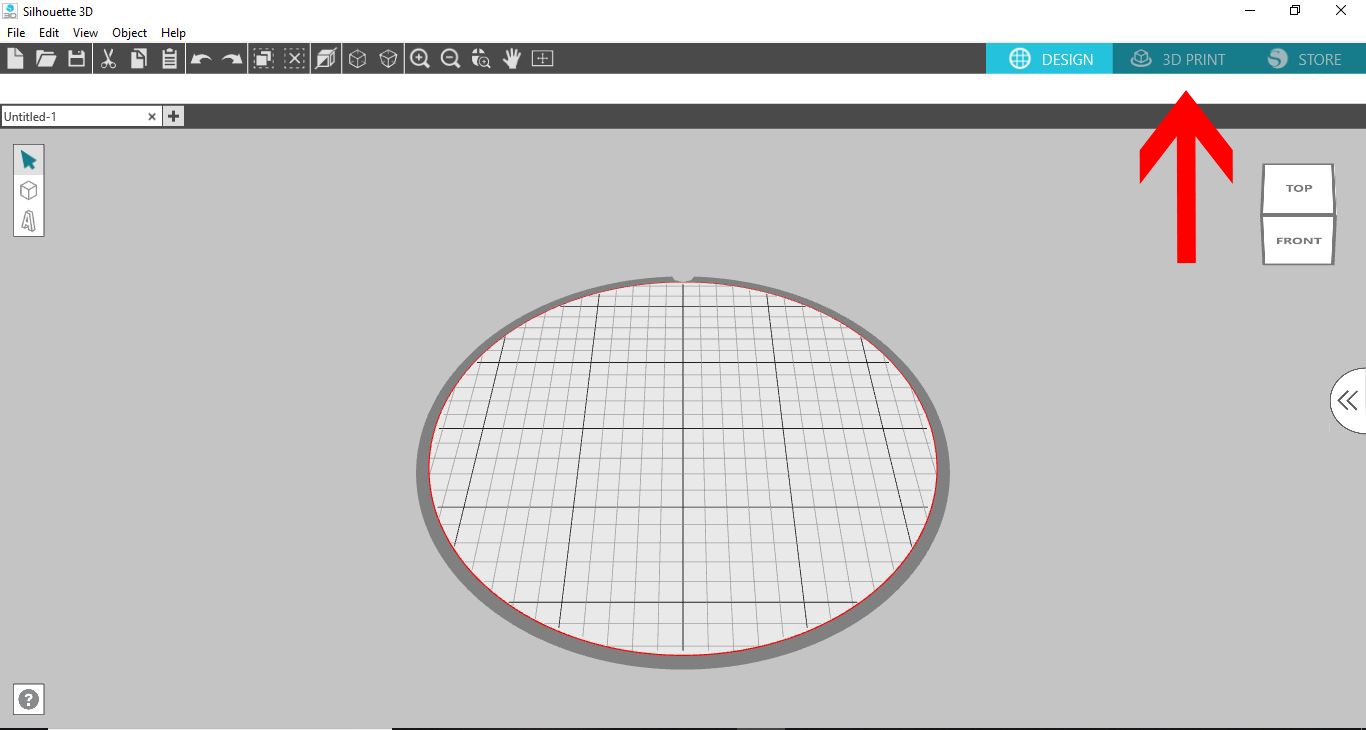
2- Next Click on the little roll of filament icon.
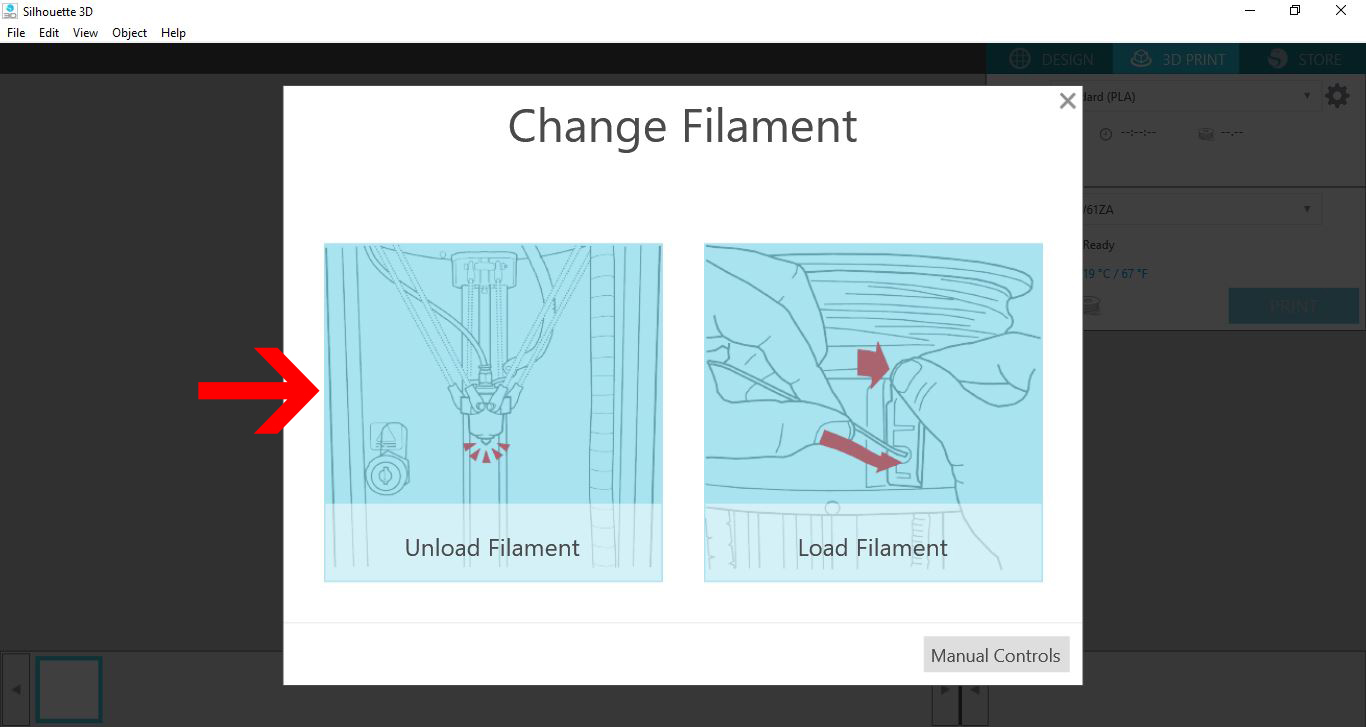
3- On the new screen click on the Unload filament option.
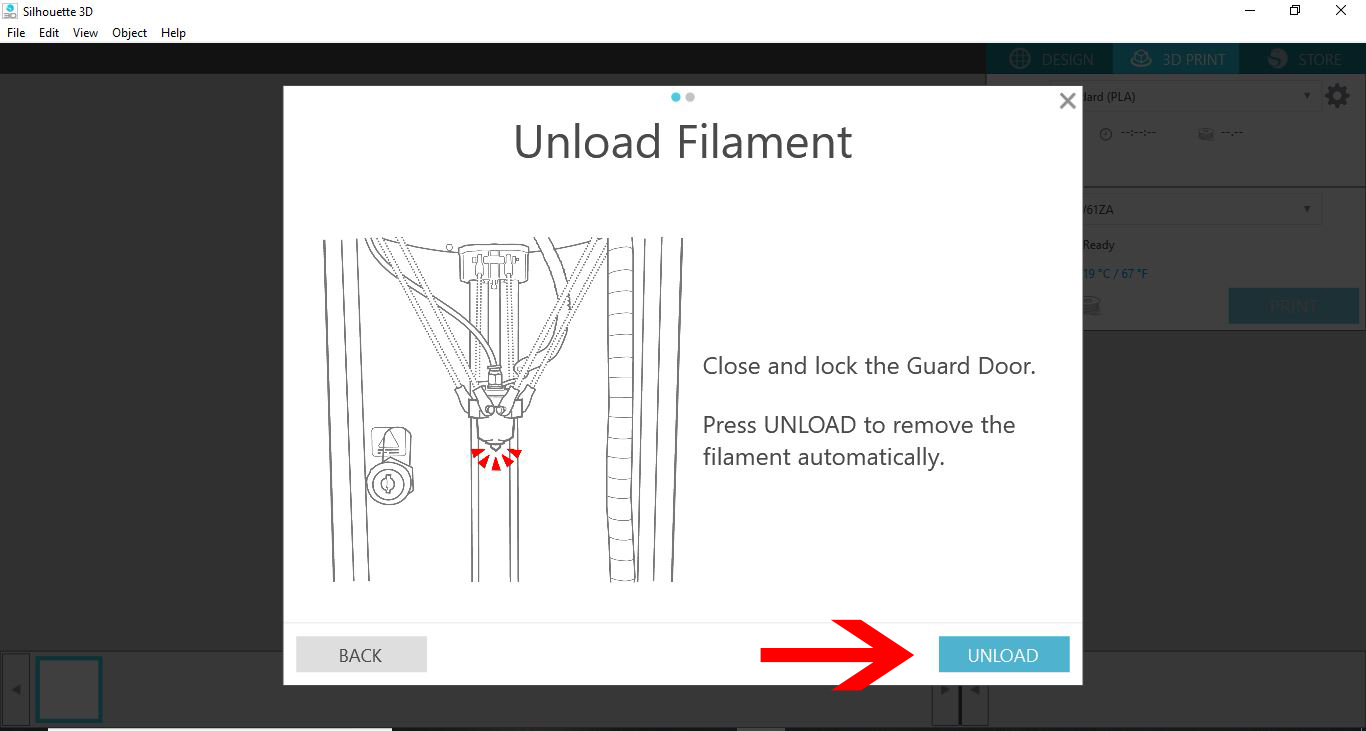
4- Shut the machine door and lock it. then click unload.

4- make sure there is no obstructions in the way. you will see that the machine will send out a small amount of filament. This is waste you can dispose off shortly.
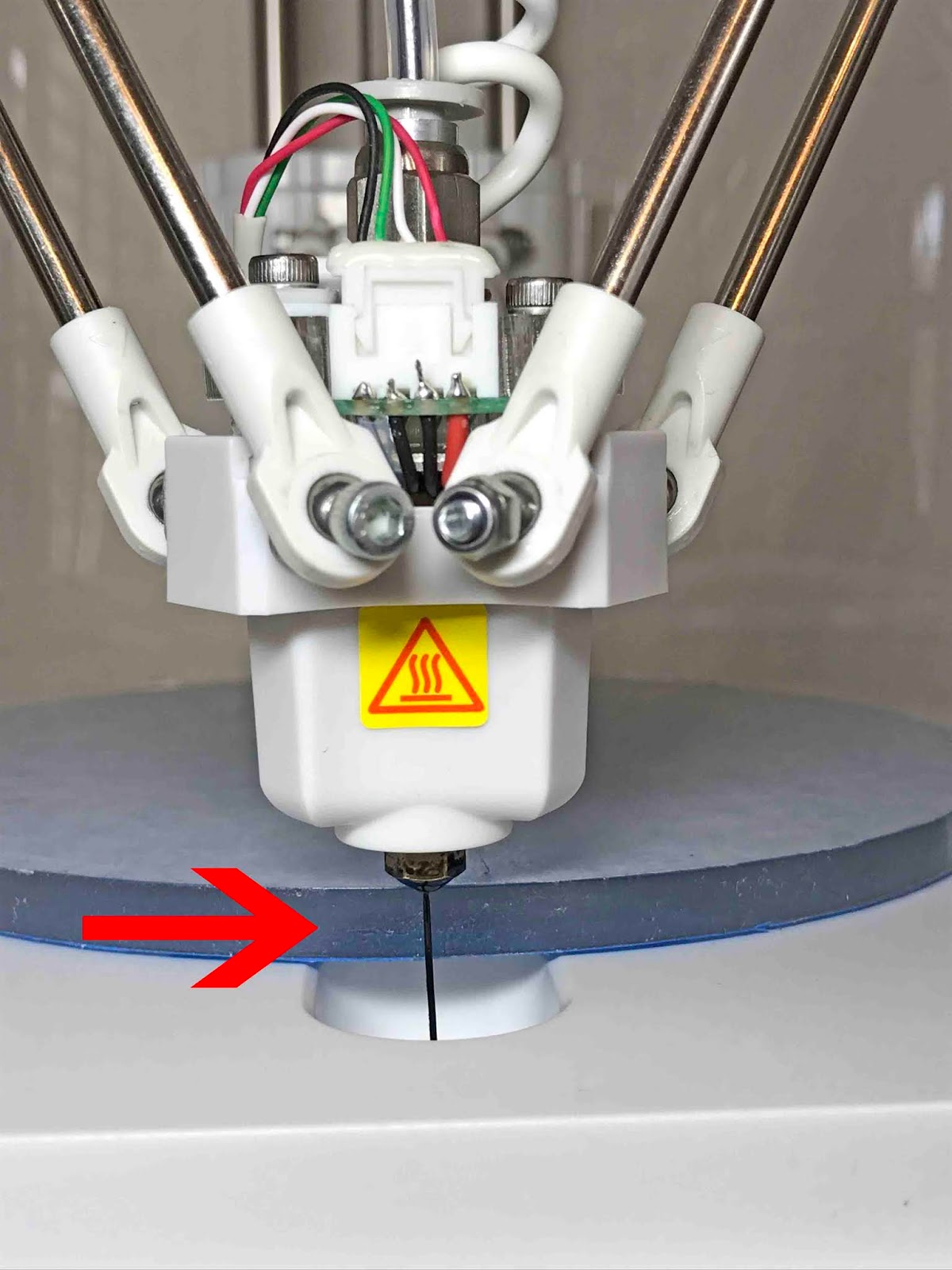
5- Make sure there is ample filament space. as the machine will reverse the filament out of your machine. Once it has finished you can press on the lever and pull the last bit out.
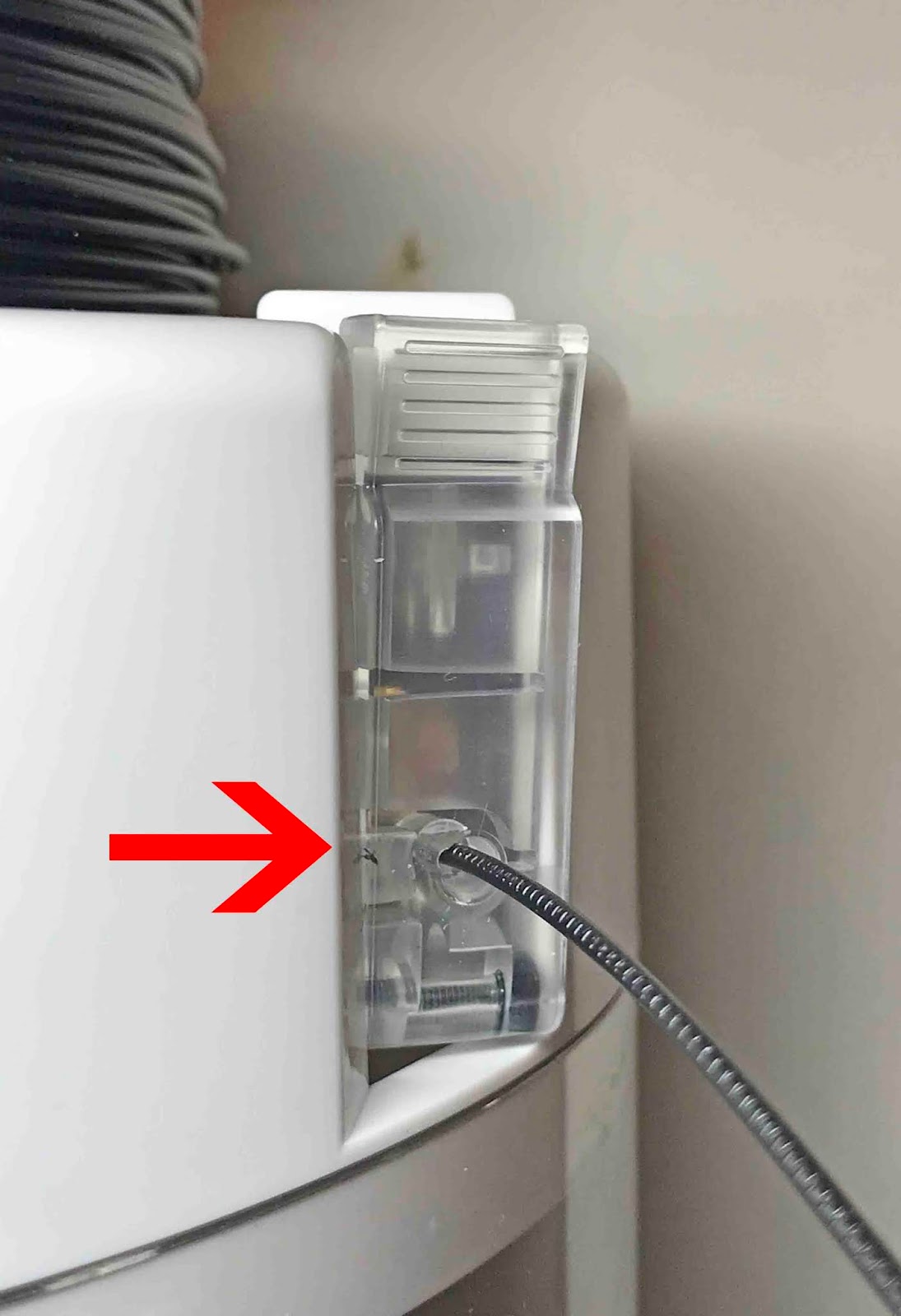
6- Make sure that when you do this you trim any edges ready for the next load.
Related Tutorials
Silhouette Tutorials
How to Load Filament in the Silhouette Alta 3D printer
Silhouette Tutorials
How to Create a Basic Cookie Cutter in Silhouette Alta 3D Printer
Silhouette Tutorials
How to Add Embossing Effect to Cookie Cutter Using a SVG file In Silhouette Alta 3D Printer Software
In only 4 steps, discover how to make an embossed cookie cutter with the Silhouette Alta 3D printer.
Silhouette Tutorials
Using Silhouette Studio to Create Text for the Silhouette Alta 3D Printer Software
Silhouette Tutorials
How to Alter Designs in Silhouette Alta 3D Printer Software
Silhouette Tutorials