By Design Bundles
Silhouette Tutorials2 min
Silhouette Alta 3D printer weld function
1- Open Silhouette Alta software. Click on the right arrows to open up your saved designs, or upload your own design.
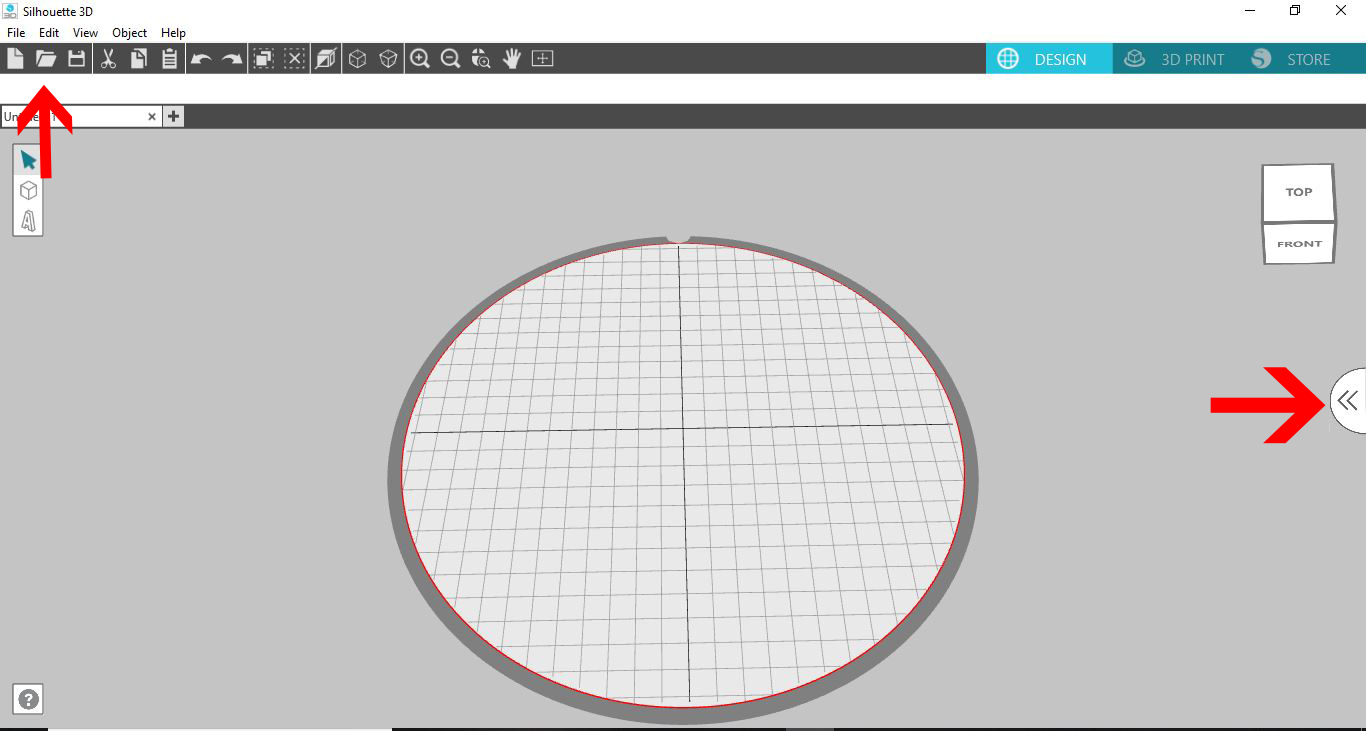
2- Upload your design. Use your design library or upload a second design. You can even use any of the shape tools.
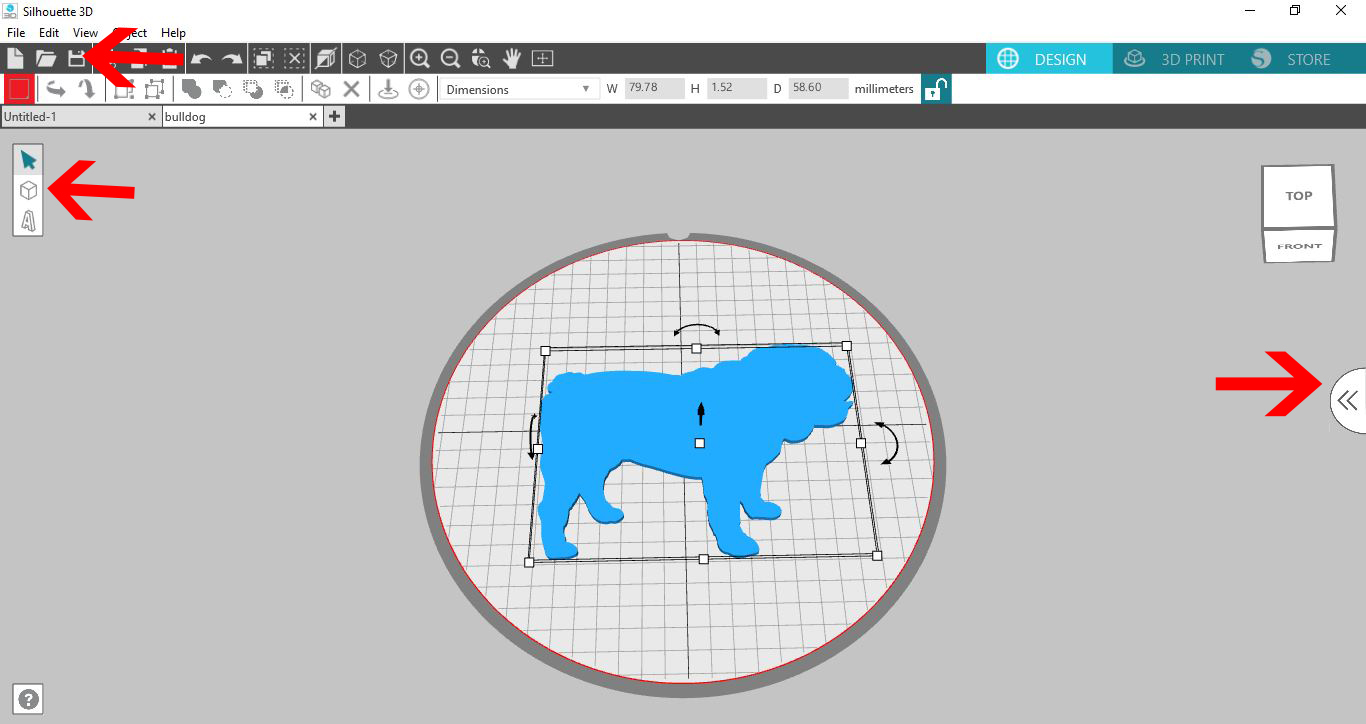
3- Select the shape you would like to weld with and resize.
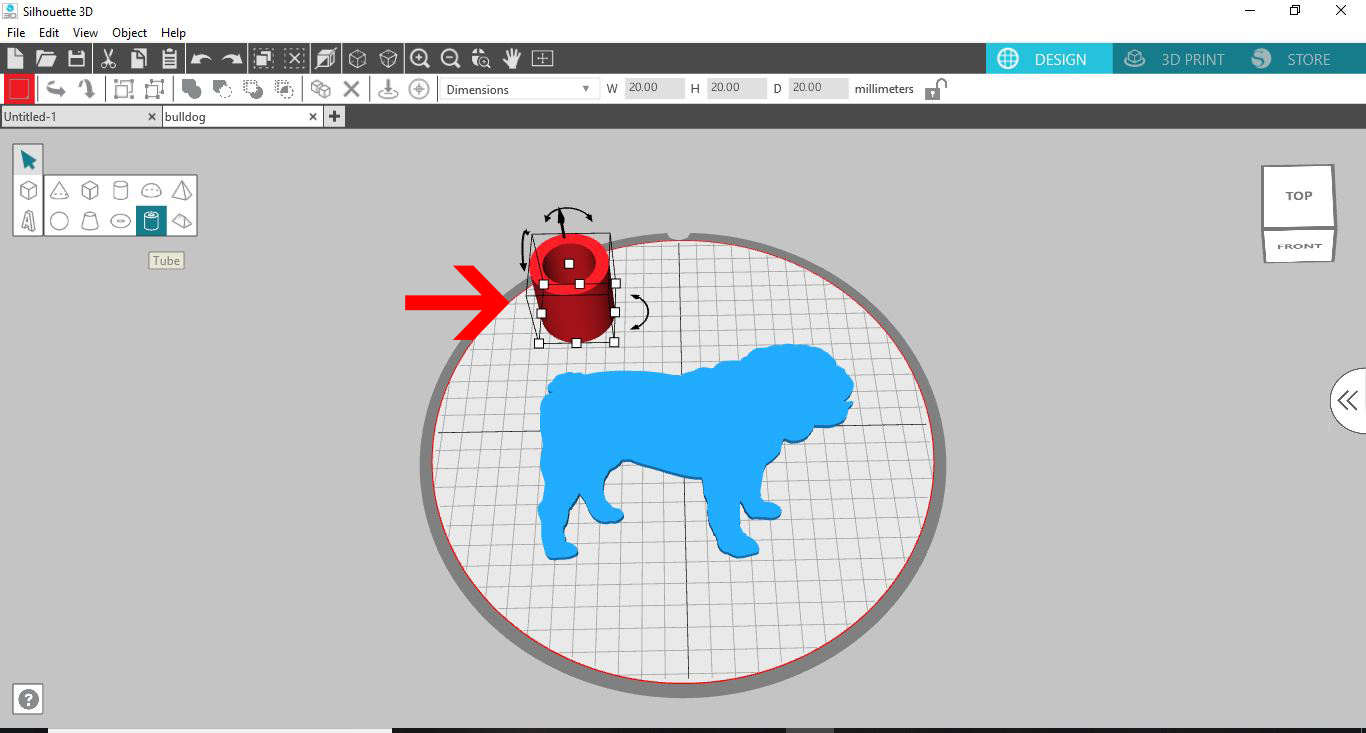
4- Move the design to overlap the other design. At least a part of each design need to touch to be able to weld.
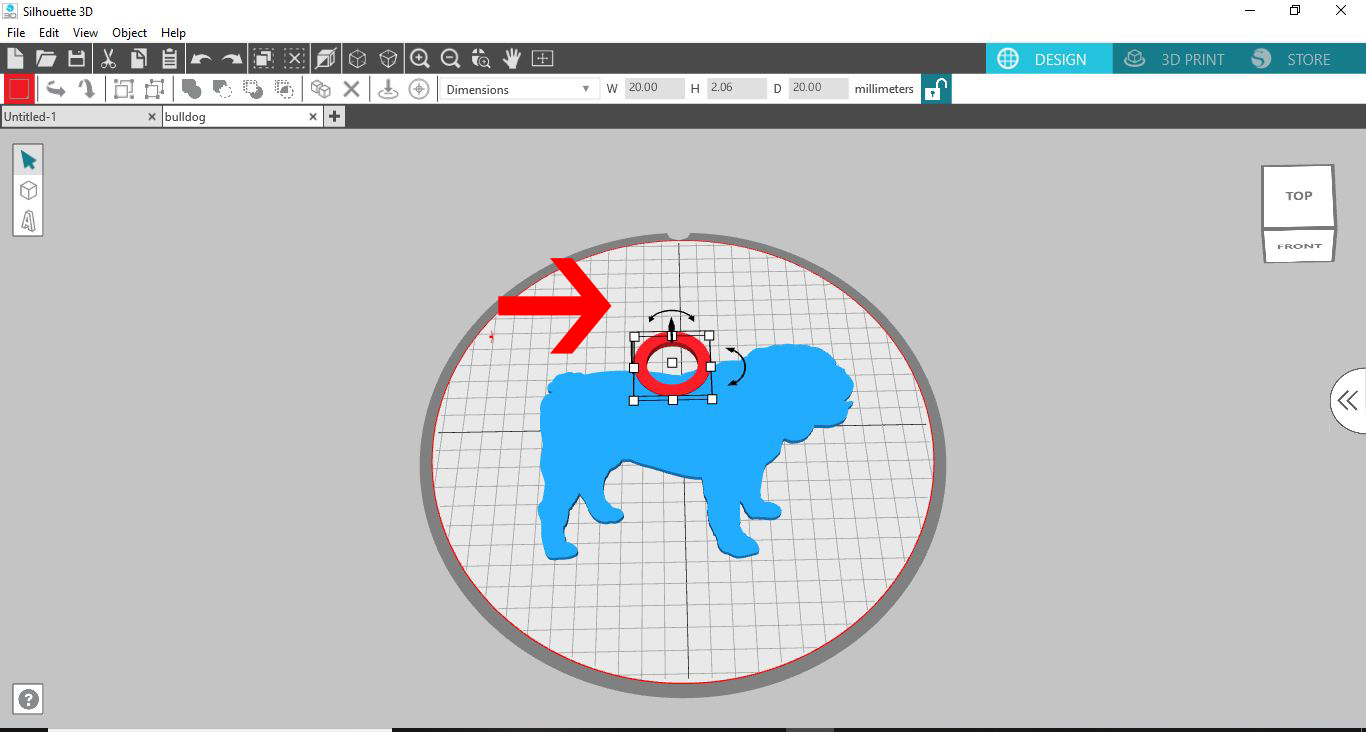
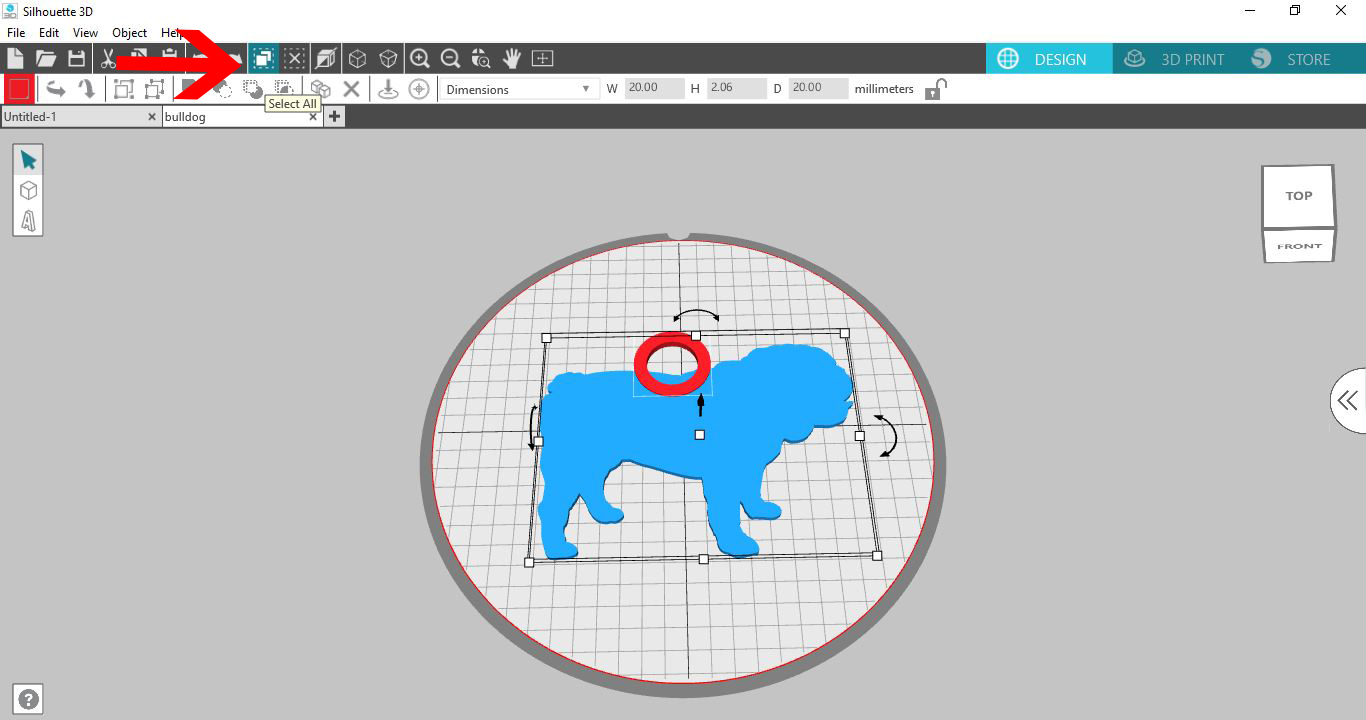
5- Once the 2 designs are where you want to them to weld, click on the select all tool.
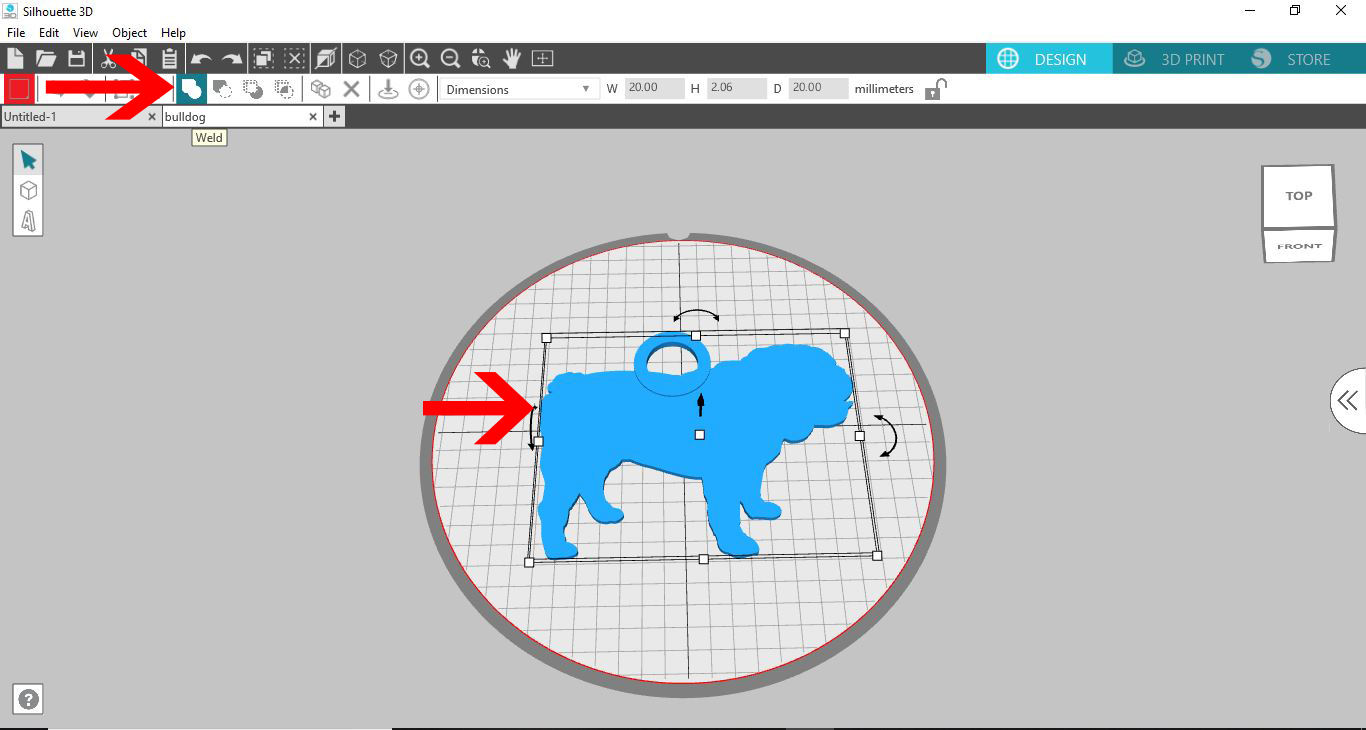
6- Click on the weld tool. The two designs are now joined together (welded)
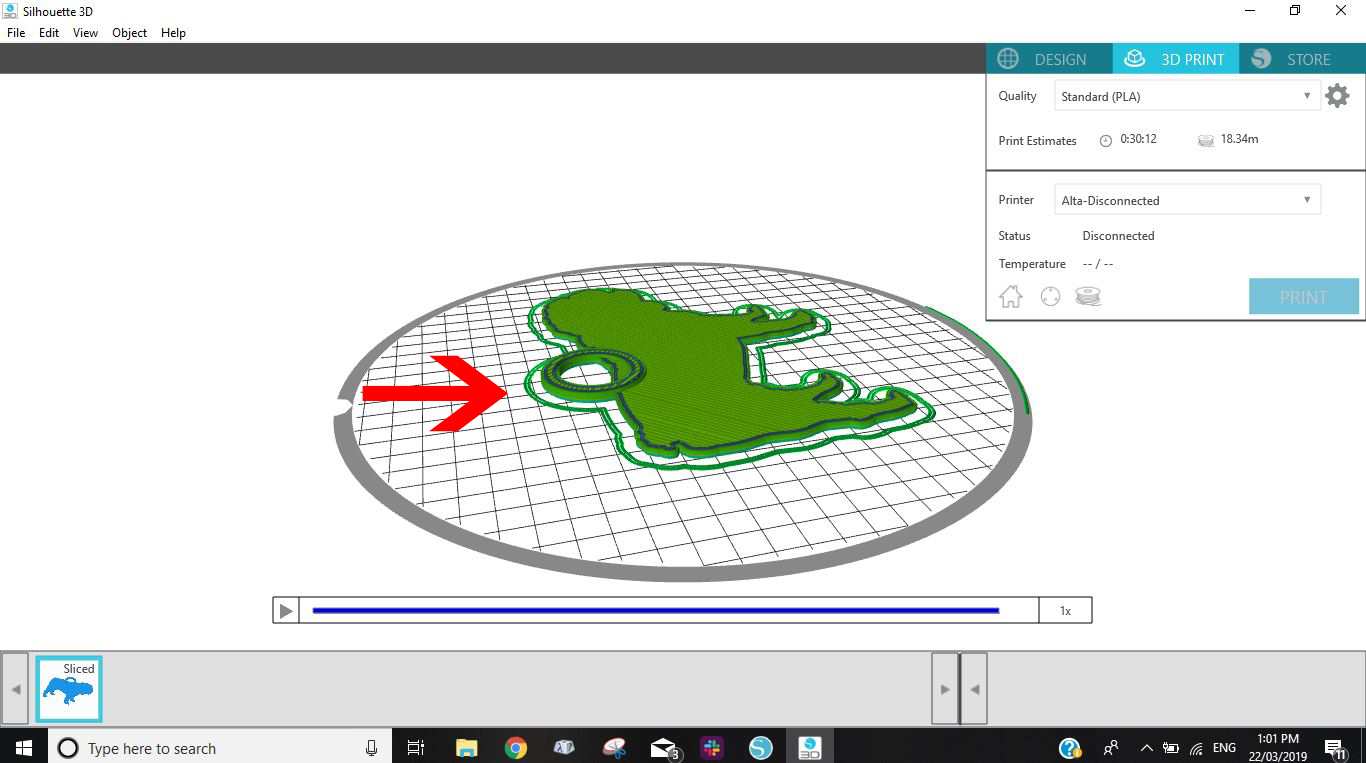
7- When you go to the print screen the design is all as one not 2 separate files to print.
Related Tutorials
Silhouette Tutorials
How to Create a Basic Cookie Cutter in Silhouette Alta 3D Printer
Silhouette Tutorials
How to Add Embossing Effect to Cookie Cutter Using a SVG file In Silhouette Alta 3D Printer Software
In only 4 steps, discover how to make an embossed cookie cutter with the Silhouette Alta 3D printer.
Silhouette Tutorials
How to Unload Filament in the Silhouette Alta 3D printer
Silhouette Tutorials
Using Silhouette Studio to Create Text for the Silhouette Alta 3D Printer Software
Silhouette Tutorials
How to Alter Designs in Silhouette Alta 3D Printer Software
Silhouette Tutorials