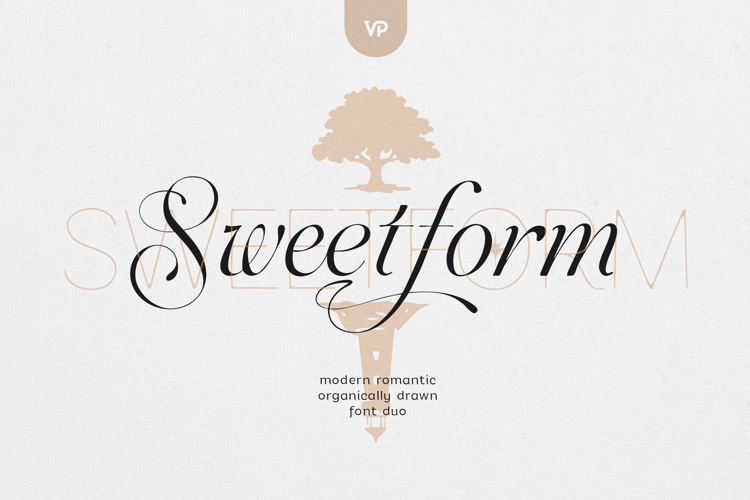
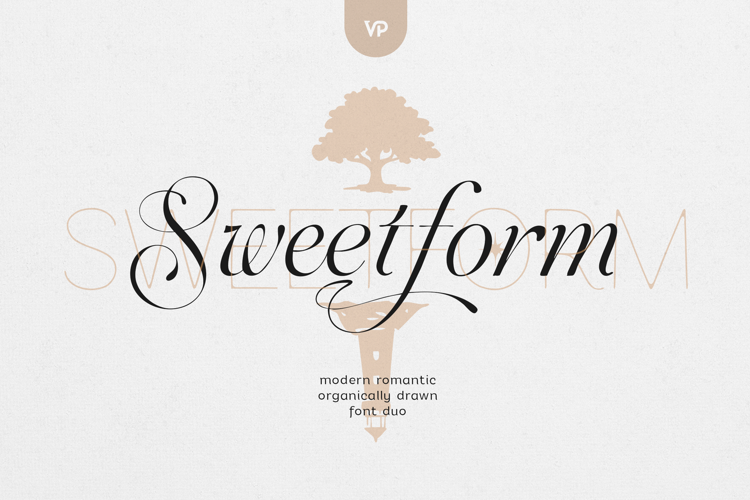
Sweetform - Handwritten Serif & Modern Sans Font Duo
Sweetform is a refined, hand-crafted font family designed for modern brands that value warmth, elegance, and clarity. Blending expressive handwriting with structured simplicity, Sweetform gives you the freedom to create identities that feel professional.
At its core, Sweetform pairs a handwritten serif with organic movement and subtle contrast alongside a clean modern sans serif, creating a balanced typography system ideal for branding, editorial design, packaging, and digital use.
✦ What’s Included in Sweetform
- Handwritten Serif
- 4 distinctive stylistic sets
- Naturally flowing strokes with a human, organic feel
- Ideal for logos, headlines, quotes, and statement typography
- Sans Serif
- 3 versatile weights
- Clean, modern, and highly legible
- Perfect for body text, captions, layouts, and UI elements
- 26 Hand-Made Symbols
- Custom-drawn icons and decorative elements
- Designed to complement both fonts
- Ideal for branding details, packaging, dividers, and storytelling
✦ Perfect For
- Fashion & lifestyle branding
- Editorial design & magazines
- Logos & brand identities
- Packaging & labels
- Social media content
- Websites & digital products
- Wedding & event design
✦ Why Designers Choose Sweetform
- A complete font duo system, not just a single typeface
- Handwritten character balanced with modern structure
- Multiple stylistic sets for creative flexibility
- Works beautifully across print and digital
- Designed to feel timeless, warm, and intentional
Language Support : Afrikaans, Albanian, Asu, Basque, Bemba, Bena, Breton, Chiga, Colognian, Cornish, Czech, Danish, Dutch, Embu, English, Estonian, Faroese, Filipino, Finnish, French, Friulian, Galician, Ganda, German, Gusi,i Hungarian, Indonesian, Irish, Italian, Jola-Fonyi, Kabuverdianu, Kalenjin, Kamba, Kikuyu, Kinyarwanda, Latvian, Lithuanian, Lower Sorbian, Luo, Luxembourgish, Luyia, Machame, Makhuwa-Meetto, Makonde, Malagasy, Maltese, Manx, Meru, Morisyen, North Ndebele, Norwegian, Bokmål, Norwegian, Nynorsk, Nyankole, Oromo, Polish, Portuguese, Quechua, Romanian, Romansh, Rombo, Rundi, Rwa, Samburu, Sango, Sangu, Scottish, Gaelic, Sena, Shambala, Shona, Slovak, Soga, Somali, Spanish, Swahili, Swedish, Swiss, German, Taita, Teso, Turkish, Upper, Sorbian, Uzbek (Latin), Volapük, Vunjo, Walser, Welsh, Western Frisian, Zulu
How to access alternate glyphs?
To access alternate glyphs in Adobe InDesign or Illustrator, choose Window Type & Tables Glyphs In Photoshop, choose Window Glyphs. In the panel that opens, click the Show menu and choose Alternates for Selection. Double-click an alternate's thumbnail to swap them out.
Mock ups and backgrounds used are not included!
Thank you! Enjoy!



 All your Design Needs